| title | Running Tests |
|---|---|
| description | Learn the different ways to execute your Autonoma tests - on-demand, scheduled, or via API integration. |
Once you've created and saved your tests, you have three flexible ways to execute them:
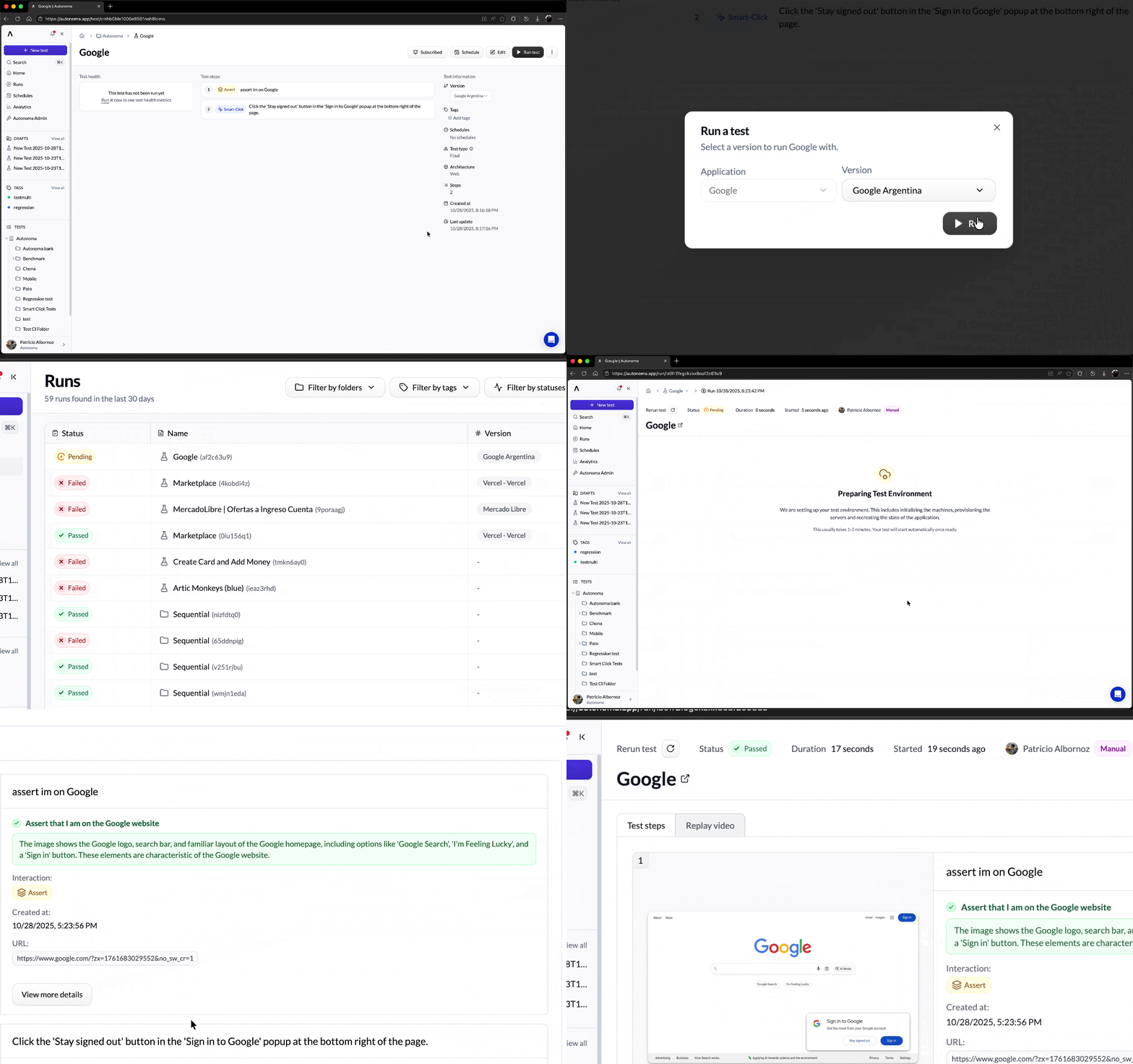
The simplest way to run a test is on demand. Perfect for:
- Testing recent changes
- Debugging issues
- Quick verification
Just click the Run button in the Autonoma UI to execute immediately and see real-time results.
Set up automatic scheduling for continuous monitoring:
- Hourly: Critical flow checks
- Daily: Important feature validation
- Weekly: Comprehensive regression testing
- Monthly: Full end-to-end validation
Ideal for ongoing stability monitoring and catching regressions over time.
Run tests programmatically for full CI/CD automation:
- Integrate with any CI/CD platform
- Trigger tests from deployment pipelines
- Automate quality gates
For detailed instructions on creating your first test and running it, check out our comprehensive guide:
Start with your first test →For full CI/CD integration details:
Set up automated testing →