



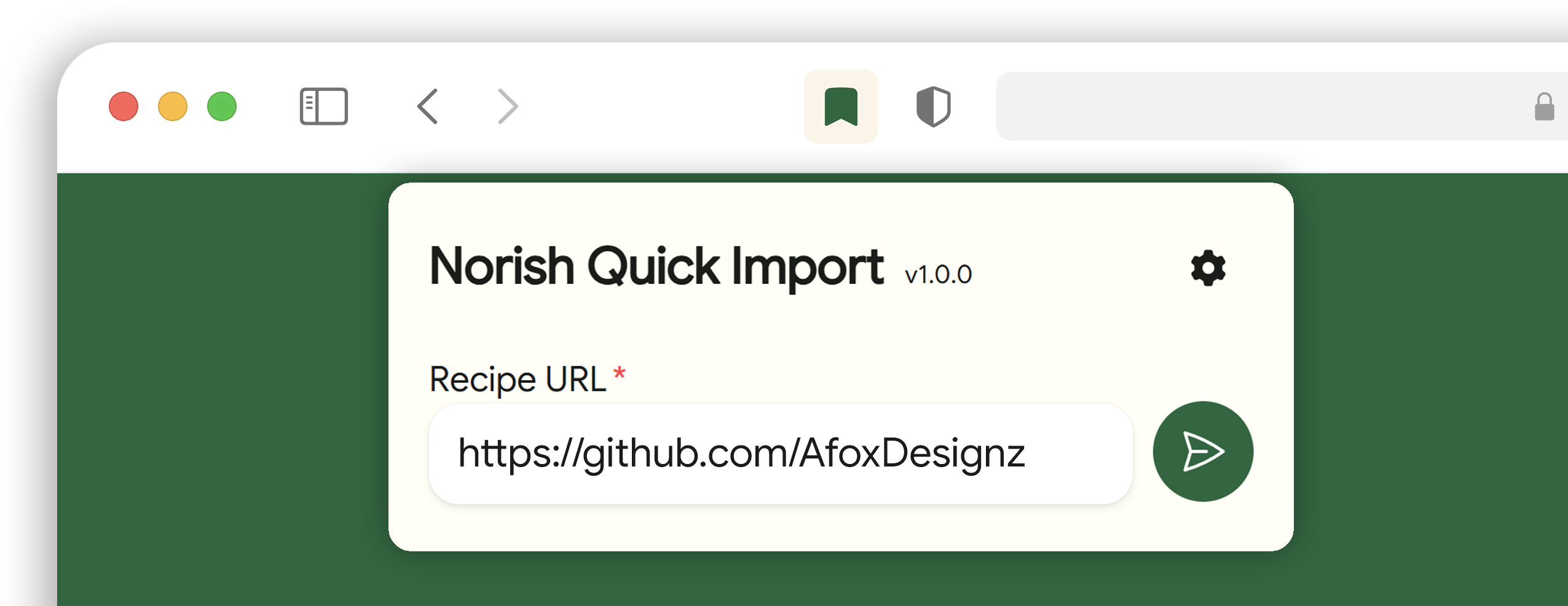
Save recipes from any website into Norish in just two clicks while you browse.

- Save recipes quickly: send the current page's recipe to your Norish instance in two clicks.
- Works on any site: import recipes from any webpage - no site-specific setup required. (has to be supported by norish)
- Simple setup: enter your Norish domain and API key once. The settings sync with your browser profile.
- Privacy-first: only the page URL and your API key are sent to the Norish instance you configure.
Planned
- Firefox support
- Add a
Test Connectionfeature - Add more functionality
Note
This extension is an independent project and is neither an official browser extension nor affiliated with the Norish project.

- Chromium-based browsers with Manifest V3 support (tested with recent Google Chrome and Vivaldi versions).
- Firefox is currently not supported.

Prebuilt releases include a ZIP of the compiled extension (contents of dist/). Read below if you want to build from source.
- Download and unzip the release ZIP.
- Open
chrome://extensionsin your browser -> enable Developer mode -> click Load unpacked -> select the unzipped release folder.
- Open the Extensions menu of your browser (puzzle-piece icon) and pin "Norish Quick Import" to the extensions toolbar.
- Go the the account settings of your Norish instance.
- Create a new API key and copy it to your clipboard.
- Click the extension icon in the extensions toolbar of your browser to open the Norish Quick Import popup.
- Fill out the domain of your Norish instance and paste your API key.
- Click
Save Settings. - Your browser will ask you, if you want to allow
Norish Quick Importto access your configured Instance Domain. ClickAllow.
After setting up the Extension you can just browse the internet and whenever you find a recipe, that's worth saving into Norish, just click the extension icon and hit send-Button.

A short guide to update or reload the extension without losing your settings.
- If you're using the Release ZIP / Load unpacked workflow: unzip the new release into the same folder you originally loaded (overwrite files), then open
chrome://extensionsand click the Reload button for "Norish Quick Import". Reloading preserves storage for the same installed extension ID. - If you remove and re-add the extension or load from a different folder: the browser may assign a new extension ID and stored sttings may not carry over.
Tip
If you encounter any problem or have a question, feel free to create an issue.

- Clone this repository:
git clone https://github.com/AfoxDesignz/Norish-Quick-Import-Extension.git- Install dependencies:
pnpm install- Build (produces
dist/and copies static files):
pnpm run build- Open
chrome://extensionsin your browser -> enable Developer mode -> click Load unpacked -> select thedist/folder.

Data handling:
- Stored locally (Chrome sync storage): your Norish domain and API key.
- Stored locally (Chrome local storage): the latest import status shown in the popup.
- Sent to your configured Norish instance during import: recipe URL and API key.
- Not sent: analytics, tracking data, or data to third-party services.

The extension currently requests:
storage: stores your Norish domain/API key and the latest import status.tabs: reads the active tab URL so the recipe URL field can be prefilled.optional_host_permissions(http://*/*,https://*/*): when you save settings, the extension requests access only for your configured Norish domain.

- This repository is licensed under the MIT License. See the
LICENSEfile for details.