en providers ppio
PPIO Cloud is a leading independent distributed cloud computing provider in China, offering stable, affordable, and even free model services.
Open the PPIO Cloud website and register an account (accounts registered through this link will receive a ¥15 voucher).
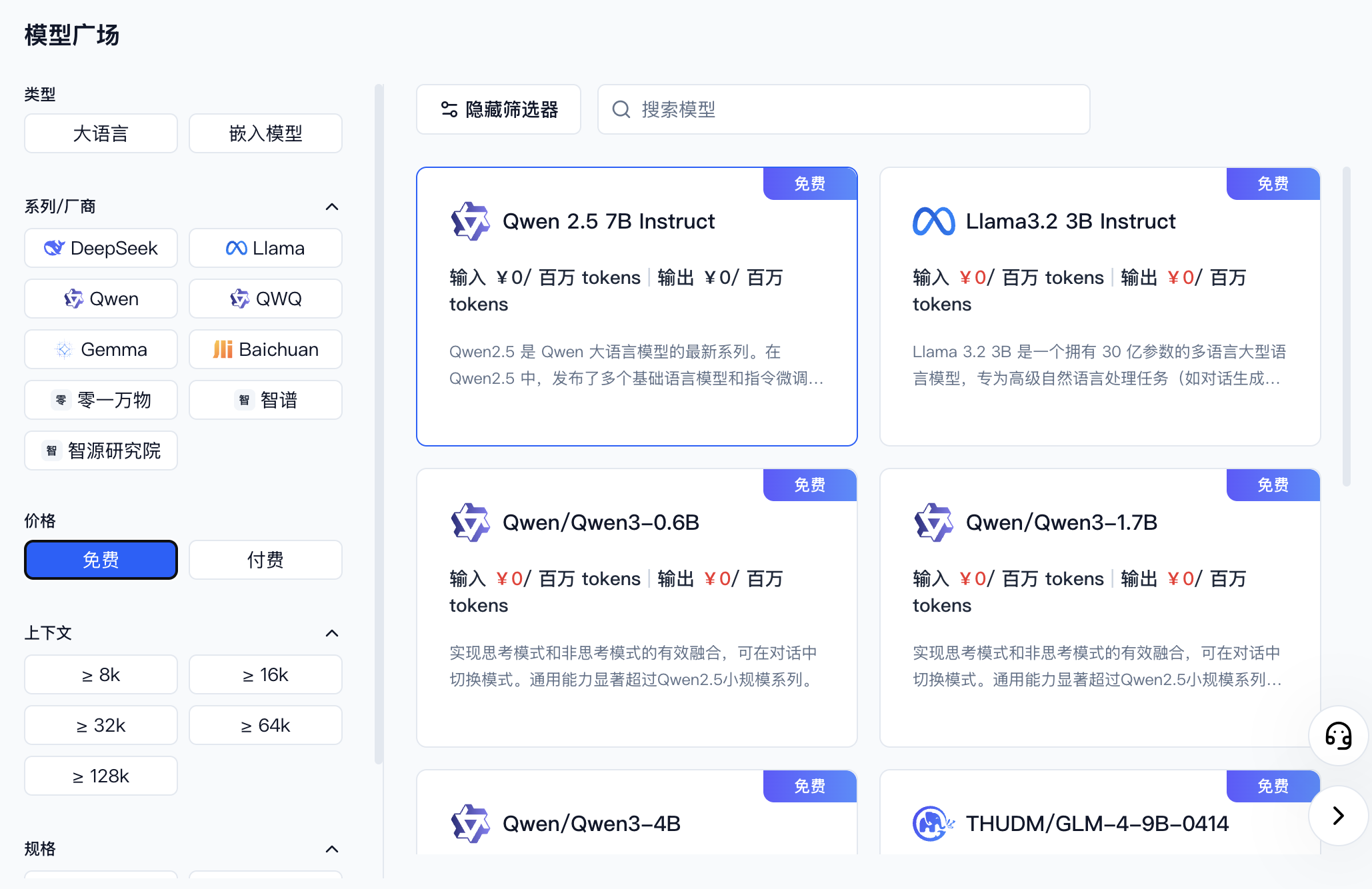
Go to Model API Service and find the model you want to use. You can filter by provider or select free models.
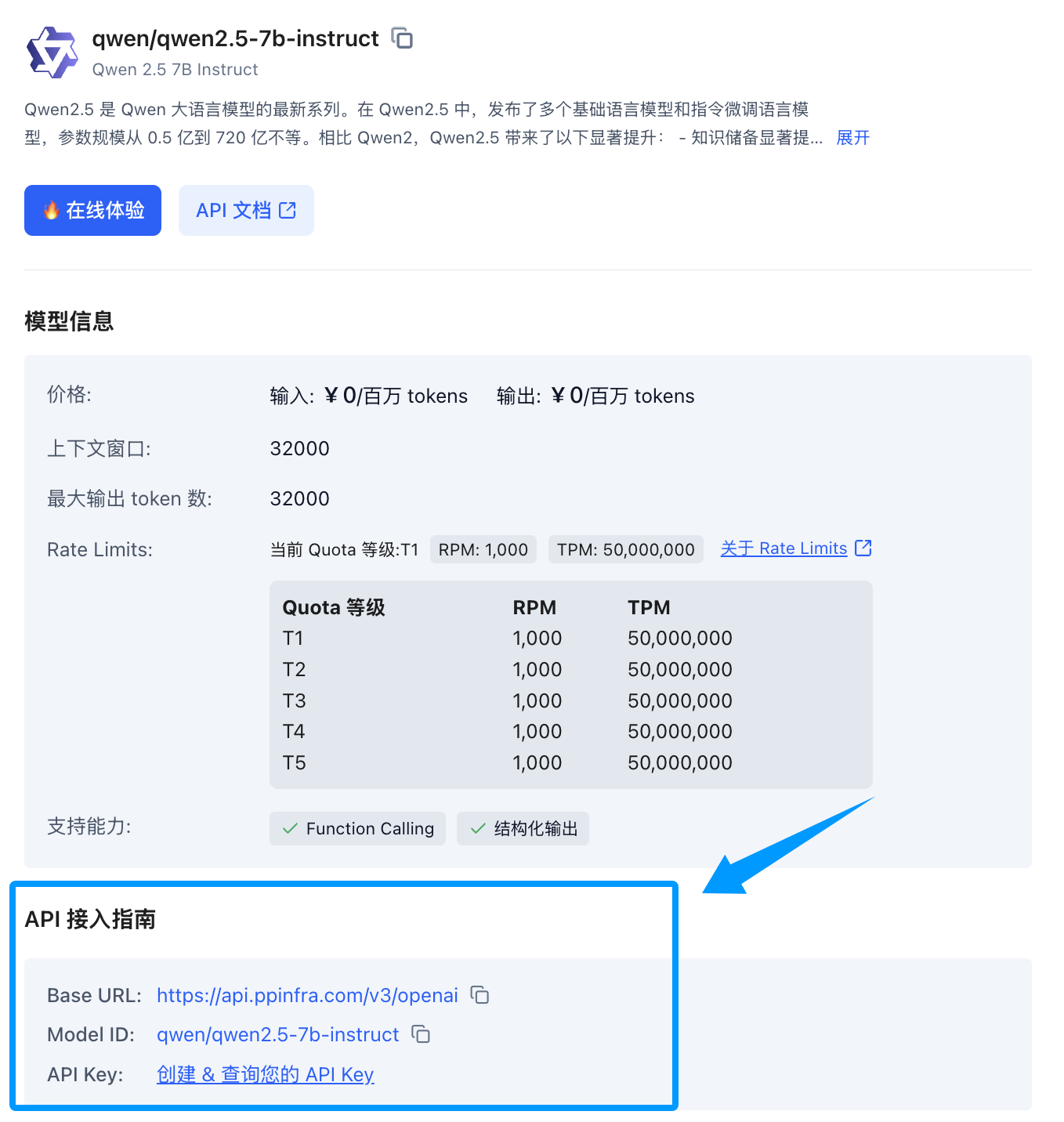
Once you find the model, click its card to expand a detail panel on the right. Scroll down to the API integration guide — if you haven't created a key yet, click to create one.
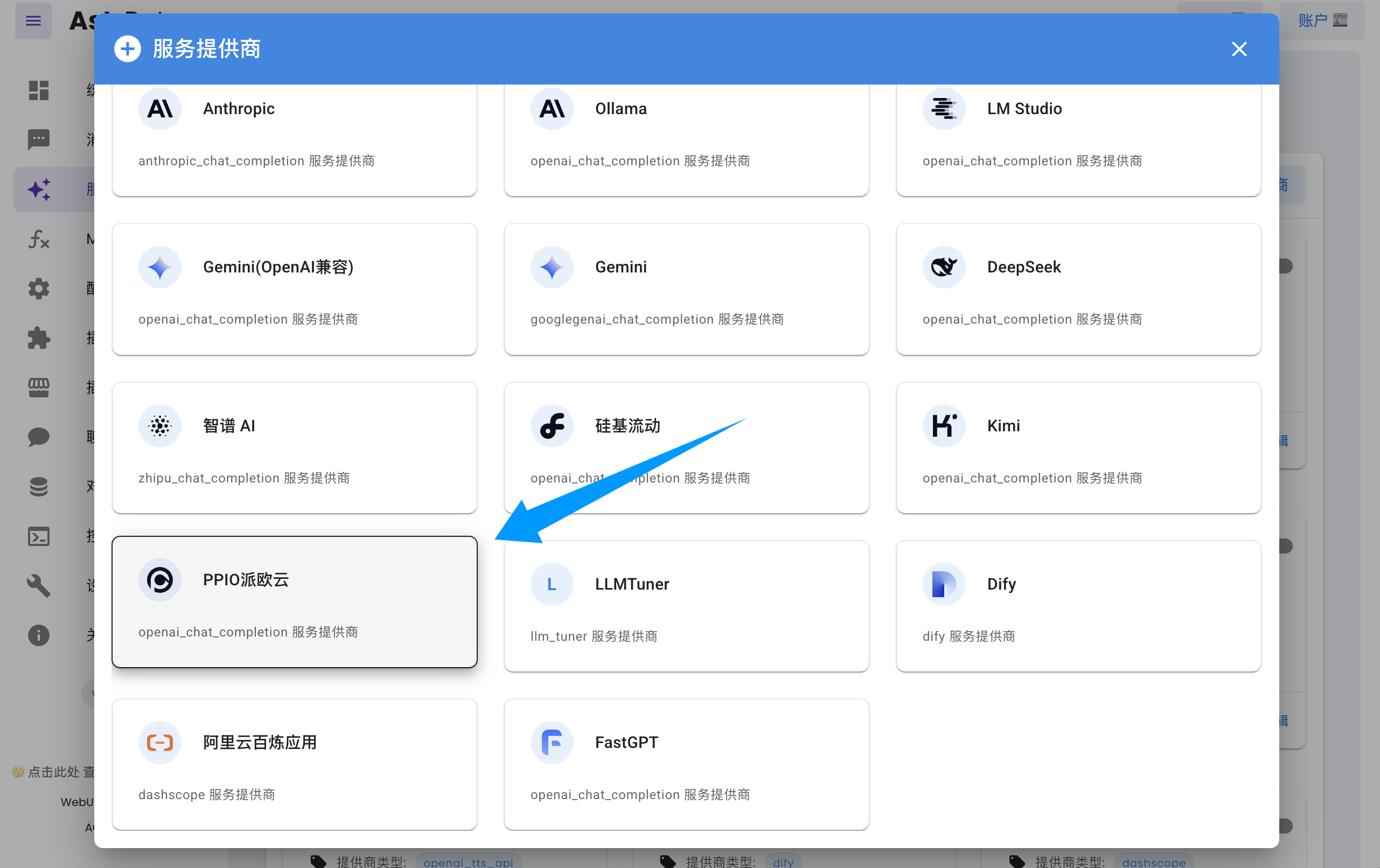
Open the AstrBot dashboard → Service Providers page, click Add Provider, find and click PPIO Cloud (requires version >= 3.5.10; older versions are also supported, see below).
Fill in the API Key and model name in the dialog form, then click Save to complete the setup.
Tip
If you are using an older version of AstrBot (< 3.5.10), open the AstrBot dashboard → Service Providers page, click Add Provider, find OpenAI, and click to enter.
- Set the ID to
ppio(any name works) - Set
API Base URLtohttps://api.ppinfra.com/v3/openai - Fill in the API Key and model name in the dialog form, then click Save to complete the setup.
Send the /provider command to the bot to switch to the PPIO Cloud provider you just added.
Error code: 400 - {'code': 400, 'message': '"auto" tool choice requires --enable-auto-tool-choice and --tool-call-parser to be set', 'type': 'BadRequestError'}
Disable all calling tools in the WebUI, or switch to a different model.