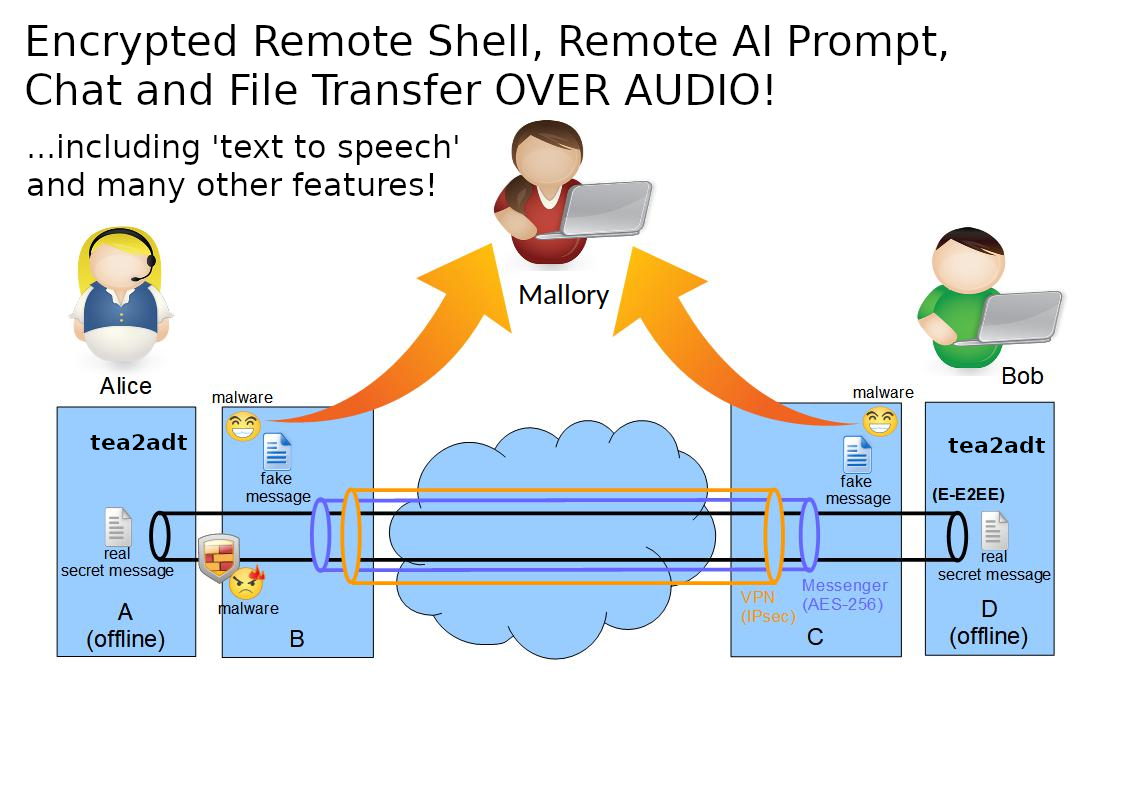
tea2adt is a Linux command-line utility for Chat, Remote Shell, Remote AI Prompt and File Transfer, that reads and writes encrypted data across peer-to-peer or broadcast audio connections, using minimodem and gpg.
It is a powerful tool that can be combined with any audio infrastructure (like PSTN, cellular network, internet, radio, walkie-talkies) to provide a secure communication channel through an audio tunnel.
The audio interfaces behave like data-diodes, each allowing unidirectional data transmission only, thus preventing data-leaks and malware-injection.
This enables an "enhanced"-end-to-end encryption (E-E2EE) which notably increases security and privacy, especially when the end devices are completely offline (air-gapped-system), thus providing an effective barrier against "legal or illegal" client-side-scanning!
See also https://www.codeproject.com/Articles/5295970/Audio-Chat-for-Quite-Good-Privacy-AC4QGP
pip install tea2adt
or with git:
  git clone https://github.com/ClarkFieseln/tea2adt.git

  cd tea2adt_source

  chmod +x tea2adt

  chmod +x *.sh
During first execution (e.g. tea2adt -V) you will be asked to install dependencies: minimodem, gpg, bc, tmux, ...
but you can also install them yourself with:
  sudo apt install minimodem
  sudo apt install gpg
  sudo apt install bc
  sudo apt install tmux
  ...
or in Termux:
  pkg install termux-api
  pkg install alsa-utils
  pkg install python-pip
  pkg install espeak
  ...
Check install_dependencies.sh for the complete lists.
Further tools like tgpt or ollama may need to be installed by hand.
tea2adt -c
enter and confirm password
On the other device a chat, a remote shell or a remote AI prompt can be started.
tea2adt -s
then enter and confirm password
On the other device a chat shall be started to command the remote shell.
Note that this is technically a "reverse shell" which gives access to your system!
tea2adt -l
then enter and confirm password
On the other device a chat shall be started to interact with the remote AI prompt.
With this option you may remotely access your local, secure, and self-hosted AI model (like ollama) or AI agent (like OpenClaw) in a secure way! (note: for the moment only 'tgpt' tested).
tea2adt -f
enter and confirm password
On the other device a file transfer shall be started.
To check connectivity and adjust volumes if required.
tea2adt -p
In addition, a separate terminal will be opened to read unencrypted probe messages being sent by the other side.
Ctrl+C as many times as required to finish.
Adapt the configuration as required using the 'terminal GUI' with:
tea2adt -g
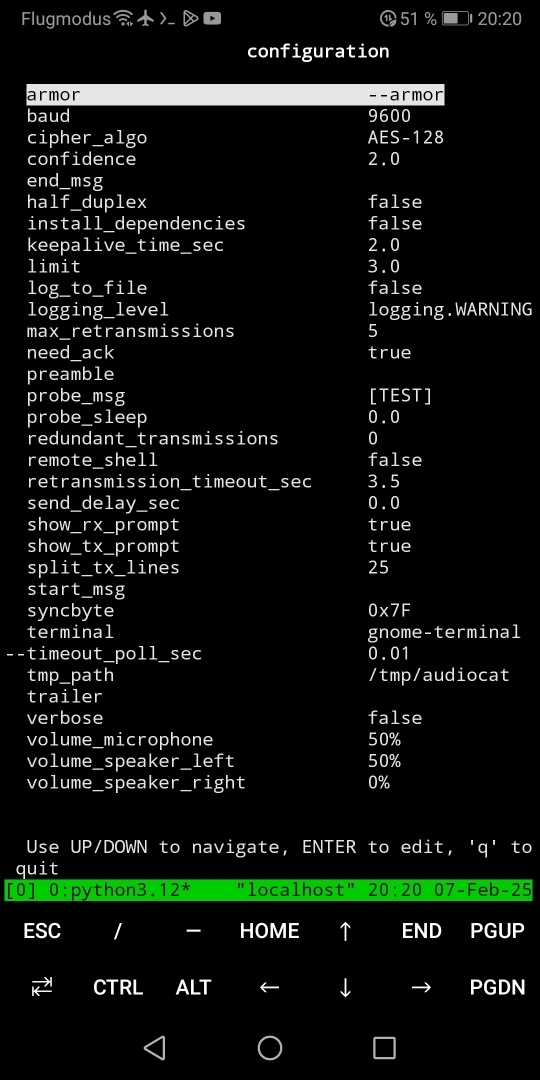
Alternatively, you may change the configuration by editing the files in the cfg folder directly. The 'Location' can be found with:
tea2adt -d
The most important settings are:
- baud
- keepalive_time_sec
- retransmission_timeout_sec
- split_tx_lines
- volume_microphone
- volume_speaker_left
- volume_speaker_right
- llm_cmd
- text_to_speech
When installed with git, tea2adt may be called with:
  python3 tea2adt.py -c
  # or
  ./tea2adt -c
This is an example to start a chat, but this is the same for any other option.
As a reference check 'How to use (pip installation)'
For more information check the documentation.
on top of the audio modem provided by minimodem and encryption provided by GPG, tea2adt offers a reliable transport layer and many other features:
-
modes: chat, remote-shell, remote-AI-prompt, file transfer (future: sniffer)
-
text-to-speech (TTS): synthesize speech from the text received in the chat
-
full-duplex communication
-
retransmit messages automatically after communication errors
-
split big messages into smaller data chunks in order to increase the probability of reception, thus reducing retransmissions
-
[keepalive] messages
-
redundant transmission of "data-messages"
-
composition of piped commands hidden to the user
-
tmp folder located in a configurable path beneath $HOME, independent of the current path.
-
probe, to check volume on receiver and adjust manually if needed
(very high and very low volumes may produce signal distortions)
-
"braodcast" transmissions also possible, e.g. when ACKs are deactivated
use-case: walkie-talkie, Radio station, ...
-
several configuration options: preamble, trailer, delays, cipher algorithm, confidence, log to file, verbose, etc.
please don't do the following if you are not allowed (it might be illegal!):
-
exfiltrate data over the air or cable to a nearby or remote computer
-
remote control over the air or cable from a nearby or remote computer
-
exfiltrate data from a computer evading classical auditing
(be aware that if you do this on your employer's computer you might be infringing the law!)
-
use the tool as a "side-channel" for covert communication e.g. to spread or inject malware,
even worse when combined with steganography (e.g. low volumes, data hidden in noise)
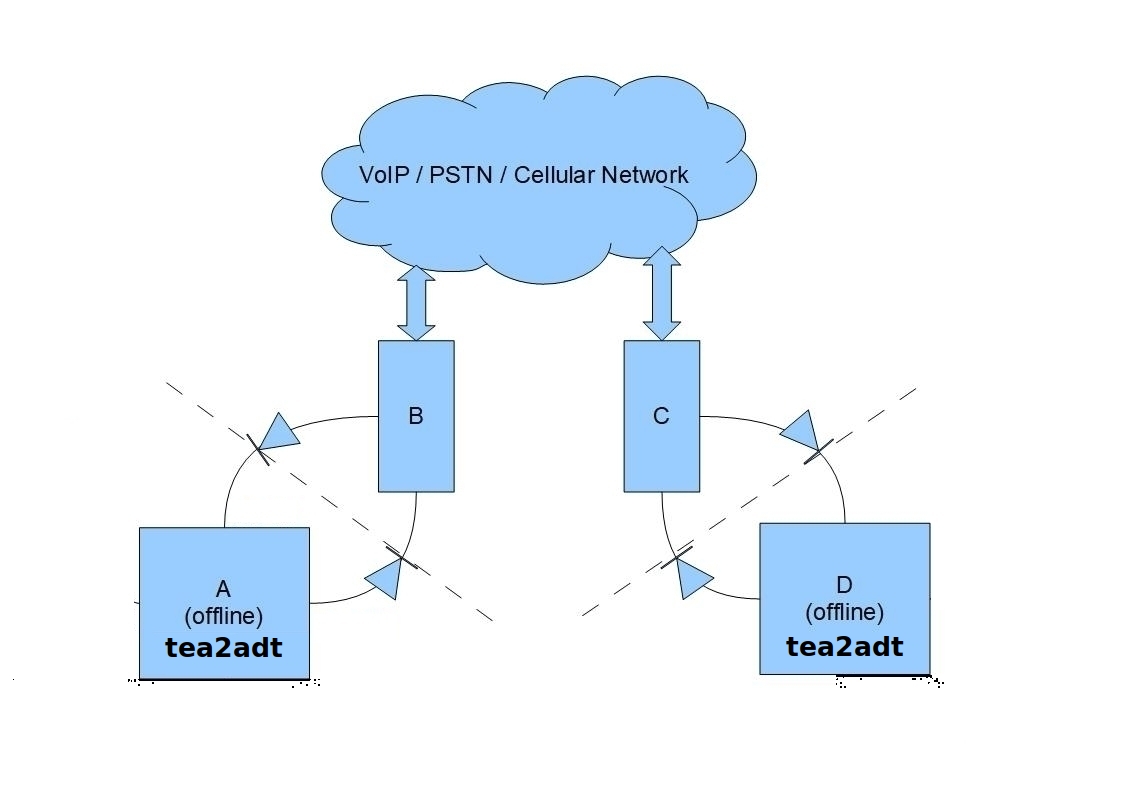 A: tea2adt in offline PC (Alice)
D: tea2adt in offline PC (Bob)
B, C: smartphone with call session (mobile, messenger app, etc.)
diodes: audio connections (sink/speaker -> source/microphone)
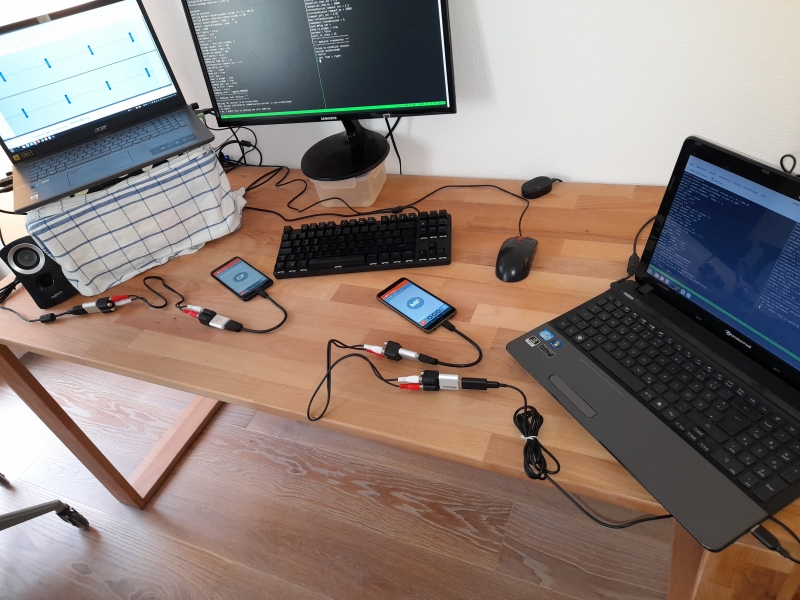
A: tea2adt in offline PC (Alice)
D: tea2adt in offline PC (Bob)
B, C: smartphone with Linphone call session
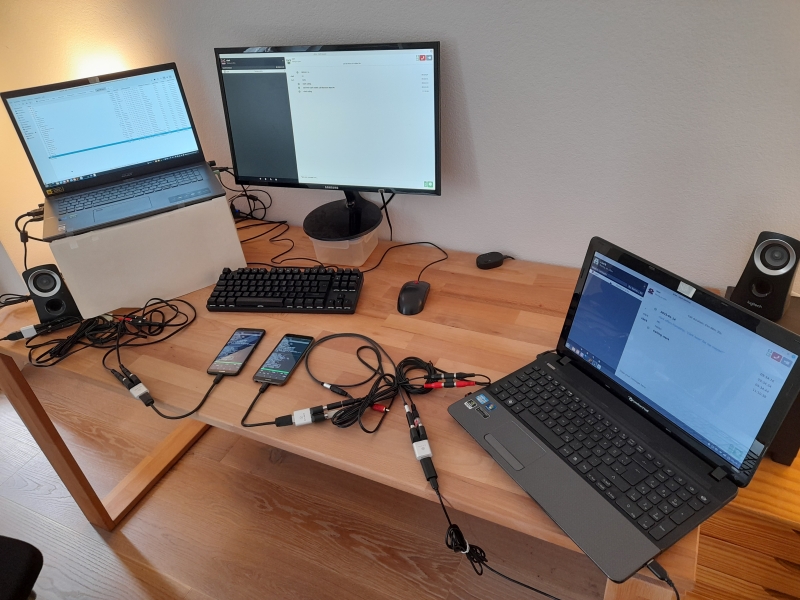
A: tea2adt in offline smartphone with Termux (Alice)
D: tea2adt in offline smartphone with Termux (Bob)
B, C: PC with qTox call session
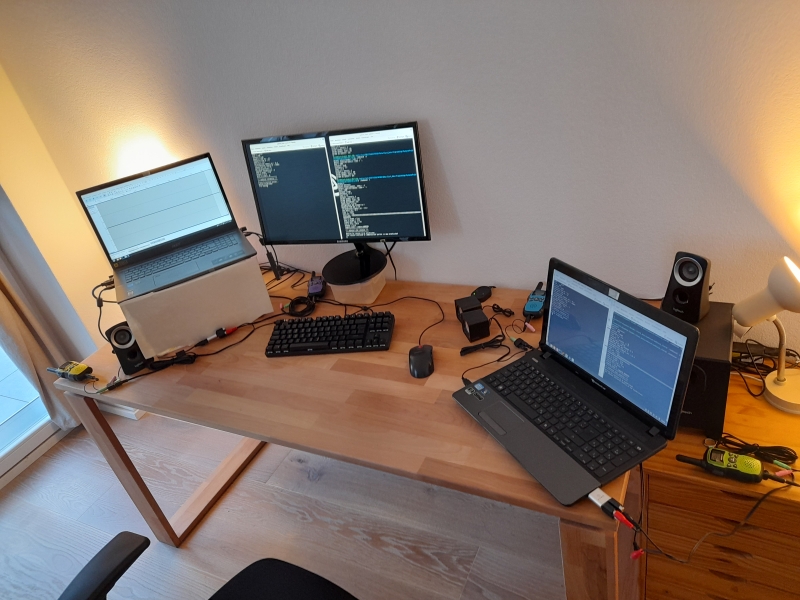
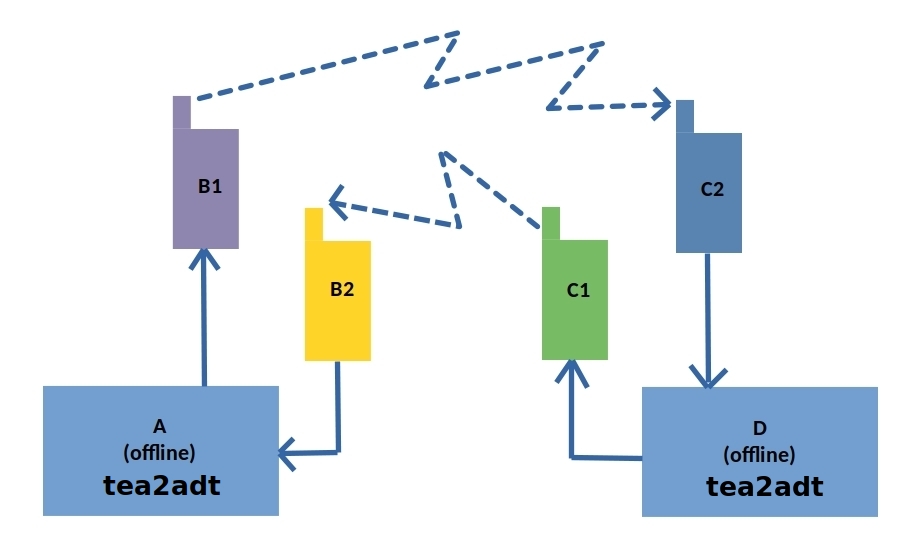
A: tea2adt in offline PC (Alice)
D: tea2adt in offline PC (Bob)
B1, B2, C1, C2: waklie-talkie
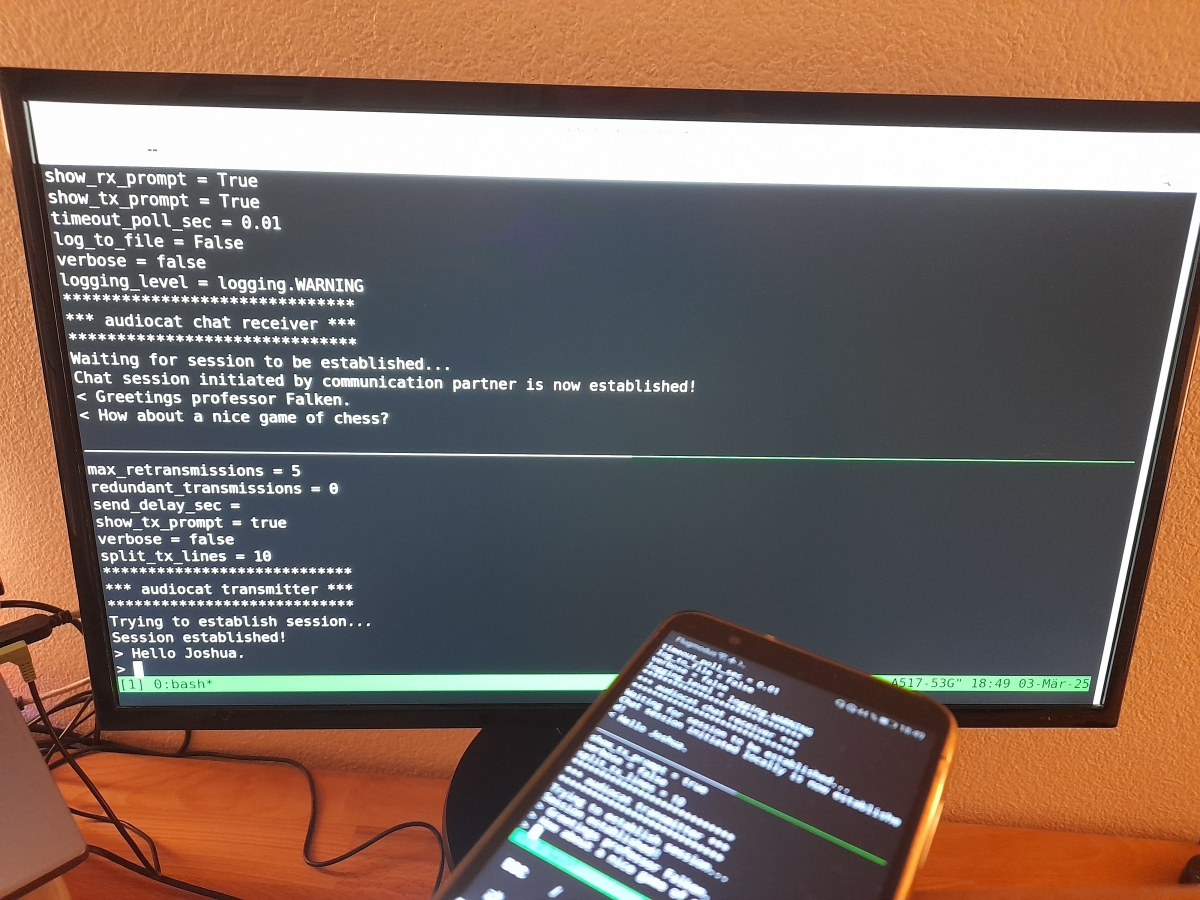
The text received in the chat is synthesized to speech and output to a separate audio interface.
Text-to-speech demo video: https://www.youtube.com/watch?v=-ikTdBzhCSw&list=PLX24fhcibpHUx7ej_Tp4neobJUqOkqliN&index=10
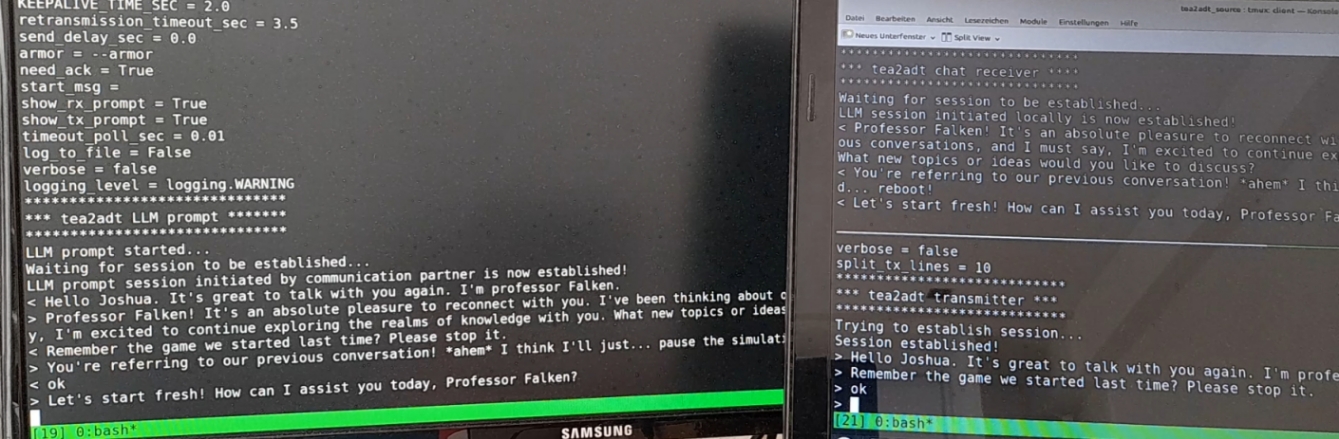
With this option you may remotely access your local, secure, and self-hosted AI (like ollama) or AI agent (like OpenClaw) in a secure way!
Remote AI prompt, demo video: https://www.youtube.com/watch?v=6jYEBNAay64&list=PLX24fhcibpHXllvUgFUw6Ly9cwQcTcKac&index=1&pp=gAQBiAQB
The data transfer is usually done at low rates, typical of audio systems. Therefore, this tool is not adequate to transmit big files which may take a long time to complete.
Avoid using tools like PulseEffects, they may produce glitches!
In PuseEffects you may check the 'Add to Block List' option for minimodem and qtox.
https://pypi.org/project/tea2adt
https://github.com/ClarkFieseln/tea2adt
https://github.com/ClarkFieseln/tea2adt/blob/main/doc/documentation.md
https://github.com/ClarkFieseln/tea2adt/tree/main/screenshots
https://www.youtube.com/playlist?list=PLX24fhcibpHXllvUgFUw6Ly9cwQcTcKac
(c) 2026 Clark Fieseln
This repository is licensed under the MIT license. See LICENSE for details.