


App_name is a period tracker.
[Evaluation of your app across the following attributes]
- Category: Health/Lifestyle
- Mobile: Android
- Story: Analyses user's menstrual cycle and keeping track user's symptoms at the same time predict the future cycle
- Market: Any woman who wants to keep track of their menstration cycle
- Habit: Uses the app daily to keep track of moods or symptoms.
- Scope: Taking user inputs and store on their local device, having simple calculation device and calendar interface.
Required Must-have Stories
- prompt the user to give input (first day of the cycle, end day of the cycle, moods, symptoms, menstrural flow and craving)
- highlighted from the first day to end of the cycle
- show the expected date of the next cycle
- Settings e.g Notifications (end date and predicted start date)
Optional Nice-to-have Stories
- Change the color palete
- Logo Design
-
Login
-
Register - User signs up or logs into their account
- Upon Download/Reopening of the application, the user is prompted to log in to gain access to their profile information.
-
Setting screen
- Lets people to change notification/reminders, theme, password management
-
Calendar view
- Allows the user to input the start and end dates of the menstrual cycle
- Allows the user to see predictions for their cycle
-
Daily input view
- A pop up from calendar view (after a user clicks on a specific date, this view shows up)
- Lets the user track their start&end date of the cycle, mood, symptoms, etc.
Tab Navigation (Tab to Screen)
- Calendar
- Settings
Flow Navigation (Screen to Screen)
-
Forced Log-in -> Account creation if no log in is available
- Register
-
Calendar
- Daily Input
-
Settings
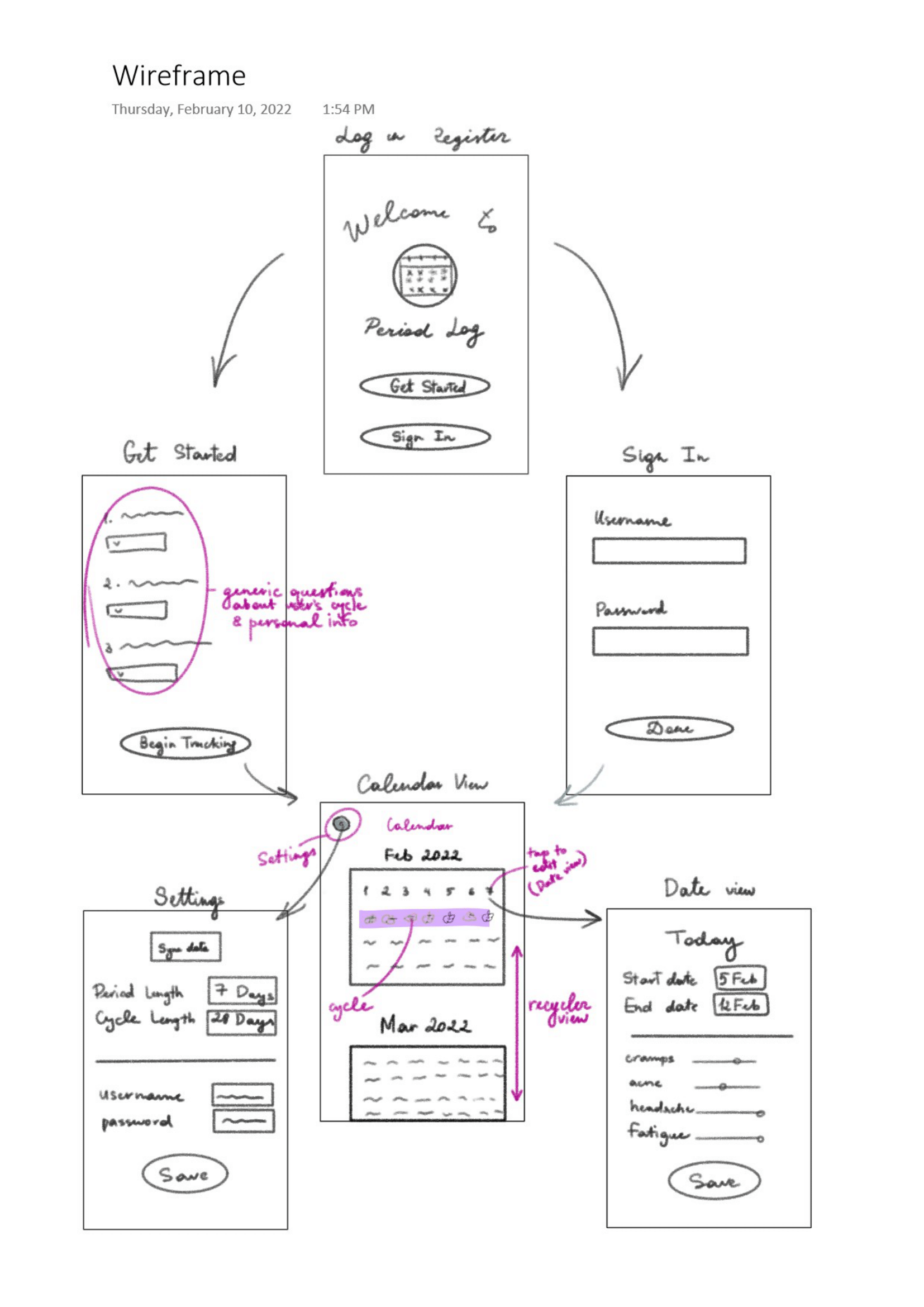
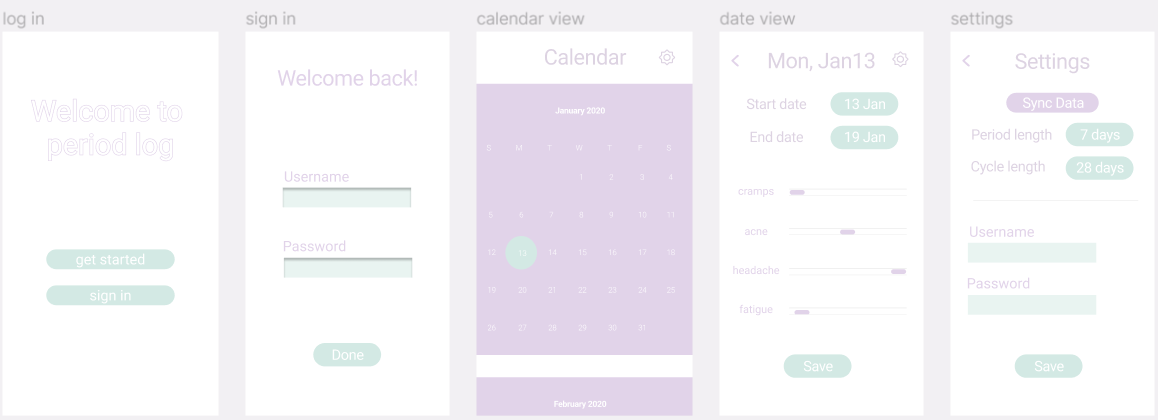
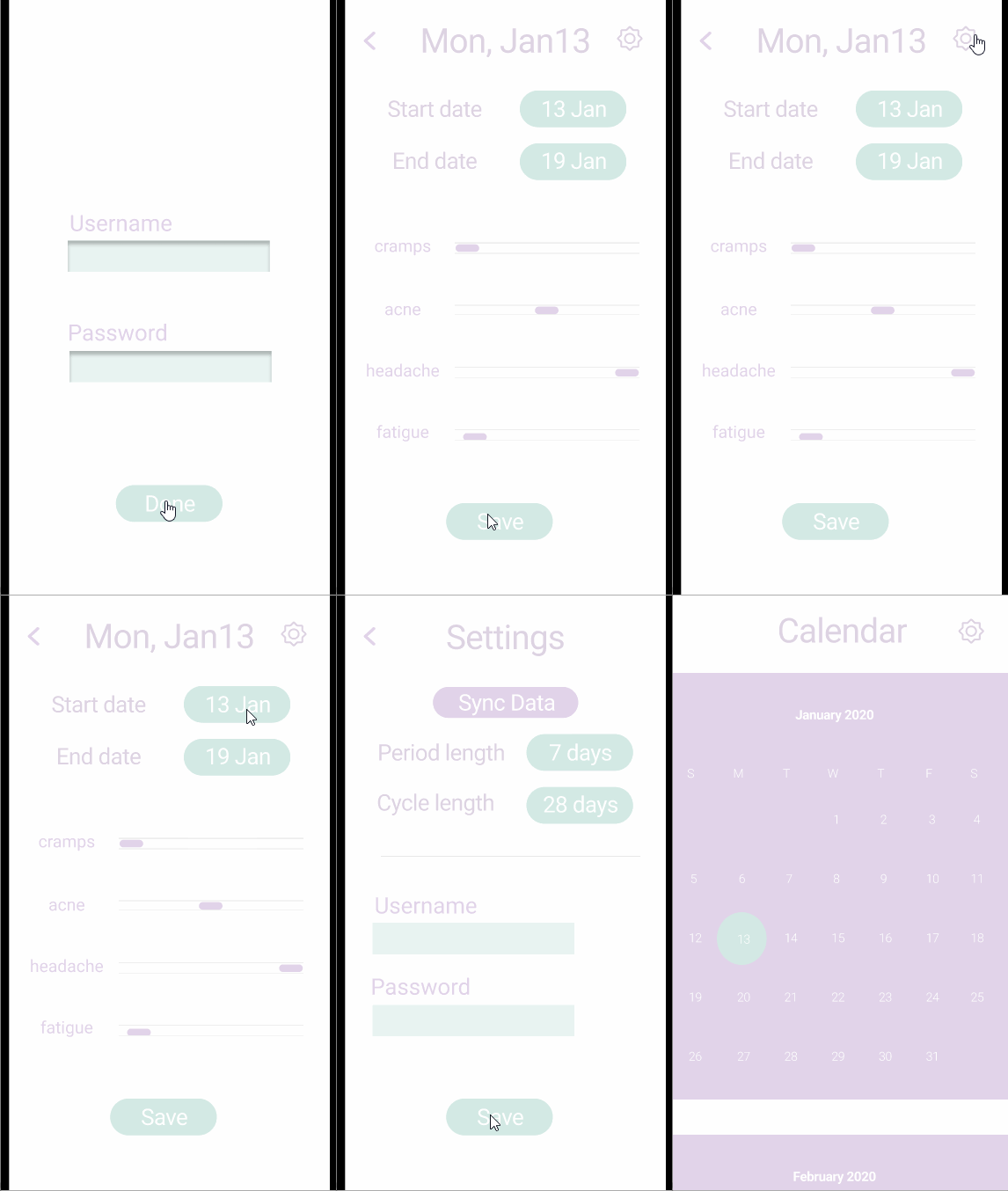


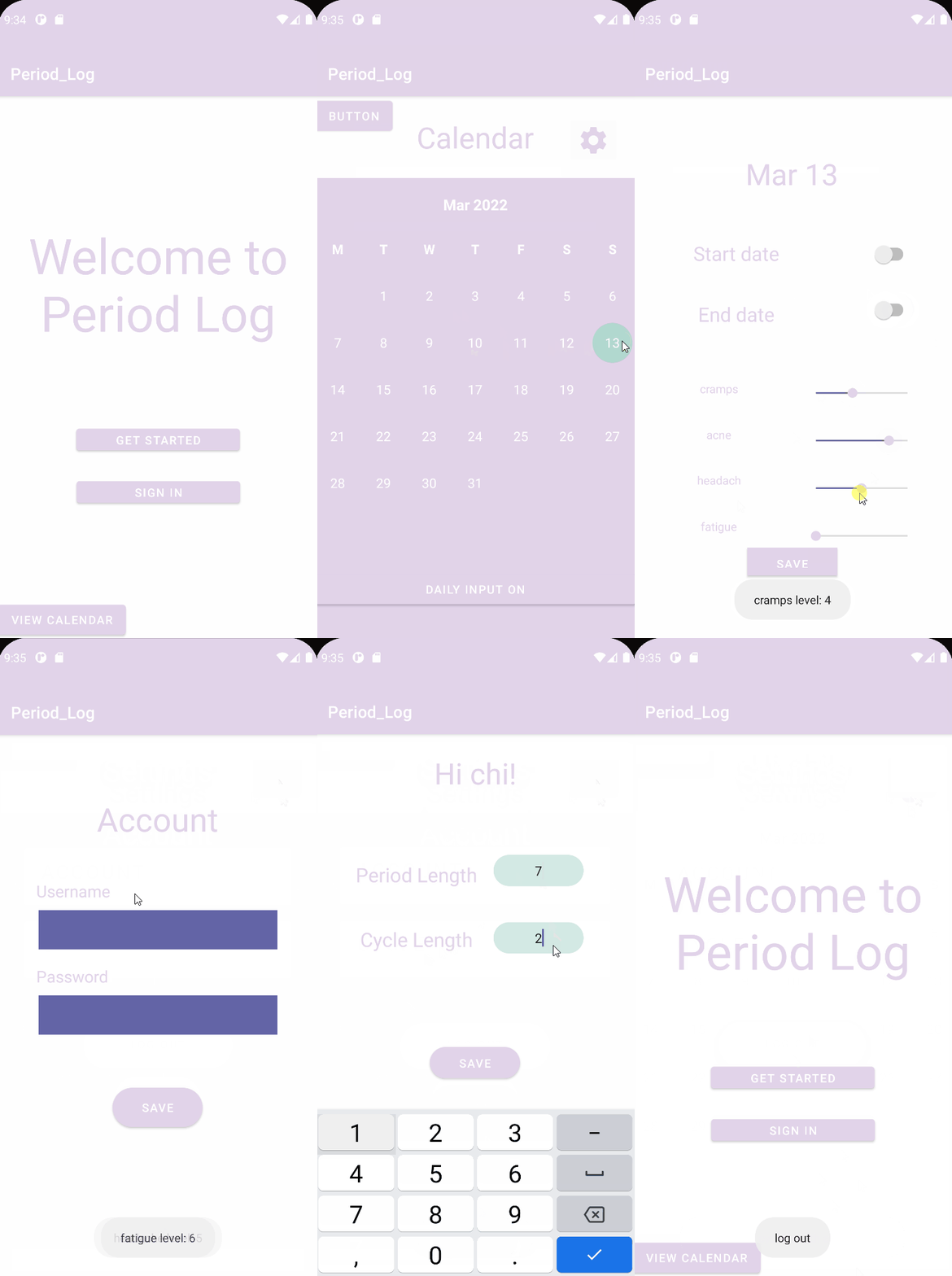

[This section will be completed in Unit 9]
Cycle class
| Property | Type | Description |
|---|---|---|
cycleId |
String | Unique id for user's cycle |
user |
Pointer to User | Current user login class(required) |
startedAt |
DateTime | Date for when the user input their 1st day of the cycle(required) |
endedAt |
DateTime | Date for when the user input their cycle ended(required) |
DailyInput Class
| Property | Type | Description |
|---|---|---|
dailyInputID |
String | Unique id for different day input |
user |
Pointer to User | Current user login class(required) |
cycle |
Pointer to Cycle | Cycle class of the current day(required) |
cramp |
Int | On a scale 0-10 how the user experienced cramp |
fatigue |
Int | On a scale 0-10 how the user experienced fatigue |
energy |
Int | User energy level on the scale of 0 - 10 |
acne |
Int | User acne breakout on the scale of 0 - 10 |
User Class
| Property | Type | Description |
|---|---|---|
userId |
String | Unique id for different user account(required) |
password |
String | username authentication (required) |
username |
String | password authentication (required) |
cycleLength |
Int | User cycle length(default set 0) |
periodLength |
Int | User period length(default set 0) |
- get started screen
- (Create/POST) post user’s answers to introductory questions to User class
- (Create/POST) post user’s desired username and password
- sign in screen
- (Read/GET) verify the password and user if the username and password match, the user is successfully logged in
- calendar view
- (Read/GET) query logged in user’s startedAt and endedAt dates
- date view
- (Create/POST) post user’s inputted start and end date and symptoms
- (Update/PUT) update user’s inputted start and end date and symptoms
- settings screen
- (Read/GET) query user’s period length, cycle length, username and password
- (Update/PUT) update user’s period length, cycle length, username and password
-
Sign In Screen
- (Read/GET) Query all posts where user is author
let query = PFQuery(className:"Post")
query.whereKey("author", equalTo: currentUser)
query.order(byDescending: "createdAt")
query.findObjectsInBackground { (posts: [PFObject]?, error: Error?) in
   if let error = error {
      print(error.localizedDescription)
   } else if let posts = posts {
      print("Successfully retrieved \(posts.count) posts.")
  // TODO: Do something with posts...
   }
}
- (Read/GET) Query all posts where user is author
-
Setting Screen
- (Read/GET) Query current user information
var currentUser: User = null
query.findInBackground(object: FindCallback<Post> {
   override fun done(user: User, e: ParseException?) {
       if (e != null) {
           //Something went wrong
           Log.e(TAG, "Error fetching user information")
       } else {
           if (user != null) {
               for (user in posts) {
                   Log.i(TAG, "User: " + user.Info())
               }
               currentUser = user
               adapter.notifyDataSetChanged()
           }
       }
   }

})
- (Read/GET) Query current user information
-
Calendar View Screen
- (Read/GET) DailyInput Information to show on the calendar
var allDailyInputs: MutableList<DailyInput> = mutableListOf()
query.findInBackground(object: FindCallback<DailyInput> {
   override fun done(dailyInputs: MutableList<DailyInput>?, e: ParseException?) {
       if (e != null) {
           //Something went wrong
           Log.e(TAG, "Error fetching daily inputs")
       } else {
           if (posts != null) {
               for (dailyInput in dailyInputs) {
                   Log.i(TAG, "Post: " + post.getDescription())
               }
               allDailyInputs.addAll(dailyInputs)
               adapter.notifyDataSetChanged()
           }
       }
   }

})
- (Read/GET) DailyInput Information to show on the calendar