Free HTML email templates for Mailchimp and other emails services
Huge selection of the best free email templates you will ever find. All templates are responsive and will work with all popular email clients such as Gmail, Outlook, and others. You can use these templates with Mailchimp or any other email delivery service.
All 20 templates are written in MJML and compiled to bulletproof, table-based HTML — so they render reliably in Outlook (Windows) as well as modern web/mobile clients. You can either use the pre-built N/index.html files directly, or build from source to customize.
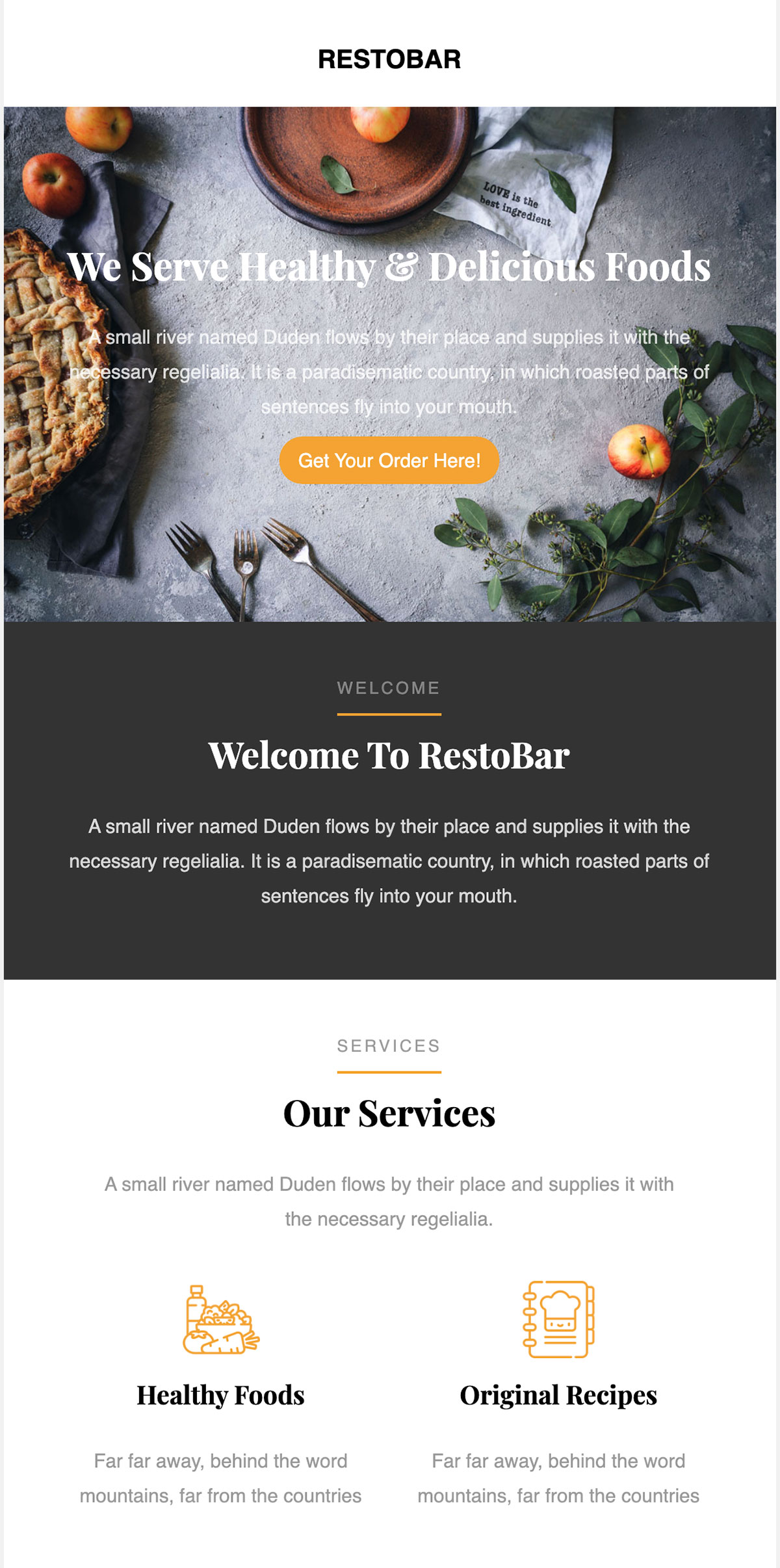
For more email templates like this one please see this list.
A curated collection of free, responsive HTML email templates by Colorlib. Built with clean, reusable markup and modern email best practices to help you ship beautiful campaigns that render reliably across popular email clients.
- Features
- Preview
- Quick Start
- Development
- How to Use
- Customization
- CSS Inlining
- Testing and Deliverability
- Email Client Support
- Recommended Workflow
- FAQ
- Contributing
- Changelog
- License
- Credits
- Responsive layouts: Mobile‑first designs that adapt to phones, tablets, and desktops.
- Clean HTML/CSS: Readable, well-structured code that’s easy to customize.
- Common patterns: Heroes, content blocks, product grids, CTA buttons, and footers.
- Production-friendly: Built with email client quirks in mind.
- Free to use: Ideal for startups, marketers, and developers.
- Open
index.htmlat the repository root for a gallery view linking to all 20 templates. - Open any individual template's
N/index.htmldirectly for a quick visual check. - For real email client previews, upload a template to your ESP (e.g., Mailchimp, Campaign Monitor, SendGrid) or use a rendering service (Litmus, Email on Acid).
# Clone the repository
git clone https://github.com/ColorlibHQ/email-templates.git
cd email-templates

# Open a template
# Example (adjust path as needed):
open path/to/template/index.html  # macOS
# or
start path\to\template\index.html # Windows
# or
xdg-open path/to/template/index.html # LinuxThe HTML files are built from MJML sources. If you want to customize templates beyond simple find-and-replace, work in src/N.mjml and rebuild — don't edit N/index.html directly (it will be overwritten).
npm install            # one-time: installs mjml, browser-sync, chokidar
npm run build          # compile every src/N.mjml → N/index.html
npm run dev            # watch + live-reload at http://localhost:3000/
npm run dev opens the gallery index and live-reloads when you save any src/*.mjml. Saving a partial in src/partials/ rebuilds every template.
Requirements: Node.js ≥ 20.19 (chokidar 5 is ESM-only).
To add a new template (e.g., 21): copy a structurally similar src/N.mjml to src/21.mjml, drop assets in 21/images/, run npm run build. The build picks up any numeric filename matching ^\d+\.mjml$. See CLAUDE.md for layout patterns and MJML gotchas.
- Pick a template folder and open
index.htmlin your code editor (or editsrc/N.mjmlif you've cloned for development — see Development). - Replace placeholder text, links, and images with your content.
- Inline CSS if needed (many ESPs do this for you — see CSS Inlining below).
- Upload the HTML into your Email Service Provider (ESP) or send via your application.
- Test across devices and clients before sending to your full list.
- Branding: Update colors, fonts, and logos to match your brand.
- Content blocks: Duplicate, reorder, or remove sections (e.g., features, testimonials, product rows).
- Images:
- Host images on a publicly accessible URL (CDN or your ESP’s asset manager).
- Use fully qualified URLs (e.g.,
https://cdn.example.com/image.jpg), not relative paths. - Add descriptive
alttext for accessibility and image-off scenarios.
- Buttons/CTAs:
- Use table-based buttons for broad compatibility.
- Ensure high color contrast and clear call-to-action copy.
- Accessibility:
- Provide meaningful
alttext. - Maintain sufficient color contrast.
- Keep body copy at a readable size (typically 14–16px).
- Provide meaningful
- Dark mode:
- Favor transparent PNGs/SVGs where possible.
- Avoid pure blacks and whites; use softened tones to reduce inversion artifacts.
Some email clients strip <style> blocks and external styles. If your ESP does not inline CSS automatically, consider:
- Premailer: https://premailer.io
- MJML inlining pipelines (for CSS inlining only)
- Postmark Templates inliner
- Gulp/CLI tools that convert
<style>rules into inlinestyle=""attributes
Tip: After inlining, re-test hover/focus states and button styles to ensure they still look correct.
- Render tests: Check Gmail (web/mobile), Outlook (Windows/Mac/Web), Apple Mail, Yahoo.
- Dark mode: Validate colors and logos in dark environments.
- Load performance: Compress images and avoid oversized assets.
- Spam checks:
- Keep a healthy text-to-image ratio.
- Use clear, non-spammy subject lines and content.
- Ensure a plain-text fallback if your ESP supports it.
- Tracking: Add UTM parameters or ESP link tracking as needed.
These templates are designed with major clients in mind, but support varies by client/version. Always test:
- Desktop: Outlook (various), Apple Mail, Thunderbird
- Web: Gmail, Outlook.com, Yahoo Mail
- Mobile: iOS Mail, Gmail app, Outlook app
Known considerations:
- Outlook (Windows) uses the Word rendering engine—prefer table-based layouts and avoid unsupported CSS.
- Avoid background images for critical content; provide solid color fallbacks.
- Use system-safe fonts or host web-safe fallbacks.
- Draft content and pick a template close to your layout.
- Customize sections, colors, and assets.
- Inline CSS (if your ESP doesn’t do it).
- Test in multiple clients/devices and dark mode.
- Run deliverability checks; adjust copy and images as needed.
- Send a staged campaign to a small internal list, then roll out.
-
Can I add custom fonts?
Many clients don’t support web fonts. Use system fonts as fallbacks and test carefully. -
Why does Outlook look different?
Outlook (Windows) uses a different rendering engine. Favor simple, table-based structure and inline styles. -
Can I use background images?
Use sparingly and provide a solid color fallback. Some Outlook versions don’t render CSS background images. -
Images not showing?
Ensure absolute URLs, correct hosting, and that your ESP doesn’t block external assets.
Contributions are welcome!
- Add new templates or layout variations (edit
src/N.mjml, thennpm run build) - Fix rendering quirks for specific clients
- Improve accessibility, performance, or documentation
Open an issue or submit a pull request with a clear description and, if possible, screenshots from major clients. See CLAUDE.md for layout patterns and known MJML gotchas, and update CHANGELOG.md for any user-visible change.
See CHANGELOG.md for the full history. The headline change: every template is now generated from MJML sources in src/, with substantially improved Outlook compatibility and a unified build pipeline.
MIT license, see LICENSE-MIT for details.
Maintained by Colorlib. Thanks to the open‑source community for email best practices and testing tools that make reliable emails possible.