
Cross-platform IPTV player for Windows, Linux, macOS and Android with support for M3U playlists, live TV streams, bookmarks, history, miniplayer mode and community lists.
Website · Releases · Download · Issues
The internet already contains thousands of publicly available TV channels, radio stations, live streams and community broadcasts from around the world. Many broadcasters distribute their own streams online, including free-to-air channels, public networks and independent media.
Megacubo helps users organize and access this open media ecosystem in one place through personal playlists and community discovery features. The application itself does not decide what users watch — users are responsible for the sources and playlists they add and access.
Many people use Megacubo to:
- watch free-to-air channels already available in their country
- access publicly available broadcaster streams
- organize personal IPTV/M3U playlists
- watch international public channels
- listen to radio streams
- use miniplayer mode while working or studying
- access community-shared public streams
Megacubo was designed as a flexible media player focused on accessibility, organization and cross-platform compatibility.
- IPTV player with M3U support
- Live TV and radio streaming
- Community mode
- Miniplayer / Picture-in-picture mode
- Bookmarks and watch history
- Multi-language interface
- Cross-platform support
- Hardware accelerated playback
- Chromecast support
- External player support
- Electron-based desktop app
- Android support
- Open source
| Platform | Supported |
|---|---|
| Windows | ✅ |
| Linux | ✅ |
| macOS | ✅ |
| Android | ✅ |
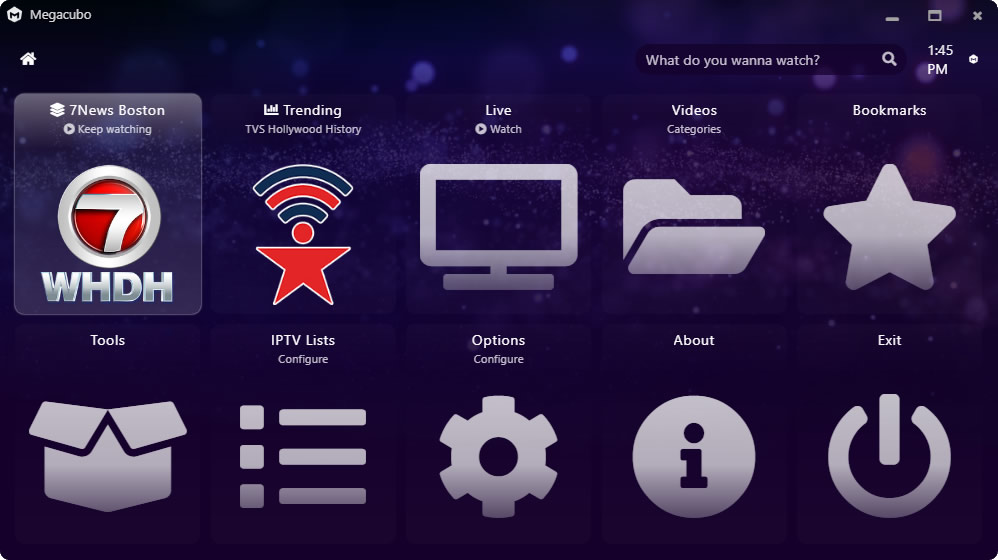

The latest official builds, installers and platform-specific packages are available on the official website:
The website provides:
- Windows installer
- Linux packages
- macOS builds
- Android version
- latest stable releases
- setup instructions
Portable and release assets are also available in the GitHub Releases section:
➡️ https://github.com/EdenwareApps/Megacubo/releases
If you're new to Megacubo:
- Install the app for your platform
- Open Megacubo
- Add your M3U playlist or community source
- Start watching live streams and channels
Download from:
- https://megacubo.tv
- or GitHub Releases
Megacubo supports Linux desktop environments and distributions through:
- AppImage
- Snap
- Flatpak
Linux users can also build directly from source.
macOS builds are available from the official website and releases section.
Android version available on the official website.
# clone repository
git clone https://github.com/EdenwareApps/Megacubo.git

# enter folder
cd Megacubo

# install dependencies
npm install

# prepare project
npm run prepare

# run development build
npm run debug# Linux
npm run build:electron:linux
# Windows
npm run build:electron:win
# macOS
npm run build:electron:macSee:
- DEVELOPING.md
- BUILDING.md
for detailed instructions.
Megacubo includes a community mode where users may discover and share publicly available streams and playlists.
Users remain responsible for:
- the playlists they add
- the streams they access
- compliance with local laws and broadcaster rights
Megacubo does not host media content itself.
| Language | Code | Language | Code |
|---|---|---|---|
| Arabic | ar |
Bengali | bn |
| Chinese | zh |
Dutch | nl |
| English | en |
French | fr |
| German | de |
Greek | el |
| Hindi | hi |
Indonesian | id |
| Italian | it |
Japanese | ja |
| Polish | pl |
Portuguese | pt |
| Russian | ru |
Spanish | es |
| Swahili | sw |
Turkish | tr |
| Ukrainian | ua |
Urdu | ur |
| Telugu | te |
Punjabi | pa |
Want to help translating Megacubo?
➡️ https://github.com/EdenwareApps/megacubo/tree/master/www/nodejs-project/lang
Big thanks to everyone who contributed to Megacubo.
 Anas Yaseen |
 tarteAuxPommes |
 Tak |
 Memba Co. |
Please feel free to:
- open issues
- submit pull requests
- improve translations
- improve documentation
- contribute channel metadata
- report bugs
- suggest features
https://github.com/EdenwareApps/Megacubo/issues
Megacubo is a media player application.
The project does not provide, host or own TV channels or copyrighted streams. Users are responsible for the playlists, streams and content sources they access through the software.