In this project we solved problems in TCP programming and UDP programming.
Read and understand programs send_udp.c and recv_udp.c. First, run recv_udp (note that this program contains an infinite loop, so you will want to put in the background with & so you can have your shell prompt back, or just open another terminal window). Then, run send_udp several times, passing localhost as command line parameter, and observe what happens.
The func *void printsin(struct sockaddr_in *sin, char pname, char msg) will print the string indicated by pname, print the string indicated by msg, then the string "ip= " follow by the IP address of the host and finally the string "port= " followed by the port number.
How it should run:
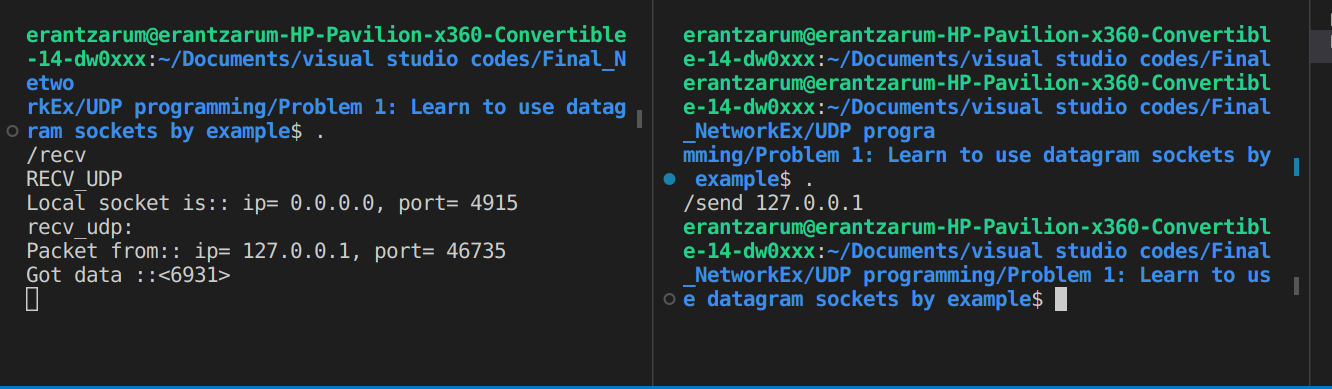
*To stop this program infinite loop prass Ctrl + C or kiil terminal.
source.c : Takes the name of a host on the command line, creates a datagram socket to that host (each student will be assigned their own port number P to use), then enters an infinite loop in each iteration of which it sends a datagram onto the socket carrying in its body an integer number, increments the integer, then sleeps for one second only to repeat the cycle upon waking up.
gateway.c : Takes the name of a host on the command line and creates a datagram socket to that host (using port number P+1), it also creates another datagram socket where it can receive datagrams from any host on port number P; next, it enters an infinite loop in each iteration of which it receives a datagram from port P, then samples a random number using ((float)random())/((float)RAND_MAX) - if the number obtained is greater than 0.5, the datagram received is forwarded onto the outgoing socket to port P+1, otherwise the datagram is discarded and the process goes back to waiting for another incoming datagram. Note that this gateway will simulate an unreliable network that loses datagrams with 50% probability.
sink.c : Is almost identical to recv_udp.c, that means, it creates a socket to receive datagrams from any host on port P+1, then enters an infinite loop where it receives a datagram and prints to the screen the information of where the datagram came from (you can print the IP address in dotted-decimal notation) and what message it contains.
How it should run:
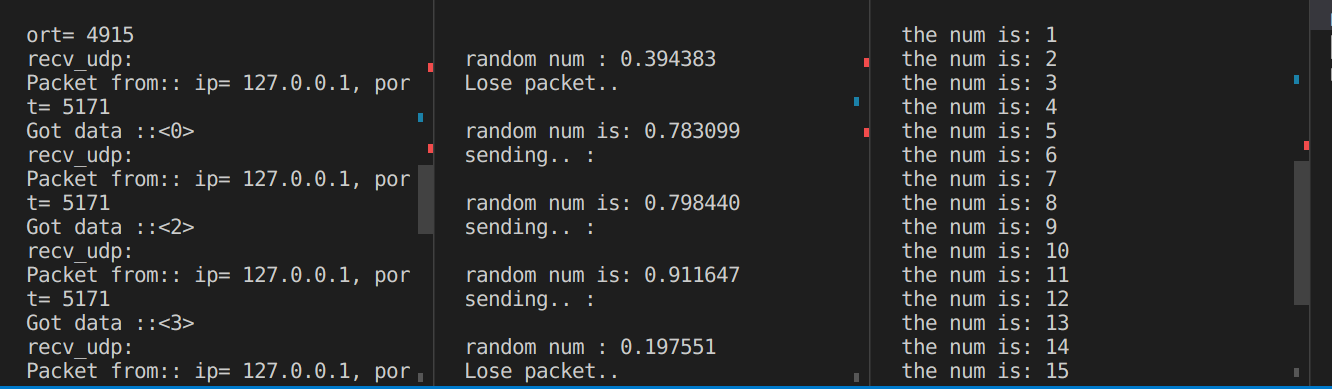
*To stop this program infinite loop prass Ctrl + C or kiil terminal.
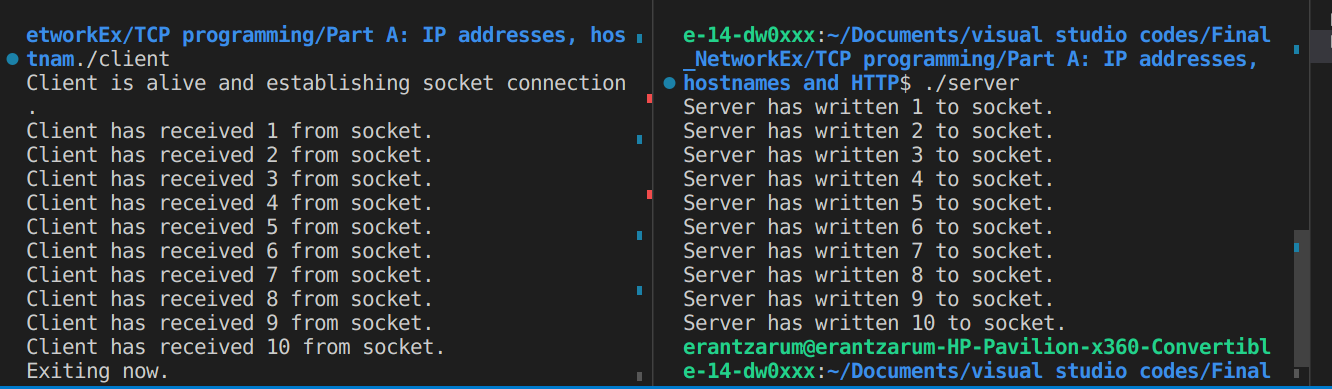
Review the programs net_server.c and net_client.c to be sure you understand them.
How it should run:
nslookup.c:
Displays information that you can use to diagnose Domain Name System (DNS) infrastructure. Before using this tool, you should be familiar with how DNS works. The nslookup command-line tool is available only if you have installed the TCP/IP protocol.
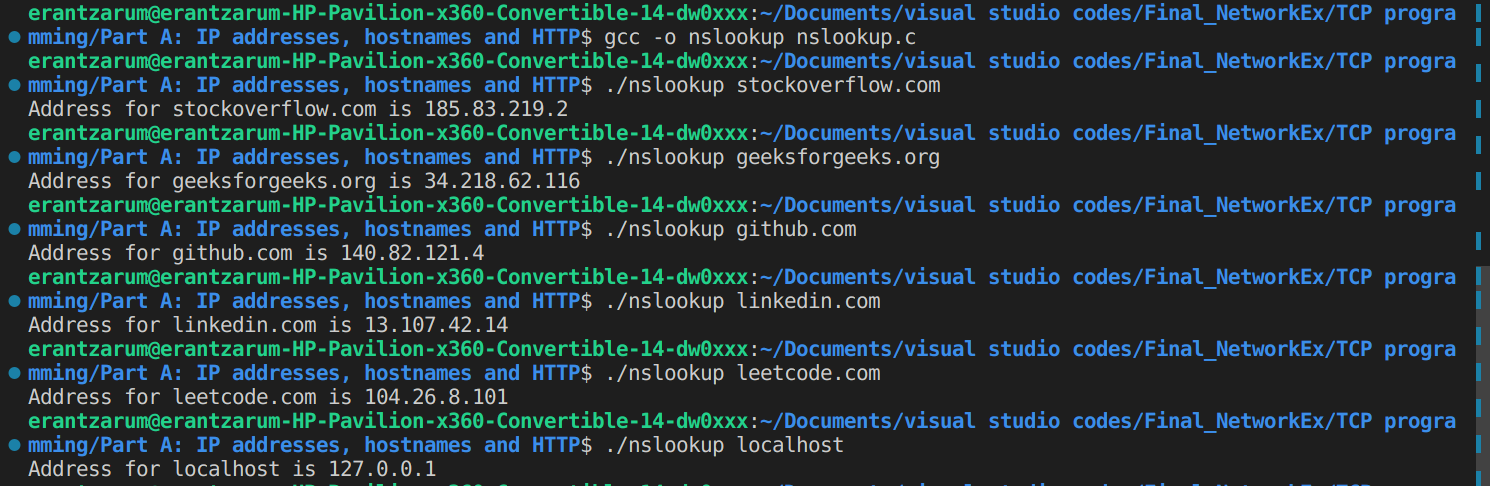
Type the command nslookup , where hostname is the name of the computer you are working on, to learn the IP address of that computer (you can use another way to check it as well).
How it should run:
Q. Suppose you run net_client when net_server is not running?
A. If we run client whan server is not runing, The client will try to connect with the func connect() above but will not succeed, becouse the server accept socket is not open and no server is listening to accept a client from this port. So we will get a Error establishing communications: Connection refused.
Here you can see thet whan we run net_server.c and then net_client.c, all we got a full connection :
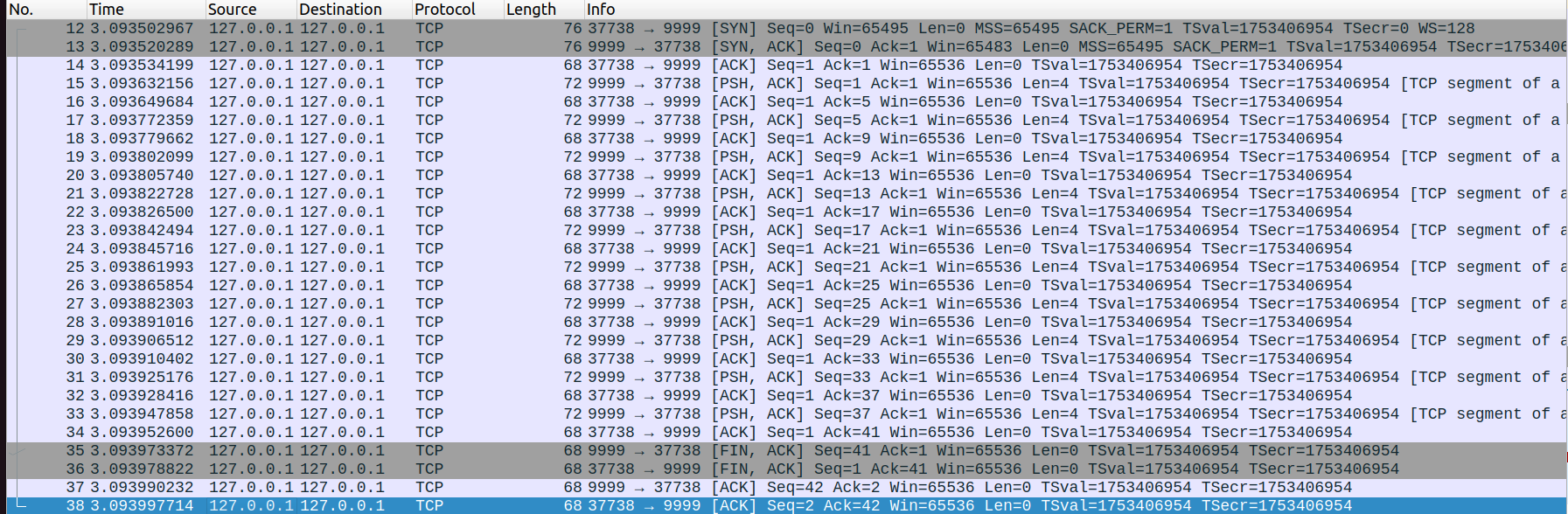
BUT when we run only net_client.c net_server is not running:
How it should run:

As we assumed the connection will not succeed:

The wget program allows you to fetch the contents of a URL and save it to a new file. Main sources that we use to build web_client.c : https://shapeshed.com/unix-wget https://stackoverflow.com/questions/15337932/how-to-include-the-command-wget-on-my-c-source-code
https://www.includehelp.com/c-programs/delete-a-specified-file-using-the-system-function.aspx
https://stackoverflow.com/questions/2029103/correct-way-to-read-a-text-file-into-a-buffer-in-c
One problem we will face in building our simple web client is that of parsing URLs.
The program will run like this:
a. The command-line argument should be a URL rather than a hostname.
b. The program will create an HTML file named "index.html" with all the data from the website by using system() func whit wget commend.
c. Opening a FILE to read the index.html we got from system("wget 'web_address'") command. and Copeing the FILE index.html to a buffer (char* buffer) and printing it (2500 letters at a time).
d. Deleteing index.html by system("rm 'FILE name'") commend.
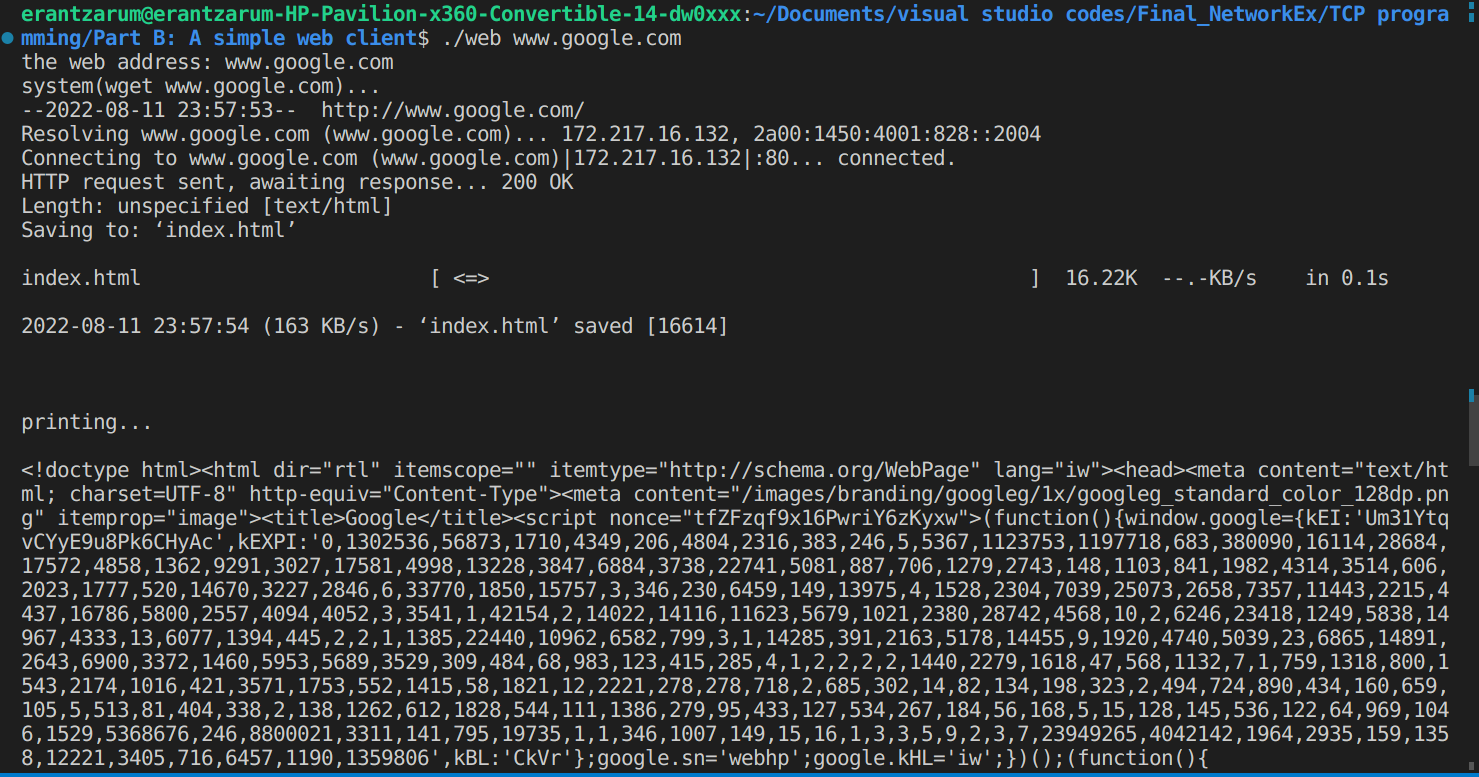
Run it yourself - you can use on any website -recommendation- www.google.com
How it should run:
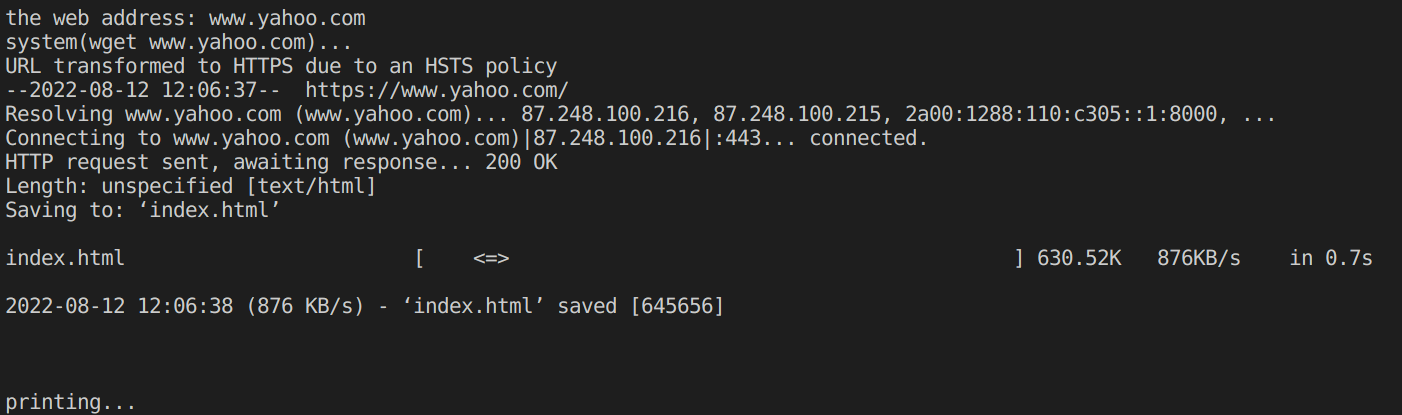
Q1. Examine the result of running your program for the URL http://www.yahoo.com The HTTP header is separated from the contents of the file by a blank line. What information do you see in the header?
A1. The program will run it successfully . URL transformed to HTTPS due to an HSTS policy https://www.yahoo.com/ Resolving www.yahoo.com Connecting to www.yahoo.com HTTP request sent Length: unspecified [text/html] Saving to: ‘index.html’
index.html .52K 876KB/s in 0.7s
(876 KB/s) - ‘index.html’ saved [645656].
And the program will print all the data from the file.
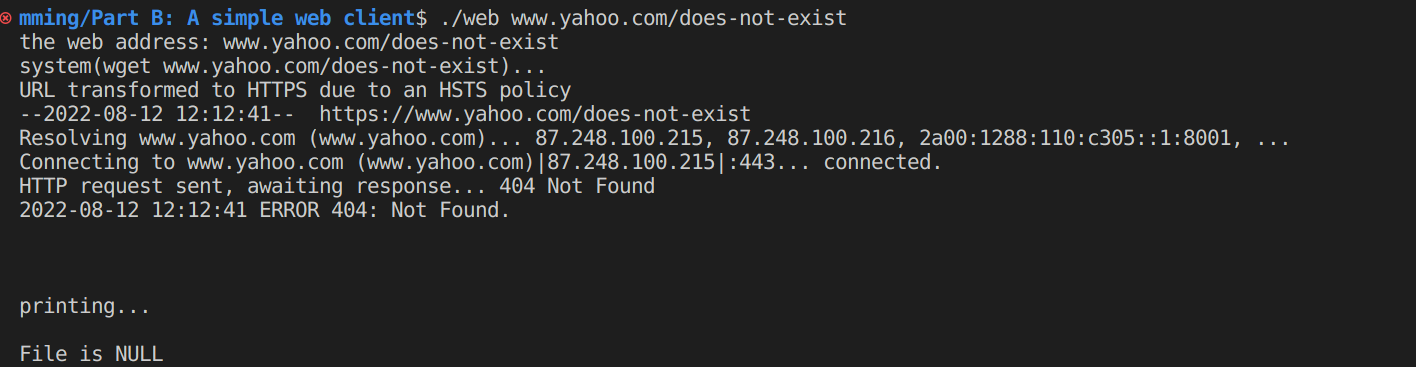
Q2. Examine the result of running your program for the URL http://www.yahoo.com/does-not-exist. How is the HTTP header different from what you saw for the URL http://www.yahoo.com?
A2. In this case the program wiil send a HTTP request and get response - ERROR 404: Not Found. Will not print any file becouse file does-not-exist . (will print.. - File is NULL) anf d exit the program.