SVGShellExtensions
If you are working with SVG icons you can notice that the images are not visible into Windows Explorer. To show the "icon library" contained into a folder you can compile and use the the SVGIconExplorer project or you can install the [SVG Shell Extensions]form (https://github.com/EtheaDev/SVGShellExtensions).
After installation of SVG Shell Extensions, you can see your icons directly into Windows Explorer and you cam edit them using a powerful SVG Text Editor.
In Windows 10 with Dark theme:

A useful Text editor with preview of SVG Image:
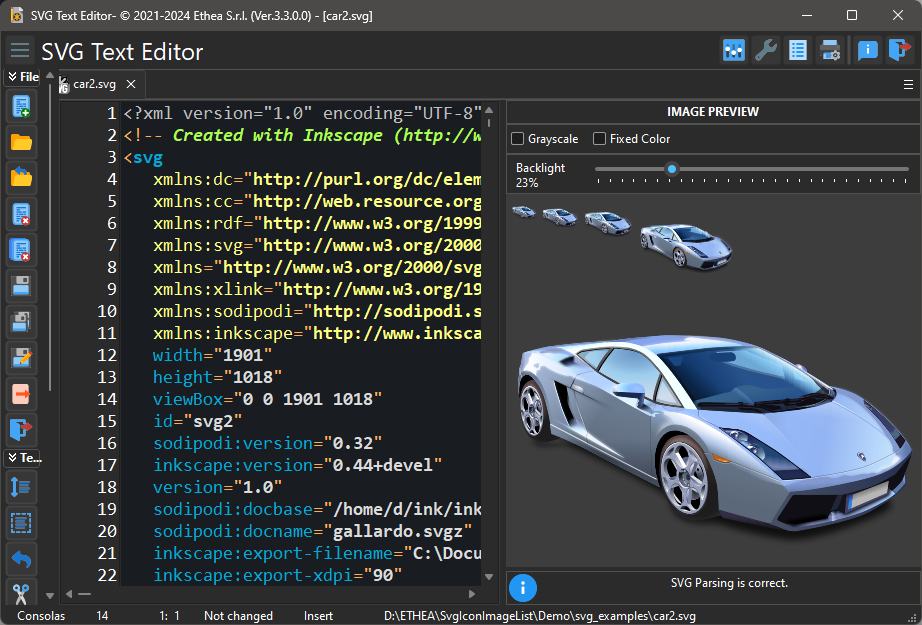
With this editor you can change the svg text and see the effect directly on the preview image.