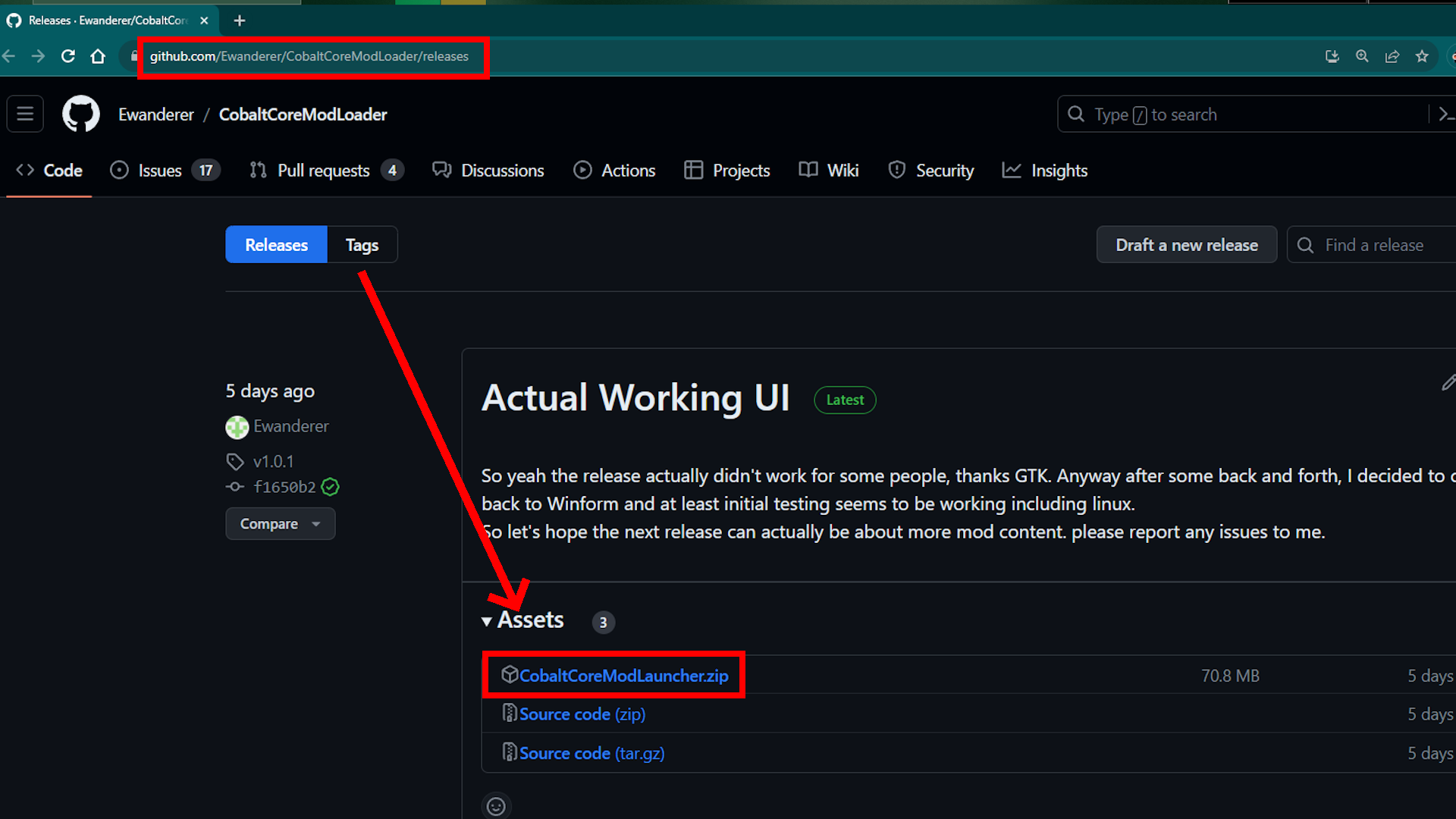
Download the top zip file of the latest release at: https://github.com/Ewanderer/CobaltCoreModLoader/releases
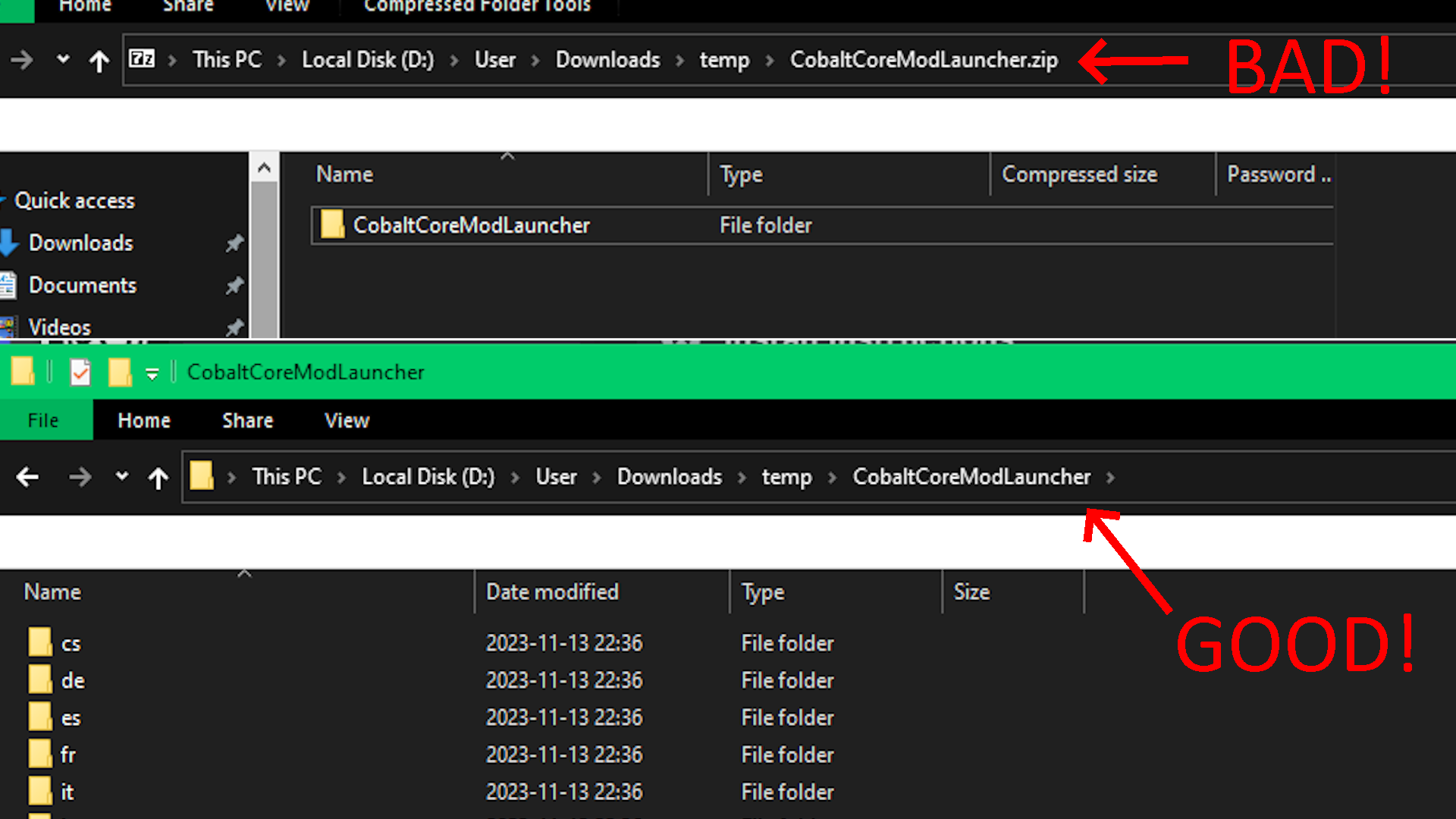
 Inside the zip is a folder, extract this to somewhere.
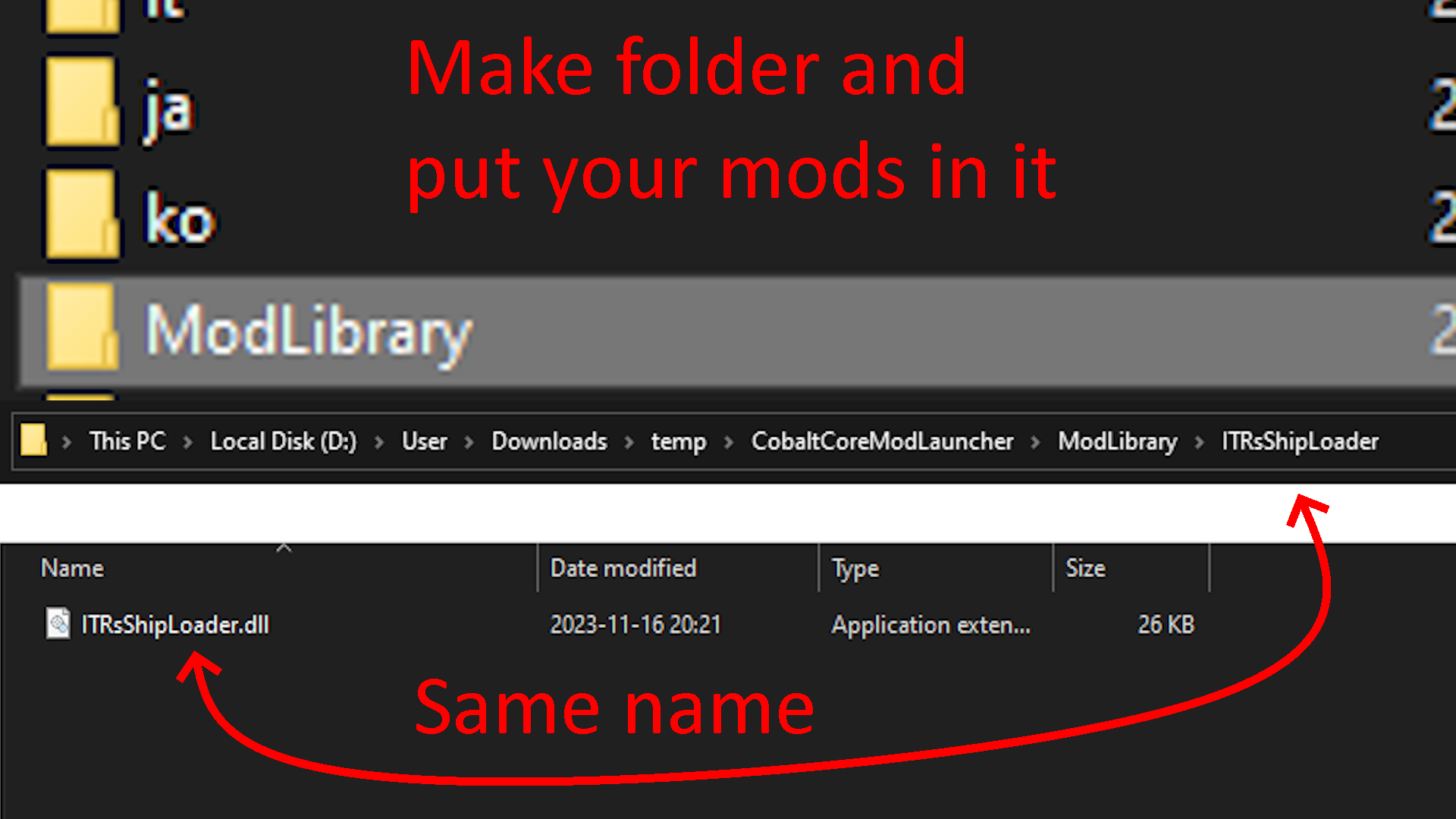
Create a new "ModLibrary" folder, and put your downloaded mod in it. Make sure the dll from the mod has the same name as the folder it's in.
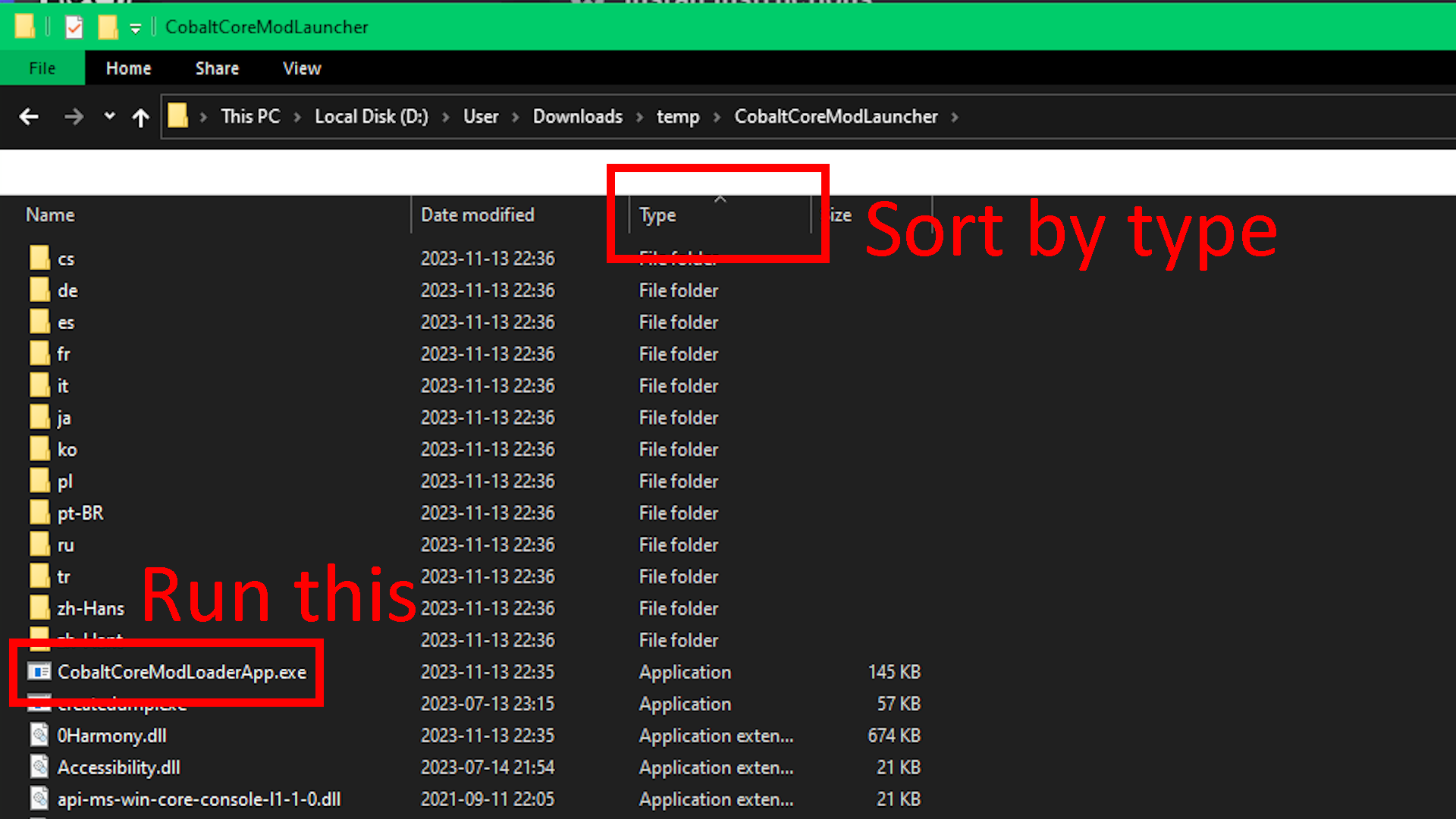
Go into the extracted folder and sort by "type", and open "CobaltCoreModLoaderApp.exe"
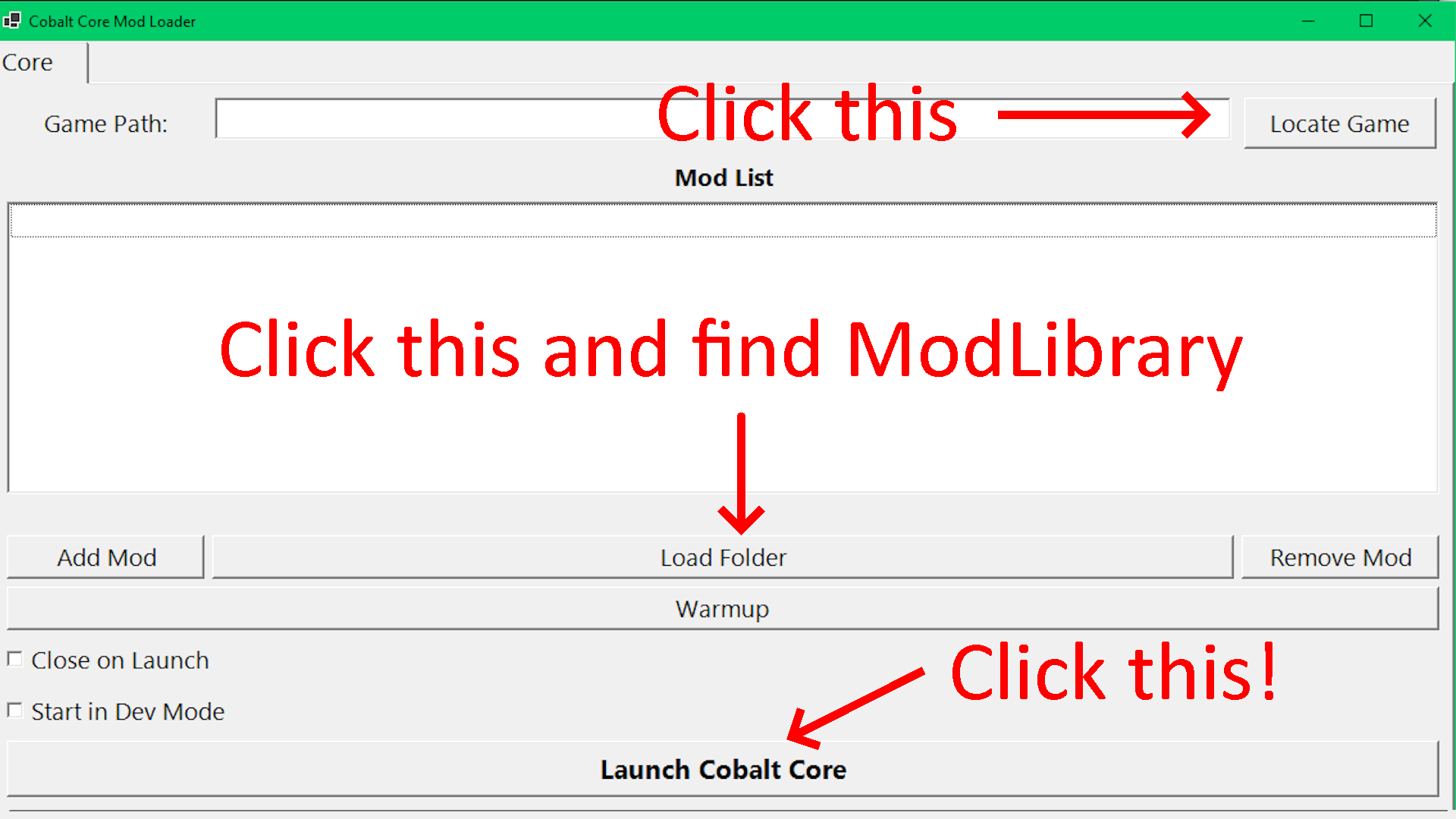
When the program opens, click Locate Game. Then click "Load Folder" and select the "ModLibrary" folder you added before. Once all the mods you installed show up in the list, press "Launch Cobalt Core"