Running the Library Through the Command Line
**[Reminder] Keep your API key safe, and do not share it with others!**
**[NOTE] This method will always generate a CSV.**
## **MacOS or Linux**
[Required] Open a `bash terminal` and set an Environmental Variable with the `variable_name` as `FSF_API_KEY` and the `variable_value` with the `API_KEY` with the command
```shell script
export FSF_API_KEY=your personal API key
```
## **Windows**
[Required] Set an Environmental Variable with the `variable_name` as `FSF_API_KEY` and the `variable_value` with the `API_KEY`.
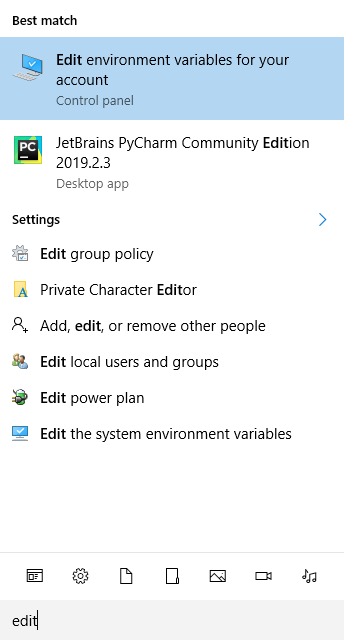
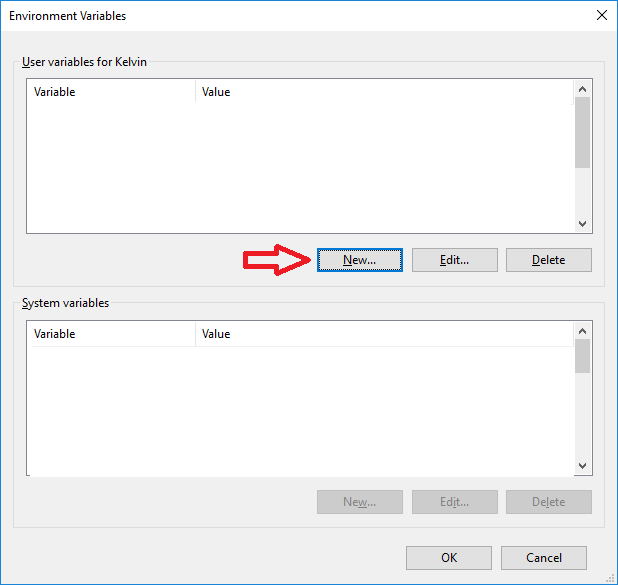
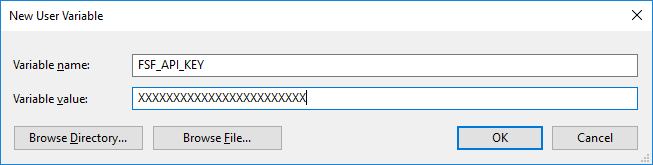
2. Open/Re-open a powershell console / bash terminal and navigate to the project directory. Next, call one of the methods described below in the Products section through the command line. See the Examples section in the individual products for more examples.
```sh
cd /path/to/project
python -m firststreet -p <product>.<product_subtype> -i <search_item> -f <file_name> -l <lookup_type>
```

-
-p/--product PRODUCT: [REQUIRED] The product to call from the APIExample:
-p location.get_detail -
[-api_key/--api_key API_KEY]: [OPTIONAL] If step 1 is skipped or unavailable, this argument can take theAPI_KEYinstead.Example:
-a XXXXXXXXXXXXXXXXXXX -
[-v/--version VERSION]: [OPTIONAL] The version of the API to call. Defaults to the current version.Example:
-v v1 -
[-i/--search_items SEARCH_ITEM]: [OPTIONAL] The Search Items to search for with the product.NOTE The search_item list must be separated with a semicolon (;) instead of a comma
Example:
-i 541114211;541229206 -
[-l/--location LOOKUP_TYPE]: [OPTIONAL] The lookup location type (property, neighborhood, city, zcta, tract, county, cd, state)Example:
-l property -
[-connection_limit/--connection_limit CONNECTION_LIMIT]: [OPTIONAL] The max number of concurrent connections to make to the API at the same time. This is does not affect the number of FSIDs that can be pulled. Defaults to 100 connectionsExample:
-connection_limit 20000 -
[-rate_limit/--rate_limit RATE_LIMIT]: [OPTIONAL] The max number of requests during the rate limit period. Defaults to 20000 requestsExample:
-rate_limit 1 -
[-rate_period/--rate_period RATE_PERIOD]: [OPTIONAL] The period of time for the rate limit. Defaults to 1 secondExample:
-rate_period 20 -
[-log/--log LOG]: [OPTIONAL] To log info output to the console or not. Defaults to TrueExample:
-l False -
[-e/--extra_param EXTRA_PARAM]: [OPTIONAL] Adds the argument to the end of the endpoint callExample:
-e extra_param -
[-year/--year YEAR]: [OPTIONAL] The year to use for theProbability Depth TileproductExample:
-year 2050 -
[-return_period/--return_period RETURN_PERIOD]: [OPTIONAL] The return period to use for theProbability Depth TileproductExample:
-return_period 500 -
[-event_id/--event_id EVENT_ID]: [OPTIONAL] The event id to use for theHistoric Event TileproductExample:
-event_id 3 -
[-f/--file FILE]: [OPTIONAL] A file of Search Items (one per line) to search for with the productExample:
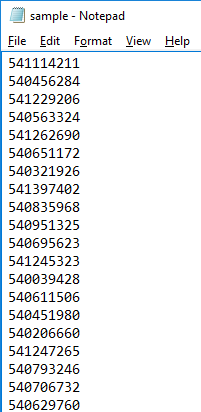
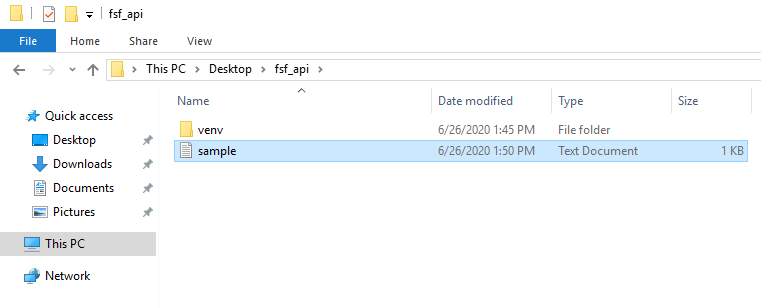
-f sample.txtContent of a sample text file. Note that the file must be in the same directory as the project:
541114211
540456284
541229206
540563324
541262690
540651172