How to find key.pem in order to connect to my server #1500

Replies: 1 comment 9 replies

-
|
currently you try to travel with a stolen passport... ^^ each opc ua application needs a own pkey and certificate which matches the client settings (application uri, ip...) so the other side of the connection can check if you are who you claim to be! ref: https://github.com/FreeOpcUa/python-opcua/blob/master/examples/generate_certificate.sh |
Beta Was this translation helpful? Give feedback.

-
|
Ok so probably the issue is because i don't have the key.pem file (?). Is there any way to create just the key from this certificate? Is the generate_certificate.sh applicable somehow? |
Beta Was this translation helpful? Give feedback.

-
|
private-key.pem comes first! and with that p-key you create the cert.pem! not the other way around... in order to make it work you need create both! |
Beta Was this translation helpful? Give feedback.
-
|
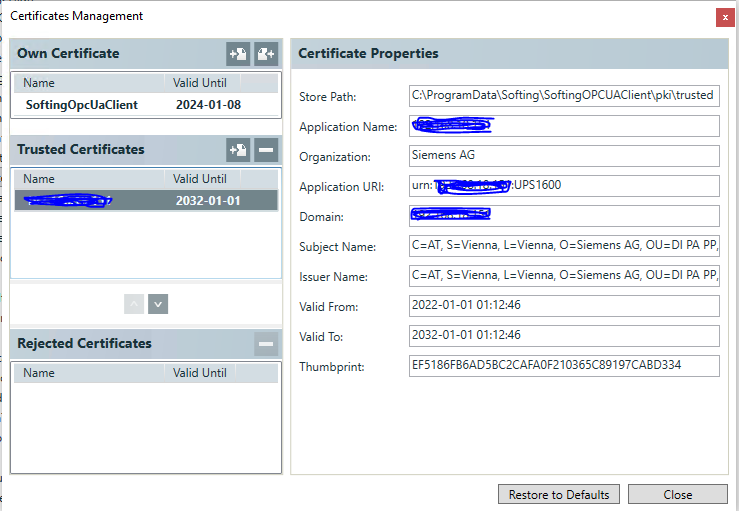
Could you please help me with generate_certificate.sh? I'm really sorry but not sure how to work with it.
Here are the settings from Softing OPC UA app
Is this correct? And then i double click on it? How to generate the files? |

Beta Was this translation helpful? Give feedback.
-
|
<will_add_urn_from_uaexpert> thats not ok because it does not match your opcua client urn/uri... for the generation you need to install openssl on your pc! if you are on linux you can use the .sh file! on windows you need to: use both files in you client and setup the clients application uri accroding to the uri in the cert! |
Beta Was this translation helpful? Give feedback.
-
|
oh thank you so much! I created them and i am able to connect to my device !!! Thank you so much for your time :) My code looks like this now: |
Beta Was this translation helpful? Give feedback.


Uh oh!
There was an error while loading. Please reload this page.
Uh oh!
There was an error while loading. Please reload this page.
-
Hello. I am new to this so forgive me if it's something simple.
So i want to connect to my UPS1600 machine with OPCUA and check it's status. I am using this code:
I checked which certificate the UAExpert uses and i am using the same in my python script. But where can i find the key.pem file?
If i run my current code i got this:
Received an error: MessageAbort(error:StatusCode(BadCertificateInvalid), reason:None) Received an error: MessageAbort(error:StatusCode(BadCertificateInvalid), reason:None) Protocol Error Traceback (most recent call last): ... File "C:\Program Files\Python39\lib\site-packages\opcua\client\ua_client.py", line 129, in _call_callback raise ua.UaError( opcua.ua.uaerrors._base.UaError: No future object found for request: 0, callbacks in list are dict_keys([1]) exception calling callback for <Future at 0x1ee61977550 state=cancelled> Traceback (most recent call last): ... concurrent.futures._base.TimeoutErrorUAExpert connects normally. No issues
Beta Was this translation helpful? Give feedback.
All reactions