2018 Release Notes
JKI State Machine 2018 adds significant performance improvements, an updated visual design, some minor new feature additions to the JKI State Machine built-in states/frames, the JKI State Machine Explorer window, and a host of LabVIEW right-click menu editor extensions (see below).
Download JKI State Machine 2018 today!

- Launch the JKI State Machine Explorer window by Ctrl+ >> Ctrl+J (assuming you have a JKI State Machine on the block diagra)
- Launch the JKI State Machine Explorer window by right-clicking on the JKI State Machine and choosing _JKI State Machine
- Select an item in the tree to make that frame visible
- Click back and forward to navigate the history
- Drag and drop frames to reorganize the order
- Right-click on items in the tree-view to rename, duplicate, delete, etc.
- Right-click on a state string and choose Goto State Frame to jump to that frame of the JKI SM.
- Right click on a state string or frame and choose Find Callers to find all callers of a state
- Right-click on a bundle or unbundle by name and choose Find Data Accessors to find all accessors of the data. Explorer..._
- Right-click on State Strings to Goto State, Find Callers, Explore States, etc.
- Right-click on Unbundle By Name and Bundle By Name and choose Find Data Accessors to find Readers and Writers of cluster data
- Add Dynamic Events
- Much more.
The support VIs have a new visual design that's a little easier on the eyes

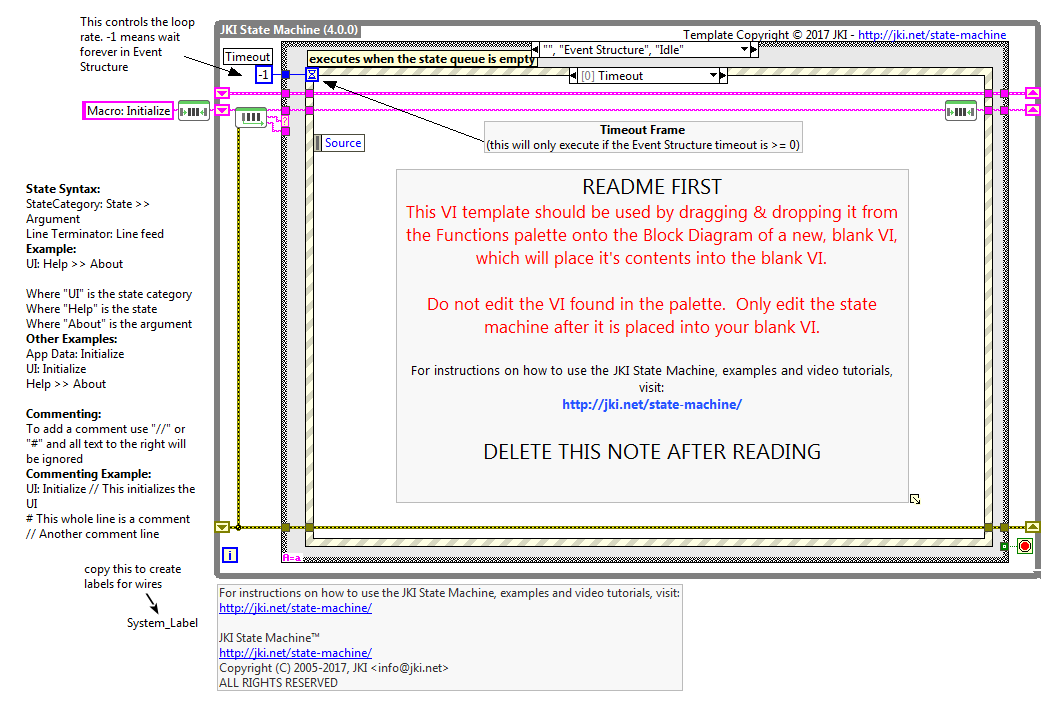
- Changed While Loop Label to JKI State Machine (4.0.0)
- Major performance improvements to Support VIs ("Parse State Queue", "Add State(s) to Queue", and "Build State String with Arguments")
- Parse State Queue is nearly 2x faster in basic testing
- Support VIs are now configured for "Inline SubVIs into Calling VIs" and "Subroutine" priority to reduce memory footprint and execution time
- Replaced instances of Trim Whitespace with direct calls to Match Pattern (effectively inlining Trim Whitespace)
- Reduced the number of instances of Match Pattern called for certain operations
- Testing for Empty String on inputs and avoiding calling code when not necessary (e.g. calls to Trim Whitespace on strings that are already known to be empty)
- Replaced deprecated FP.Open property with FP.State
- Added new arguments to "UI: Front Panel State" (Open, Standard, Close, Closed, Hidden, Hide, Maximize, Maximized, Minimize, Minimized)
- Special thanks to @mcduff14 and @drjdpowell for their performance improvement ideas and feedback on this thread https://github.com/JKISoftware/JKI-State-Machine/pull/3