First of all, Thanks for taking the time to contribute! 😊
Contents
Before getting started and setup with contributing, you'll want to look at and choose an issue to work on. Here is a basic workflow you want to work from:
- Search through issues
- Find issue you want to work on
- Check if someone else has already worked on and made a pull request on said issue
- (Optional) Double check pull requests for someone who has worked on the pull request
If you have gotten that far, then you can go ahead and work on the issue. Below are more detailed instructions based on the basic workflow above.
You can find open issue here.
Once you've found an issue you want to work on, take a look at the issue to see if anyone else has made a pull request for this issue yet.
You can tell if someone has correctly referenced and worked on an issue if in the issue you find some text saying, the following:
This was referenced on ____
where that ____ is the date and below it is the pull request of another individual working on that issue. Here is an example of what this looks like.
To be extra sure no one has worked on it, you can take a look at the pull requests as well to see if anyone has made a similar pull request.
If you've gotten this far, then you can continue on with the next section on "Getting Started" to working on your first pull request and contribution to our repository.
-
If you are new to Git and GitHub, it is advisable that you go through GitHub For Beginners before moving to Step 2.
-
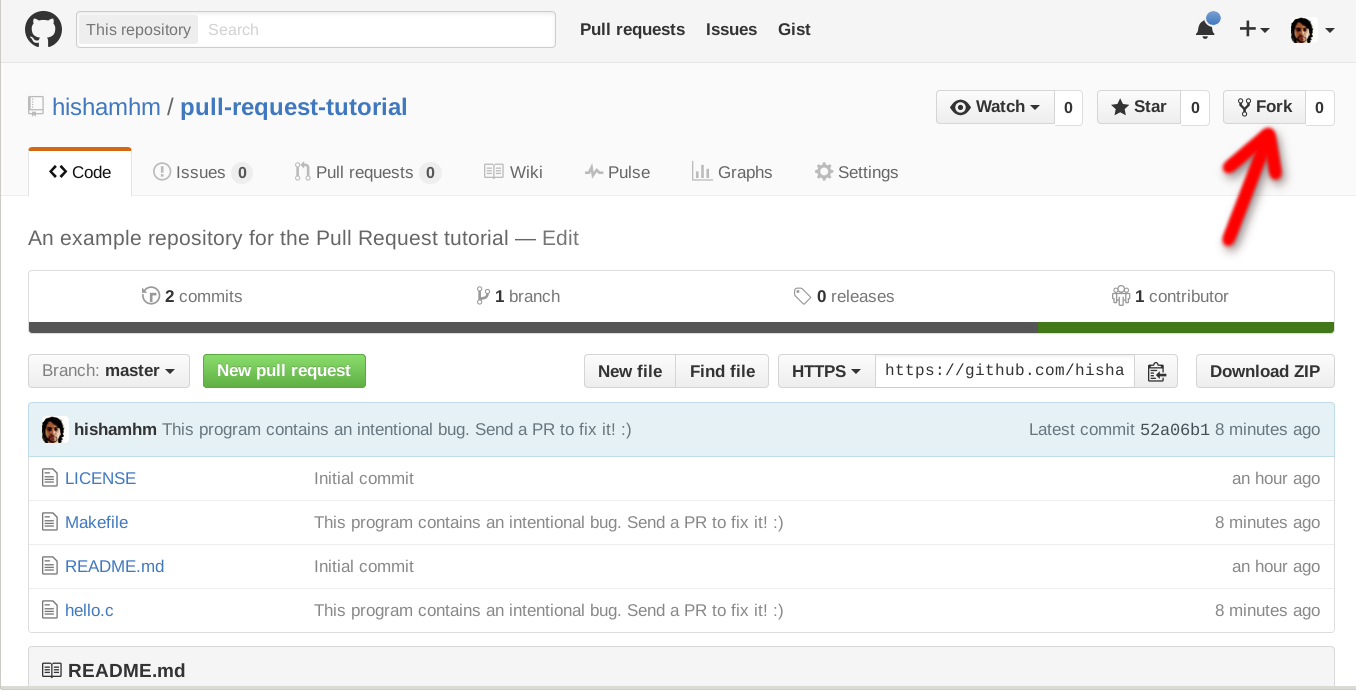
Fork the project on GitHub. Help Guide to Fork a Repository.
-
Clone the project. Help Guide to Clone a Repository
-
Create a branch specific to the issue you are working on.
git checkout -b update-readme-file
For clarity, name your branch
update-xxxorfix-xxx. Thexxxis a short description of the changes you're making. Examples includeupdate-readmeorfix-typo-on-contribution-md. -
Open up the project in your favorite text editor, select the file you want to contribute to, and make your changes.
If you are making changes to the
README.mdfile, you would need to have Markdown knowledge. Visit here to read about GitHub Markdown and here to practice.- If you are adding a new project/organization to the README, make sure it's listed in alphabetical order.
- If you are adding a new organization, make sure you add an organization label to the organization name. This would help distinguish projects from organizations.
-
Add your modified files to Git, How to Add, Commit, Push, and Go.
git add path/to/filename.ext
Note: using a
git add .will automatically add all files. You can do agit statusto see your changes, but do it beforegit add. -
Commit your changes using a descriptive commit message.
git commit -m "Brief Description of Commit" -
Push your commits to your GitHub Fork:
git push -u origin branch-name
-
Submit a pull request.
Within GitHub, visit this main repository and you should see a banner suggesting that you make a pull request. While you're writing up the pull request, you can add
Closes #XXXin the message body where#XXXis the issue you're fixing. Therefore, an example would beCloses #42would close issue#42.
If you decide to fix an issue, it's advisable to check the comment thread to see if there's somebody already working on a fix. If no one is working on it, kindly leave a comment stating that you intend to work on it. By doing that, other people don't accidentally duplicate your effort.
In a situation where somebody decides to fix an issue but doesn't follow up for a particular period of time, say 2-3 weeks, it's acceptable to still pick up the issue but make sure that you leave a comment.
You can open a pull request to main branch after you have pushed your code.
We have a Discord server where you can ask questions and get help. Feel free to join and ask any questions you may have.
This is specially useful if you want to work on a new feature or make significant changes to the codebase.