
Get dynamically generated GitHub stats on your readmes!




Fork from https://github.com/anuraghazra/github-readme-stats


- GitHub Stats Card
- GitHub Extra Pins
- Top Languages Card
- Wakatime Week Stats
- Themes
- Customization
- Deploy Yourself
Copy-paste this into your markdown content, and that's it. Simple!
Change the ?username= value to your GitHub's username.
[](https://github.com/anuraghazra/github-readme-stats)Note: Available ranks are S+ (top 1%), S (top 25%), A++ (top 45%), A+ (top 60%), and B+ (everyone). The values are calculated by using the cumulative distribution function using commits, contributions, issues, stars, pull requests, followers, and owned repositories. The implementation can be investigated at src/calculateRank.js
To hide any specific stats, you can pass a query parameter ?hide= with comma-separated values.
Options:
&hide=stars,commits,prs,issues,contribs
You can add the count of all your private contributions to the total commits count by using the query parameter ?count_private=true.
Note: If you are deploying this project yourself, the private contributions will be counted by default. Otherwise, you need to choose to share your private contribution counts.
Options:
&count_private=true
To enable icons, you can pass show_icons=true in the query param, like so:
With inbuilt themes, you can customize the look of the card without doing any manual customization.
Use &theme=THEME_NAME parameter like so :-
dark, radical, merko, gruvbox, tokyonight, onedark, cobalt, synthwave, highcontrast, dracula
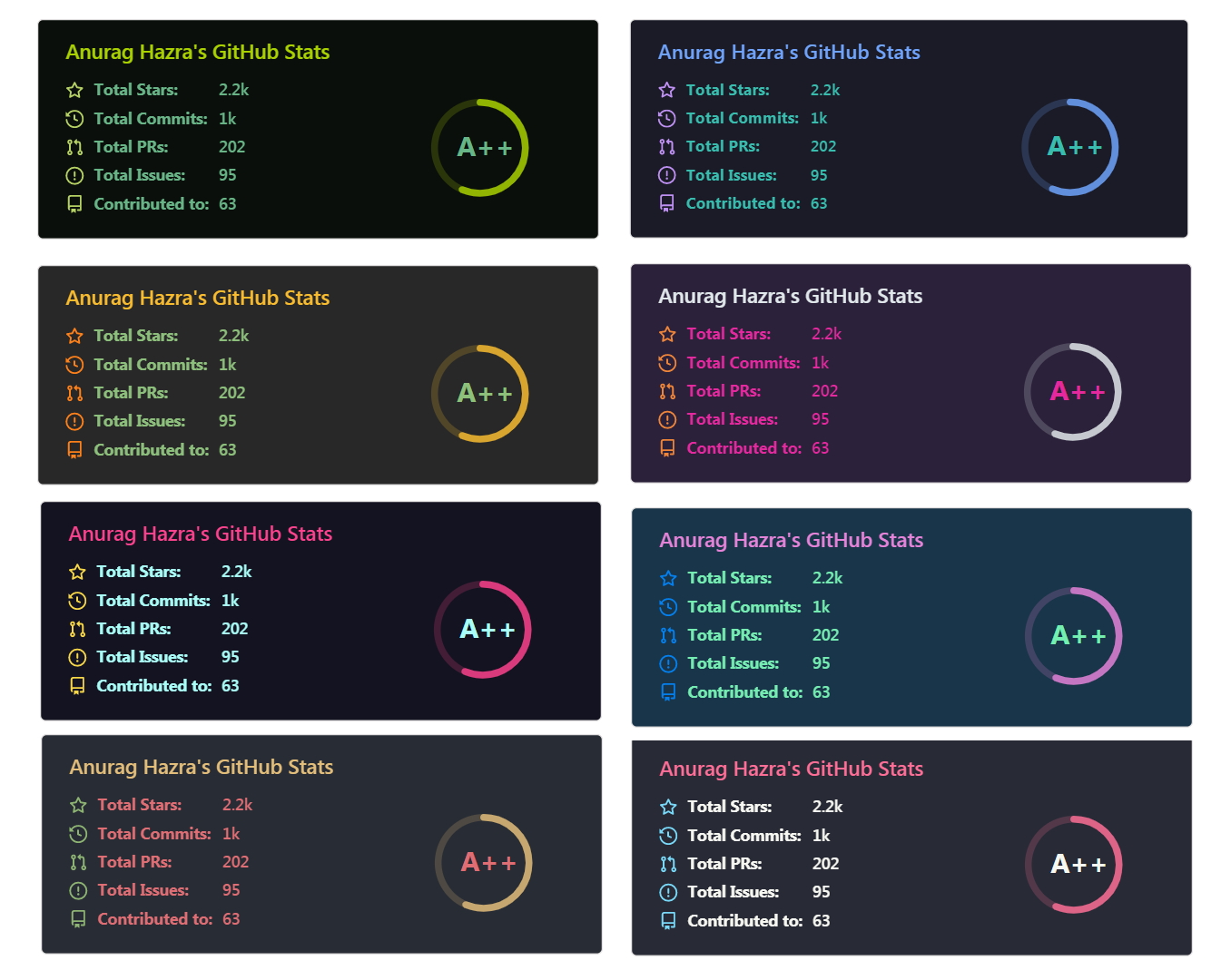
You can look at a preview for all available themes or checkout the theme config file & you can also contribute new themes if you like :D
You can customize the appearance of your Stats Card or Repo Card however you wish with URL params.
title_color- Card's title color (hex color)text_color- Body text color (hex color)icon_color- Icons color if available (hex color)border_color- Card's border color (hex color). (Does not apply whenhide_borderis enabled)bg_color- Card's background color (hex color) or a gradient in the form of angle,start,endhide_border- Hides the card's border (boolean)theme- name of the theme, choose from all available themescache_seconds- set the cache header manually (min: 1800, max: 86400)locale- set the language in the card (e.g. cn, de, es, etc.)border_radius- Corner rounding on the card_
You can provide multiple comma-separated values in bg_color option to render a gradient, the format of the gradient is :-
&bg_color=DEG,COLOR1,COLOR2,COLOR3...COLOR10
Note on cache: Repo cards have a default cache of 4 hours (14400 seconds) if the fork count & star count is less than 1k, otherwise, it's 2 hours (7200 seconds). Also, note that the cache is clamped to a minimum of 2 hours and a maximum of 24 hours.
hide- Hides the specified items from stats (Comma-separated values)hide_title- (boolean)hide_rank- (boolean) hides the rank and automatically resizes the card widthshow_icons- (boolean)include_all_commits- Count total commits instead of just the current year commits (boolean)count_private- Count private commits (boolean)line_height- Sets the line-height between text (number)custom_title- Sets a custom title for the carddisable_animations- Disables all animations in the card (boolean)
show_owner- Show the repo's owner name (boolean)
hide- Hide the languages specified from the card (Comma-separated values)hide_title- (boolean)layout- Switch between two available layoutsdefault&compactcard_width- Set the card's width manually (number)langs_count- Show more languages on the card, between 1-10, defaults to 5 (number)exclude_repo- Exclude specified repositories (Comma-separated values)custom_title- Sets a custom title for the card
⚠️ Important: Language names should be uri-escaped, as specified in Percent Encoding (i.e:c++should becomec%2B%2B,jupyter notebookshould becomejupyter%20notebook, etc.) You can use urlencoder.org to help you do this automatically.
hide- Hide the languages specified from the card (Comma-separated values)hide_title- (boolean)line_height- Sets the line-height between text (number)hide_progress- Hides the progress bar and percentage (boolean)custom_title- Sets a custom title for the cardlayout- Switch between two available layoutsdefault&compactlangs_count- Limit number of languages on the card, defaults to all reported langaugesapi_domain- Set a custom API domain for the card, e.g. to use services like Hakatime or Wakapirange– Request a range different from your WakaTime default, e.g.last_7_days. See WakaTime API docs for list of available options.
GitHub extra pins allow you to pin more than 6 repositories in your profile using a GitHub readme profile.
Yay! You are no longer limited to 6 pinned repositories.
Copy-paste this code into your readme and change the links.
Endpoint: api/pin?username=anuraghazra&repo=github-readme-stats
[](https://github.com/anuraghazra/github-readme-stats)Use show_owner variable to include the repo's owner username
The top languages card show a GitHub user's most frequently used top language.
NOTE: Top Languages does not indicate my skill level or anything like that, it's a GitHub metric of which languages have the most code on GitHub. It's a new feature of github-readme-stats.
Copy-paste this code into your readme and change the links.
Endpoint: api/top-langs?username=anuraghazra
[](https://github.com/anuraghazra/github-readme-stats)You can use ?exclude_repo=repo1,repo2 parameter to exclude individual repositories.
[](https://github.com/anuraghazra/github-readme-stats)You can use ?hide=language1,language2 parameter to hide individual languages.
[](https://github.com/anuraghazra/github-readme-stats)You can use the &langs_count= option to increase or decrease the number of languages shown on the card. Valid values are integers between 1 and 10 (inclusive), and the default is 5.
[](https://github.com/anuraghazra/github-readme-stats)You can use the &layout=compact option to change the card design.
[](https://github.com/anuraghazra/github-readme-stats)- Compact layout
Change the ?username= value to your Wakatime username.
[](https://github.com/anuraghazra/github-readme-stats)- Compact layout
- Default
- Hiding specific stats
- Showing icons
- Customize Border Color
- Include All Commits
- Themes
Choose from any of the default themes
- Gradient
- Customizing stats card
- Setting card locale
- Customizing repo card
- Top languages
- Wakatime card
You usually won't be able to layout the images side by side. To do that you can use this approach:
<a href="https://github.com/anuraghazra/github-readme-stats">
  <img align="center" src="https://github-readme-stats.vercel.app/api/pin/?username=anuraghazra&repo=github-readme-stats" />
</a>
<a href="https://github.com/anuraghazra/convoychat">
  <img align="center" src="https://github-readme-stats.vercel.app/api/pin/?username=anuraghazra&repo=convoychat" />
</a>