cocos2d-x 集成 openinstall SDK
集成 openinstall SDK 到 cocos2d-x Android 项目中,请参考 Android 集成指南
集成 openinstall SDK 到 cocos2d-x iOS 项目中,请参考 iOS 集成指南
在所有需要使用到 openinstall api 的文件中,需要导入 openinstall 头文件
#include "OpenInstall.h"备注:请根据文件目录结构适当调整引用路径
App 启动时,请确保用户同意《隐私政策》之后,再调用初始化;如果用户不同意,则不进行openinstall SDK初始化。参考 应用合规指南
示例:在 AppDelegate 的 initGLContextAttrs 的方法中进行初始化。
void AppDelegate::initGLContextAttrs()
{
    GLContextAttrs glContextAttrs = {8, 8, 8, 8, 24, 8, 0};

    GLView::setGLContextAttrs(glContextAttrs);

    // 初始化openinstall
    openInstall2dx::OpenInstall::init();

}
注意: 请在调用初始化后,再调用 openinstall 其它 api。
在应用启动时,注册拉起回调。当 App 被唤醒时,可以及时在回调中获取跳转携带的数据
可在 AppDelegate 的 initGLContextAttrs 的方法中,在初始化后调用。
    openInstall2dx::OpenInstall::registerWakeUpHandler([](openInstall2dx::AppData appData){
        std::string channelCode = appData.getChannelCode();
        std::string bindData = appData.getBindData();
});在应用需要安装参数时,调用以下 api 获取由 SDK 保存的安装参数,可设置超时时长,单位秒
    openInstall2dx::OpenInstall::getInstall(8,[](openInstall2dx::AppData appData, bool shouldRetry){
        if(shouldRetry){
            // 未获取到参数,可重试
        } else{
            std::string channelCode = appData.getChannelCode();
            std::string bindData = appData.getBindData();
        }
});SDK 会自动完成访问量、点击量、安装量、活跃量、留存率等统计工作。其它业务相关统计由开发人员使用 api 上报
根据自身的业务规则,在确保用户完成 app 注册的情况下调用 api
openInstall2dx::OpenInstall::reportRegister();统计终端用户对某些特殊业务的使用效果,如充值金额,分享次数等等。
请在 openinstall 控制台 的 “效果点管理” 中添加对应的效果点
调用接口进行效果点的上报,第一个参数对应控制台中的 效果点ID
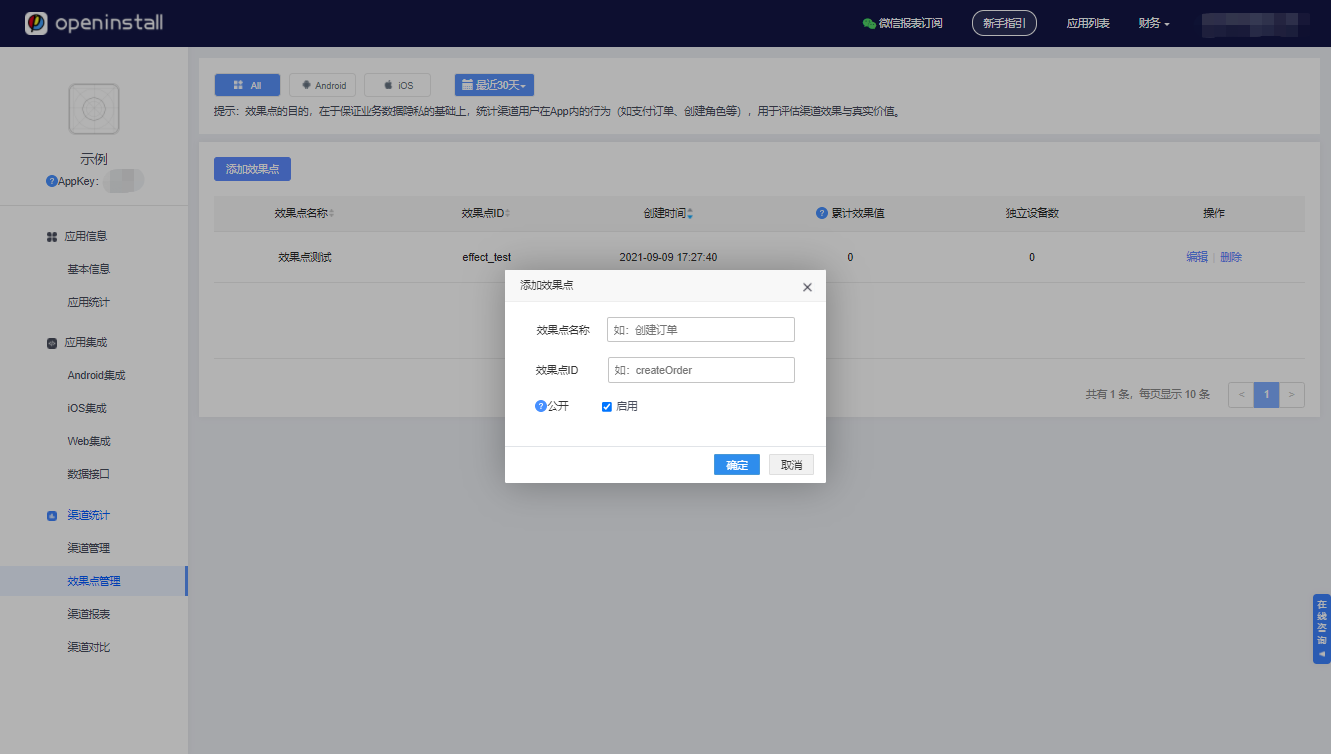
openInstall2dx::OpenInstall::reportEffectPoint("effect_test", 1);请在 openinstall 控制台 的 “效果点管理” 中添加对应的效果点,并启用“记录明细”,添加自定义参数
    std::map<std::string, std::string> extraMap = std::map<std::string, std::string>();
    extraMap.insert(std::map<std::string, std::string>::value_type ("x", "1"));
    extraMap.insert(std::map<std::string, std::string>::value_type ("y", "2"));
openInstall2dx::OpenInstall::reportEffectPoint("effect_detail", 1, extraMap);分享上报主要是统计某个具体用户在某次分享中,分享给了哪个平台,再通过JS端绑定被分享的用户信息,进一步统计到被分享用户的激活回流等情况。分享平台请参考 openinstall 官网文档
    openInstall2dx::OpenInstall::reportShare("分享标识码,例如:u_123456", "分享平台,例如:QQ", [](bool shouldRetry, std::string message){
        if(shouldRetry){
            // 需要重试
        }
});可根据返回的数据中的shouldRetry决定是否需要重试,以及message查看失败的原因
代码集成完毕后,需要导出安装包上传openinstall后台,openinstall会自动完成所有的应用配置工作。
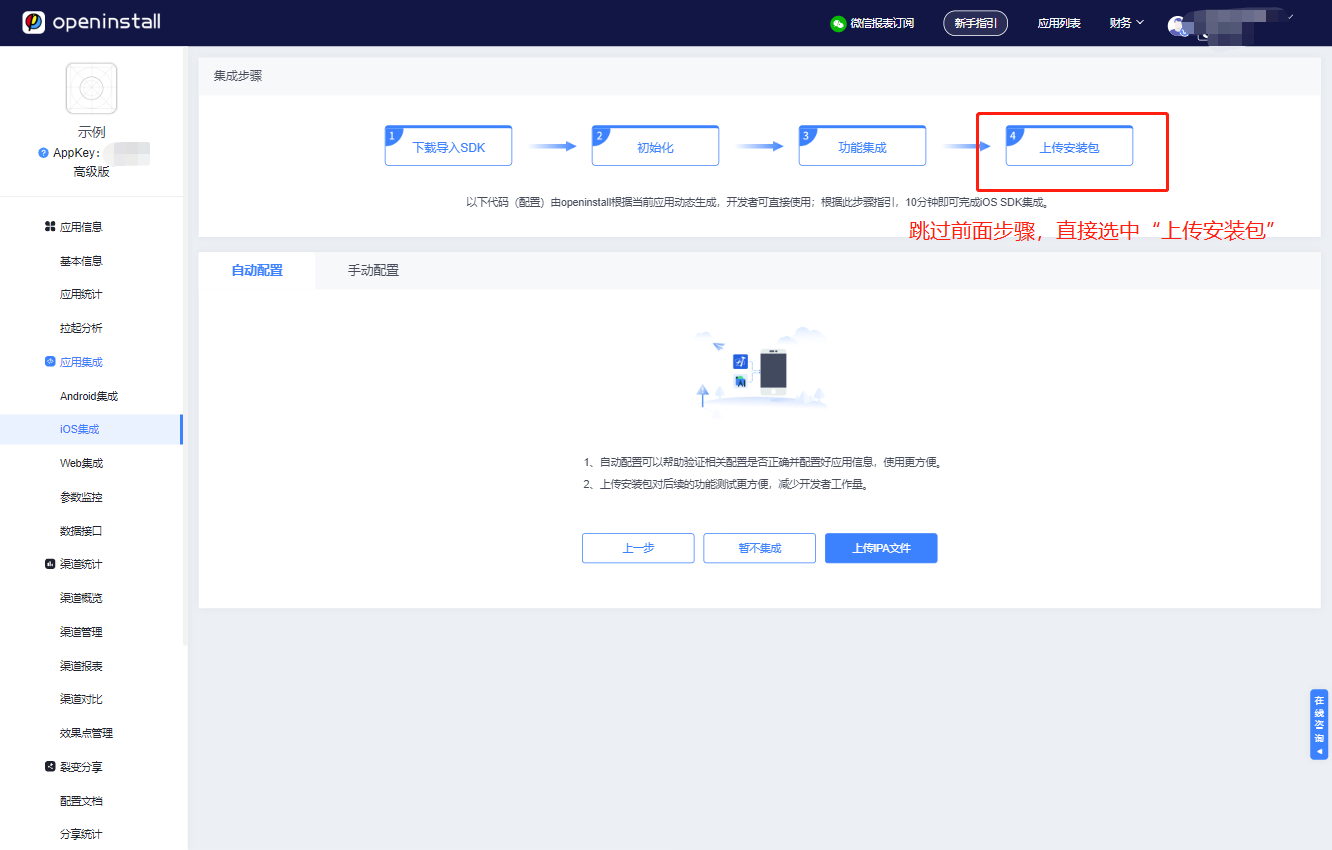
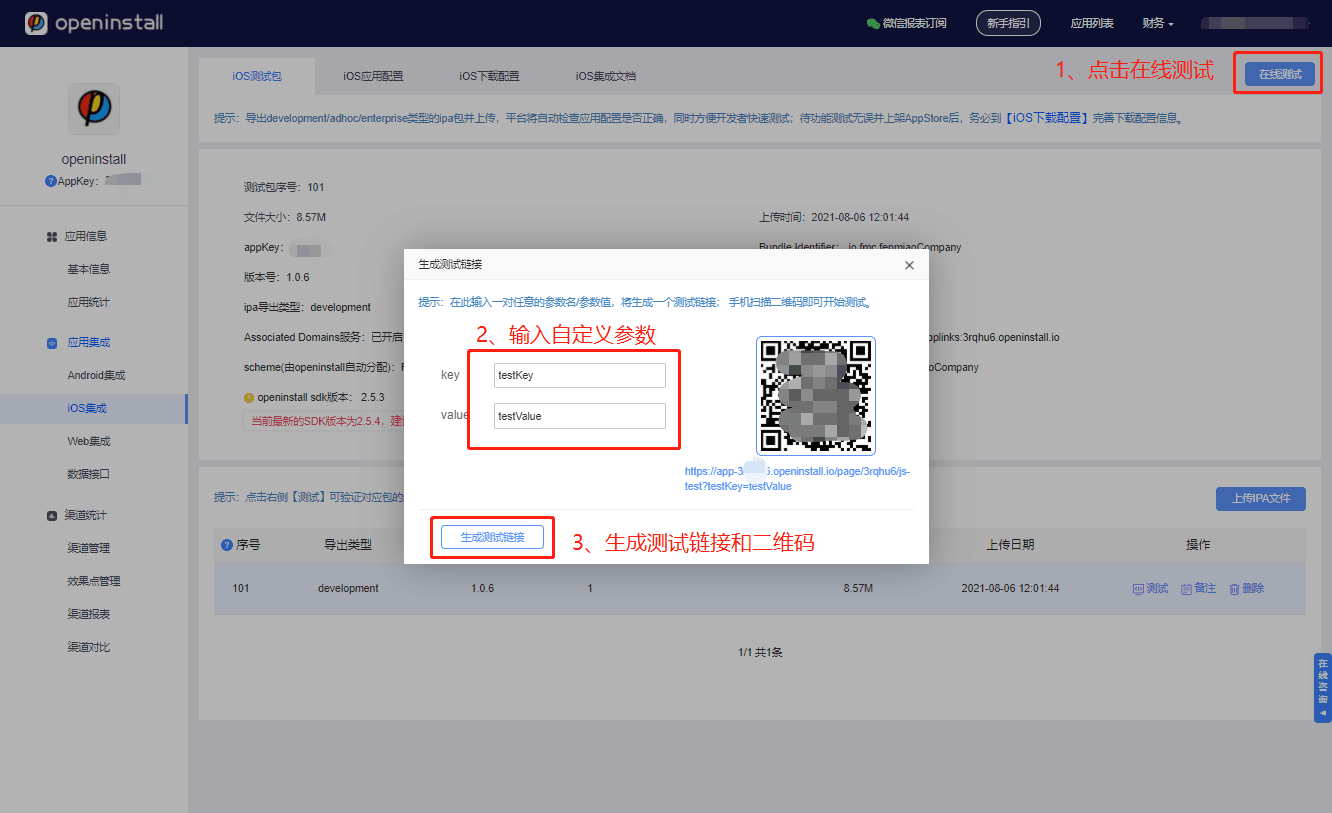
上传完成后即可开始在线模拟测试,体验完整的App安装/拉起流程;待测试无误后,再完善下载配置信息。
若您在集成或使用中有任何疑问或者困难,请 咨询openinstall客服。