EQASCOM Settings
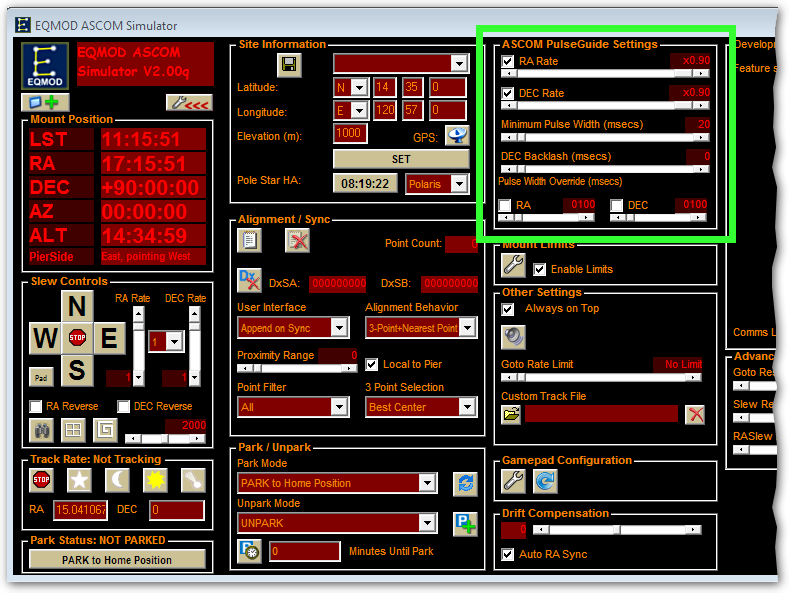
PHD2 works well with EQASCOM, but you'll need to ensure you have the proper EQASCOM settings.
Open the ASCOM Driver settings by clicking here
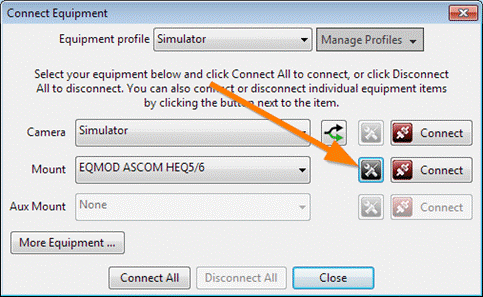
Enable ASCOM Pulse Guiding and verify that SideOfPier is Pointing (ASCOM)

Once you have connected the mount and before you calibrate or guide in PHD2, update your EQASCOM settings
- set the RA and Dec Guide rates to a high value like 0.9x. We recommend at least 0.5x.
- set the minimum pulse duration to its minimum value,
- disable Dec backlash,
- disable pulse width override.