| icon | code |
|---|---|
| title | Modeling Authorization |
In Permify, you can define a user with certain permissions because of their relation to other entities. An example of this would be granting a manager permissions to their subordinates but not to other managers, or giving a user access to a resource because they belong to a certain group.
This is facilitated by our relationship-based access control (ReBAC), which allows you to define complex permission structures based on the relationships between users, roles, and resources.
Permify has its own language that you can model your authorization logic with. The language allows you to define arbitrary relations between users and objects.
You can assign users associate them with arbitrary objects representing application concepts, such as teams, organizations, or stores.
You can give users roles such as admin, manager, or member.
You can also use dynamic attributes in your authorization model, such as boolean variables, IP range, or time period.
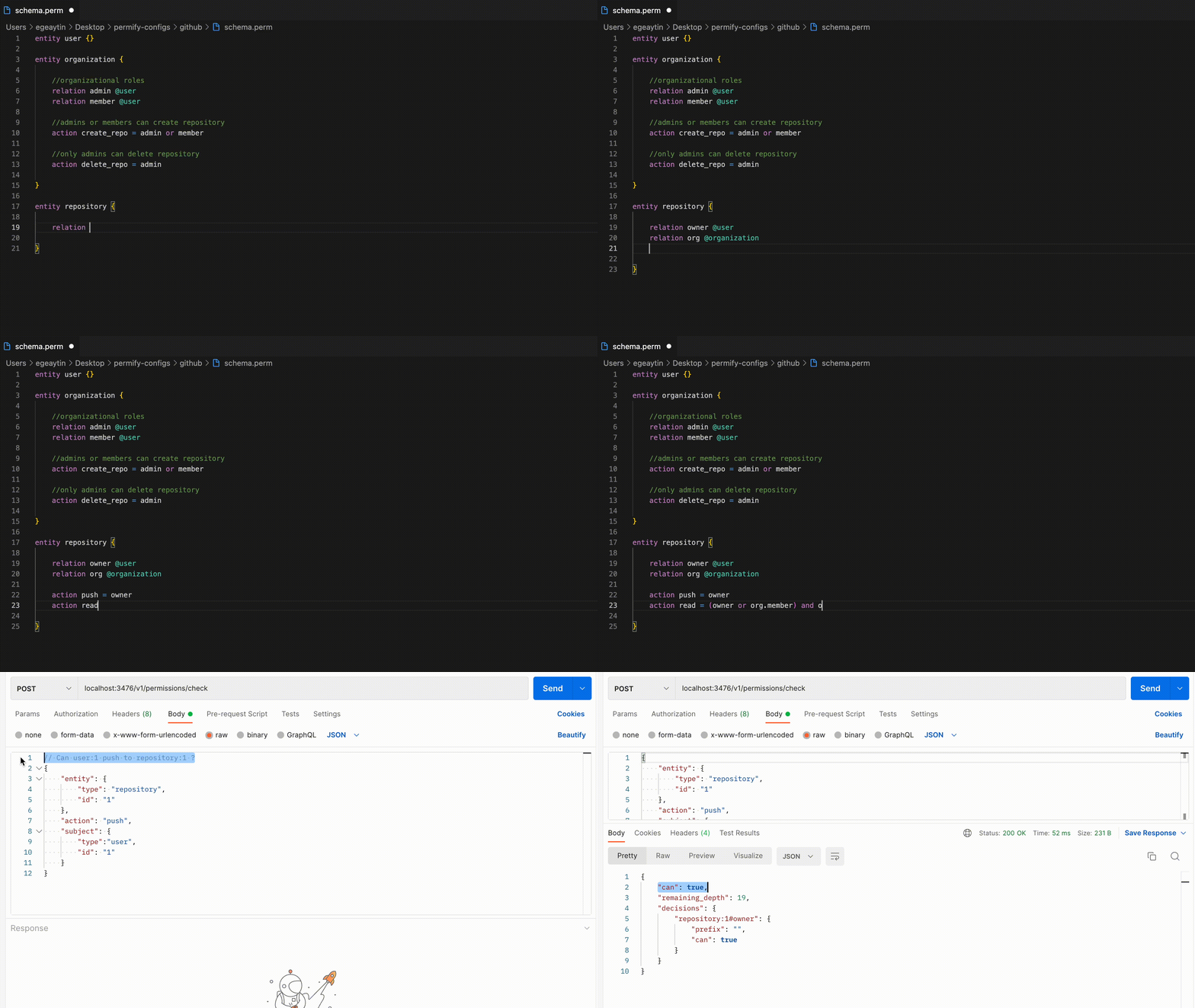
You can define your entities, relations between them and access control decisions using the Permify Schema language. It includes set-algebraic operators such as intersection and union. These allow you to specify complex access control policies in terms of user-object relations.
Here’s a simple breakdown of our schema.

Permify Schema can be created on our playground as well as in any IDE or text editor. We also have a VS Code extension to ease modeling Permify Schema with code snippets and syntax highlights. Note that on VS code the file with extension is ".perm".
This guide will show how to develop a Permify Schema from scratch with an example. It's relatively simple, yet it will illustrate almost every aspect of the modeling language.
We'll follow a simplified version of the GitHub access control system, where teams and organizations have control over the viewing, editing, or deleting access rights for their repositories.
Before we start, here's the full implementation of the simplified Github access control example using Permify Schema.
<iframe src="https://play.permify.co/?s=s-d1Qkf1d4y6RsxkugbIDYhxdYxfNRlm&t=f" title="Organizations Hierarchies" style={{ width: "100%", height: "700px", border: "none", margin: "0 auto", display: "block", }} ></iframe> You can start developing Permify Schema on [VSCode]. You can install the extension by searching for **Perm** in the extensions marketplace.The first step to building Permify Schema is creating entities. An entity is an object that defines your resources which hold roles in your permission system.
Think of entities as tables in your database. It is strongly recommended to name entities the same as the corresponding database table name. Doing so allows you to model and reason about your authorization and eliminate the possibility of error.
You can create entities using the entity keyword. Entity names may contain only letters and underscores and must be at most 64 characters long.
Let's create some entities for our example GitHub authorization logic.
entity user {}

entity organization {}

entity team {}

entity repository {}
Entities have a number of different types of properties. These are:
- relations: how entities relate to each other
- actions or permissions: what can be allowed or denied
- attributes: properties of an entity not related to other entities
Relations represent relationships between entities. It's the most critical part of the schema because Permify is based on relations between resources and their permissions.
Use the keyword relation to create an entity relation with the name and type properties.
Relation Attributes:
- name: the name of the relation, may contain only letters and underscores and must be at most 64 characters long
- type: the target entity type this relation references (e.g. user, organization, document), which must exist in the schema
Here's an example of a relation.
relation name @type
Let's turn back to our example and define relations inside our entities:
→ The user entity is a mandatory entity in Permify. It generally will be empty, but it will be used in other entities as a relation type referencing users.
entity user {}
You can define user types and roles within an entity. If you want a global role, such as admin, define it at the entity highest in the global hierarchy, such as an organization. Then, share it with the rest of the entities by including it within permissions.
For the sake of simplicity, let's define only two user types in our organization: administrators and members of the organization.
entity organization {

    relation admin  @user
    relation member @user

}
→ Let's say teams can belong to organizations and can have members. We model that as follows:
entity organization {

    relation admin  @user
    relation member @user

}

entity team {

    relation parent  @organization
    relation member  @user

}
The parent relation indicates the organization to which the team belongs. You now have a parent-child relationship between these entities.
In the simple GitHub example we are following, organizations and users can have multiple repositories. Each repository is related with an organization and with users. The repository entity is defined as follows:
entity repository {

    relation  parent @organization

    relation  owner  @user
    relation  maintainer @user @team#member

}
The owner relation indicates the creator of the repository. This is how you can define ownership in a Permify schema.
You may have noticed new syntax above:
relation maintainer @user @team#member
The maintainer relation shows that the maintainer can either be a user or that this user must be a team member.
Feature locking allows you to specify sets of assigned users.
For example:
relation viewer @user
When you define the relation like this, you can only add users directly as tuples. (You will learn about tuples in the next section.) For example:
- organization:1#viewer@user:U1
- organization:1#viewer@user:U2
However, if you define it using both @user and @organization#member :
relation viewer @user @organization#member
You then can specify not only individual users but also members of an organization as a tuple:
- organization:1#viewer@user:U1
- organization:1#viewer@user:U2
- organization:1#viewer@organization:O1#member
With organization:1#viewer@organization:O1#member, all members of the organization O1 will have the right to perform the defined action. In this case, all members in O1 now have the viewer relation.
These definitions prevent you from creating undesired user set relationships.
Defining multiple relation types is optional, but it improves validation and reasonability. For complex models, using multiple relation types allow you to model your entities in a more structured way.
Actions describe what relations, or a relation’s relation can do. They are permissions of the entity to which the action belongs. Actions define who can perform a specific action on an entity, and in which circumstances.
The basic form of an authorization check in Permify is Can the user U perform action X on a resource Y ?.
The keywords action or permission are equivalent.
The Permify Schema supports and, or and not operators. These offer you permission intersection and exclusion. You can use these in combination with actions to define complex authorization logic.
Let's get back to our GitHub example and create a read action on the repository entity to show an example of the and and or operators.
entity repository {

    relation  parent   @organization

    relation  owner @user
    relation  maintainer @user @team#member


    ..
    ..

    action delete = organization.admin and (owner or maintainer or organization.member)

}
→ Looking at the delete action, you can see the permission is limited to a user that is an organization admin and also has one of the following relations: owner of the repository, or maintainer, or member of the organization which repository belongs to.
permission delete = org.admin and (owner or maintainer or org.member)
Using the action or permission keywords yields the same authorization logic. We have two keywords for defining a permission because most, but not all, permissions are based on actions. Learn more in our Nested Hierarchies section.
The and operator intersects the resolved user sets of its operands.
The same traversal rule applies to both relation.userset and relation.permission. If a relation points to multiple entities, Permify evaluates the referenced relation or permission across all related entities.
For an expression such as org.member and org.admin, Permify evaluates org.member and org.admin independently across all organizations reachable through org, and then intersects the resulting user sets.
Use this pattern when you want intersection across the users reachable through all related organizations:
entity user {}

entity organization {
  relation member @user
  relation admin  @user
}

entity repository {
  relation org @organization
  permission delete = org.member and org.admin
}
If a repository is related to multiple organizations, a user can satisfy org.member and org.admin by being a member of one related organization and an admin of another.
If you need both relations to be satisfied on the same organization, define the intersection on organization and reference that permission from repository:
entity user {}

entity organization {
  relation member @user
  relation admin  @user

  permission delete = member and admin
}

entity repository {
  relation org @organization

  permission delete = org.delete
}
In this version, member and admin is evaluated within each organization first, so repository.delete is granted only if the user satisfies both relations on at least one related organization.
We'll now move beyond the GitHub example and explore more advanced abilities of the Permify Schema.
Let's examine the not operator.
Here is the post entity from our sample Instagram Authorization Structure example,
entity post {
    // posts are linked with accounts.
    relation account @account

    // comments are limited to people followed by the parent account.
    attribute restricted boolean

    ..
    ..

    // users can comment and like on unrestricted posts or posts by owners who follow them.
    action comment = account.following not restricted
    action like = account.following not restricted
}
As you can see from the comment and like actions, a user tagged with the restricted attribute won't be able to like or comment on the specific post. More details about defining attributes can be found in the Attribute Based Permissions (ABAC) section.
With the not operator, you can exclude users, resources, or any subject from permissions.
Permify allows you to set permissions that are the union of multiple permission sets.
You can define permissions as relations. You can use actions (or permissions) when defining another action (or permission):
   action edit =  member or manager
   action delete =  edit or organization.admin
The delete action inherits from the edit action. Both organization administrators and any relation capable of performing the edit action (in this case, a member or manager) can also perform the delete action.
Creating permission unions is beneficial when a user needs to have access across different departments or roles.
Let's examine our modeling guides for common permission use cases.
To support Attribute Based Access Control (ABAC), there are two additional components in our schema language: attribute and rule.
Attributes define properties for entities with specific data types. For instance, an attribute could be an IP range associated with an organization, defined as a string array:
attribute ip_range string[]
Here are the different attribute types that you use when defining an attribute.
// A boolean attribute type
boolean

// A boolean array attribute type.
boolean[]

// A string attribute type.
string

// A string array attribute type.
string[]

// An integer attribute type.
integer

// An integer array attribute type.
integer[]

// A double attribute type.
double

// A double array attribute type.
double[]
Rules allow you to write conditions for the model. These are similar to functions that every software language has. They accept parameters and, based on conditions, return either a true or a false value.
In the following example schema, the check_ip_range rule checks if a given IP address falls within a specified IP range:
entity user {}

entity organization {

	relation admin @user

	attribute ip_range string[]

	permission view = check_ip_range(ip_range) or admin
}

rule check_ip_range(ip_range string[]) {
	context.data.ip in ip_range
}
Please let us know via our Discord channel if you have questions regarding syntax, definitions or any operator you identify not working as expected.
Our modeling guides offer specific examples of common permission use cases.
Role-Based Access Control (RBAC)
Relationship Based Access Control (ReBAC)
Attribute Based Access Control (ABAC)
You can also check out comprehensive schema examples from the Real World Examples section.
Here is what each example focuses on,
- Google Docs: how users can gain direct access to a document through organizational roles or through inherited/nested permissions.
- Facebook Groups: how users can perform various actions based on the roles and permissions within the groups to which they belong.
- Notion: how one global entity (workspace) can manage access rights in the child entities that belong to it.
- Instagram: how public/private attributes can play a role in granting access to specific users.
- Mercury: how attributes and rules interact within the hierarchical relationships.