
Replies: 1 comment 1 reply

-
|
No, the whole point of this card is to use it purely on the dashboard. If you want to toggle it from the script you have to use standard conditional card with input_boolean. You can make make the button toggle multiple local conditional cards instead. I can help you if you will post your config |
Beta Was this translation helpful? Give feedback.

-
|
Hi Piotr. Yeah, I realised during that period in the morning when you don't want to get out of bed but the brain is running that I'd probably have to do that, and was just checking my emails before opening on the laptop to get started when I saw your message. :) I'd already been using the input_boolean for the button state in the script, so now I'll just switch from the local conditional to the conditional and it's easy. |
Beta Was this translation helpful? Give feedback.


Uh oh!
There was an error while loading. Please reload this page.
-
Just found your card and it's pretty awesome.
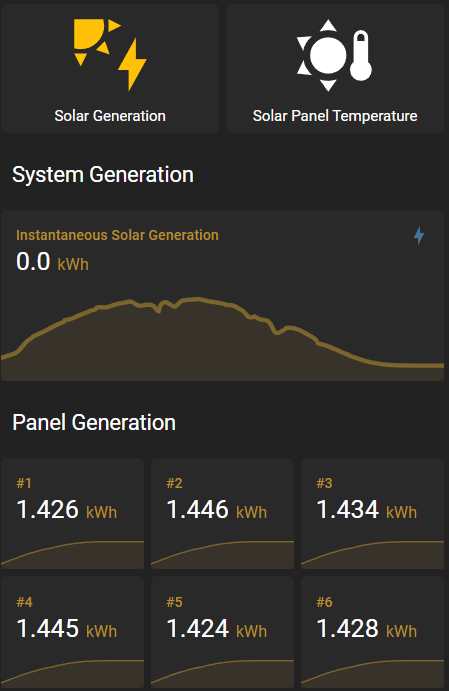
I'm using the capability to toggle between cards showing different solar data - e.g. generation and panel temperatures.
It works fine with my 2 buttons to set the state of the relevant local conditional card, but I want the button that set display of the respective panels to be displayed as selected, like a normal toggle button would.
e.g.
I'm using Button Cards assigned boolean_input entities I created for the 2 of them, and to set the boolean state I call a script for the tap action that sets the state of the selected button to on, so it will highlight as in the screenshot. But, I can't work out how to call the fire-dom-event to set the state of the local conditional card associated to that button.
Is it actually possible to call the action from a script?
Beta Was this translation helpful? Give feedback.
All reactions