This example creates a Web File Server plus WebDAV endpoint mounted at /fs/. It is compatible with BAS products that have a file system, including the Mako Server and Xedge32.
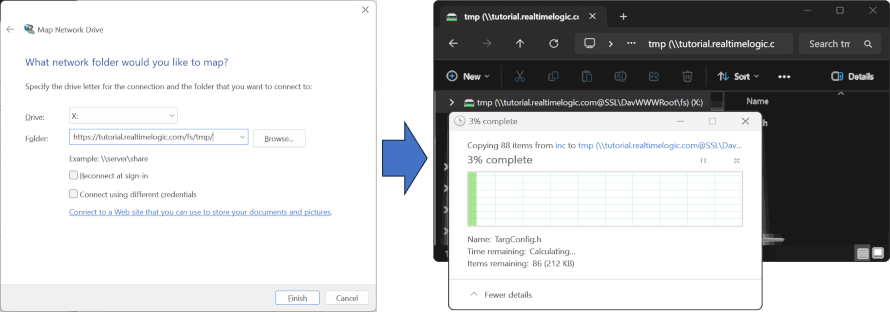
Reference material:
www/.preload- Creates the WebDAV IO, configures the lock directory, mounts the web file server at/fs/, and applies basic authentication.
Start the example with the Mako Server:
cd File-Server
mako -l::www
For more detail on startup options, see the Mako command line video and the Mako command line options documentation.
Then open:
http://localhost:portno/fs/
where portno is the HTTP port printed by the server.
Login credentials:
- Username:
admin - Password:
admin
For WebDAV drive mapping guidance, see:
The startup script opens a writable IO, creates a lock directory, loads the wfs support, and mounts a Web File Server instance at /fs/. It then creates a small username/password callback that authenticates admin / admin, wraps that callback in a BAS authenticator, and applies the authenticator to the mounted directory. When the app unloads, the /fs/ mount is removed cleanly.
- On Windows, avoid mapping
http://localhost/fs/directly. Use a more specific path such ashttp://localhost/fs/C/to avoid recursive lookup issues. - This app intentionally focuses on the
/fs/endpoint and does not add extra HTML pages around it.