-
Like iOS, we have build flavors to generate our Official, Experimental, and F-Droid app versions.
experimentalandofficialfolders contain app icons and splash screens.playandfossfolders contain the necessary code to run the app with or without Google Play services.fossbuild doesn't contain push notifications implemented.
mainfolder contains core implementations.debugfolder contains code to run the app in debug mode.
To build the Experimental app using
experimental,playdebug, andmainfolders,
.png)
- Set
APPLICATION_ID,VERSIONCODEandBugsnagAPIKeyon./android/gradle.properties - Generate a new image asset for
ic_notificationand targetmain. - Generate a new image asset for
ic_launcherand targetexperimental. - Splash screen uses the same asset as the
ic_launcher,and you can change the background onsplashBackground.
.png)
- Change the app name and share the extension name on
./android/app/src/main/res/values/strings.xml
.png)
To generate the Keystore for verifying your app on Google Play,
- Run the following commands:
cd android/app

keytool -genkeypair -v -keystore my-upload-key.keystore -alias my-key-alias -keyalg RSA -keysize 2048 -validity 10000
{% hint style="info" %} To learn more about generating an upload key in ReactNative, see the official documentation. {% endhint %}
- The command prompts you for some credentials.

- Set
KEYSTORE_PASSWORDandKEY_PASSWORDon./android/gradle.propertieswith the passwords you were prompted for.
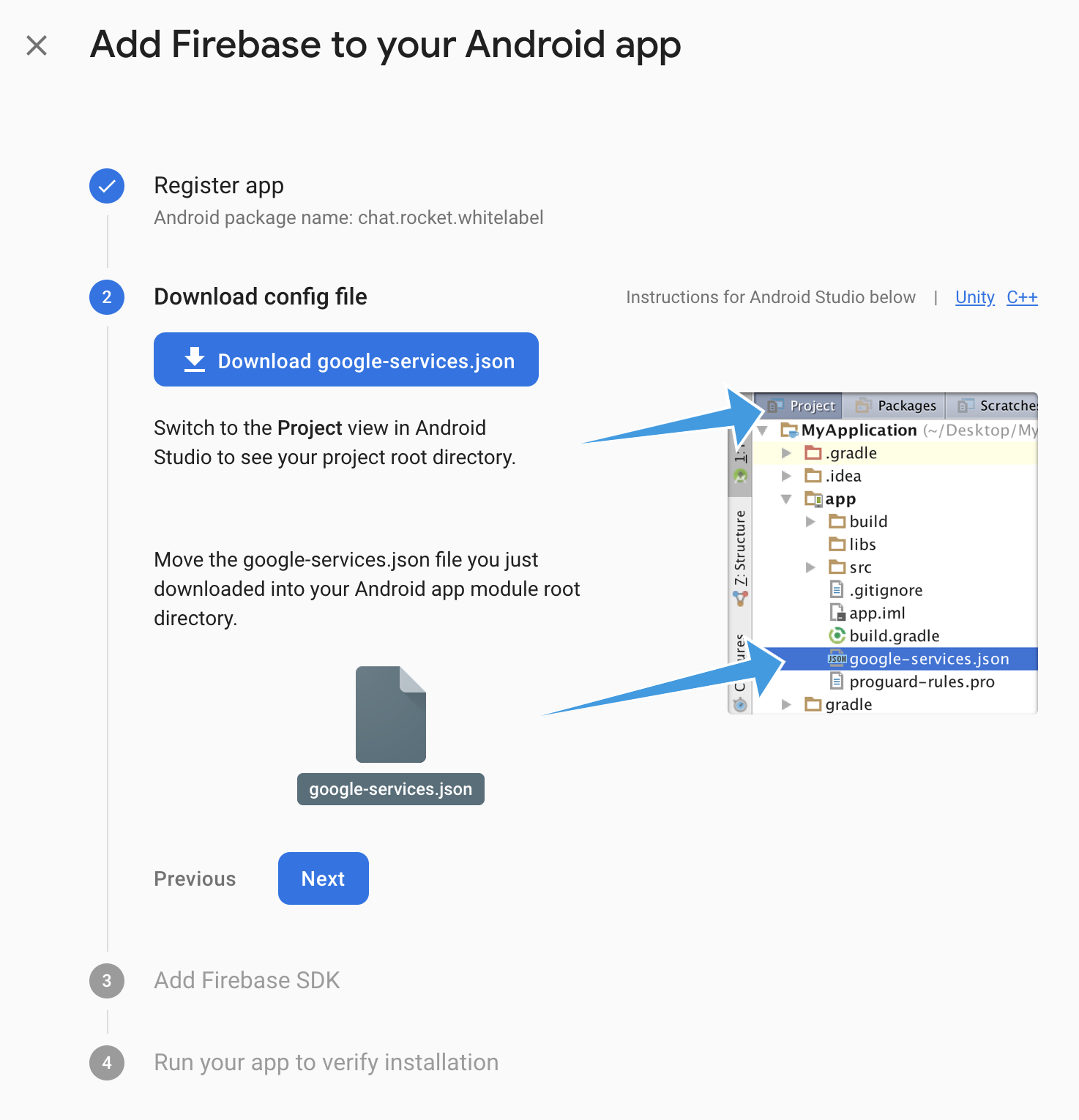
- Go to the project overview on Firebase.
- Navigate to Settings > Project settings.
- On the General tab, click on Add app under Your apps.
- Enter your bundle ID as the Android package name and click Register app.
- Download the config file and move it as instructed.
.png)
- To run the app, execute these commands:
yarn

yarn android-whitelabel <YOURAPPID>
For example, the app created on this document would use
yarn android-whitelabel chat.rocket.whitelabel
{% hint style="info" %}
This script uses experimentalPlayDebug build flavor. When you build your app on release mode, use experimentalPlayRelease. See the official documentation for more info.
{% endhint %}