


Blender-style transform controls for the Unity Editor
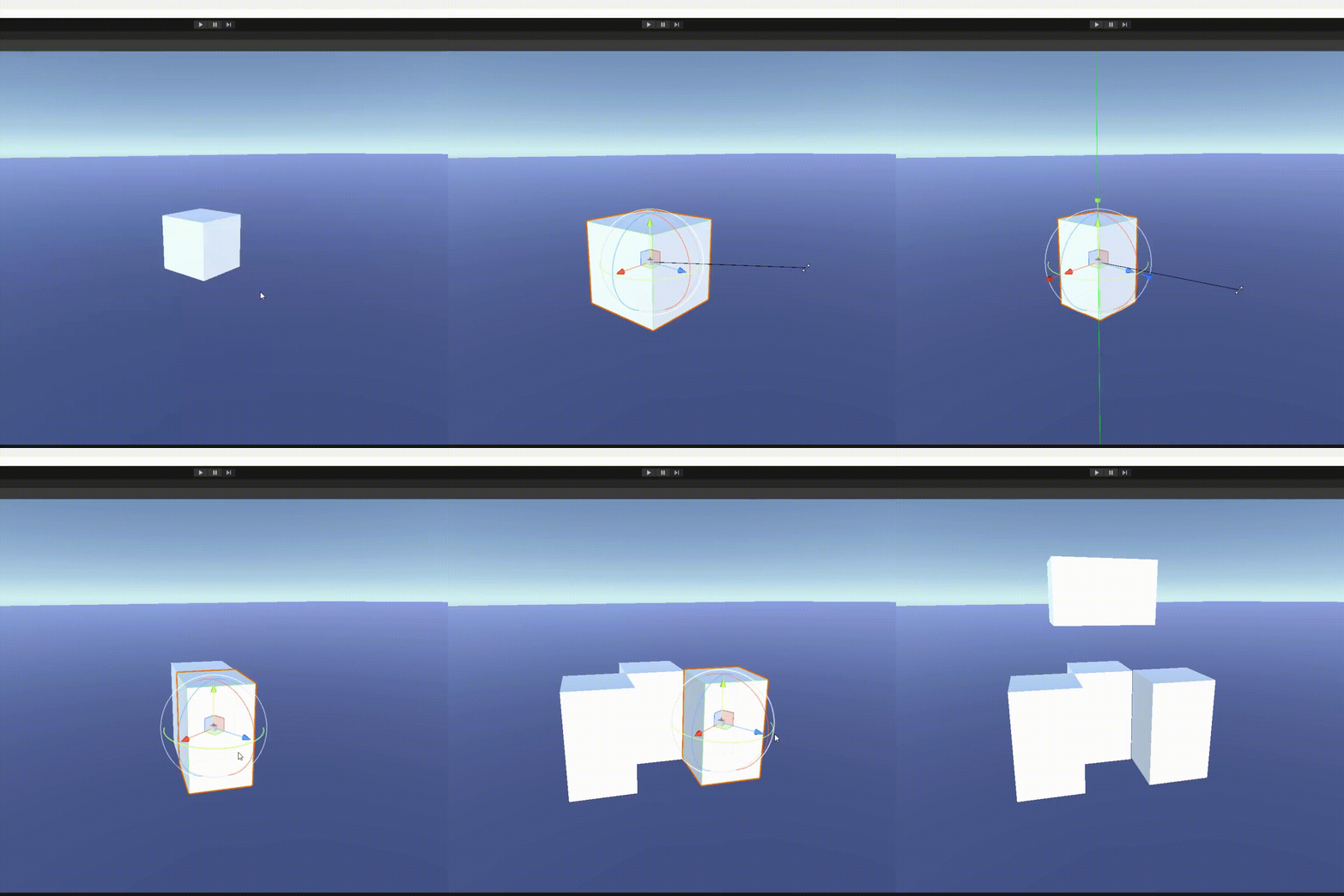
Unity Blender Control Style brings Blender's iconic Grab (G), Rotate (R), Scale (S) workflow into the Unity Scene View. Select an object, press a key, and transform with mouse movement, axis constraints, or numeric input — just like in Blender.
| Feature | Description |
|---|---|
| Grab / Move | Press G to move objects freely or along axes |
| Rotate | Press R to rotate around the view axis or a constrained axis |
| Scale | Press S to scale uniformly or along a single axis |
| Axis Constraints | Press X, Y, or Z during a transform to lock to that axis |
| Axis Lock Modes | Toggle between Unlocked → Global → Local by pressing the same axis key again |
| Numeric Input | Type a number during a transform for precise values (e.g., G, 5, Enter moves 5 units) |
| Snap While Transforming | Hold Ctrl during a transform to snap to grid increments |
| Undo Support | All transforms register with Unity's undo system |
| Pie Menus | Press D for draw mode (Shaded / Wireframe / Shaded Wireframe), . for pivot point selection |
| Pivot Point Modes | Individual Origins, Median Point, Bounding Box Center, Active Element |
| Customizable Key Bindings | All keys are rebindable via the control window |
| Plugin Toggle | Enable/disable the plugin without removing it |
| Y/Z Swap | Option to swap Y and Z axis keys for different coordination preferences |
| Scene GUI Overlays | Visual axis lines and cursor changes during transforms |
Select an object in the Scene View, then:
| Key | Action |
|---|---|
G |
Grab / Move |
R |
Rotate |
S |
Scale |
X / Y / Z |
Constrain to axis (press again to toggle Global/Local/Unlocked) |
D |
Draw Mode pie menu |
. (Period) |
Pivot Point pie menu |
Ctrl (hold) |
Snap during transform |
Enter / Left Click |
Confirm transform |
Esc / Right Click |
Cancel transform |
Numeric input: After pressing
G/R/S, type a number (e.g.,5,-3.5) and pressEnterto apply an exact value. UseBackspaceto correct.
Requirement: This package depends on unity-scene-view-pie-menu. Install it first.
- Open Window > Package Manager
- Click + → Add package from git URL...
- Add the dependency:
https://github.com/JonasWischeropp/unity-scene-view-pie-menu.git#1.1.0 - Click Install and wait
- Repeat with the plugin itself:
https://github.com/RoxDevvv/Unity-Blender-Control-Style.git?path=/Assets/UnityBlenderControl - Click Install
Open Blender > Blender Control Window to:
- Toggle the plugin on/off
- Swap Y and Z axis keys
- Rebind all keyboard shortcuts
Settings persist between sessions via EditorPrefs.
- Selecting GameObjects from the Hierarchy while in a transform mode may not work as expected.
- Workaround: Click on the Scene View tab after selecting from the Hierarchy to re-focus.
- Unity 2022.3 or newer
- unity-scene-view-pie-menu v1.1.0
Assets/UnityBlenderControl/
├── Editor/
│   ├── BlenderManager.cs          # Core manager - handles input, axis modes, scene GUI
│   ├── BlenderTransformMode.cs    # Abstract base class for transform modes
│   ├── BlenderMove.cs             # Grab/Move implementation
│   ├── BlenderRotate.cs           # Rotate implementation
│   ├── BlenderScale.cs            # Scale implementation
│   ├── BlenderHelper.cs           # Utility functions (snap, unit parsing, input helpers)
│   ├── KeyBindings.cs             # Configurable key binding system
│   ├── TransformModeManager.cs    # Settings persistence (enable, swap Y/Z)
│   ├── PluginControlWindow.cs     # Editor window for configuration
│   └── PieMenus/
│       ├── DrawModePieMenu.cs     # Draw mode selector (wireframe/shaded/etc.)
│       └── PivotPointPieMenu.cs   # Pivot point selector
└── Scenes/
    └── SampleScene.unity          # Example scene
Contributions are welcome! Submit issues, feature requests, or pull requests on GitHub.
- Email: aminelaaraf@gmail.com
- Ko-fi
See CHANGELOG.md.