| type | slide | ||||||||
|---|---|---|---|---|---|---|---|---|---|
| slideOptions |
|
GitLab CI/CD is a tool for software development using the continuous methodologies
From: https://docs.gitlab.com/ee/ci/
- GitLab's integration automation tool
- Similar to GitHub Actions though details are different
- Typically (more than for GitHub Actions): self-hosted runners
- More effort, more flexibility
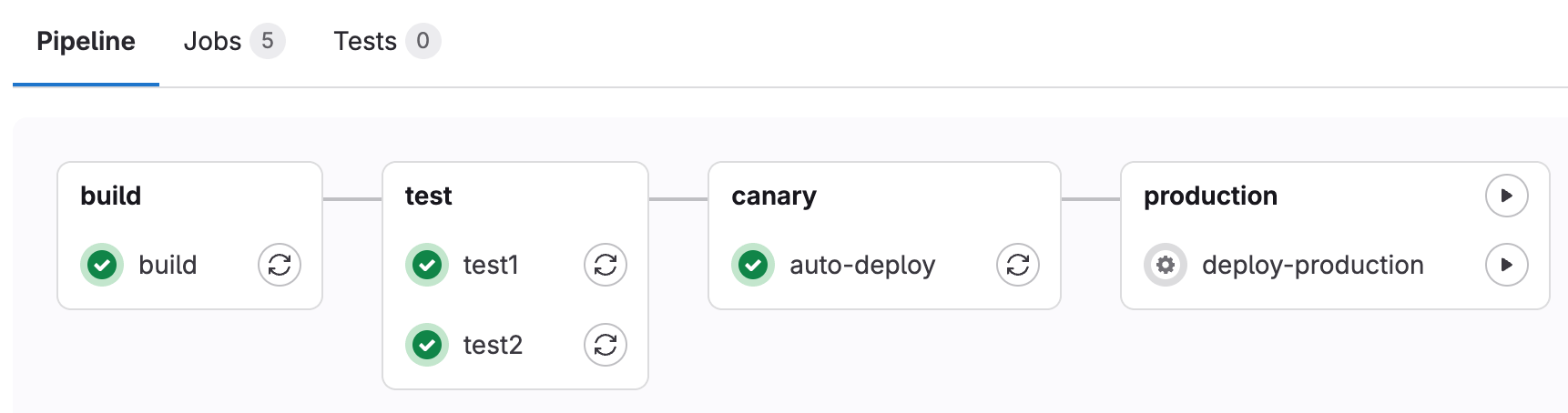
- Pipelines: Collection of one or more jobs
- Jobs: Set of steps of a pipeline (same runner)
- Jobs in one stage my be executed in parallel
- Stages: Group jobs and determine running order
- Runner: Server that runs jobs
- Artifacts: Files to be shared between jobs or to be kept after workflow finishes
- No "Actions", but instead integrated features
- Repository checked out by default
- Handling of artifacts integrated
- ...
- Workflow file stored in
${REPO_ROOT}/.gitlab-ci.yml - Configured via YAML file
- Example for a basic pipeline:
stages:
  - build
  - test
  - deploy

image: alpine

build job:
  stage: build
  script:
    - echo "This job builds something."

test job:
  stage: test
  script:
    - echo "This job tests something. It will only run when all jobs in the build stage are complete."

deploy job:
  stage: deploy
  script:
- echo "This job deploys something. It will only run when all jobs in the test stage complete."-
Can be set in different scopes
variables:
  TEST_VAR: "All jobs can use this variable"

job1:
  variables:
    TEST_VAR_JOB: "Only job1 can use this variable"
  script:
    - echo "$TEST_VAR" and "$TEST_VAR_JOB"
-
There are lots of predefined variables
-
Data sharing between jobs and data upload
-
Uploading artifact
create file:
  script: echo "Content of my file" > my_file.txt
  artifacts:
    paths:
      - my_file.txt
    expire_in: 5 days
-
Downloading artifact
read file:
  stage: test
  script: cat my_file.txt
  dependencies:
    - create file
-
By default pipelines are created for every commit
-
Filtering by type of events
-
Example: Run job only for merge requests
job1:
  rules:
    - if: $CI_PIPELINE_SOURCE == 'merge_request_event'
or
job1:
  only:
    - merge_requests
- Supports a variety of executors:
- SSH, Shell, Docker...
- Allows reusing existing hardware
- Preconfigured runners available on gitlab.com
- Installation of a GitLab Runner on a bwCloud VM (via Docker)
- Registration of the runner to a repository (Docker as executor)