Collider Mesh Tool is a powerful Unity Editor utility that combines three key systems:
📐 MeshCollider generation,
✍️ manual outline drawing,
🛠 and batch prefab configuration.
✅ Built with Odin Inspector
✅ Supports both algorithmic and manual mesh generation
✅ All modules can be used independently
Editor window for generating custom MeshColliders:
- Automatically from MeshFilter objects
- Or manually using
ManualOutlineDrawerin the Scene view Features: - Concavity, scale factor, and Y-threshold control
- Offset height and extrusion depth
- Optional Catmull-Rom smoothing for curved outlines
- Debug material support
Editor Window:
Tools > Collider Mesh Generator Editor Window
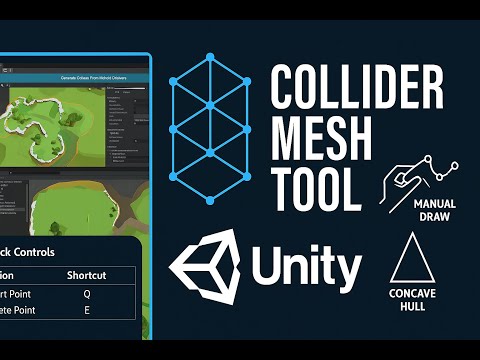

| Action | Shortcut |
|---|---|
| Add point | Q |
| Remove point | E |
| Open editor | Tools > Collider Mesh Generator |
👉 View Release Collider Mesh Tool
Lightweight runtime plugin for generating 2D concave hulls on the XZ plane. API:
Hull.SetConvexHull(List<Node>)Hull.SetConcaveHull(concavity, scaleFactor)Hull.CleanUp()Data Types:Node– 2D point with IDLine– connection between two Nodes
Efficient tool for setting up renderers and materials across prefabs and scene objects. Features:
- Recursive material assignment
- Filter and randomize based on mesh name
- Configure:
- Shadow casting
- Light probe usage
- Global illumination
- Motion vectors and more

👉 View Release PrefabSetupEditor
- Unity 2023.3+
- Odin Inspector (Required)
- ConcaveHull (for mesh generation)
- Download the
.unitypackagefrom Releases - Import it into your Unity project
- Install Odin Inspector and (optionally) ConcaveHull
- Done! 🎉