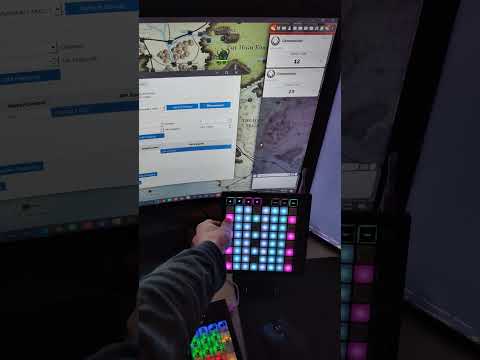
A desktop application that allows you to control Foundry VTT using MIDI controllers. Map MIDI buttons, knobs, and keys to specific REST API endpoints in Foundry VTT to trigger dice rolls, macros, and other actions.

- Connect any MIDI device to Foundry VTT
- Map MIDI signals (note on/off, control change) to API endpoints
- Configure API endpoint parameters for each mapping
- Monitor MIDI signals in real-time
- Save and load mapping configurations
- Low-latency operation for responsive gameplay
- User-friendly interface with MIDI learning capability
- Python 3.8 or higher
- PyQt6
- A MIDI controller device
- Foundry VTT with REST API module installed
-
Clone this repository:
git clone https://github.com/your-username/foundry-rest-api-midi-integration.git cd foundry-rest-api-midi-integration -
Install the required dependencies:
pip install -r requirements.txt -
Run the application:
python main.pyFor development mode with detailed logging:
python main.py --dev
-
Configure API Connection:
- Go to the "Configuration" tab
- Enter your Foundry VTT REST API URL (e.g.,
http://localhost:3010) - Enter your API key
- Click "Test Connection"
- Select your Foundry VTT world (client)
- Click "Save Configuration"
-
Connect MIDI Device:
- Go to the "MIDI Mappings" tab
- Select your MIDI device from the dropdown
- Click "Connect"
-
Manual Mapping:
- Select the MIDI signal type (note_on, note_off, control_change)
- Enter the channel and note/control number
- Select an API endpoint from the dropdown
- Configure parameters if required
- Click "Add Mapping"
-
Using MIDI Learn:
- Click "MIDI Learn"
- Press the button on your MIDI controller you want to map
- Select an API endpoint from the dropdown
- Configure parameters if required
- Click "Add Mapping"
- Edit Mapping: Select a mapping and click "Edit Parameters" to modify API parameters
- Delete Mapping: Select a mapping and click "Delete Selected Mapping"
- Import/Export: Use the buttons at the bottom of the main window to import or export mapping configurations
The application supports all endpoints provided by the Foundry VTT REST API module. Common endpoints include:
/roll: Make dice rolls/entity: Create entities/get/:uuid: Get entity data/search: Search for entities/sheet/:uuid: Get character sheet
--dev: Enable development mode with detailed logging
- Make sure your MIDI device is connected before starting the application
- Click the "Refresh Devices" button to re-scan for MIDI devices
- Try disconnecting and reconnecting your MIDI device
- Verify your API URL is correct and includes the port if necessary
- Ensure your API key is valid
- Check that the REST API module is enabled in your Foundry VTT world
- Verify network connectivity between your computer and Foundry server
- Try reloading the foundry world
If you experience delays between button presses and actions:
- Run the application without the
--devflag to disable detailed logging - Close the MIDI Monitor tab if not needed
Configuration data is stored in the following locations:
- Settings: User preferences stored via QSettings
- Mappings: JSON file stored in
~/.foundry_midi_rest/mappings.json - Logs: Log files stored in
~/.foundry_midi_rest/logs/(when using--devmode)
This project is licensed under the MIT License - see the LICENSE file for details.
Contributions are welcome! Please feel free to submit a Pull Request.