AssetBundleGraphTool is currently in experimental/prototype phase. However if you find the tool useful, please give a try and let us hear what you think.
The tool is developed for 5.4 or higher.
Yes. AssetBundleGraphTool does not change any assetBundle settings of existing assets, so you can combine with current configuration. However, both ImportSetting and Modifier node may change asset configuration which may give you a side effects. Please use them with caution.
Check out example branch for the example usage. The branch is also useful how it can be worked along with AssetBundleManager. (AssetStore).
Certainly! Check out example branch for the AssetBundleManager integration.
You can create command line tool by selecting Menu>Window>AssetBundleGraph>Create CUI Tool. Tool will be generated under Assets/AssetBundleGraph/Editor/Generated/CUI.
After creating command line tool, you can build your asset bundle like this:
#!c#
$> sh -e buildassetbundle.sh -target WebGL
To specify target, use -target argument with target name. Acceptable target name matches to BuildTarget.
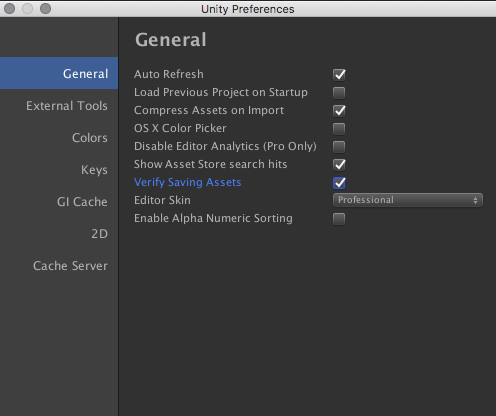
When building asset bundles with AssetBundleGraphTool, Unity keep asking me if I want to save files. How can I turn this off?
You can turn it off from Preference Window by unchecking "Verify Saving Assets".