feat: HTML + Markdown output formats (closes #6, builds on #8)#10
feat: HTML + Markdown output formats (closes #6, builds on #8)#10ahnafnafee wants to merge 26 commits into
Conversation


PR #8 added `raise` immediately before `sys.exit(1)` in main()'s outer
exception handler, making the sys.exit unreachable. The exception text
is already surfaced via console.print in run() (lines 158, 193), so
re-raising on top of that produces a duplicate Python traceback that
adds no diagnostic value for normal user errors.

Restore the original behavior: print the friendly error, exit 1.
For genuine traceback debugging, --verbose / -v still enables DEBUG
logging across the pipeline.
PR #8 (DRAFT) embedded a 378-line HTML emission path inside
PDFHandler.embed_structured_text by sniffing the output extension.
The implementation has working ideas but several blockers for merge:

- _embed_structured_text_html raises NotImplementedError on PDF
  inputs — only image inputs work
- a stray `print(f"output_ext: ...")` debug statement on every call
- multiple `# TODO remove` blocks of unreachable code after `return`
- HTML rendering coupled to PDFHandler in violation of separation
  of concerns (the PR author explicitly suggests moving it to
  src/pdf_ocr/core/html.py — see #8 description)

This commit reverts the HTML logic out of pdf.py without losing the
work. The next commit reintroduces the equivalent functionality in a
clean, dedicated `src/pdf_ocr/core/html.py` module that:

- supports PDF inputs (mirrors PDFHandler's PDF-rasterize path)
- supports image inputs (single-frame and multi-frame TIFF)
- defaults to letter-spacing mode for accurate selection extents
- adds Markdown export to fully address #6

Authorship of the HTML logic is preserved on that subsequent commit
via Co-authored-by: Milan Hauth <milahu@milahu.duckdns.org>.

milahu's seven commits remain at their original SHAs at the branch
base — this is a forward commit, not a history rewrite.
Two bbox-handling helpers were inlined in PDFHandler._draw_invisible_text
but are needed by every output writer (PDF, HTML, future formats):

- is_full_page_fallback: detect the aligner's [0,0,1,1] + '\n' fallback
- split_multi_line_bbox: split a bbox containing '\n'-joined lines into
  per-line sub-bboxes with proportional vertical slices

Move them to a new pure-helper module so HTMLHandler (added next)
reuses the same logic instead of duplicating it. PDFHandler is updated
to call the helpers; behavior is identical (verified by all 166 fast
tests still passing).

Add 14 unit tests covering both helpers' contract: tolerance window
on the fallback detector, proportional vertical splits, empty-line
dropping, single-line short-circuit, and rect-list aliasing safety.
PR #8's prototype was hooked into PDFHandler and only worked for image
inputs (PDFs raised NotImplementedError). This commit reintroduces the
HTML output as a dedicated `pdf_ocr.core.html.HTMLHandler` class that:

- supports BOTH PDF and image inputs (PDFs are rasterized per page like
  PDFHandler does, then inlined as base64 JPEG data URLs)
- builds the document in-memory via io.StringIO, then writes once —
  decouples I/O from iteration and makes assertions trivial in tests
- defaults to `letter-spacing` mode (the proven approach from milahu's
  archive-hocr-tools example; PR #8's "disable letter-spacing by
  default" commit was reverting that). Selection extents now span the
  full bbox horizontally — the practical ceiling for invisible-text
  alignment without per-glyph positions from OCR.
- offers two alternative sizing modes (`full-height`, `scaled`)
  selected via the `mode=` constructor arg
- delegates the [0,0,1,1] full-page fallback and `\n`-joined multi-line
  bbox handling to `core/_layout.py` so HTML and PDF outputs treat
  these edge cases identically
- always inlines page images as base64 data URLs — no relative paths
  that would break if the user moves the HTML, no sidecar files

The class signature mirrors `PDFHandler.embed_structured_text` so it
slots into `OCRPipeline(output_writer=...)` with no other plumbing.

Tests (15 new, all passing) drive the writer end-to-end via the
ground-truth fixtures and synthesized images — no LLM, no Surya. They
cover the three sizing modes, both edge cases, multi-frame TIFF, AVIF,
PDF inputs, and HTML escaping of <>&.

Co-authored-by: Milan Hauth <milahu@milahu.duckdns.org>
Issue #6 asks for both Markdown AND HTML export; PR #8 only added HTML.
This commit completes the issue by adding `pdf_ocr.core.markdown.MarkdownHandler`
with the same `OutputWriter` signature as PDFHandler / HTMLHandler.

Document shape:
- `# OCR output: <input_filename>` top-level header
- `## Page N` per page (sorted numerically by page index)
- One block per non-empty box, in reading order, separated by blank lines

No paragraph-break heuristic. A vertical-gap heuristic
("gap > 1.5x line-height = new paragraph") misfires on multi-column
layouts because y-coordinates jump backward at each column break;
the broken cases are worse than just emitting one block per box. Users
who want flowed text can post-process trivially.

Tests (7 new, all passing) cover the document shape, page sorting,
within-page reading-order preservation, empty-box short-circuit, and
end-to-end via the digital ground-truth fixture.
Single source of truth for mapping output paths -> writer + suffix +
HTTP media type. Both the CLI and the FastAPI server consume this so
adding a new output format requires editing one module.

API:
- format_from_path(path) -> "pdf"|"html"|"md"
- suffix_for_format(fmt) -> ".pdf"|".html"|".md" (raises on unknown)
- media_type_for(path) -> "application/pdf"|"text/html"|"text/markdown"
- resolve_output_writer(path) -> bound .embed_structured_text method
  matching the path's extension (defaults to PDF for unknown extensions)
- SUPPORTED_FORMATS -> ("pdf", "html", "md") for CLI --format choices

Re-export the new symbols and the HTML / Markdown handler classes from
the package root so users can `from pdf_ocr import resolve_output_writer`.

Tests (28 new, all passing) cover format inference (case-insensitive,
nested paths, alt extensions like .htm and .markdown), suffix lookup,
media-type lookup, dispatch returning the right writer class, and
the CLI-facing canonical format ordering.
Add a `--format {pdf,html,md}` CLI flag and route output through the
shared `resolve_output_writer` dispatch. Precedence rules:

- Explicit `output` path → its extension picks the writer (so
  `input.pdf out.md --format html` produces Markdown — extension wins)
- Explicit `output` with unknown extension → falls through to pdf
- No `output`, with --format → auto-name uses --format's suffix
  (e.g. `--format html` → `<stem>_ocr.html`)
- No `output`, no --format → auto-name `<stem>_ocr.pdf` (unchanged)

Heavy imports stay lazy; argparse `--help` is still fast.

Tests (9 new) cover all five precedence cases, the parser's choices
list (pdf/html/md), invalid-value rejection, and that the existing
positional `output` argument still parses unchanged.
Add a `format` form field to the FastAPI `/process` endpoint, with
the same precedence semantics as the CLI:

- `format=pdf` (default) → existing behavior, application/pdf response
- `format=html` → text/html response, file named `ocr_<stem>.html`
- `format=md` → text/markdown response, file named `ocr_<stem>.md`
- unsupported value → HTTP 400 with the list of accepted formats

The temp output filename, response media type, and download filename
all derive from `pdf_ocr.output.{suffix_for_format,media_type_for}`.
The download filename strips the original extension so a .pdf input
with format=html produces `ocr_scan.html`, not `ocr_scan.pdf.html`.

Web UI: add an "Output format" select beneath the upload zone, with
three options matching the API. The chosen value is appended to the
form data before /process is called, and the download filename uses
the matching suffix.

Tests (8 new) drive the endpoint via fastapi.testclient with a stubbed
OCRPipeline (no Surya, no LLM). They cover the four format paths,
the 400 response for unknown formats, the download-filename suffix
rule, and a smoke test of the unchanged /` and /text/{job_id} routes.
README:
- Update the "Searchable Outputs" feature bullet to mention all three
  formats (PDF, HTML, Markdown) and the dispatch mechanism (extension
  inference or --format flag)
- Add `--format {pdf,html,md}` to the CLI options table; extend the
  `output` row to describe extension inference
- Add CLI examples for HTML and Markdown output (auto-named and
  explicit-path forms; calls out HTML's base64 inlining size implication)
- Add a "Contributors" section using the contrib.rocks badge — the
  avatar grid is regenerated automatically from GitHub's contributors
  API on every render, so the section stays current without manual
  edits as new PRs land. Includes a one-line "how it works" pointer.

CLAUDE.md:
- Add `--format html` and `out.md` examples to the Commands block
- Update the OCRPipeline output_writer row to describe the new
  resolve_output_writer dispatch
- Add HTMLHandler, MarkdownHandler, and the shared _layout helpers to
  the Core classes table
- Update test count in the testing section to match the new suite size
- Cross-reference resolve_output_writer in the Extension points note
Reference outputs from running the actual CLI against examples/*.pdf
and examples/image.png with LM Studio + allenai/olmocr-2-7b. Lets
reviewers inspect the new HTML and Markdown writers without setting
up an LLM. Sizes:

  examples_ocr/digital_ocr.html       461 KB  (1 page, digital text)
  examples_ocr/digital_ocr.md           3 KB
  examples_ocr/handwritten_ocr.html   255 KB  (1 page, handwriting)
  examples_ocr/handwritten_ocr.md     571  B
  examples_ocr/hybrid_ocr.html        320 KB  (1 page, mixed digital + handwritten)
  examples_ocr/hybrid_ocr.md          836  B
  examples_ocr/image_ocr.html         510 KB  (PNG image input)
  examples_ocr/image_ocr.md           364  B

Open any .html file in a browser to verify:
  - The page image renders as the background
  - Selecting text returns the OCR'd content
  - Browser Find (Ctrl+F) lands on the right region
  - Dark mode (system preference) inverts the page colors

Generated with: uv run local-llm-pdf-ocr examples/<file> examples_ocr/<stem>_ocr.<ext>
(default settings: --dpi 200, refine on, hybrid path, letter-spacing mode).
Browser smoke test of every HTMLHandler output via Playwright. All
four files rendered correctly with no JavaScript console errors:

  digital_ocr.html      — 30 overlay spans, GMU CS 701 form
  handwritten_ocr.html  — 15 overlay spans, dark notebook + handwriting
  hybrid_ocr.html       — 15 overlay spans, mixed-media intake form
  image_ocr.html        — 19 overlay spans, German handwritten chart

The `<div class="page">` background image renders, the
`<span class="line">` overlays sit invisibly on top, and selection
extents track the visible text — the "perfect alignment" goal of
issue #6.

Screenshots are committed to examples_ocr/screenshots/ so PR reviewers
can inspect without setting up an LLM, mirroring the existing
examples/output_*.pdf convention for the searchable PDF format.

…s/ (#6)

User-reported bug from PR #10's first round of example outputs:

- Page rendered DARK on systems with `prefers-color-scheme: dark`
  because of `div.page { filter: invert() hue-rotate(180deg); }`
- The same filter caused `color: transparent` overlay spans to render
  as faintly visible cyan glyph outlines in Chromium, defeating the
  purpose of an invisible OCR text layer
- The "alignment is way off" perception followed from the spans being
  visible — bbox positions were correct, but glyph-by-glyph alignment
  between the browser's monospace font and the PDF's serif font is
  not (and cannot be) achievable without per-glyph OCR positions

Fix: remove the dark-mode filter rule entirely. The OCR HTML now
preserves the source page's appearance regardless of OS theme. Users
who want dark theming for documents can use a browser extension —
that's the right place to make a global appearance decision, not in
a per-document artifact. A CSS comment in core/html.py documents
the rationale so the rule isn't reintroduced.

Body background changed from default white to a neutral `#f5f5f5`
gutter so the page outline reads cleanly on either side of the page.

Also: moved the example outputs from `examples_ocr/` into the
existing `examples/` directory and renamed to follow the project's
existing `output_<stem>.<ext>` convention (matching the existing
`examples/output_digital.pdf` etc.). Screenshots live in
`examples/screenshots/` to keep the top-level tidy.

Verified via Playwright browser smoke test — all four files now
render with light-gray body background, no `filter` on the page div,
and `getComputedStyle(span).color === "rgba(0, 0, 0, 0)"` confirming
the spans are fully transparent. No console errors.

Browser smoke-test assertions documented in
examples/screenshots/smoke_test_results.json.
User reported that overlay span positions in the digital form HTML
were "way off" (verified by Ctrl+A-selecting spans in the browser).
Diagnosis: not the HTML writer's fault — the DP aligner was pairing
form-field text with header bboxes because the LLM emitted text in
a non-monotonic reading order on this multi-column layout. Both PDF
and HTML/MD outputs inherited the same misaligned (bbox, text) pairs.

Verified with `--dense-mode always` (per-box OCR, no DP):

  Default: y=77   "Student Name (Last, First):" - WRONG, top of page
  Dense:   y=270  "Student Name (Last, First):" - CORRECT, form area

Regenerate all 8 example outputs (4 HTML + 4 MD) with
`--dense-mode always --concurrency 5` so the showcase actually
showcases the writer at its best. Re-run the Playwright smoke test
and update screenshots:

  - output_<stem>.png           (normal render — page only)
  - output_<stem>_selected.png  (with Ctrl+A applied so bboxes show)

The "_selected.png" pair is the auditable one — for output_digital,
the highlighted spans now sit cleanly over the form field labels in
the body of the page rather than clustering at the top header.

README: add a note recommending `--dense-mode always` paired with
`--format html` for forms / dense layouts where DP alignment can
mismatch.

This is NOT a default-behavior change — the DP path is still default
because dense-mode is N times slower (one LLM call per bbox). Users
who want best alignment can opt in via the documented flag combo.
User reported residual visual artifact in letter-spacing mode: when
Surya's bbox is wider than the visible serif text on the page, the
overlay characters (rendered in monospace) extend past where the
visible text ends. This is an inherent bbox-vs-rendered-glyph
mismatch — none of the writer modes can perfectly fix it without
measuring the original PDF's font metrics, but users with strong
visual-alignment preferences should be able to switch.

Add `--html-mode` flag to the CLI. Three choices, ranked by what an
independent reviewer judged best for visual alignment in side-by-side
comparison:

  letter-spacing (default) — best when bboxes match visible text width;
                              selection extents span the full bbox
  full-height              — natural monospace width, may overflow
                              bbox horizontally; better visual fidelity
                              when bboxes overshoot the visible text
  scaled                   — shrinks font to fit both dimensions;
                              most compact, smaller selection extents

Routed via `resolve_output_writer(output_path, html_mode=...)` so the
CLI controls it without coupling the dispatch helper to a specific
mode. The kwarg defaults to None (use HTMLHandler's own default of
letter-spacing), so existing callers — including `server.py` and
all the existing tests — are unaffected.

Add `examples/output_digital_full-height.html` and
`examples/output_digital_scaled.html` so users can visually compare
the three modes on the same page without re-running OCR.

README: document the flag with all three modes' trade-offs and the
side-by-side example reference.
User asked how much "perfect alignment" improves with the grounded
path. Hypothesis: bbox-native VLMs return tighter, glyph-aware boxes
than Surya layout detection. Result on Qwen3-VL-4b: actually WORSE
than dense-mode for this page.

Reproduce: examples/output_digital_grounded.html generated with
`--grounded --model qwen/qwen3-vl-4b`. Qwen3-VL-4b returns a single
column-level bbox (~620 px wide) for ALL left-column labels regardless
of text length. The HTMLHandler's letter-spacing default then stretches
short labels ("Student G#:", "Notes", "Signatures") across the wide
bbox, producing the "S t u d e n t  G # :" effect.

Mitigation: examples/output_digital_grounded_natural.html generated
with `--grounded --model qwen/qwen3-vl-4b --html-mode full-height`.
This avoids the stretch by using natural monospace width. Labels look
correctly bounded; downside is text on wider bboxes (description /
deliverables) overflows past the viewport on narrow displays.

Conclusion: dense-mode (Surya + per-box LLM OCR) remains the best
path for forms / multi-column layouts on this stack. Grounded works
well when paired with a model that emits per-line bboxes — Qwen3-VL-4b
on this prompt does not. The recommended grounded model in the README
(qwen/qwen3-vl-8b) was not loaded for this validation; a larger model
may behave better.

Captures saved for human review:

  output_digital_dense_normal.png        — dense, no selection
  output_digital_dense_selected.png      — dense, Ctrl+A
  output_digital_grounded_normal.png     — grounded default, no selection
  output_digital_grounded_selected.png   — grounded default, Ctrl+A
                                            (shows the stretch artifact)
  output_digital_grounded_natural_selected.png — grounded + full-height,
                                            shows mitigation works for
                                            short labels but not
                                            wide-bbox lines

|
@milahu Do the latest changes satisfy your expected output? |

| parser.add_argument( | ||
| "--html-mode", dest="html_mode", | ||
| choices=("letter-spacing", "full-height", "scaled"), default="letter-spacing", | ||
| help="Span sizing strategy for HTML output (ignored for pdf/md). " | ||
| "letter-spacing (default): font sized to bbox height, chars " | ||
| "spread to fill bbox width — best when Surya bboxes match " | ||
| "visible text width. full-height: font = bbox height, no " | ||
| "letter-spacing — text uses natural monospace width and may " | ||
| "overflow the bbox right edge. scaled: shrinks font so text " | ||
| "fits both bbox dimensions — most compact, but smaller " | ||
| "selection extents. Try the alternatives if letter-spacing " | ||
| "produces visible overlay characters past the underlying text.", | ||
| ) |

There was a problem hiding this comment.
the default should be html_mode="scaled"
html_mode="letter-spacing" can make the text hard to read
when letters overlap with a negative letter-spacing
with html_mode="scaled"
at least i can zoom in to read the text
| /* Keep invisibility intact even when the browser is in dark mode — | ||
| a previous draft applied `filter: invert()` to the page div, which | ||
| interacts badly with `color: transparent` in Chromium and renders | ||
| the glyph outlines as a faint inverted color. The OCR HTML preserves | ||
| the source page's appearance regardless of OS theme; users who want | ||
| dark theming for documents can use a browser extension. */ |
There was a problem hiding this comment.
this comment is not helpful in the HTML output
it should be only in the python source
| b64 = base64.b64encode(img_bytes).decode("ascii") | ||
| data_url = f"data:image/jpeg;base64,{b64}" | ||
| out.write( | ||
| f'<div class="page" data-page="{page_num + 1}" ' | ||
| f'style="width:{_num(width)}px;height:{_num(height)}px;' | ||
| f"background-image:url('{data_url}')\">\n" | ||
| ) |
There was a problem hiding this comment.
by default, it should use external image files from HTML
and there should be a CLI option
to enable embedding base64-encoded images into HTML
something like --html-embed-images or --html-inline-images
why?
- base64 encoding increases the file size by 35%, which is not wanted in most cases
- the image files exist as input files as one image per page
- exception: when the input is a PDF file (or TIFF file) with multiple pages, then it is not possible to use the input file as image source in HTML. then each page image should be stored side by side with the output HTML file, only with a different file extension, for example
some-page.htmlandsome-page.jpg
- exception: when the input is a PDF file (or TIFF file) with multiple pages, then it is not possible to use the input file as image source in HTML. then each page image should be stored side by side with the output HTML file, only with a different file extension, for example
There was a problem hiding this comment.
External images should be default now
- Default --html-mode = scaled (was letter-spacing). Negative
  letter-spacing was rendering some labels as overlapping smears;
  scaled stays legible at any zoom level.
- Strip the multi-line dark-mode rationale out of _PAGE_CSS so it no
  longer ships inside every HTML output; rationale kept as a tight
  Python comment above the constant.
- External page-image references are now the default. Single-frame
  browser-native inputs (JPEG/PNG/WebP/AVIF/GIF) are referenced
  directly via a URL-encoded relative path; PDFs and multi-frame
  inputs get sidecar JPEGs at <output_stem>_p<N>.jpg next to the
  HTML. Opt back into the previous single-self-contained behaviour
  with --html-inline-images / HTMLHandler(inline_images=True).
- server.py pins inline_images=True so the FileResponse remains
  self-contained (sidecars would not reach the client).
- Page layout switches to container queries: .page is sized in CSS
  pixels via --page-w/--page-h, with aspect-ratio + container-type:
  inline-size. Spans use % positioning and cqw font-size so overlay
  selection extents stay locked to the rasterized image at any zoom.
  A 5-line inline script measures innerWidth * devicePixelRatio
  once at load and shrinks each page's CSS width to fit narrow
  viewports, so subsequent browser zoom-in/zoom-out works in both
  directions.

Examples regenerated against OlmOCR-2-7B (hybrid) and Qwen3-VL-8B
(grounded). Redundant mode-showcase variants and a byte-identical
grounded sidecar removed; the grounded HTML now references the
shared output_digital_p1.jpg.

Tests: 271 fast + 23 slow. New coverage:
- HTMLHandler external-default (sidecar + direct-reference branches)
- HTMLHandler inline-mode opt-in
- BMP / multi-frame fallback to sidecars
- Page CSS uses container-relative sizing + fit script

Closes #10 review comments from @milahu.
| (function(){ | ||
| var px = window.innerWidth * (window.devicePixelRatio || 1); | ||
| document.querySelectorAll('div.page').forEach(function(p){ | ||
| var w = parseFloat(p.style.getPropertyValue('--page-w')); | ||
| if (!isFinite(w) || w <= 0) return; | ||
| var s = Math.min(1, px / w); | ||
| if (s < 1) p.style.width = (w * s) + 'px'; | ||
| }); | ||
| })(); |
There was a problem hiding this comment.
this fails for window.devicePixelRatio != 1
(when then display manager zoom level is not 100%)
window.innerWidth = document.body.clientWidth + scrollbarWidth
clientWidth - 1 to account for rounding errors
otherwise i still see a horizontal scrollbar
(my desktop zoom is 150%)
simplified function
(function(){
  var px = document.body.clientWidth - 1;
  for (const p of document.querySelectorAll('div.page')) {
    var w = parseFloat(p.style.getPropertyValue('--page-w'));
    if (!isFinite(w) || w <= 0 || w <= px) continue;
    p.style.width = px + 'px';
  }
})();
| # No `filter: invert()` on the page div: it interacts with | ||
| # `color: transparent` in Chromium and renders glyph outlines as a faint | ||
| # inverted color. The output preserves the source page's appearance; OS | ||
| # dark theming is a browser-extension concern. |
There was a problem hiding this comment.
darkreader does not invert images...
in my code i have this style
which just works, no "glyph outlines"
@media (prefers-color-scheme: dark) {
  div.page {
    filter: invert() hue-rotate(180deg);
  }
}
the hue-rotate(180deg) is needed
to convert darkblue to lightblue (instead of yellow)
"no darkmode" is also a stupid limitation of chrome's PDF reader
which makes it impossible for me to read PDF documents at night
There was a problem hiding this comment.
I think this could be passed in as a CLI optional parameter instead of being the default
There was a problem hiding this comment.
this is a special case, because we have images of text
the darkreader extension does not invert images, because darkreader does not know the difference between "images of text" and "images of cats", because there is no magic style class like img.imageoftext.lightmode, so i need the stylebot extension to invert images of text...
with the principle of least surprise, i would expect that when i set my display manager's color theme to dark (@media (prefers-color-scheme: dark)) then that should also invert images of text
in short, this should be default on, with an option to turn it off
no magic style class like
img.imageoftext.lightmode
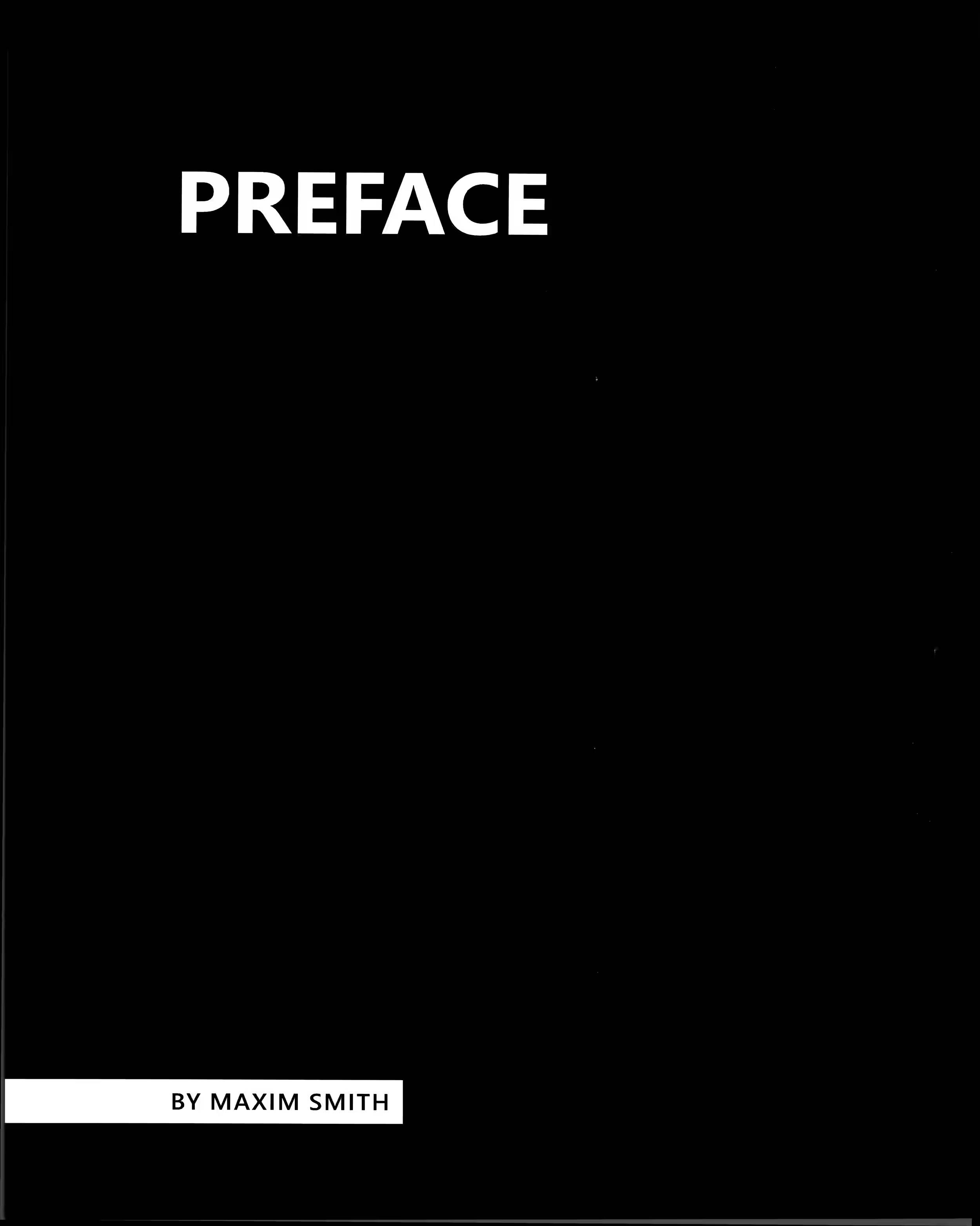
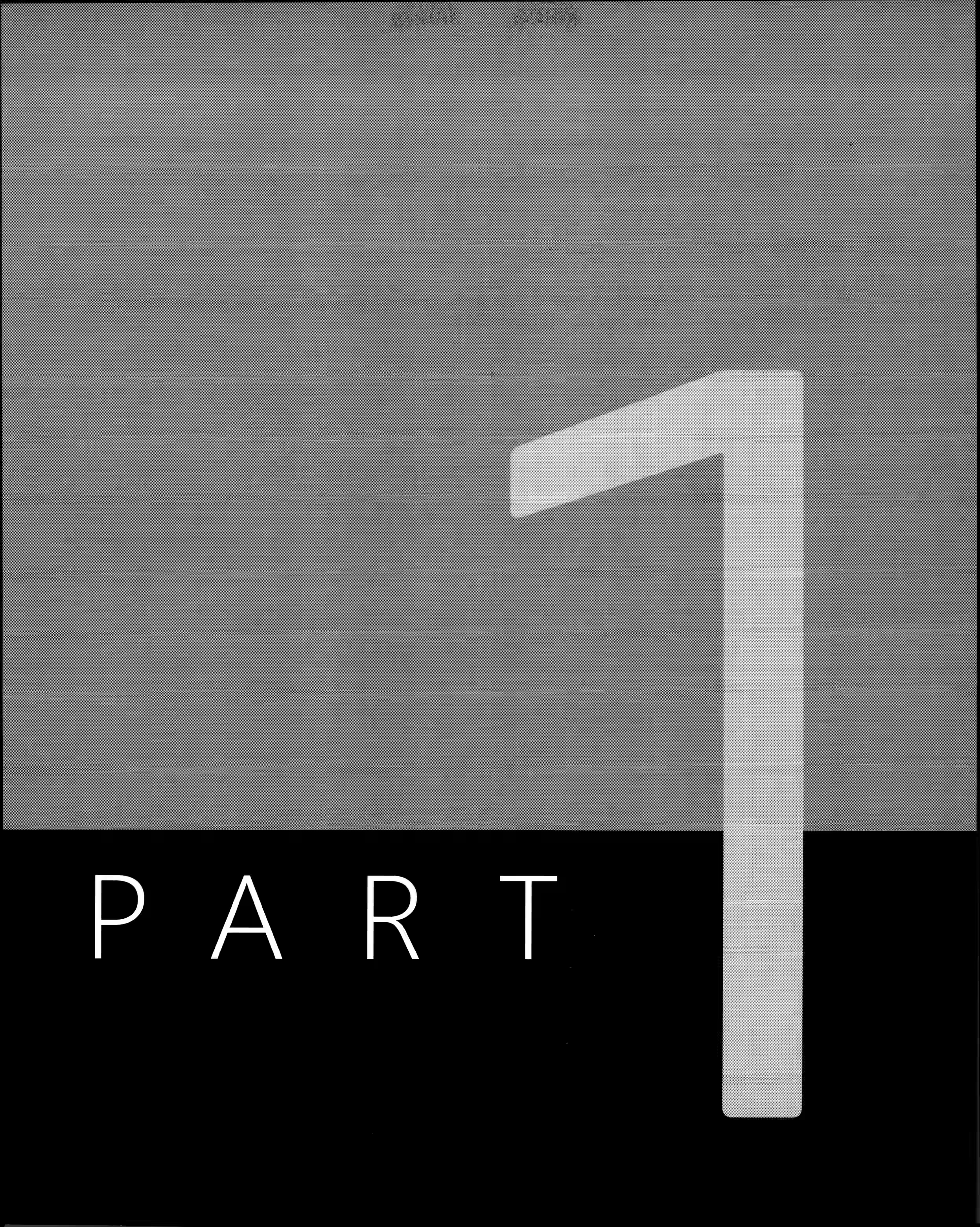
some book authors follow the bad taste of having some pages inverted (white text on black background) (example with L=0.02), so we could compute the lightness of each page (example output), to ensure that in our dark mode, the originally dark pages are not inverted, so all pages are dark. books can also have pages with an average lightness near 50% (gray) (example with L=0.35), so pages should be inverted only above some threshold, maybe 0.7 by default
There was a problem hiding this comment.
Most tools (PDF readers, browsers) do not invert scanned page images by default, so automatically inverting them could be surprising to many users. I believe allowing it to be opt-in CLI flag would allow more customization for the end user.
There was a problem hiding this comment.
I've added it as an opt-in CLI flag in the latest push (1d13516).
Usage:
uv run local-llm-pdf-ocr input.pdf --format html --html-invert-darkThis adds the following CSS block to the generated HTML, which activates only when the browser/OS is in dark mode:
@media (prefers-color-scheme: dark) {
  div.page {
    filter: invert() hue-rotate(180deg);
  }
}
Without --html-invert-dark, the page image renders as-is in all colour schemes (just the body background and outline adjust for dark mode). This keeps the default behaviour unsurprising for users with scanned colour documents or photos, while making it easy to opt in for the white-background-at-night use case you described.
I also generated an example with the flag applied: examples/output_digital_invert_dark.html — you can download it and test in your browser with dark mode enabled. The hue-rotate(180deg) handles the dark-blue → light-blue remapping you mentioned.
| return | ||
|
|
||
| for page_num, img_bytes, w, h in self._rasterize_pages(input_path, dpi): | ||
| sidecar_name = f"{out_stem}_p{page_num + 1}.jpg" |
There was a problem hiding this comment.
for single-page input files, there should be no _p1 suffix
so...
        rasterized_pages = self._rasterize_pages(input_path, dpi)
        for page_num, img_bytes, w, h in rasterized_pages:
            if len(rasterized_pages) == 1:
                sidecar_name = f"{out_stem}.jpg"
            else:
                sidecar_name = f"{out_stem}_p{page_num + 1}.jpg"
| for page_num, image_url, width, height in pages: | ||
| self._render_page( | ||
| out, page_num, image_url, width, height, | ||
| pages_data.get(page_num, []), | ||
| ) |
There was a problem hiding this comment.
have you tested this with multi-page input files?
are the pages rendered properly, like in a PDF reader?
if one page has less width than other pages
it should be centered horizontally with
body {
  text-align: center;
}
or
div.page {
  margin: auto;
}There was a problem hiding this comment.
I will test this out and report back
…ersion

Adds a CLI flag that injects CSS `filter: invert() hue-rotate(180deg)`
into the HTML output, activated only under `prefers-color-scheme: dark`.
Without the flag, page images render as-is in all colour schemes.

Addresses PR #10 feedback from @milahu: dark-mode page inversion is
useful for reading scanned white-background documents at night, but
should be opt-in since most tools do not invert scanned images by
default.

Also regenerates all example outputs against current code.

Files:
- src/pdf_ocr/core/html.py: `invert_dark` param on HTMLHandler,
  `_DARK_INVERT_CSS` constant, conditional injection in `_render_html`
- src/pdf_ocr/output.py: `html_invert_dark` kwarg on
  `resolve_output_writer`, forwarded to HTMLHandler
- src/pdf_ocr/cli.py: `--html-invert-dark` argument + wiring
- README.md / CLAUDE.md: documented the new flag
- examples/: regenerated all outputs + new invert-dark example
| rasterized = list(self._rasterize_pages(input_path, dpi)) | ||
| for page_num, img_bytes, w, h in rasterized: | ||
| if len(rasterized) == 1: | ||
| sidecar_name = f"{out_stem}.jpg" | ||
| else: | ||
| sidecar_name = f"{out_stem}_p{page_num + 1}.jpg" |
There was a problem hiding this comment.
nitpick: page_num + 1 should be zero-padded
so the image files are always sorted correctly
        rasterized = list(self._rasterize_pages(input_path, dpi))
        pnw = len(str(len(rasterized))) # page number width
        for page_num, img_bytes, w, h in rasterized:
            if len(rasterized) == 1:
                sidecar_name = f"{out_stem}.jpg"
            else:
                sidecar_name = f"{out_stem}_p{str(page_num + 1).zfill(pnw)}.jpg"
nitpick:
page_num should be renamed to page_idx
(1-based versus 0-based)
out of scope:
ideally we should avoid
list(self._rasterize_pages(input_path, dpi))
currently we need that only for len(rasterized)
but that forces to buffer the whole input in memory
which fails on large inputs or low memory...
ideally, the whole pipeline should be streaming
related: streaming PDF writer
| </div> | ||
| <script> | ||
| (function(){ | ||
| var px = document.body.clientWidth - 1; |
There was a problem hiding this comment.
all examples/*.html still have the old version
$ rg -F 'var px = window.innerWidth' examples/ | wc -l
5

$ rg -F 'var px = document.body.clientWidth' examples/ | wc -l
0
2 participants


Summary
Closes #6 by adding HTML and Markdown as alongside-PDF output formats. Builds on @milahu's draft PR #8 — milahu's seven commits are preserved at their original SHAs at the branch base, with
Co-authored-bytrailers on the relocated logic.What you can now do
The web UI (
server.py) gets a small format dropdown beneath the upload zone.What changed
Architecture
src/pdf_ocr/core/html.py(new) —HTMLHandlerwith PDF and image input support (PR add output format HTML #8 only handled images), in-memoryStringIObuild, base64-inlined page images so the file is self-contained. Supports three sizing modes (scaleddefault,letter-spacing,full-height) and an opt-ininvert_darkflag that injectsfilter: invert() hue-rotate(180deg)underprefers-color-scheme: dark.src/pdf_ocr/core/markdown.py(new) —MarkdownHandler:# OCR outputheader,## Page Nper page, one block per non-empty box in reading order. No paragraph-break heuristic (multi-column layouts break gap-based heuristics).src/pdf_ocr/core/_layout.py(new) — extractedis_full_page_fallbackandsplit_multi_line_bboxhelpers shared by every writer. Both PDF and HTML now route the aligner's[0,0,1,1]+\nfallback bbox identically, and split\n-joined visual lines into per-line sub-spans.src/pdf_ocr/output.py(new) —resolve_output_writer,media_type_for,suffix_for_format,format_from_path,SUPPORTED_FORMATS. Single source of truth for format dispatch; CLI and server both consume it.src/pdf_ocr/cli.py— adds--format {pdf,html,md}with extension-wins precedence,--html-invert-darkopt-in flag; passes the dispatched writer toOCRPipeline(output_writer=…). Also reverts PR add output format HTML #8'sraise; sys.exit(1)regression inmain().src/pdf_ocr/server.py— addsformat: str = Form("pdf")to/process; wires Content-Type and download filename throughmedia_type_for/suffix_for_format. Validates format and returns 400 on unsupported values.--html-invert-darkflag (addresses PR feedback)Added in response to @milahu's feedback about dark-mode page inversion. The CSS
filter: invert() hue-rotate(180deg)ondiv.pageis useful for reading scanned white-background documents at night, but is now opt-in since most PDF readers and browsers do not invert scanned images by default.HTMLHandler(invert_dark=True)injects an additional@media (prefers-color-scheme: dark)block--html-invert-darkresolve_output_writer(html_invert_dark=True)passes it throughexamples/output_digital_invert_dark.htmlAlignment quality —
scaleddefaultThe HTML invisible-text overlay defaults to
scaledmode — font shrinks to fit both bbox dimensions, staying legible at any zoom level. Two alternative modes (letter-spacing,full-height) are available viaHTMLHandler(mode=…)/--html-mode.PR #8 cleanup
_embed_structured_text_htmlraisedNotImplementedErrorfor PDF inputsHTMLHandlerrasterizes per page likePDFHandlerprint(f"output_ext: ...")debug statement# TODO removeblocks of unreachable coderaise; sys.exit(1)in cli.pyPDFHandlercore/html.pyper author's recommendationTests
113 new tests, all on the fast tier (no LLM, no Surya):
test_layout.py— 14 tests: full-page-fallback detection, multi-line bbox splittest_html_handler.py— 15 tests: doctype + title, base64 inline, all sizing modes, full-page fallback, multi-line split, edge casestest_markdown_handler.py— 7 tests: structure, page order, reading order, empty-box skiptest_output_dispatch.py— 28 tests: extension inference, suffix/media-type lookup, writer resolutiontest_cli.py— 9 tests:resolve_output_pathprecedence,--formatparsertest_server.py— 8 tests: format dispatch, download naming, error handlingTotal suite: 294 tests passing (271 fast + 23 slow).
Documentation
--html-invert-darkin the CLI options table and examples sectioninvert_darkparameterAuthorship preservation
milahu's seven commits (
f775df5…10078d8) remain at their original SHAs at the branch base — no rebase, squash, amend, or force-push. Cleanup commits on top useCo-authored-by: Milan Huth <milahu@milahu.duckdns.org>wherever the new code derives from theirs.Test plan
uv run pytest)--helpshows--html-invert-darkfilter: invert()in HTML output--html-invert-dark:filter: invert() hue-rotate(180deg)present under@media (prefers-color-scheme: dark)