A small script to defeat your friends when you suck at LumberJack, but you have the pride of a person who doesn't suck at LumberJack.
LumberJack is a game available on the popular messaging platform, Telegram. The main objective of the game is pretty simple : Chop wood as fast as you can, but watch out for those branches!
The game is avaliable here : https://tbot.xyz/lumber
Although to register high scores, it should be opened from Telegram desktop.
There are a number of other tricks that involve hacking the page source of the game, but they stop working very frequently. This method has nothing to do with how the developers design the game, hence it's pretty reliable.
This program computes the position of branches on either side of the tree by determining the color at specific pixels, and stimulates the required keypresses.
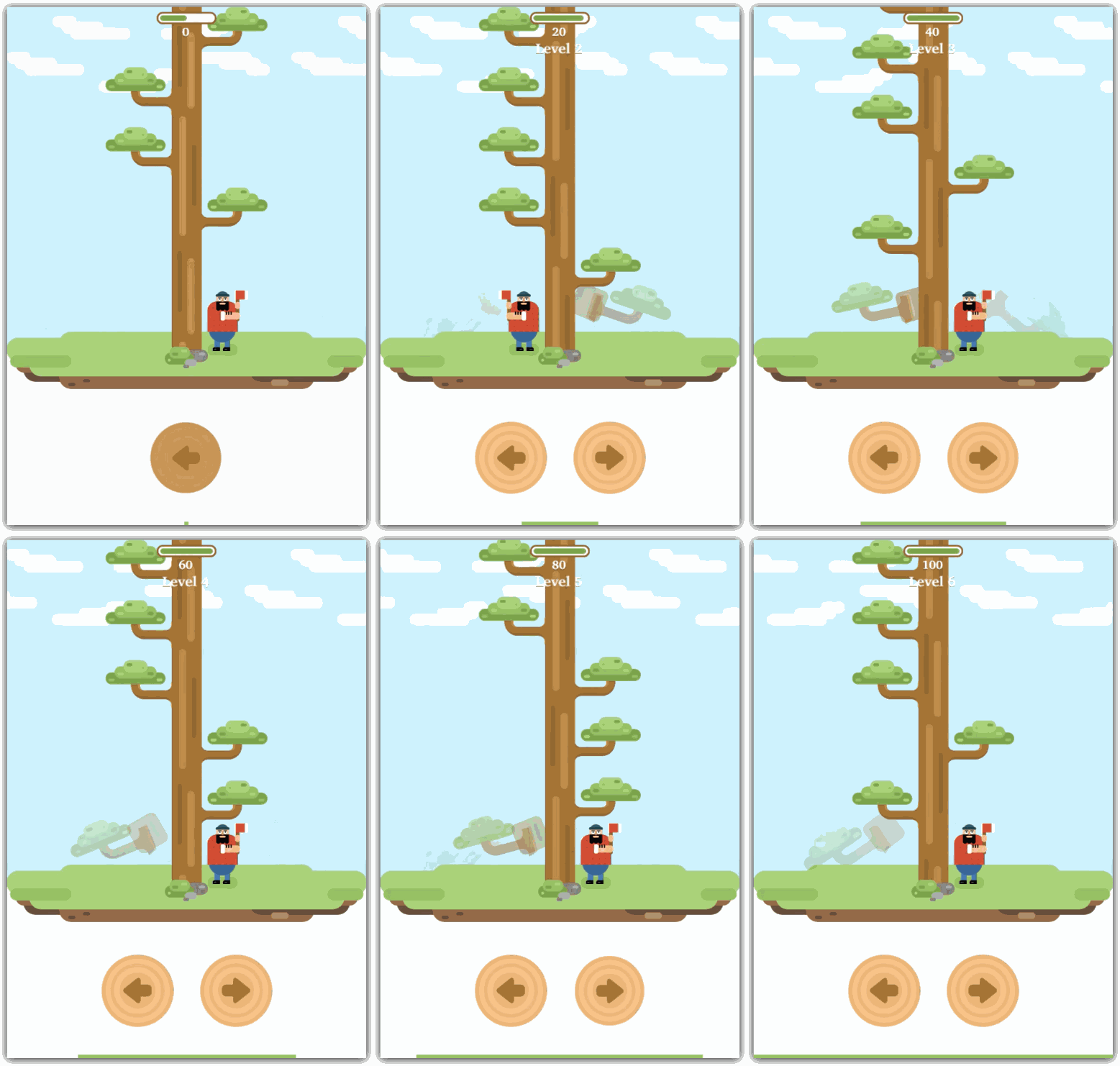
Automated Gameplay
- branch_color : Color of the pixel used to determine presence of a branch, when a branch is present.
- ref_branch_x : X-coordinate of the branches at the right side of the tree.
- branch_heights : Y-coordinates of branches, ordered from the bottom of the tree to the top. The number of visible branches can vary depending on the size of your screen.
- batch_sleep : Time in seconds before going to the next batch of branches.
- double_press_interval : Time in seconds between two presses of a the same key.
The branch_color, ref_branch_x and branch_heights variables need to be set up just once. The remaining two variables however depend on your browser's rendering speed, and similar factors. Start slow and increase the speed (decrease the intervals).
This code snippet will continuously display the current position of the cursor. Update the coordinates in the main script based on the values acquired from this snippet.
import pyautogui

while True:
	print(pyautogui.position(), ' ' * 10, end='\r')
You can choose any pixel that changes color depending on whether or not a branch is present. The current script uses the color and coordinates as shown in the image below.
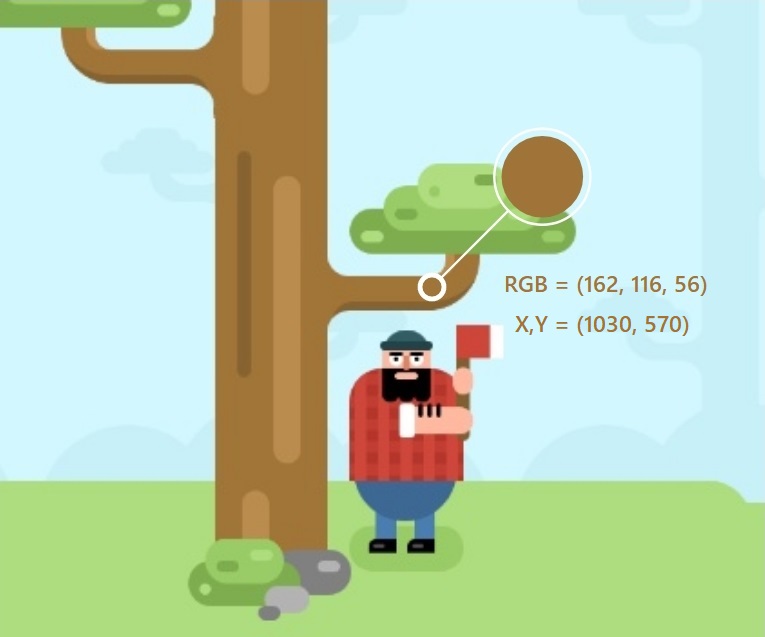
Position and color used to determine presence of branches.
After a certain amount of score, the timer starts exhausting at a faster rate. Also, the animations become snappier. Theoretically, it could run forever if we could figure out the algorithm used in the game to control speeds with respect to the score, and adjust the sleep intervals accordingly.