Part of Flask Tutorial: Learn how to built from scratch a simple Flask project by using an open-source Bootstrap UI Kit.
Spot an issues or want to contribute? - use the Issues Tracker and tell us more.
- What is Bootstrap
- Swipe - Bootstrap UI Kit
- Project Structure
- Assets Management
- Jinja Templates
- Create New Pages
- Summary
👉 Bootstrap is a free and open-source framework that contains CSS and JavaScript-based design templates for typography, forms, buttons, navigation, and other interface components. Using Bootstrap in our work, we might code faster the UI by reusing the elements provided in this popular library.
- Bootstrap - the official website
- Bootstrap Docs - explain in deep how to get started
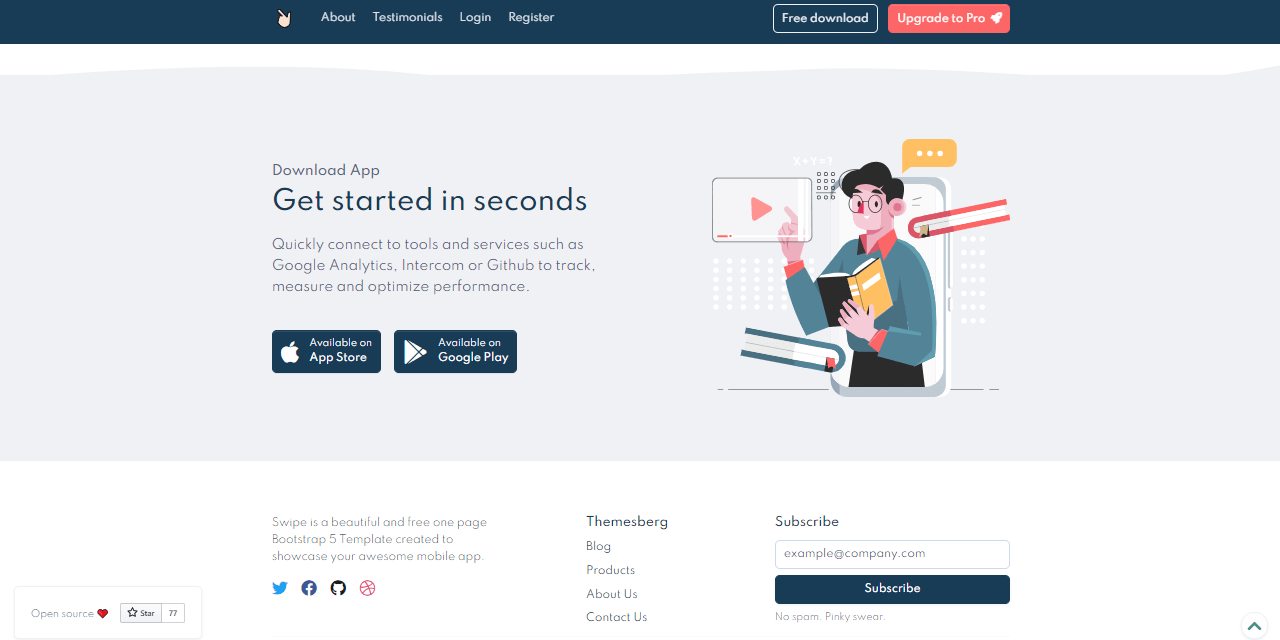
In our sample we will use more than just Bootstrap: Swipe is a modern, open-source UI Kit released under MIT License on Github. The permissive license allows unlimited copies for hobby and commercial projects.
👉 This open-source UI Kit can be downloaded directly from the public repository: Swipe - One Page Bootstrap 5. The project comes with three pages:
- Landing page
- Sign In (login)
- Sign Up (register)
This design will be integrated in our Flask project.
👉 Flask comes with great flexibility regarding the codebase structure of a project. The sample presented in this page will use a clean and intuitive file-structure presented in detail in Flask Project Structure chapter on this tutorial as Isolated app directory pattern.
The project structure
< PROJECT ROOT >
   |
   |-- app/
   |    |
   |    | -- views.py                      # App Routing
   |    | -- __init__.py                   # Expose the Flask Application object
   |    |
   |    |-- static/
   |    |    |-- <css, JS, images>         # CSS files, Javascripts files
   |    |
   |    |-- templates/
   |    |    |
   |    |    |-- includes/                 # Page chunks, components
   |    |    |    |
   |    |    |    |-- navigation.html      # Top bar
   |    |    |    |-- scripts.html         # JS scripts common to all pages
   |    |    |    |-- footer.html          # The footer component
   |    |    |
   |    |    |-- layouts/                  # App Layouts (the master pages)
   |    |    |    |
   |    |    |    |-- base.html            # Used by index page
   |    |    |    |-- base-fullscreen.html # Used by auth pages
   |    |    |
   |    |    |-- accounts/                 # Auth Pages (login, register)
   |    |    |    |
   |    |    |    |-- login.html           # Use layout `base-fullscreen.html`
   |    |    |    |-- register.html        # Use layout `base-fullscreen.html`
   |    |    |
   |    |  index.html                      # The default page
   |
   |-- requirements.txt                    # Application Dependencies
   |
   |-- run.py                              # Start the app in development and production
   |
   |-- *************************************
Relevant Files and folders
run.py- is the entry point called to start the appapp/__init__.py- constructs the applicationviews.py- define app routing- Static assets and template folders:
static: the place where JS,Images and CSS files are savedtemplates: pages and components to be used
👉 Assets are copied from the HTML version preserving the structure:
```bash
< PROJECT ROOT >
   |
   |-- app/
   |    |
   |    |-- static/assets
   |         |-- css      # CSS files
   |         |-- img      # Images
   |         |-- js       # Javascript Files
   |
   |
   |-- *************************************
By default Flask will serve the assets from a directory with name static located in the current folder. This can be changed with ease when Flask constructor is invoked:
app = Flask(__name__,
            static_url_path='',
            static_folder='web/static')
In this code snippet Flask constructs the application loading the assets from a subfolder web/static.
👉 ToDo
👉 ToDo
👉 ToDo
Flask Bootstrap Sample - Flask Tutorial | by AppSeed.