Voice Ledger is a convenient tool for tracking daily expenses through voice commands, eliminating the need for manual entry and making expense recording effortless. Perfect for people who want to record spending statements just by speaking instead of sitting and manually writing daily spends.
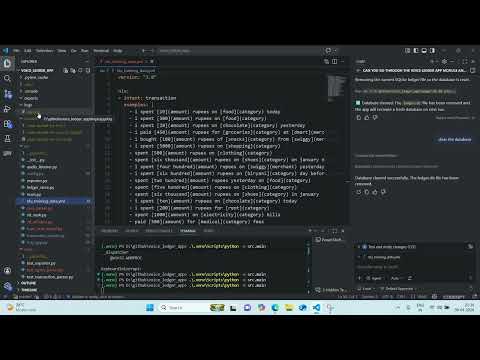
This app continuously listens on microphone input and records transaction-intent speech.
It captures lines containing spending verbs (for example: spent, spend, paid, bought, purchased) and parses them as transactions.
It also applies offline vocabulary correction (SymSpell) for common recognition mistakes in categories/merchant tags.
You can edit the correction dictionary in src/config.py under DOMAIN_VOCABULARY.
Important: Transactions must start with "hello" to be recorded. Speech not starting with "hello" is ignored to prevent accidental recordings.
It semantically extracts and stores exactly 4 columns per transaction:
datetransaction_amountcategoryextra_tags
Example spoken commands:
hello, I spent 300 rupees on food today on swiggyhello yesterday, I spent 20 rupees on chocolatehello, I paid 450 rupees for groceries at dmarthello i today i spent ten rupees them chocolate(now works with semantic parsing!)hello, I spent 500 rupees buying a bicycle(new categories accepted!)
- Semantic NLP Parsing: Uses spaCy for intelligent understanding of noisy speech input
- Better Speech Recognition: OpenAI Whisper for improved accuracy with accented speech
- Flexible Categories: Accepts new categories not in the predefined vocabulary (e.g., "bicycle", "gaming")
- Offline Operation: No internet required for speech recognition or parsing
- Vocabulary Correction: SymSpell-based correction for domain-specific terms
- Multi-transaction Support: Can parse multiple transactions from a single utterance
cd d:\github\voice_ledger_app
python -m venv .venv
.\.venv\Scripts\Activate.ps1
pip install -r requirements.txtpython -m spacy download en_core_web_smcd d:\github\voice_ledger_app
.\.venv\Scripts\python -m src.mainThe app starts as a system tray icon and keeps running until you click Exit.
It also tries to join nearby speech chunks (short pauses) before parsing, to improve recognition of interrupted sentences.
Watch the screen recording of the app in action: demo.mp4
Right-click tray icon -> Export Monthly Excel -> enter month YYYY-MM.
Excel file is saved under:
C:\Users\<your-user>\Documents\ledger\ledger_YYYY_MM.xlsx
cd d:\github\voice_ledger_app
.\.venv\Scripts\python -m pytestpip install pyinstaller
pyinstaller --onefile --windowed --name voice-ledger src\main.py