Highlights components optimized by the React Compiler with visual indicators directly in your editor.
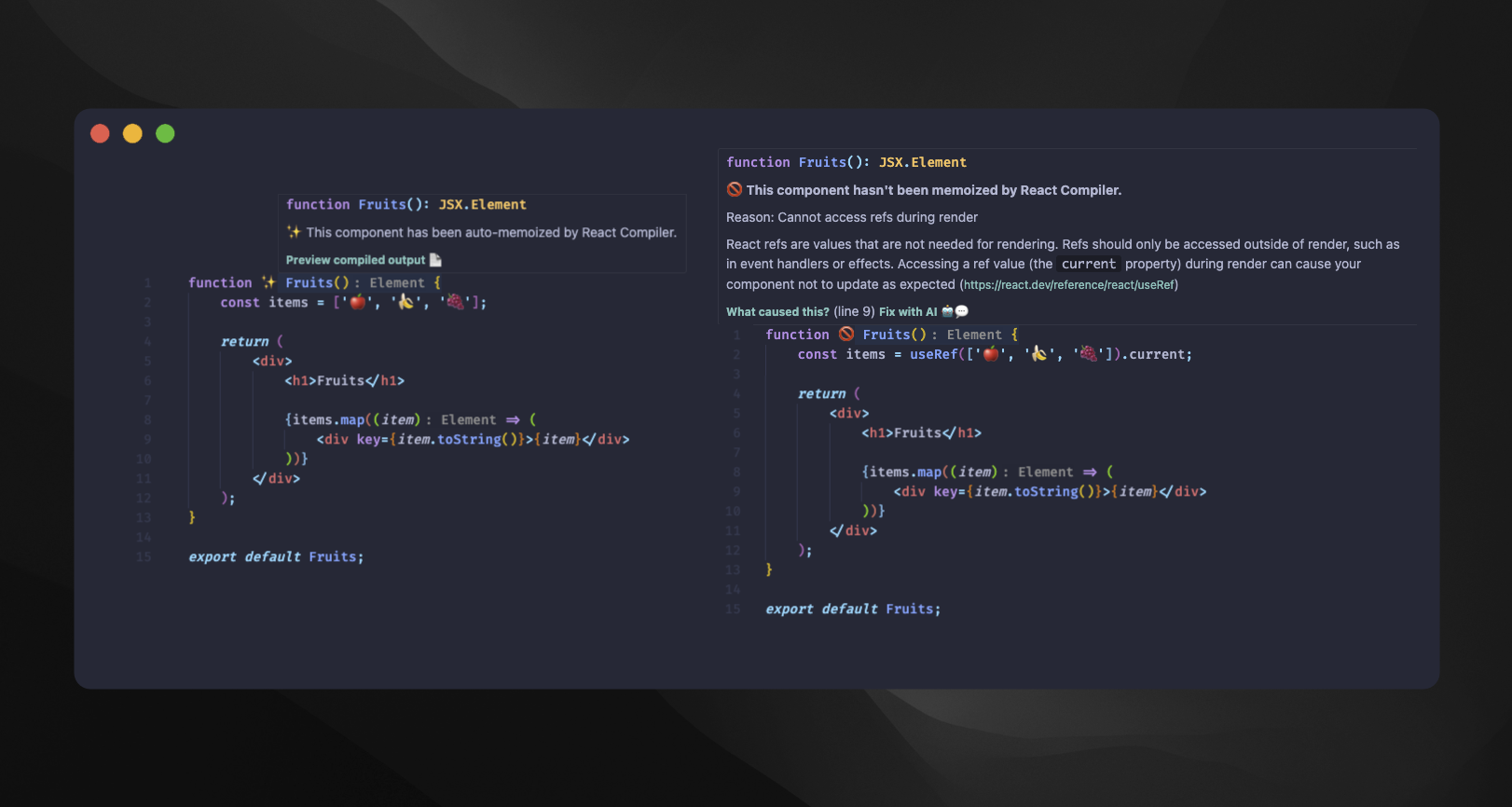
- Visual Markers: See which components are successfully optimized (✨) or failed to compile (🚫)
- Inline Diagnostics: Get detailed information about compilation results
- Preview Output: View the compiled code generated by React Compiler
- Real-time Feedback: Automatic updates as you edit your code
- Report Generation: Generate a project-wide report to visualize compilation coverage
| Setting | Default | Description |
|---|---|---|
reactCompilerMarker.babelPluginPath |
node_modules/babel-plugin-react-compiler |
Path to babel-plugin-react-compiler in your project |
reactCompilerMarker.successEmoji |
✨ |
Marker for successfully optimized components |
reactCompilerMarker.errorEmoji |
🚫 |
Marker for components that failed to compile |
reactCompilerMarker.respectGitignore |
true |
Respect .gitignore rules when scanning files for report generation |
reactCompilerMarker.excludedDirectories |
["node_modules", ".git", "dist", "build", "out", "coverage", ".next", ".turbo"] |
Directories to exclude when generating reports |
reactCompilerMarker.supportedExtensions |
[".js", ".jsx", ".ts", ".tsx", ".mjs", ".cjs"] |
File extensions to include when generating reports |
Install babel-plugin-react-compiler in your project:
npm install babel-plugin-react-compiler- Activate Extension: Enable the marker
- Deactivate Extension: Disable the marker
- Check in the current file: Run compilation check on active file
- Preview Compiled Output: View the React Compiler's output code
- Generate Report: Generate a project-wide compilation report
Tip: Customize the emoji markers in settings to match your preferences!