
A habitat for your AI coding agents.
Run several agents in parallel, each in its own worktree, isolated and observable, with you still in the loop.




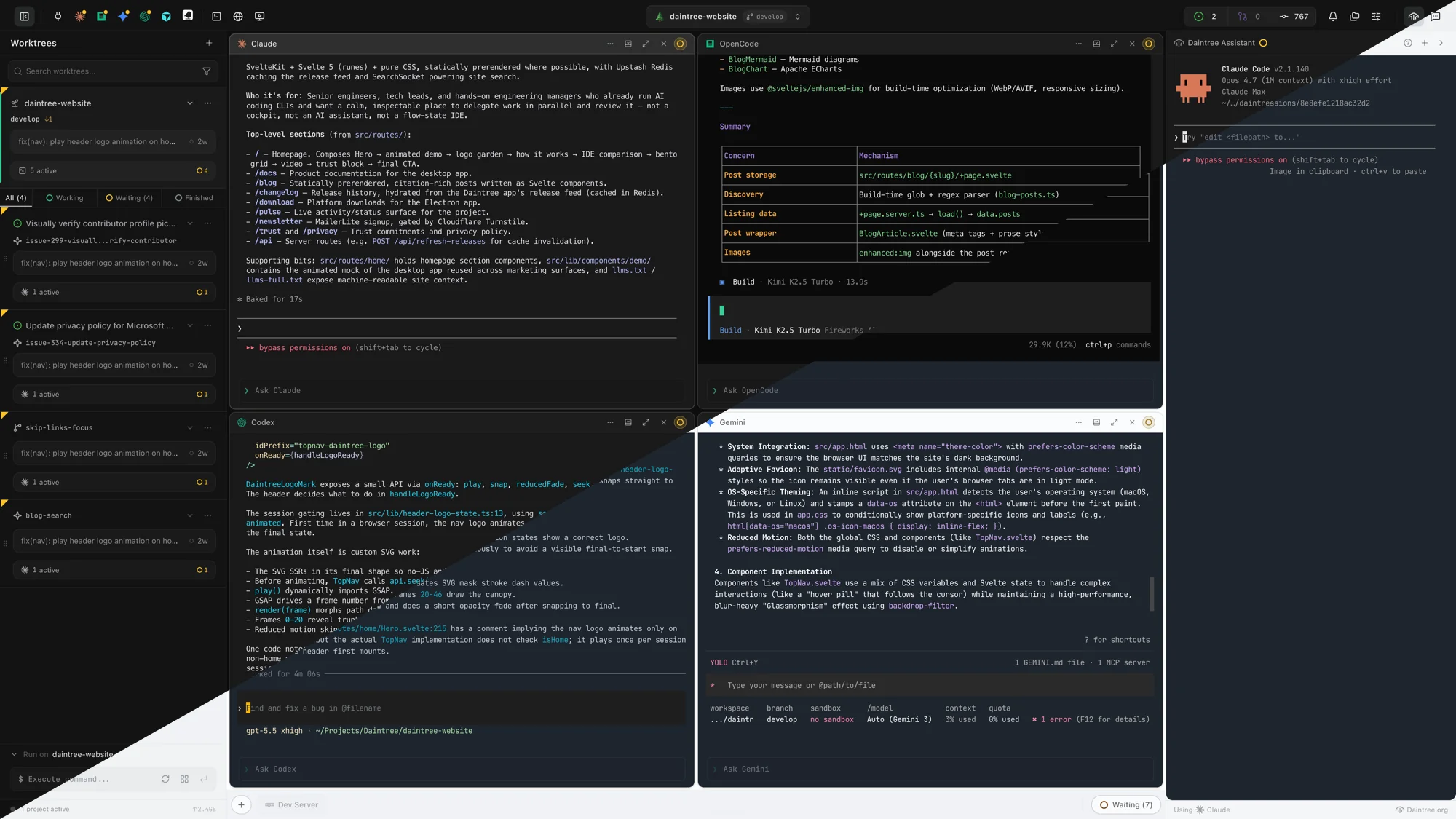
Builds for macOS, Windows, and Linux live at daintree.org/download. macOS ships as a signed-and-notarized DMG in arm64, x64, and universal variants. Linux ships as AppImage and .deb. Windows ships as a sideloadable .appx while the Microsoft Store listing is in review. Homebrew and winget recipes are coming.

- Agent fatigue. Five terminals, three agents, no clue who's stuck.
- Worktree sprawl. Every agent wants its own branch. Managing five at once is its own job.
- Review is the bottleneck. Generation is fast. Supervising what came back is what eats the day.
Daintree is the macro-orchestration layer for this workflow. The longer version of the pitch is in docs/vision.md.
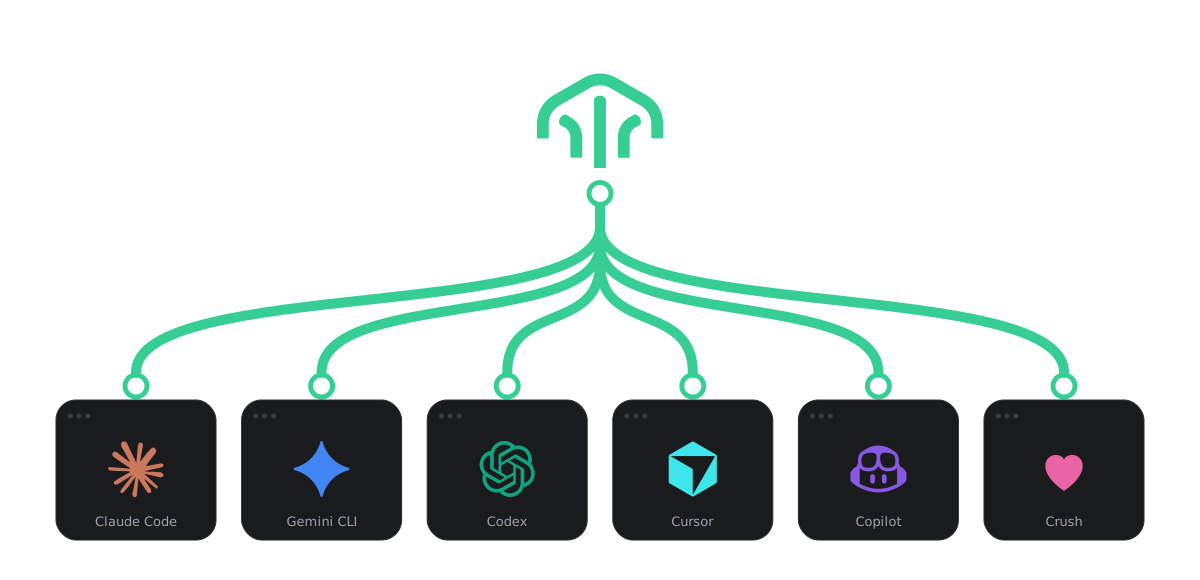
Daintree is built for running a large number of AI coding agent terminals in parallel across many git worktrees. That's the main job of the app. The Daintree Assistant sits on top of that and drives it for you. It runs on the agent CLI you already have, whether that's Claude Code, Gemini CLI, Codex, or GitHub Copilot CLI, so there's no extra subscription. From there it can spawn new agent terminals in any worktree, broadcast a single prompt to many at once, watch their progress, inject context, run git operations, and report back. Anything you can trigger from Daintree's action palette, the Assistant can trigger too.
Under the hood it's a sandboxed agent session. When the backend is Claude Code, it attaches to a local daintree MCP server that exposes the action system at the authorization tier you grant. It also connects to a live daintree-docs server so it can answer how-to questions about Daintree on the side.
What that looks like in practice:
- Spawn six Claude Code terminals across six worktrees and broadcast the same prompt to all of them.
- Watch every agent panel and tell you which ones are waiting on input and which finished.
- Run any Daintree action by name: switch projects, dock panels, kick off a dev server, run a git op.
- Subscribe to events so it pings you when the agent in
bugfix/foostops responding.
- Fleet Broadcasting. One prompt fans out to N agents. Target filtering, live draft preview, per-agent edits before send.
- Worktree Dashboard. Every branch in one view. Auto PR and issue detection, dev-server lifecycle, commit composer.
- Context Injection. Select files, ship structured context into any agent's terminal. Built on CopyTree.
- MCP Server. Agents call Daintree actions directly. Per-tier authorization, audit log, idempotency.
- Action Palette + 14 themes. Over 300 keyboard-first actions and a palette-based theme system with accessibility tokens.
- Notification Center. Agents run unattended. The inbox tells you what needs you and what can wait.
- Voice input. OpenAI Realtime dictation for quick prompts. Optional, needs an API key.
A screenshot-driven feature grid lands in the next pass.
Claude Code, Gemini CLI, Codex, GitHub Copilot CLI, Cursor, Aider, OpenCode, Goose, Crush, Qwen Code, Open Interpreter, Mistral Vibe, Kimi Code, Kiro, and Amp.

Clone, install, then run the package command for your platform. Builds land in release/ by default; pass -c.directories.output=<path> to electron-builder if you want them somewhere else.
git clone https://github.com/daintreehq/daintree.git
cd daintree
npm install| Platform | Command | Output |
|---|---|---|
| macOS | npm run package:mac |
.dmg, .zip (arm64, x64, universal) |
| Windows | npm run package:win |
.appx, .msix |
| Linux | npm run package:linux |
.AppImage, .deb |
The postinstall step rebuilds node-pty for Electron automatically. If you see PTY errors, run npm run rebuild.
For AI features, open Settings (bottom-left sidebar) and configure your GitHub token and per-agent defaults.
Daintree works with whatever agent you've already installed. Settings → Agents has a one-click installer for each platform — or follow the canonical install docs:
| Agent | Install docs |
|---|---|
| Claude Code | code.claude.com/docs/en/setup |
| Gemini CLI | geminicli.com/docs |
| Codex CLI | github.com/openai/codex |
| Cursor Agent | cursor.com/cli |
| GitHub Copilot CLI | docs.github.com/…/install-copilot-cli |
| Crush | github.com/charmbracelet/crush |
| Amp | ampcode.com/manual |
| OpenCode | opencode.ai/install |
| Aider | aider.chat/docs/install.html |
| Goose | goose-docs.ai/docs/getting-started/installation |
See Works with for the full list of agents Daintree can launch.
- Architecture: system design, IPC patterns, terminal lifecycle
- Development guide: setup, debugging, contribution workflow
- Theme system: theme pipeline, tokens, runtime
- E2E testing: Playwright setup and patterns
- Release process: versioning and release workflow
Apache 2.0. See LICENSE and TRADEMARKS.md for the brand and marks policy.