Prerequisite
- GitHub account.
- Git, for computer users.
- Working Copy, for iOS/iPadOS users, partially free.
-
a-Shell, for iOS/iPadOS users, free.
⚠️ Deprecated: the a-Shell workflow is no longer maintained here; Working Copy is the recommended iOS/iPadOS option. See For iOS/iPadOS users (a-Shell, Deprecated).⚠️ Disclaimer: You need to work in a terminal; you might break your device if you don't know what you're doing, so proceed at your own risk.
-
Termux, for Android users.
⚠️ Disclaimer: You need to work in a terminal; you might break your device if you don't know what you're doing, so proceed at your own risk.
What is Git?
Git is a free and open source distributed version control system created by Linus Torvalds in 2005.What is GitHub?
GitHub is a for-profit company that offers a cloud-based Git repository hosting service. Essentially, it makes it a lot easier for individuals and teams to use Git for version control and collaboration.How does Git works?
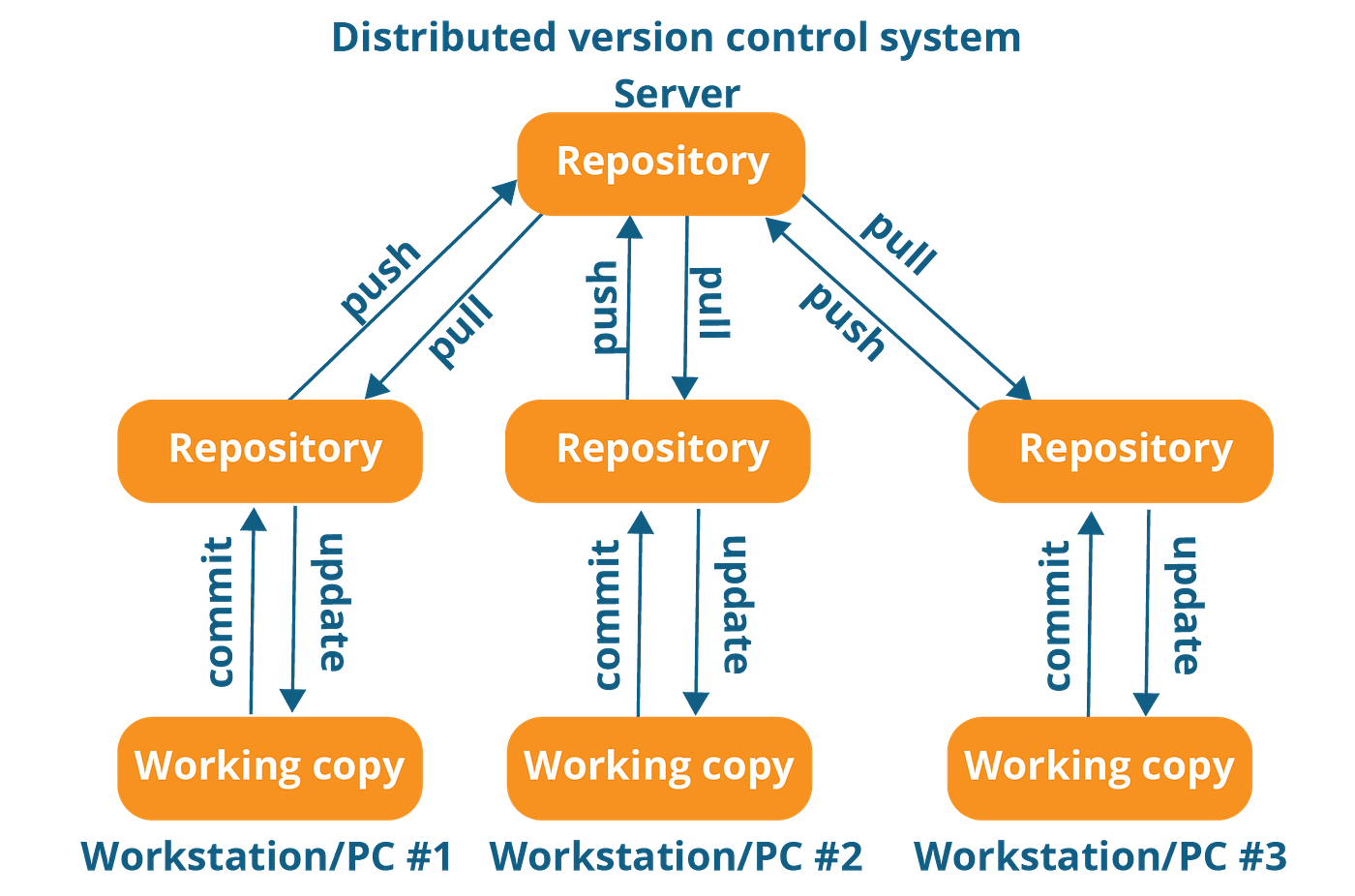
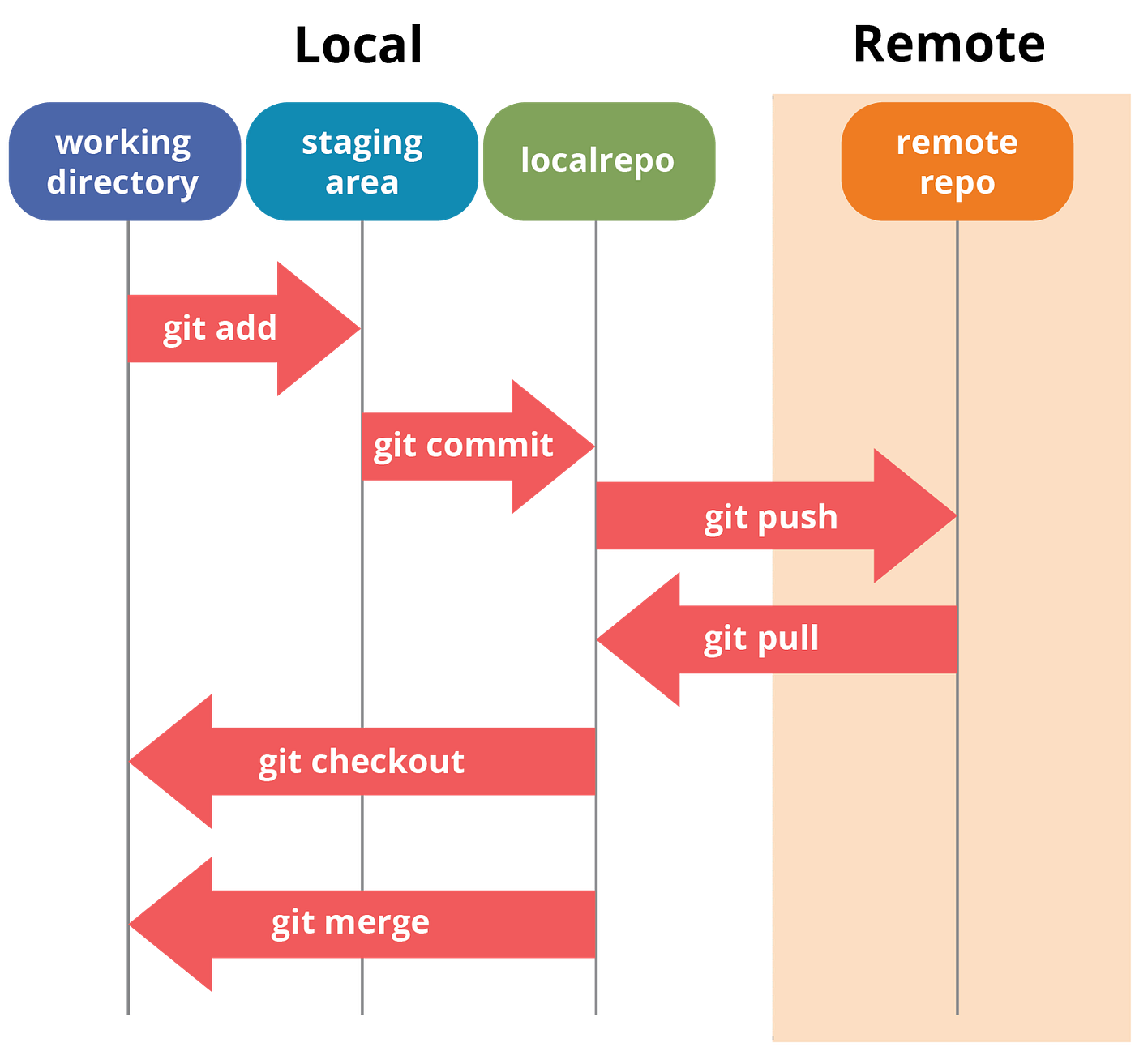
- Recommend repositories remain small, ideally less than 1 GB, and less than 5 GB is strongly recommended.
- GitHub blocks pushes that exceed 100 MB, and you will receive a warning from Git when you attempt to add or update a file larger than 50 MB.
- Use Git Large File Storage (Git LFS), if you really need to track those big files with Git.
- Open multiple instances of Logseq at a time, e.g. open Logseq on your computer and on your phone at the same time. This will cause conflict in your repo.
- Put large files in
assetsfolder, like images, videos, etc.
-
cd: stands forchange directories, ie,cd downloads/to go into yourdownloadsfolder in terminal. -
ls -a: stands forlist all. This command will show everything in your current directory. -
rm -r: stands forremove recursively. This command will remove folders and files, ie,rm -r downloads. -
pwd: stands forprint working directory, ie,pwd->/home/USER/downloads. -
mv: stands formove, ie,mv test1.md downloads/will movetest1.mdtodownloadsfolder. -
cat: stand forconcatenate. This command will print the content of a file in terminal, ie,cat test1.md.