| PyPI |


|
| Conda Forge |


|
| Since Release |

|
| Test Status |

|
| Release Status |

|
| Doc Status |

|
| Coverage |

|
| Developer Chat |

|
| License |

|
| Citation |


|
DataJoint for Python is a framework for scientific workflow management based on relational principles. DataJoint is built on the foundation of the relational data model and prescribes a consistent method for organizing, populating, computing, and querying data.
DataJoint was initially developed in 2009 by Dimitri Yatsenko in Andreas Tolias' Lab at Baylor College of Medicine for the distributed processing and management of large volumes of data streaming from regular experiments. Starting in 2011, DataJoint has been available as an open-source project adopted by other labs and improved through contributions from several developers. Presently, the primary developer of DataJoint open-source software is the company DataJoint (https://datajoint.com).
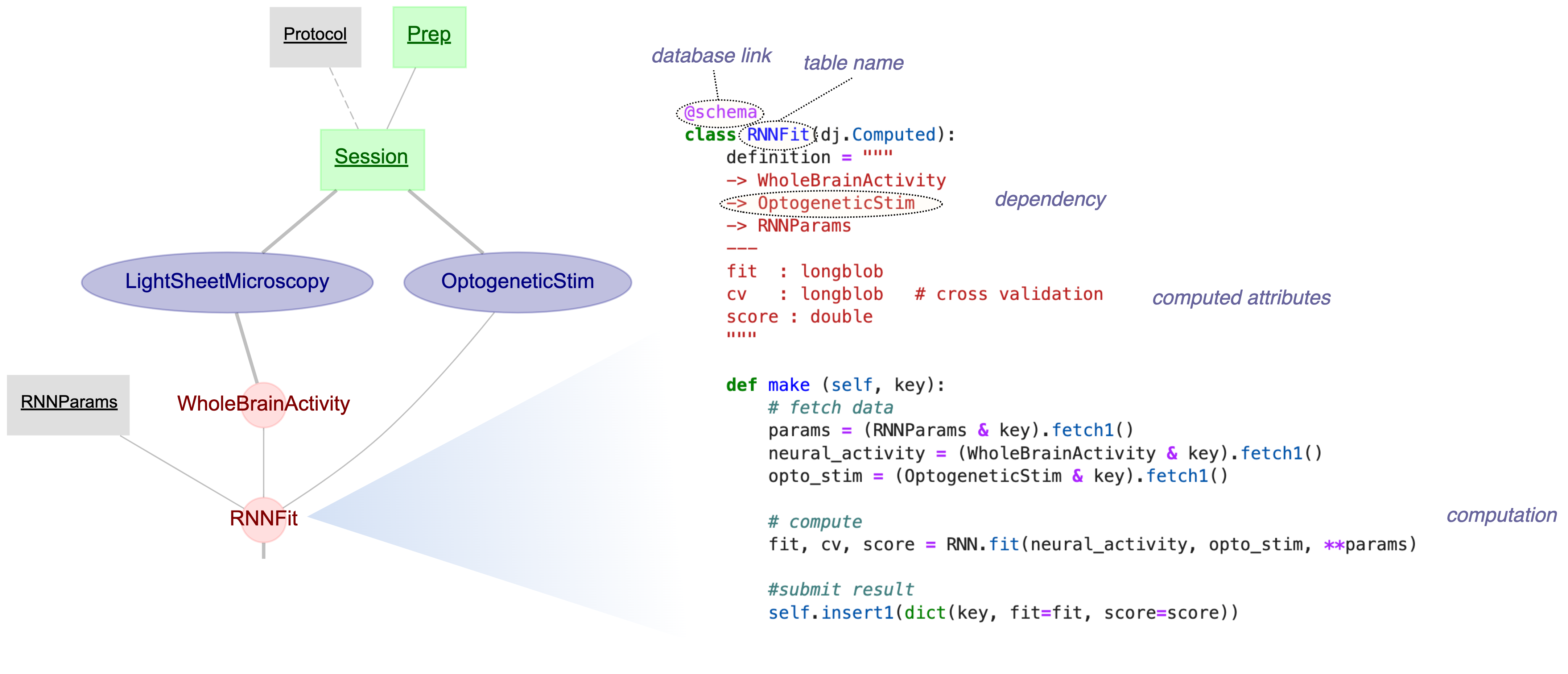
-
Install with Conda
conda install -c conda-forge datajoint
-
Install with pip
pip install datajoint
-
Interactive Tutorials on GitHub Codespaces
-
DataJoint Elements - Catalog of example pipelines for neuroscience experiments
-
Contribute
- Docker for MySQL and MinIO services
- Python 3.10+
Tests are organized into unit/ (no external services) and integration/ (requires MySQL + MinIO):
# Install dependencies
pip install -e ".[test]"

# Run unit tests only (fast, no Docker needed)
pytest tests/unit/

# Start MySQL and MinIO for integration tests
docker compose up -d db minio

# Run all tests
pytest tests/

# Run specific test file
pytest tests/integration/test_blob.py -v

# Stop services when done
docker compose downRun tests entirely in Docker (no local Python needed):
docker compose --profile test up djtest --buildpixi users can run tests with automatic service management:
pixi install        # First time setup
pixi run test       # Starts services and runs tests
pixi run services-down # Stop servicespre-commit install # Install hooks (first time)
pre-commit run --all-files # Run all checksTests use these defaults (configured in pyproject.toml):
| Variable | Default | Description |
|---|---|---|
DJ_HOST |
localhost |
MySQL hostname |
DJ_PORT |
3306 |
MySQL port |
DJ_USER |
root |
MySQL username |
DJ_PASS |
password |
MySQL password |
S3_ENDPOINT |
localhost:9000 |
MinIO endpoint |
For Docker-based testing (devcontainer, djtest), set DJ_HOST=db and S3_ENDPOINT=minio:9000.