Managing Navigation
Use the site map control to determine how pages are organized on your website. After page creation page you will get the dialog for the page placement into sitemap (see below image).
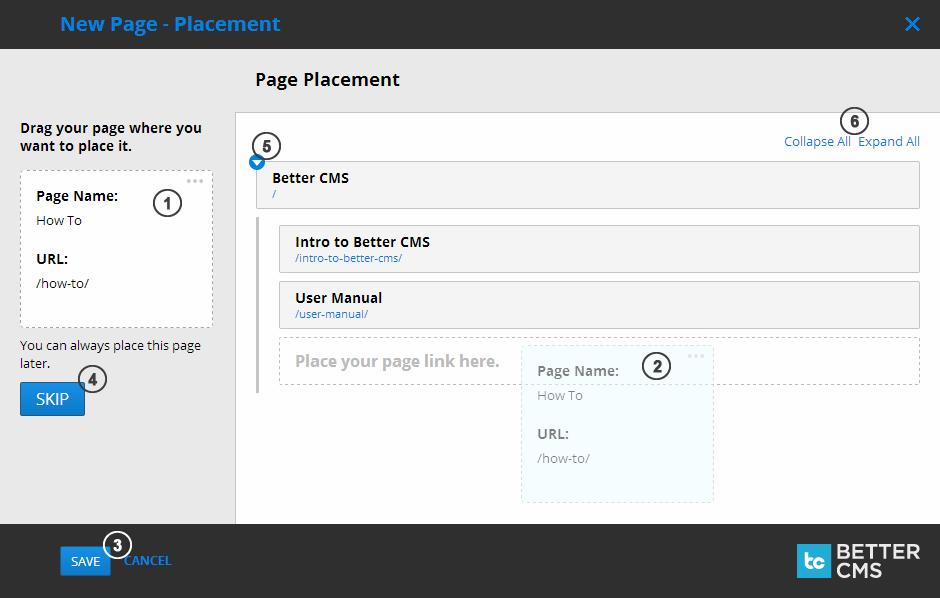
- Click and hold your mouse button down on the new page node
- to drag it to the sitemap and release the mouse button when target drop area will be shown.
- And save or cancel your action.
- Alternatively you can skip this action.
- For easier access to the sub nodes click this little button to expand or collapse the node
- or collapse or expand all the nodes at once.
If you would like to update your sitemap, not only place new page on it - click “Site settings” on the side menu and then click “Site Map.”
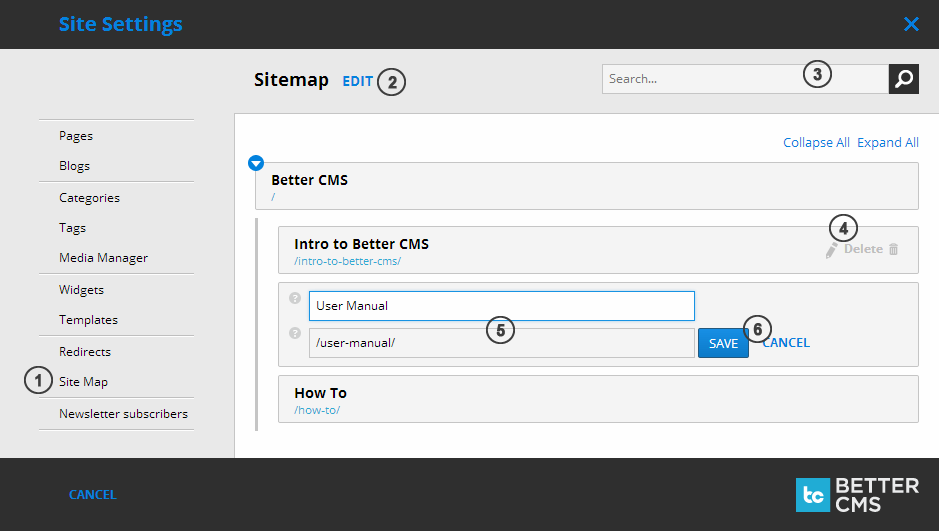
- Site Map menu entry is located at the bottom of Site Settings menu bar.
- Button to enter sitemap restructuring mode.
- Search field for quicker node finding in case your sitemap is very large.
- Hover with the mouse over the sitemap node to access Edit and Delete buttons.
- You can change the title of a page as it is displayed within the sitemap and URL to point to different location.
- Buttons to save or cancel your changes.
To add or nest pages within the site map, click “Edit” next to “Sitemap” at the top of the Site Map page in Site Settings. A list of every page on your website will appear on the left. Click and drag a page in between nodes to add a page at the base level, or click and drag a page onto a node to nest it as a sublevel of that page.
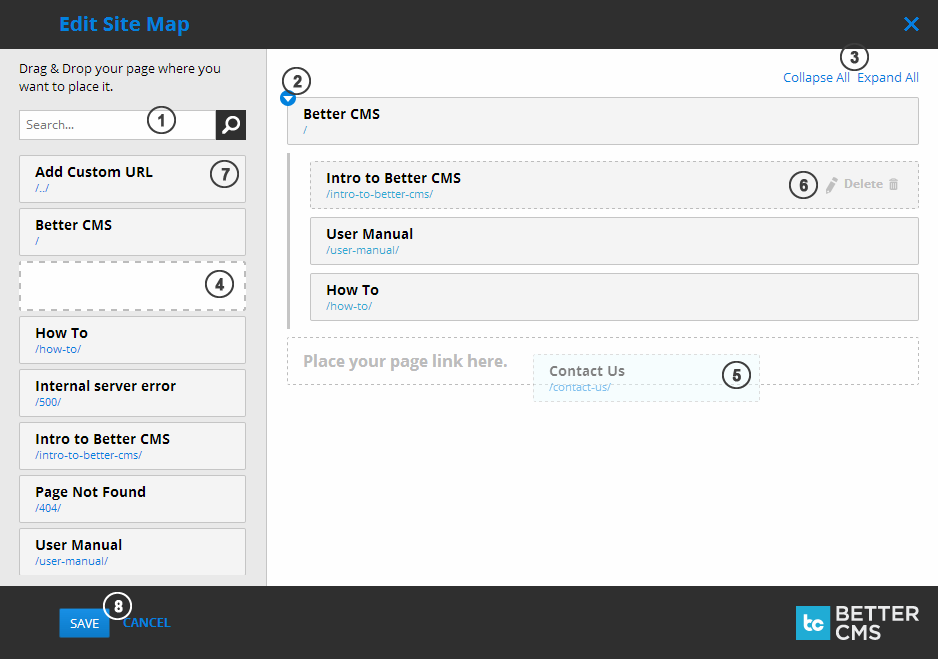
- Search for specific page to place it on the sitemap.
- Button to expand or collapse nested nodes.
- Buttons to collapse or expand all sitemap nodes.
- Click on the page entry to drag it to the map.
- Drag over specific place you want to place the node.
- Hover existing sitemap node to access edit (for title and URL) and delete buttons.
- First entity is for custom links to be placed on the sitemap (ex. for external web pages).
- Buttons to save or cancel all the changes you have made to the sitemap.