A comprehensive collection of VTK (Visualization Toolkit) examples showcasing 3D graphics, scientific visualization, and computational fluid dynamics



📖 Documentation • 🚀 Quick Start • 💡 Examples • 🤝 Contributing
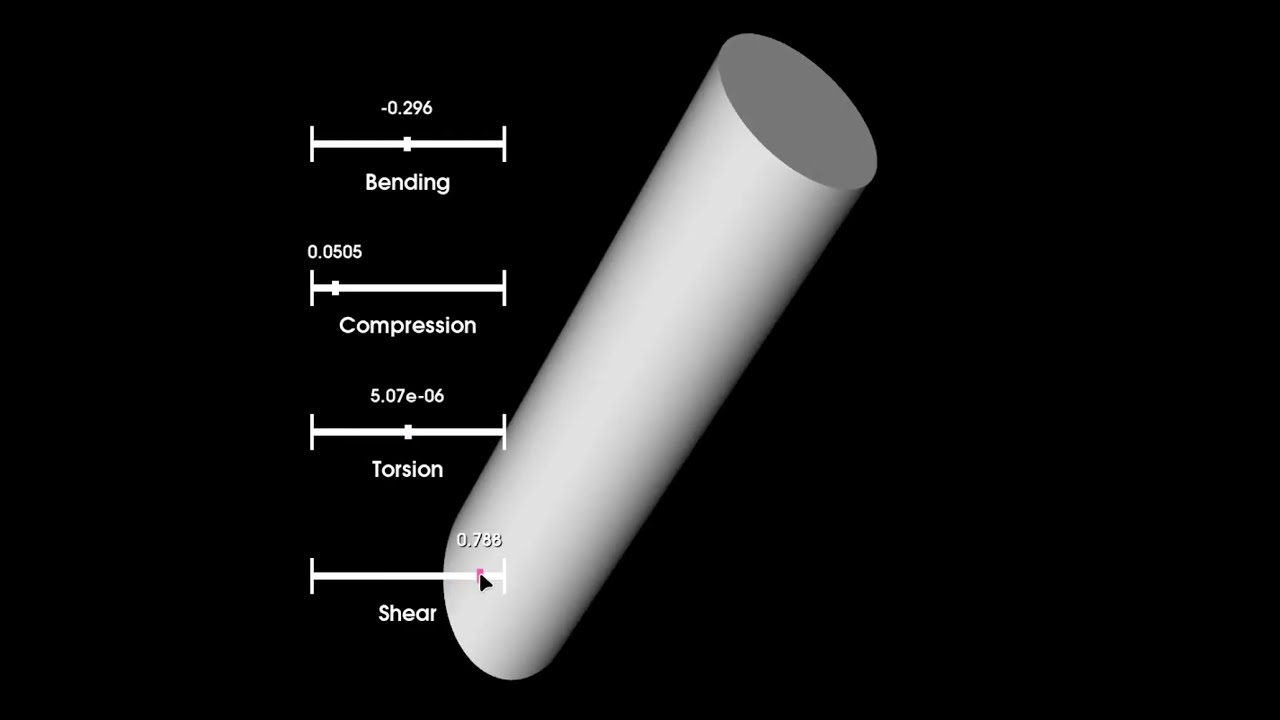
Experience the power of VTK through these interactive demonstrations. Click on any thumbnail to watch the video on YouTube:
| Visualization Demo | Animation Showcase |
|---|---|
 |
 |
| 3D Rendering & Interaction | VTK Short Demo |
- ✨ Why This Repository?
- 🔍 What is VTK?
- 🚀 Quick Start
- 📁 Project Structure
- 💡 Examples Gallery
- 🌐 VTK.js Web Examples
- 📖 Documentation
- 🤝 How to Contribute
- 📚 References
- 📄 License
| 🎓 Learn by Example | 🛠️ Production Ready | 📈 Comprehensive Coverage |
|---|---|---|
| 50+ working examples with clear explanations | Well-structured, reusable code patterns | From basics to advanced CFD simulations |
| 🔬 Scientific Focus | 🌐 Web & Desktop | 📚 Rich Documentation |
|---|---|---|
| Perfect for research and engineering | Python + VTK.js examples | In-depth notes and tutorials |
Whether you're a student learning visualization concepts, a researcher analyzing scientific data, or an engineer building professional applications, this repository provides the building blocks you need.
- Create stunning 3D visualizations from simple shapes to complex scientific data
- Master the VTK pipeline architecture for efficient rendering
- Handle various file formats (STL, OBJ, VTK, VTU, VTM, and more)
- Build interactive applications with widgets and UI integration
- Implement CFD simulations for heat transfer and fluid flow
- Deploy web visualizations using VTK.js
The Visualization Toolkit (VTK) is the gold standard for 3D computer graphics, image processing, and scientific visualization.
|
|
Understanding VTK's pipeline is essential for effective visualization:
┌─────────────────────────────────────────────────────────────────────────┐
│                         VTK VISUALIZATION PIPELINE                      │
├─────────────────────────────────────────────────────────────────────────┤
│                                                                         │
│  ┌──────────┐    ┌──────────┐    ┌──────────┐    ┌──────────┐           │
│  │  SOURCE  │───▶│  FILTER  │───▶│  MAPPER  │───▶│  ACTOR   │           │
│  │          │    │          │    │          │    │          │           │
│  │ Generate │    │ Process  │    │ Convert  │    │ Render   │           │
│  │   Data   │    │   Data   │    │ to Geo   │    │  Object  │           │
│  └──────────┘    └──────────┘    └──────────┘    └────┬─────┘           │
│                                                       │                 │
│                                                       ▼                 │
│                                               ┌──────────────┐          │
│                                               │   RENDERER   │          │
│                                               │              │          │
│                                               │   Display    │          │
│                                               └──────────────┘          │
└─────────────────────────────────────────────────────────────────────────┘
Get up and running in minutes with these simple steps:
- Python 3.8 or higher
- pip package manager
# 1. Clone the repository
git clone https://github.com/djeada/VTK-Examples.git
cd VTK-Examples

# 2. Create a virtual environment (recommended)
python -m venv venv

# 3. Activate the virtual environment
# On Linux/macOS:
source venv/bin/activate
# On Windows:
venv\Scripts\activate

# 4. Install dependencies
pip install -r requirements.txt# Navigate to the examples directory and run a script
cd src/01_basic_shapes
python circle.py🎉 Congratulations! You should see a window displaying circles rendered with VTK.
For an enhanced development experience with VS Code or PyCharm:
- Open the project folder in your IDE
- Configure the Python interpreter to use your virtual environment
- Run any script using the built-in run button or debugger
- Debug with breakpoints for step-through analysis
VTK-Examples/
├── 📂 src/                          # Source code examples
│   ├── 📂 01_basic_shapes/          # Fundamental geometric primitives
│   ├── 📂 02_advanced_shapes/       # Complex geometries & techniques
│   ├── 📂 03_structures_and_datasets/ # VTK data structures
│   ├── 📂 04_input_output/          # File format handling
│   ├── 📂 05_data_conversion/       # Format conversion utilities
│   ├── 📂 06_visualization_pipeline/ # Rendering pipeline examples
│   ├── 📂 07_interactive_widgets/   # UI widgets & interaction
│   ├── 📂 08_integration_with_ui/   # Qt, Matplotlib integration
│   ├── 📂 09_cfd/                   # Computational Fluid Dynamics
│   └── 📂 common/                   # Shared utilities & helpers
│
├── 📂 notes/                        # In-depth documentation & tutorials
├── 📂 vtk_js/                       # VTK.js web visualization examples
├── 📂 data/                         # Sample data files
│   ├── 📂 stls/                     # STL mesh files
│   ├── 📂 objs/                     # OBJ model files
│   ├── 📂 vtks/                     # VTK data files
│   └── 📂 ...                       # Other format samples
│
├── 📄 requirements.txt              # Python dependencies
├── 📄 LICENSE                       # MIT License
└── 📄 README.md                     # This file
Start your VTK journey with fundamental geometric primitives. These examples demonstrate the core concepts of creating and rendering 3D objects.
| # | Example | Description | Link |
|---|---|---|---|
| 1 | Circle | Create perfectly round 2D circles with customizable radius and resolution | 📄 Code |
| 2 | Cone | Generate 3D cones with adjustable height, radius, and resolution | 📄 Code |
| 3 | Cube | Build solid cubes and boxes in 3D space | 📄 Code |
| 4 | Cylinder | Create cylindrical shapes with height and radius parameters | 📄 Code |
| 5 | Glyph | Introduction to glyph-based visualization for representing data points | 📄 Code |
| 6 | Square | Render 2D squares and rectangles | 📄 Code |
| 7 | Triangle | Create triangular primitives, the building blocks of 3D meshes | 📄 Code |
Take your visualization skills to the next level with complex geometries, volume rendering, and multi-object scenes.
| # | Example | Description | Link |
|---|---|---|---|
| 1 | Enclosing Box | Create bounding boxes that enclose other objects—useful for spatial analysis | 📄 Code |
| 2 | Isosurface | Extract surfaces of constant value from volumetric data | 📄 Code |
| 3 | Multiple Dependent Objects | Build scenes with hierarchically linked objects | 📄 Code |
| 4 | Multiple Independent Objects | Create complex scenes with multiple standalone objects | 📄 Code |
| 5 | Streamlines | Visualize flow fields and vector data with streamline rendering | 📄 Code |
| 6 | Triangulation | Apply triangulation techniques for mesh generation | 📄 Code |
| 7 | Volume Rendering | Render volumetric data with customizable transfer functions | 📄 Code |
| 8 | Visualization Comparison | Compare different visualization techniques side-by-side | 📄 Code |
| 9 | Flow Simulation | Visualize computational fluid dynamics data | 📄 Code |
Master VTK's data structures—the foundation of all visualization operations.
| # | Example | Description | Link |
|---|---|---|---|
| 1 | Points | Work with vtkPoints—the fundamental spatial data structure | 📄 Code |
| 2 | Cells | Understand cells and their role in defining mesh topology | 📄 Code |
| 3 | Fields | Handle scalar, vector, and tensor field data | 📄 Code |
| 4 | Multiblock Dataset | Organize complex data with hierarchical multiblock structures | 📄 Code |
| 5 | PolyData | Work with polygonal surfaces—the most common VTK data type | 📄 Code |
| 6 | Structured Grid | Handle regularly spaced 3D grid data | 📄 Code |
| 7 | Unstructured Grid | Work with arbitrary cell types and connectivity | 📄 Code |
| 8 | Structured Mesh | Create and manipulate structured mesh geometries | 📄 Code |
| 9 | Unstructured Mesh | Build and process unstructured mesh geometries | 📄 Code |
| 10 | Cell Types Demo | Interactive demo of all VTK cell types with combo box selection | 📄 Code |
| 11 | Topology vs Geometry | Interactive demo showing the difference between mesh connectivity and point positions | 📄 Code |
| 12 | Connectivity Demo | Interactive demo of VTK's connectivity filter with multiple extraction modes for identifying and extracting connected regions | 📄 Code |
| 13 | Data Types Demo | Interactive demo of VTK dataset types (ImageData, RectilinearGrid, StructuredGrid, PolyData, UnstructuredGrid) with combo box selection | 📄 Code |
Learn to read and write various 3D file formats commonly used in engineering and scientific applications.
| # | Format | Description | Link |
|---|---|---|---|
| 1 | OBJ | Wavefront OBJ—widely used 3D model format | 📄 Code |
| 2 | STL | Stereolithography format—standard for 3D printing | 📄 Code |
| 3 | VTK | Native VTK format for polygonal data | 📄 Code |
| 4 | VTM | VTK multiblock format for composite datasets | 📄 Code |
| 5 | VTU | VTK unstructured grid format | 📄 Code |
| 6 | Exodus II | SANDIA National Labs format for FEM/CFD results | 📄 Code |
| 7 | OpenFOAM | Read OpenFOAM CFD simulation results | 📄 Code |
Convert between popular 3D file formats with ease.
| # | Conversion | Description | Link |
|---|---|---|---|
| 1 | Converter Interface | Base interface for building custom converters | 📄 Code |
| 2 | STL ↔ VTK | Convert between STL and VTK formats | 📄 Code |
| 3 | VTK ↔ OBJ | Convert between VTK and OBJ formats | 📄 Code |
| 4 | STL ↔ OBJ | Convert between STL and OBJ formats | 📄 Code |
| 5 | VTK ↔ VTM | Convert between VTK and VTM formats | 📄 Code |
| 6 | VTK ↔ VTU | Convert between VTK and VTU formats | 📄 Code |
Understand and master the VTK rendering pipeline for professional-quality visualizations.
| # | Example | Description | Link |
|---|---|---|---|
| 1 | Actor-Mapper Setup | Handle multiple objects with proper actor-mapper relationships | 📄 Code |
| 2 | Text Labels | Add informative text annotations to your visualizations | 📄 Code |
| 3 | Scalar Color Mapping | Map data values to colors using customizable color maps | 📄 Code |
| 4 | Camera Movement | Control camera position, orientation, and movement paths | 📄 Code |
| 5 | Filters in Action | Apply VTK filters for data processing and transformation | 📄 Code |
| 6 | Lighting & Shadows | Create realistic lighting effects and shadow rendering | 📄 Code |
| 7 | Pipeline Animation | Animate your visualization pipeline over time | 📄 Code |
Build interactive applications with VTK's powerful widget system.
| # | Widget | Description | Link |
|---|---|---|---|
| 1 | Orientation Marker | Add 3D axes indicator for spatial orientation | 📄 Code |
| 2 | Slider | Create interactive sliders for parameter control | 📄 Code |
| 3 | Button | Implement clickable buttons for user interaction | 📄 Code |
| 4 | Planes Intersection | Interactively slice volumes with intersecting planes | 📄 Code |
Combine VTK with popular frameworks for enhanced visualization capabilities.
| # | Integration | Description | Link |
|---|---|---|---|
| 1 | Qt Integration | Embed VTK visualizations in Qt desktop applications | 📄 Code |
| 2 | Matplotlib Sphere | Combine VTK 3D rendering with Matplotlib | 📄 Code |
| 3 | Matplotlib Surface | Create surface plots using VTK and Matplotlib together | 📄 Code |
Simulate and visualize heat transfer and fluid flow phenomena with these physics-based examples.
| # | Simulation | Description | Link |
|---|---|---|---|
| 1 | 1D Heat Convection | Solve 1D heat convection problems with finite differences | 📄 Code |
| 2 | 1D Fixed-End Heat Transfer | Heat transfer with fixed temperature boundary conditions | 📄 Code |
| 3 | 1D Convective-End Heat Transfer | Heat transfer with convective boundary conditions | 📄 Code |
| 4 | 1D Enhanced Heat Transfer | Advanced 1D heat transfer with enhanced accuracy | 📄 Code |
| 5 | 2D Heat Conduction | Solve 2D steady-state heat conduction problems | 📄 Code |
| 6 | 2D Enhanced Heat Transfer | Advanced 2D heat transfer solver | 📄 Code |
| 7 | Fluid Flow Simulation | Simulate basic fluid flow patterns | 📄 Code |
| 8 | Obstacle Flow | Simulate fluid flow around obstacles | 📄 Code |
Take your visualizations to the web with VTK.js—a JavaScript implementation of VTK for browser-based 3D rendering.
# Navigate to the VTK.js examples
cd vtk_js/basic

# Install dependencies
npm install

# Build the project
npm run build

# Start the development server
npm start
Then open your browser to http://localhost:8080 to see VTK running in the web!
📂 Location: vtk_js/basic/
Deepen your understanding with our comprehensive documentation covering VTK concepts, techniques, and best practices.
| Topic | Description | Link |
|---|---|---|
| Data Types & Structures | vtkDataObject, points, cells, grids, and datasets | 📚 Read |
| Filters & Algorithms | Data processing, transformation, and analysis filters | 📚 Read |
| Input & Output | File format handling and data serialization | 📚 Read |
| Visualization Techniques | Volume rendering, scalar mapping, vector visualization | 📚 Read |
| Interactivity | User interaction, picking, and selection | 📚 Read |
| Animations | Creating smooth animations and time-series visualizations | 📚 Read |
| Performance Optimization | Parallelism, LOD, and rendering optimization | 📚 Read |
| Tool Integration | Integrating VTK with Qt, Matplotlib, and other tools | 📚 Read |
| Custom Filters | Building custom filters and algorithms | 📚 Read |
We welcome contributions from the community! Whether you're fixing a bug, adding new examples, or improving documentation, your help is appreciated.
- 🐛 Report bugs — Found an issue? Open a bug report
- 💡 Suggest features — Have an idea? Share it with us
- 📝 Improve documentation — Help make the docs even better
- 🔧 Submit code — Add new examples or enhance existing ones
# 1. Fork the repository on GitHub

# 2. Clone your fork
git clone https://github.com/YOUR_USERNAME/VTK-Examples.git
cd VTK-Examples

# 3. Create a feature branch
git checkout -b feature/AmazingFeature

# 4. Make your changes and commit
git add .
git commit -m "Add AmazingFeature: brief description"

# 5. Push to your fork
git push origin feature/AmazingFeature

# 6. Open a Pull Request on GitHub- Follow existing code style and patterns
- Add clear comments and docstrings
- Include example usage in new scripts
- Test your code before submitting
Expand your VTK knowledge with these excellent resources:
- 🌐 VTK Official Website — Documentation, downloads, and news
- 📖 VTK User's Guide — Comprehensive official guide
- 📚 VTK Examples — Official VTK examples collection
- 📝 PyScience VTK Tutorials — Python-focused VTK tutorials
- 💻 Program Creek VTK Examples — Code snippets and examples
- 🎓 Visualization Course 2014 (Uppsala) — Academic visualization course
- 🎓 Data Visualization Course (SJTU) — University course materials
This project is licensed under the MIT License — see the LICENSE file for details.
MIT License - Copyright (c) 2021 Adam Djellouli

Permission is hereby granted, free of charge, to any person obtaining a copy
of this software and associated documentation files (the "Software"), to deal
in the Software without restriction, including without limitation the rights
to use, copy, modify, merge, publish, distribute, sublicense, and/or sell
copies of the Software.
If you find this repository helpful, please consider giving it a star! Your support helps others discover these resources.
Made with ❤️ by Adam Djellouli and contributors