Before the CLI can be used, it must be configured with a project, including a project name, server address, and user token. You can configure multiple projects using the dstack project CLI command. The configuration is stored in ~/.dstack/config.yml.
The
dstack servercommand automatically creates the defaultmainproject and adds its configuration in~/.dstack/config.yml.
The dstack project set-default command can be used to switch between multiple projects.
??? info "Environment variable"
Alternatively to dstack project set-default, you can set the DSTACK_PROJECT environment variable. It overrides the default project set in ~/.dstack/config.yml.
<div class="termy">

```shell
$ DSTACK_PROJECT=main
$ dstack apply -f examples/.dstack.yml
```

</div>

Also, you can install [`direnv`](https://direnv.net/)
to automatically apply environment variables from the `.envrc` file in your project directory.

<div editor-title=".envrc">

```shell
export DSTACK_PROJECT=main
```

</div>

Now, `dstack` will always use this project within this directory.

Remember to add `.envrc` to `.gitignore` to avoid committing it to the repo.
This command adds a new project configuration.
$ dstack project add --help
#GENERATE#
You can find the command on the project’s settings page:
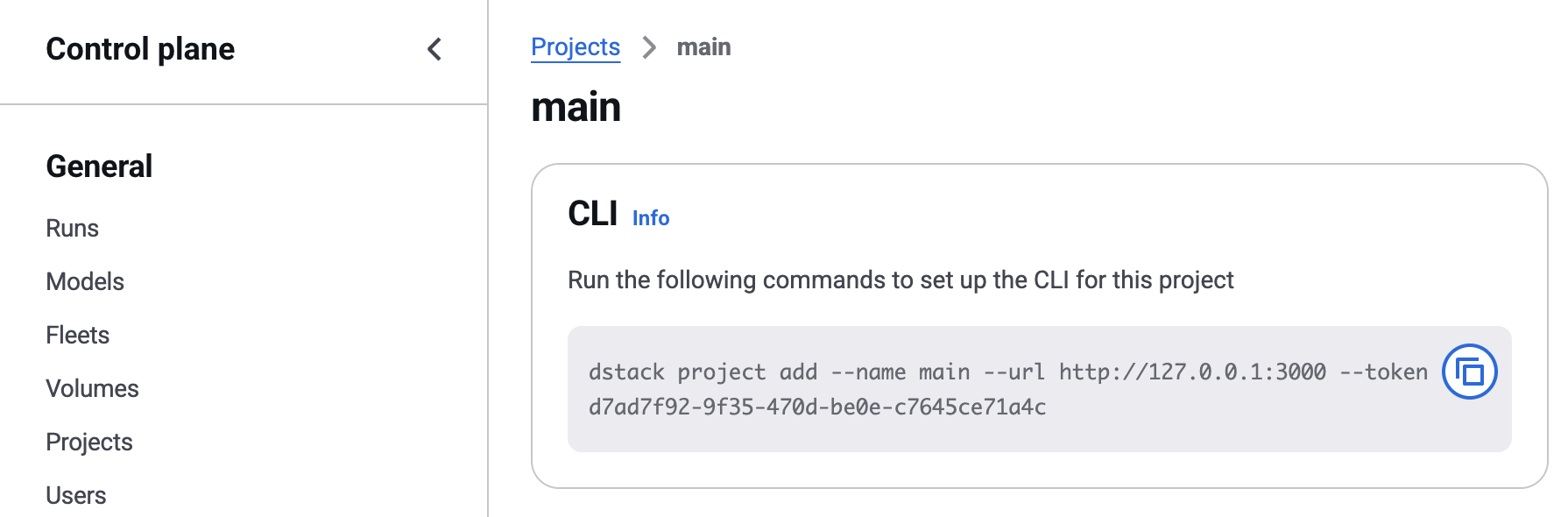
This command lists the projects configured on the client.
$ dstack project list --help
#GENERATE#This command sets the given project as default.
$ dstack project set-default --help
#GENERATE#This command deletes the given project configuration.
$ dstack project delete --help
#GENERATE#