| title | Data Health Dashboard |
|---|---|
| sidebarTitle | Data Health Dashboard |
import CloudFeatureTag from '/snippets/cloud/cloud-feature-tag.mdx'; import DataHealthIntro from '/snippets/cloud/features/data-health/data-health-intro.mdx'; import DataQualityDimensions from '/snippets/cloud/features/data-health/data-quality-dimensions.mdx';
The Data Health Dashboard is intended for your data consumers and stakeholders, that want to get a summary of what is happening with the data in your organization.
It gives a high-level overview that doesn't require deep technical knowledge or going into specific test results. the dashboard presents the data health in a simple way, by giving a health score, and using a color code to indicate if this score is healthy. Filters are available at the top of the page, making it easy to see the data health in different contexts.
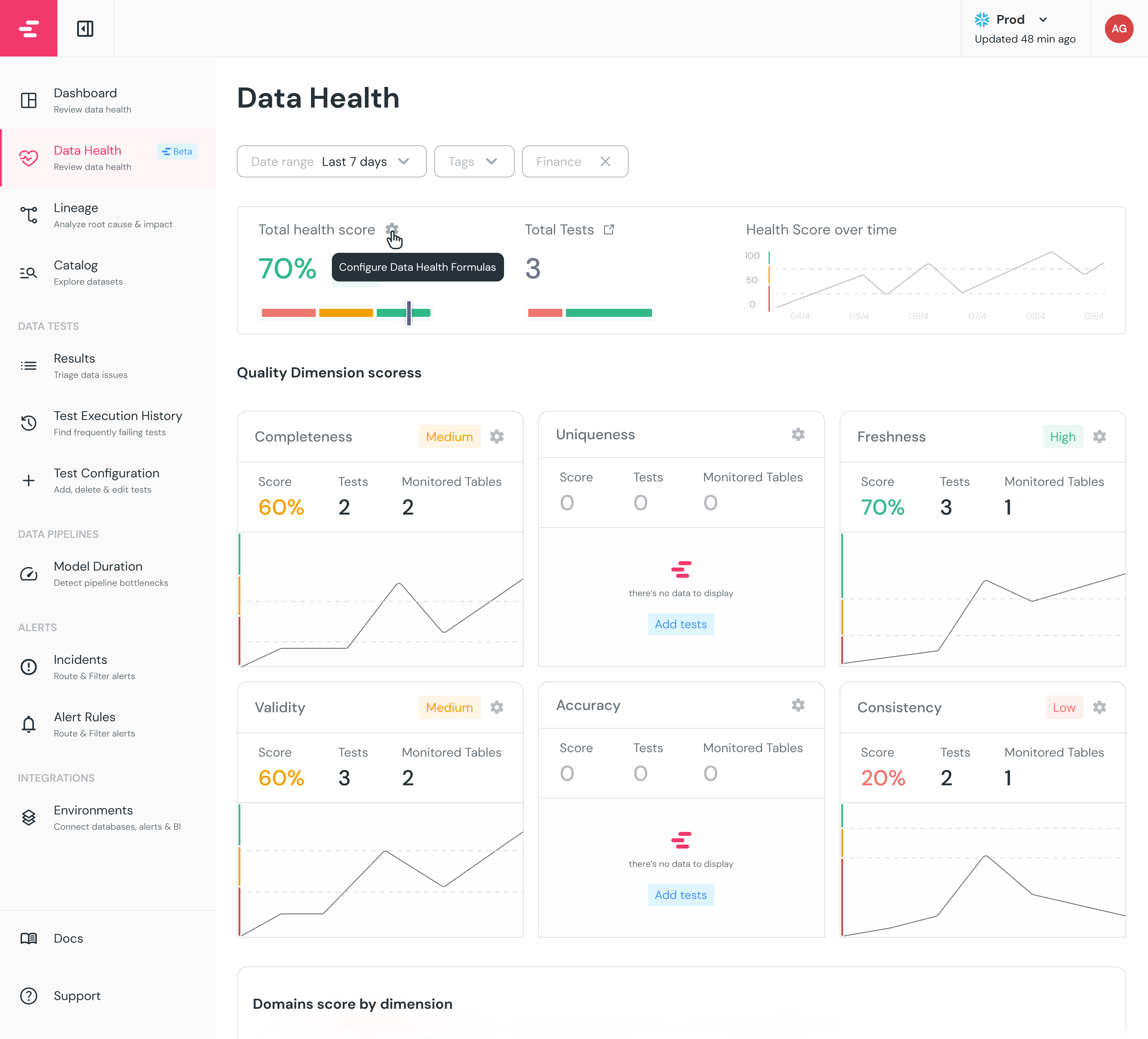
The dashboard is based on the 6 Data Quality Dimensions:
Each test you run in either dbt or Elementary is mapped to one of these pillars, and given a score. The scoring method is very simple:
- If the test passes, the score is 100
- If the test is in
warnstatus, the score is 50 - If the test is in
failstatus, the score is 0
The results are aggregated to give a health score for each pillar. The total score is a weighted average of the 6 pillars, where the weight is configurable. The thresholds for the color coding (green, yellow and red) are also configurable.

To focus on what matters most, see the top right of the screen to filter on your critical assets.
Of course!
Each test you run, whether it's a generic or a custom test, can be mapped to one of the 6 quality dimensions.
The way to do so is to add quality_dimension to the test definition in your dbt project:
data_tests:
  - not_null:
    config:
      meta:
        quality_dimension: completeness
{{ config(
meta={
"quality_dimension": "completeness",
}
) }}- Send a daily report of the data health to your stakeholders
- Compare the data health of different domains
- Set up alerts for when the data health is below a certain threshold