-
Download the EvidentViewer-mac.zip.
-
Extract the zip file.
-
Open a terminal window and navigate to the directory where you extracted it.
cd < the path to the folder EvidentViewer-mac >
-
Assign execute permission to the installer:
chmod a+x ./EvidentViewer-mac.run
-
Run the installer:
./EvidentViewer-mac.run
-
During the installation, the EULA will appear. Scroll using the ‘↓’ key, and type ‘y’ to agree and continue.
-
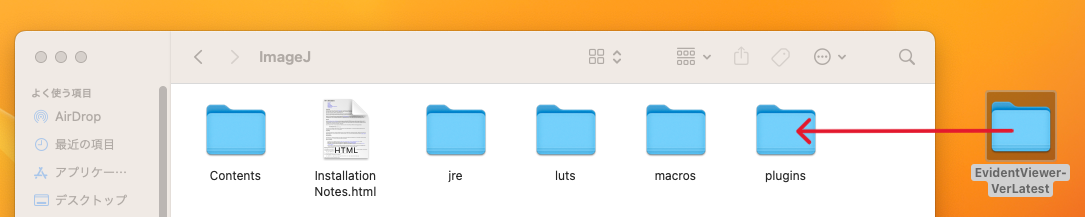
After installation, a new folder named EvidentViewer-VerLatest will be created.
-
Copy the EvidentViewer-VerLatest folder to the plugins folder of your ImageJ directory.
- If the plugins folder already contains an EvidentViewer-VerLatest folder, delete the existing folder before copying.