- Read
paramsfrom therouteprops.
- Check the
routeprop documentation.
Go to src/screens/StarshipFeedScreen.tsx:
- The header title for this view should be
Starships. - Update
Routes.tsandNavigator.tsxto add a new screen calledSTARSHIP_DETAIL_SCREEN. - Implement
handlePressfunction to send the user toSTARSHIP_DETAIL_SCREEN, passing thestarshipdata as parameters.
- Go and create
src/screens/StarshipDetailsScreen.tsx:
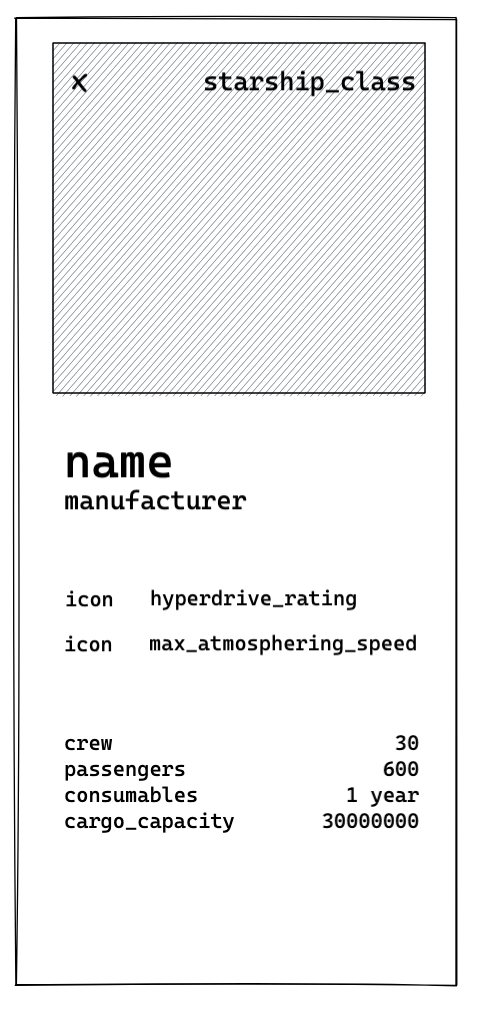
Each screen component in your app is provided with the route prop automatically.
- Read the
paramsof the screen and display thestarshipdata.
You can use these component to make it pretty:
- Change the
screenOptionsto display your screen as amodal. - Add a "close modal" Button with an icon.
- Add
expo-dev-toolsto your project - Look with the
expo-dev-toolstherouteandparamsof the screen.
Start the project with and open the expo-dev-tools with ? and shift + m in your terminal to open the menu and select @dev-plugins/react-navigation.
Now you can navigate in your app and see the route and params of the screen.