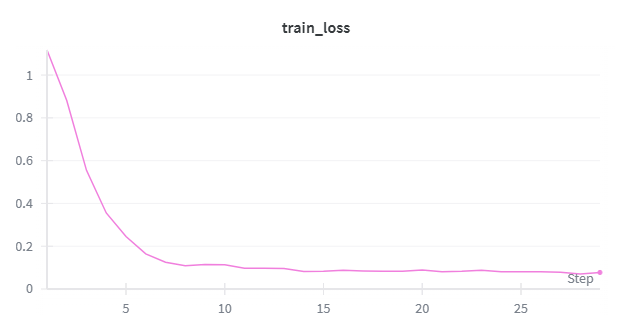
The following document works through an example of supervised finetuning a Qwen3-8B model with HPCAI API. The code used in this tutorial can be found here.
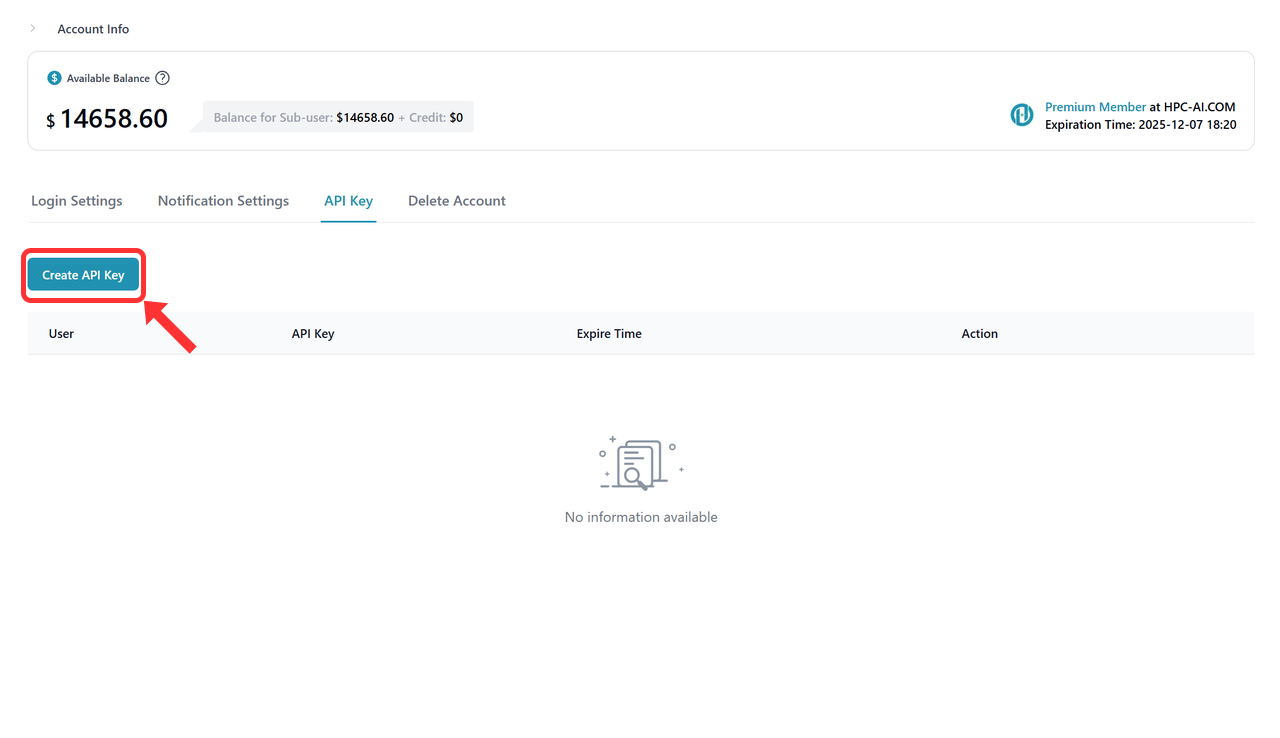
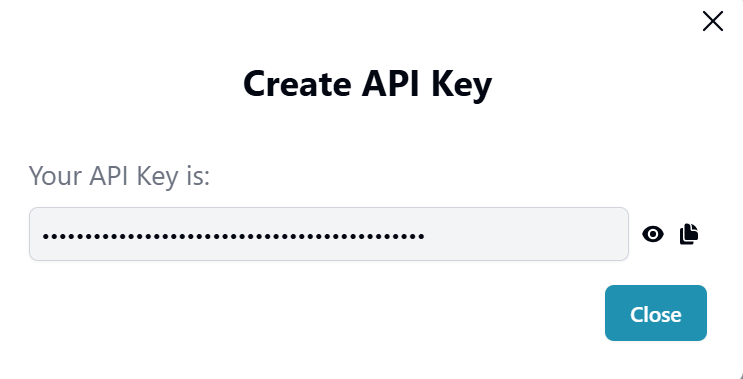
The HPCAI api service requires an API key which you can obtain from HPC-AI's GPU cloud by creating API key under the Account info page.
import time
import hpcai
from hpcai import types
import wandb
from pathlib import Path
import datasets
from datasets import concatenate_datasets
from hpcai.cookbook import renderers
from hpcai.cookbook.data import conversation_to_datum
from hpcai import checkpoint_utils# define Base URL
BASE_URL = "https://www.hpc-ai.com/finetunesdk"
# define API KEY
API_KEY = "Your API key from step 1"MODEL_NAME = 'Qwen/Qwen3-8B'
LORA_RANK = 32
BATCH_SIZE = 32
LEARNING_RATE = 1e-4
MAX_LENGTH = 1024
LOG_PATH = "./tmp/hpcai-examples/sl-loop"
TRAIN_STEPS = 30
SAVE_EVERY = 30
LOG_PATH = "./tmp/hpcai-examples/sl-loop"
Path(LOG_PATH).mkdir(parents=True, exist_ok=True)service_client = hpcai.ServiceClient(base_url=BASE_URL, api_key=API_KEY)
training_client = service_client.create_lora_training_client(
base_model=MODEL_NAME,
rank=LORA_RANK,
)
print(f"model_id: {training_client.model_id}")tokenizer = training_client.get_tokenizer()
renderer_name = "role_colon"
renderer = renderers.get_renderer(renderer_name, tokenizer)
dataset = datasets.load_dataset("K-and-K/knights-and-knaves", "train")
dataset = concatenate_datasets([dataset[k] for k in dataset.keys()]).shuffle(seed=42)
dataset = dataset.map(
lambda example: {"messages": [
{"role": "user", "content": example["quiz"]},
{"role": "assistant", "content": example["solution_text"]},
]})wandb.init(project='qwen-3-8B-sft-knights-and-knaves-hpcai')n_batches = len(dataset) // BATCH_SIZE
target_steps = min(n_batches, TRAIN_STEPS)
for step in range(target_steps):
start_time = time.time()
if step > 0 and step % SAVE_EVERY == 0:
paths = checkpoint_utils.save_checkpoint(
training_client, name=f"step_{step}", log_path=LOG_PATH,
loop_state={"step": 1}, kind="both"
)
print(f"Checkpoint saved to {paths} at step {step}")
batch_start = step * BATCH_SIZE
batch_end = batch_start + BATCH_SIZE
batch_rows = dataset.select(range(batch_start, batch_end))
batch = [
conversation_to_datum(
row["messages"],
renderer,
MAX_LENGTH,
renderers.TrainOnWhat.ALL_ASSISTANT_MESSAGES,
)
for row in batch_rows
]
fwd_bwd = training_client.forward_backward(batch, loss_fn="cross_entropy")
lr = LEARNING_RATE * (1.0 - step / n_batches)
optim = training_client.optim_step(types.AdamParams(learning_rate=lr))
result = fwd_bwd.result()
optim_result = optim.result()
loss = result.metrics.get("loss:mean", 0.0)
elapsed = time.time() - start_time
print(f"Step {step + 1}/{target_steps} | Loss: {loss:.4f} | LR: {lr:.2e} | Time: {elapsed:.2f}s")
wandb.log({'train_loss':loss},step=step+1)training_client.unload_model().result()