Rich language support for Extended Backus–Naur Form (EBNF) grammars in Visual Studio Code — syntax highlighting, code navigation, a semantic linter, and a configurable formatter, with a focus on ISO/IEC 14977 conformance.
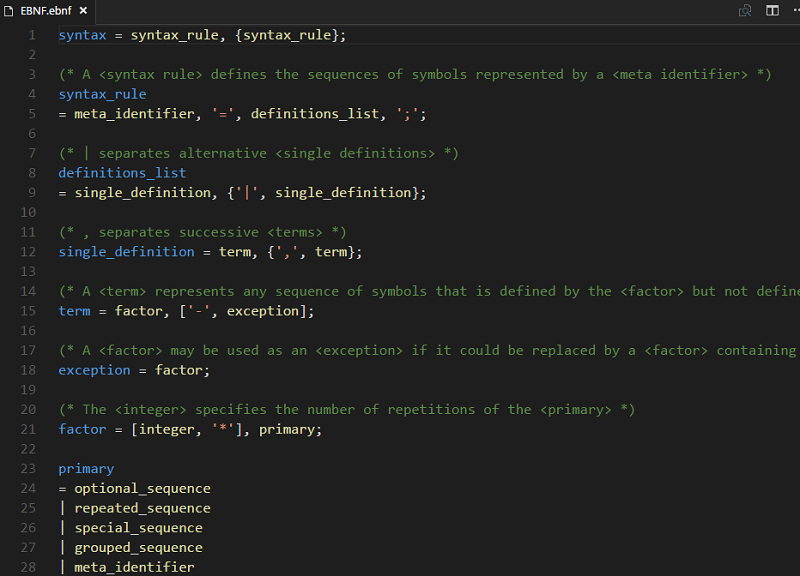
New in 1.6 — a full semantic linter (undefined / duplicate / unused rules), Outline, Hover, CodeLens, Quick Fixes, structural folding, range & on-type formatting, and improved ISO/IEC 14977 conformance. See the changelog.
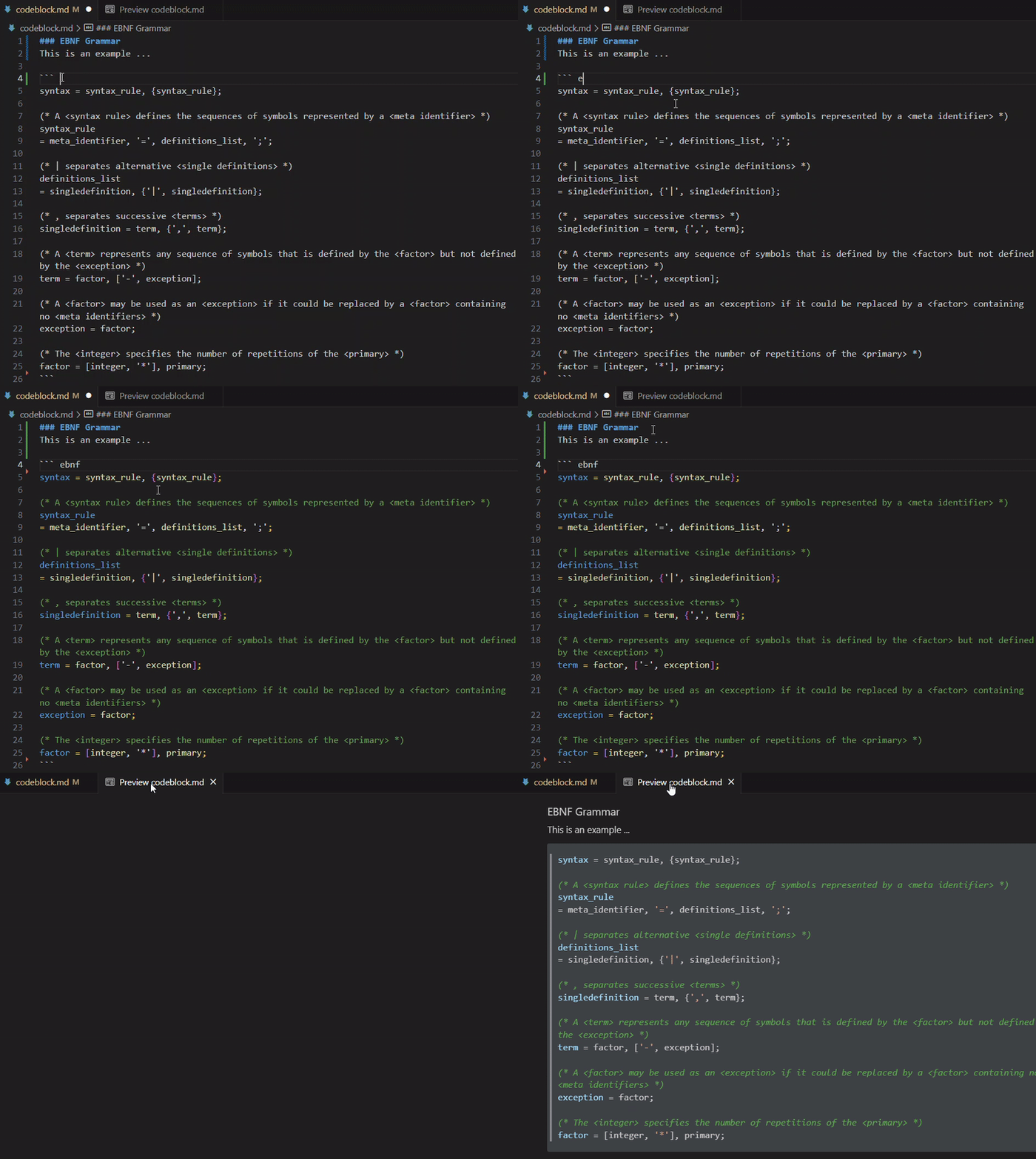
Open the Extensions view (Ctrl+Shift+X), search for EBNF Tools, and click Install — or grab it from the Visual Studio Marketplace. Files with the .ebnf extension are recognized automatically, and EBNF fenced code blocks in Markdown are highlighted too.
Requires VS Code 1.101.0 or newer.
| Feature | What it does |
|---|---|
| Syntax highlighting | Colorizes terminals, non-terminals, operators, and comments in .ebnf files. |
| Markdown code blocks | The same highlighting inside ```ebnf fenced blocks in your .md files. |
| Semantic tokens | Meta-identifiers that are used but never defined are colored distinctly. |
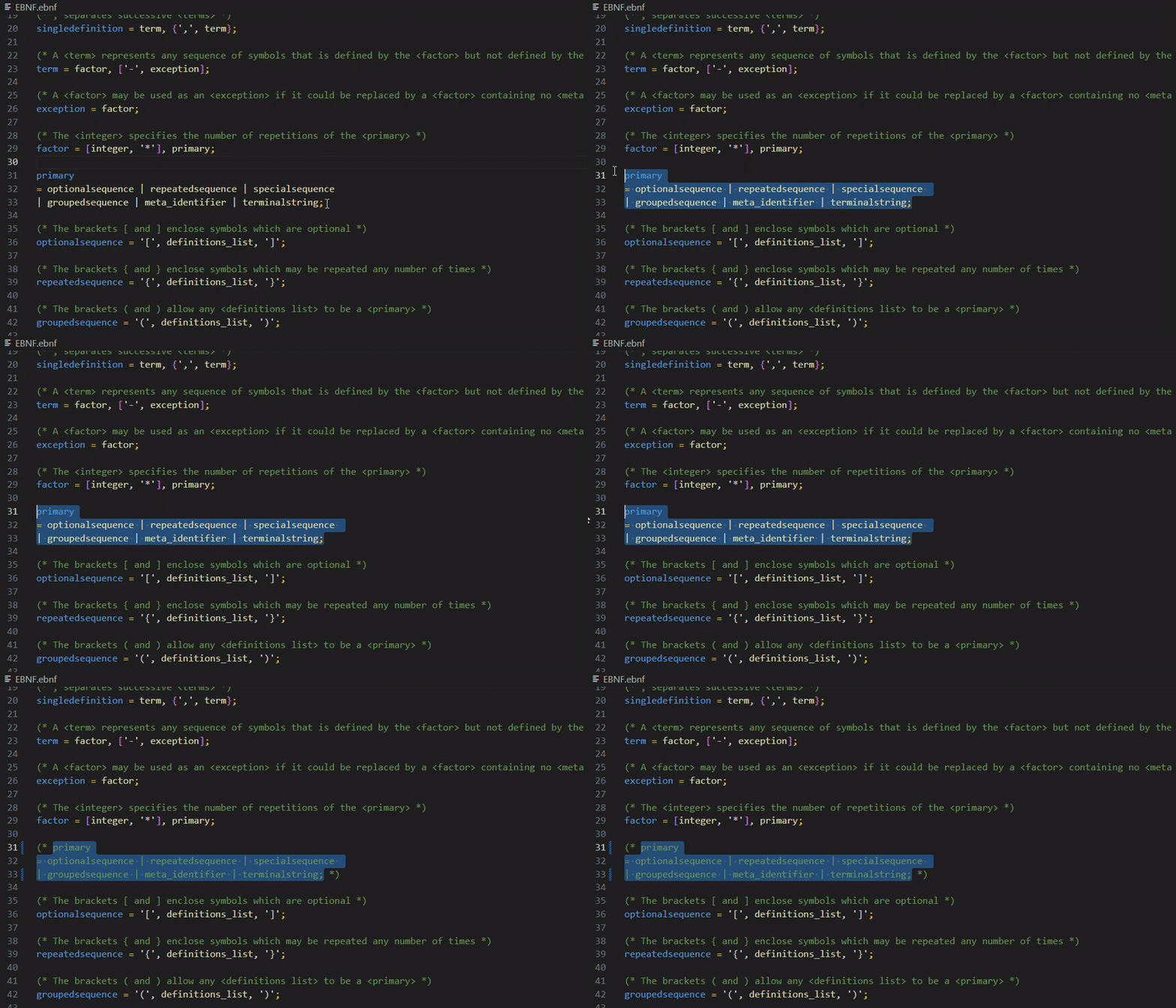
| Comment toggling | Comment/uncomment blocks with the standard shortcut, using EBNF (* … *) comments. |
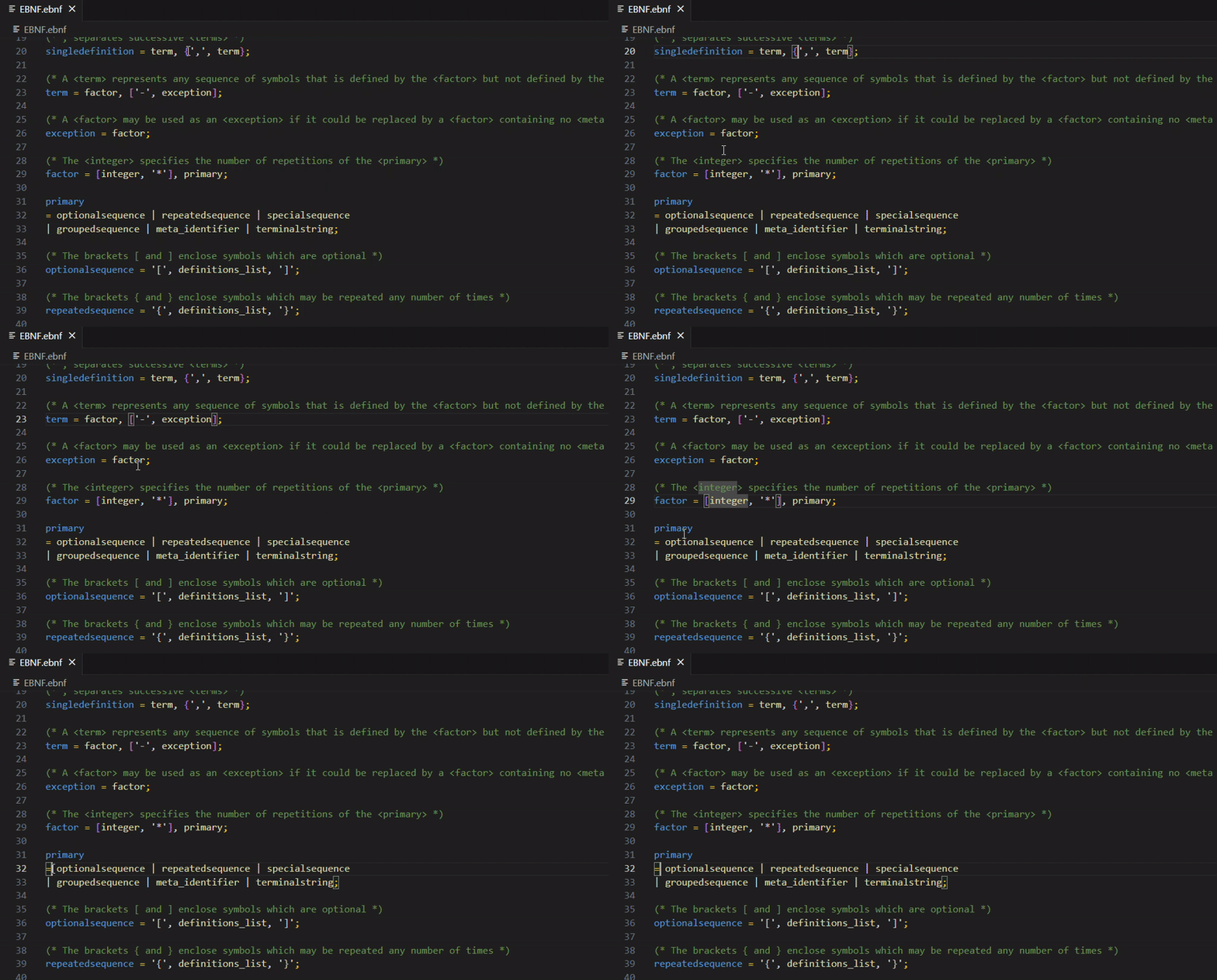
| Bracket matching | Matches ( ), [ ], and { } pairs as you edit. |
| Feature | What it does |
|---|---|
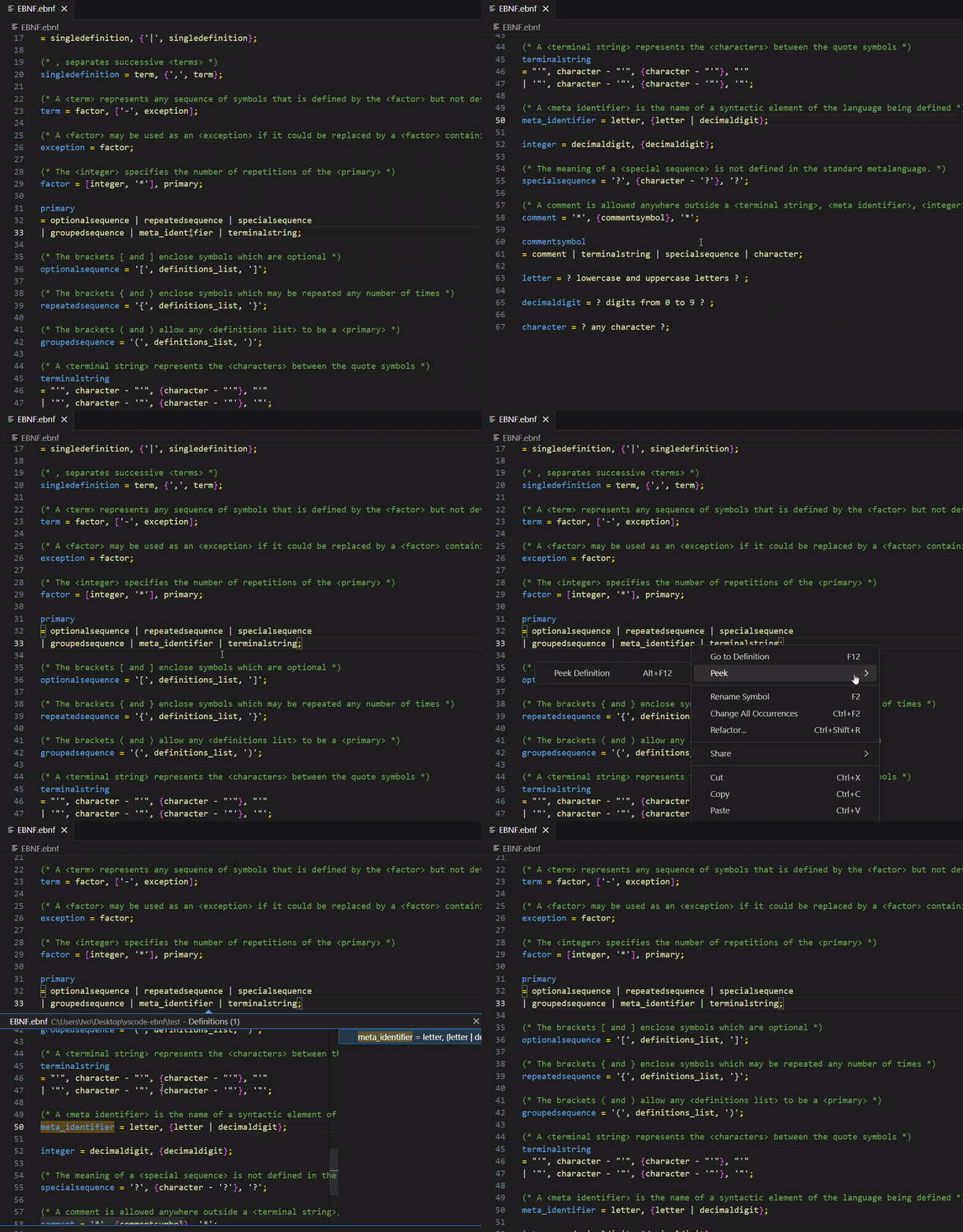
| Go to / Peek Definition | Jump to a rule's definition — returns all definition sites when a rule is split. |
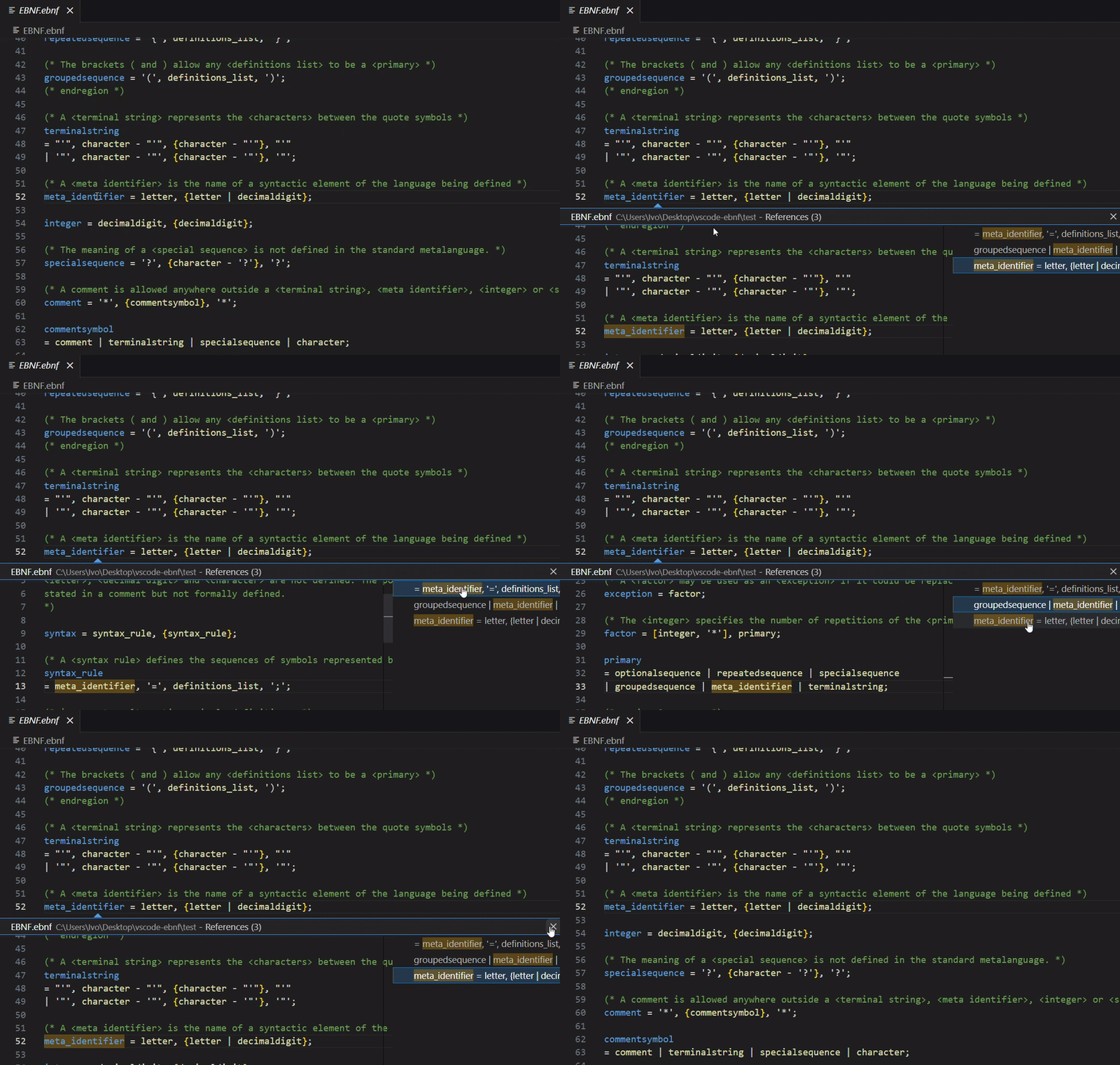
| Find All References | Locate every use of a rule across the grammar. |
| Hover | Shows a rule's definition and its leading comment. |
| Outline & breadcrumbs | Browse and navigate rules via the Outline view and breadcrumbs. |
| Document highlights | Highlights every occurrence of the identifier under the cursor. |
| CodeLens | A "N references" lens above each rule. |
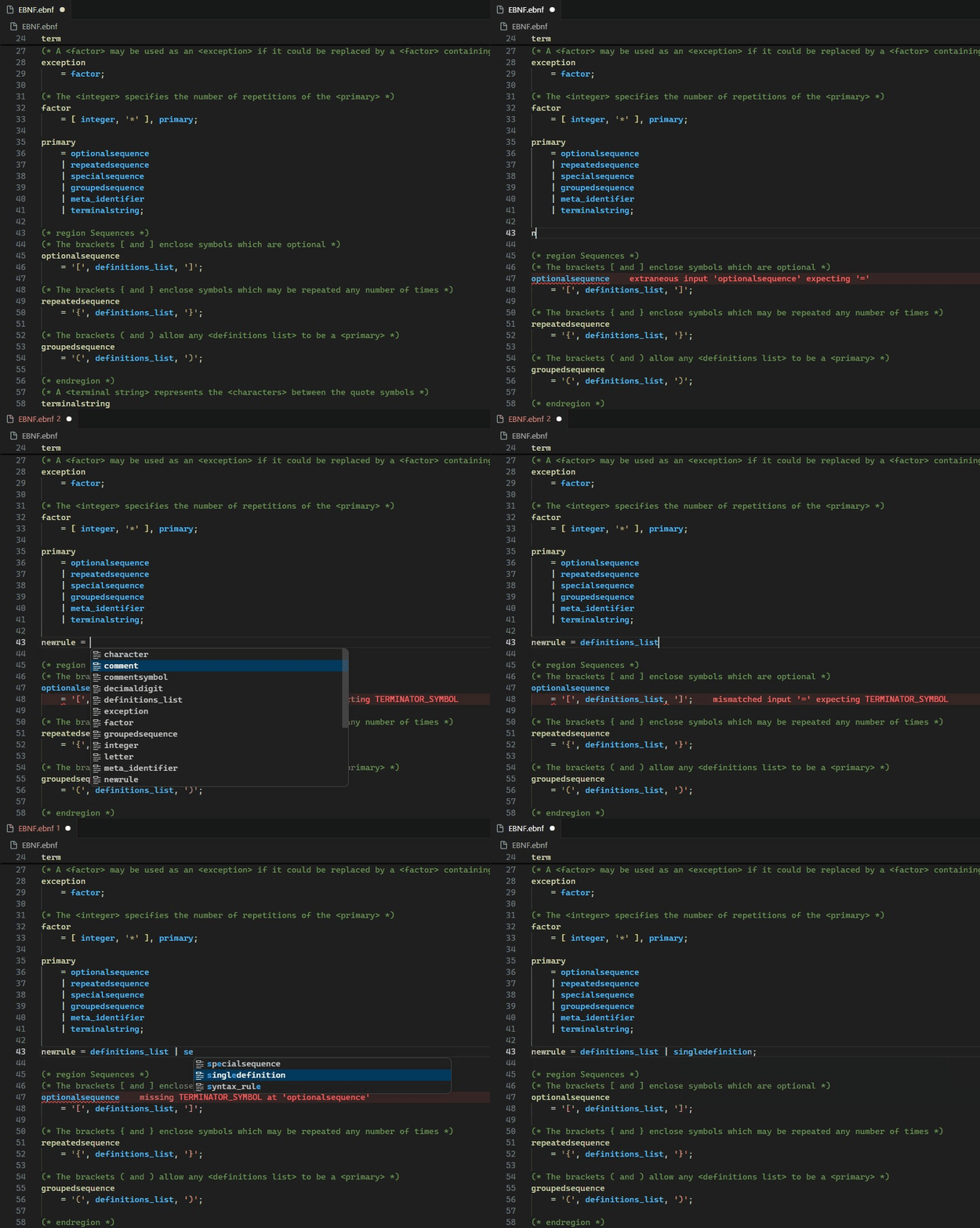
| Completion | Suggests previously defined rule names as you type. |
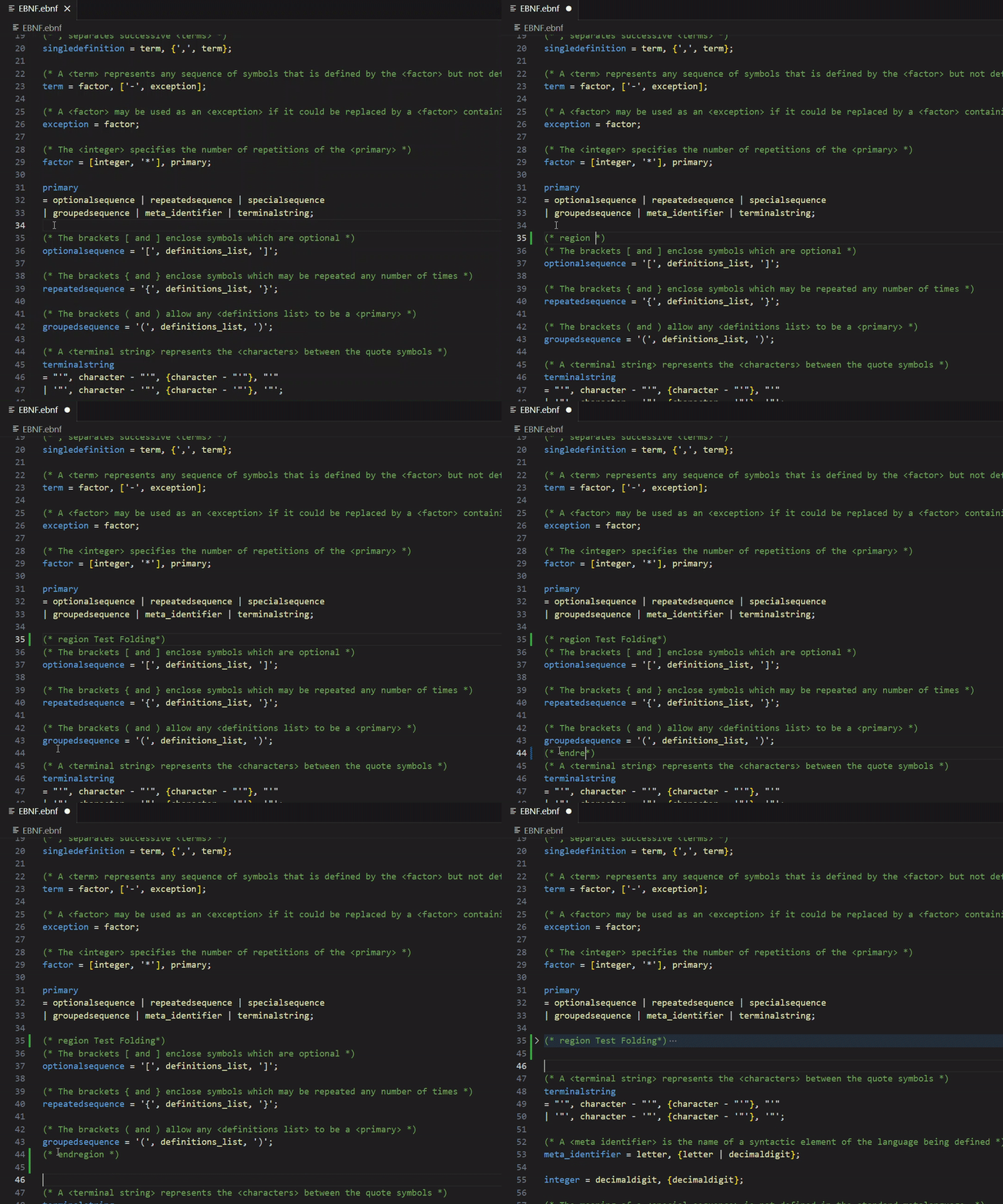
| Structural folding | Fold by rule, plus marker-based (* region *) folding. |
| Status bar | Shows the number of rules defined in the active grammar. |
| Feature | What it does |
|---|---|
| Undefined rule | Flags a meta-identifier that is used but never defined. |
| Duplicate definition | Flags a rule defined by more than one syntax-rule (permitted by §5.1 note 2). |
| Unused rule | Flags a defined rule that is never referenced (the first rule is treated as the start symbol). |
| Invalid sequences | Flags the illegal sequences (*), (:), (/) (§7.8). |
| Quick Fixes | One-click create a missing rule and remove an unused rule. |
| Feature | What it does |
|---|---|
| Whole-document, range & on-type | Format the file, a selection, or automatically as you finish a rule (; / .). |
| Configurable style | Control symbol placement, separators, option/repeat notation, terminator, and spacing — see Settings. |
| Feature | What it does |
|---|---|
| Space-separated identifiers | syntax rule parses as a single meta-identifier, so the standard's own §8.1 self-defining grammar parses. |
identifierStyle |
Choose modern (allow _, deprecate -) or standard (strict ISO/IEC 14977) — diagnostics only, parsing is unchanged. |
| Convert identifiers… | The EBNF: Convert identifiers… command migrates a whole document to spaces or _. |
| Standards-correct comments | A comment may contain terminal-strings / special-sequences, so a quoted *) no longer ends a comment early (§6.6). |
Click a feature to expand its demo.
Syntax highlighting in Markdown fenced code blocks
Commenting blocks of code
Bracket matching
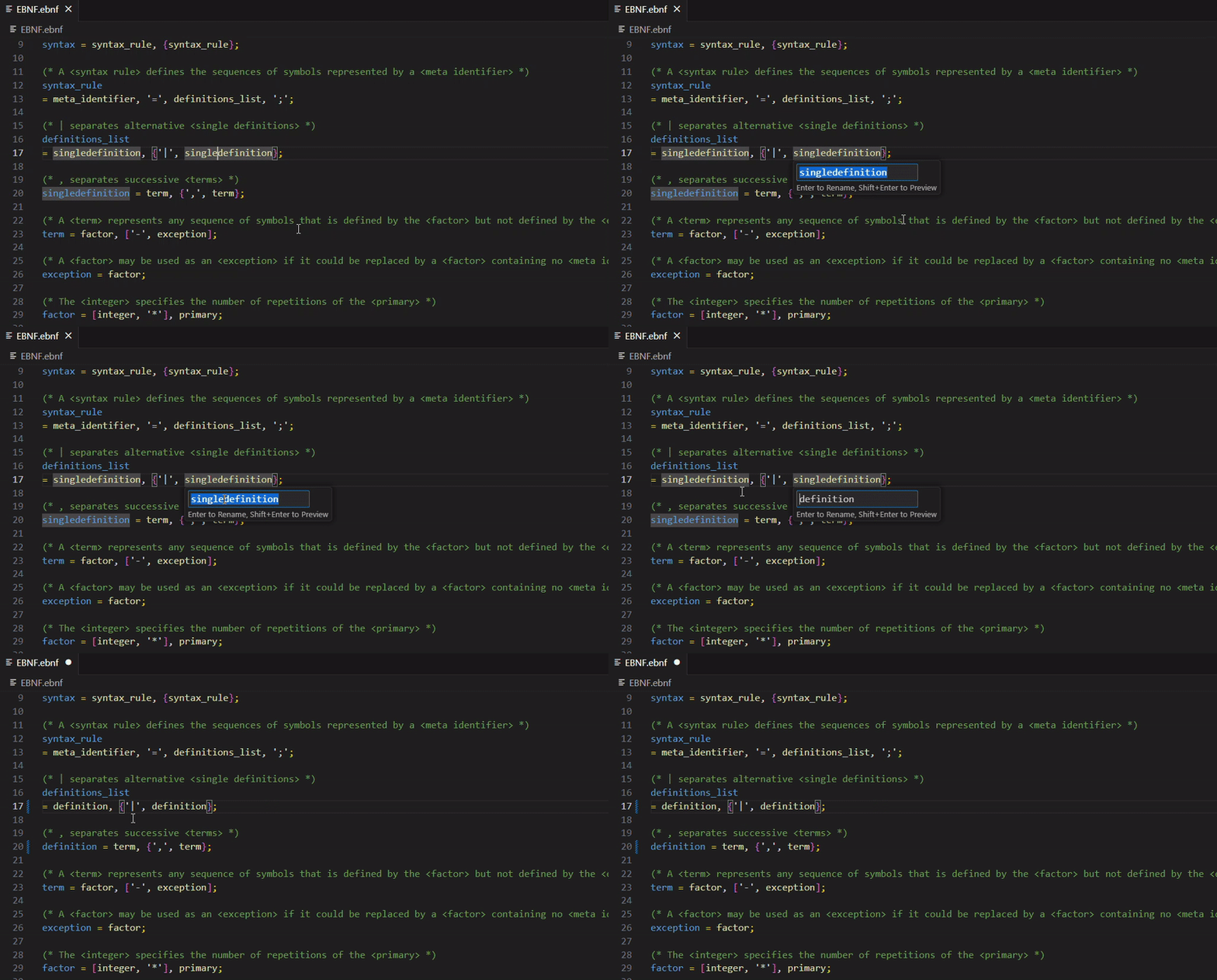
Rename symbol
Go to Definition & Peek Definition
Code folding
Find All References
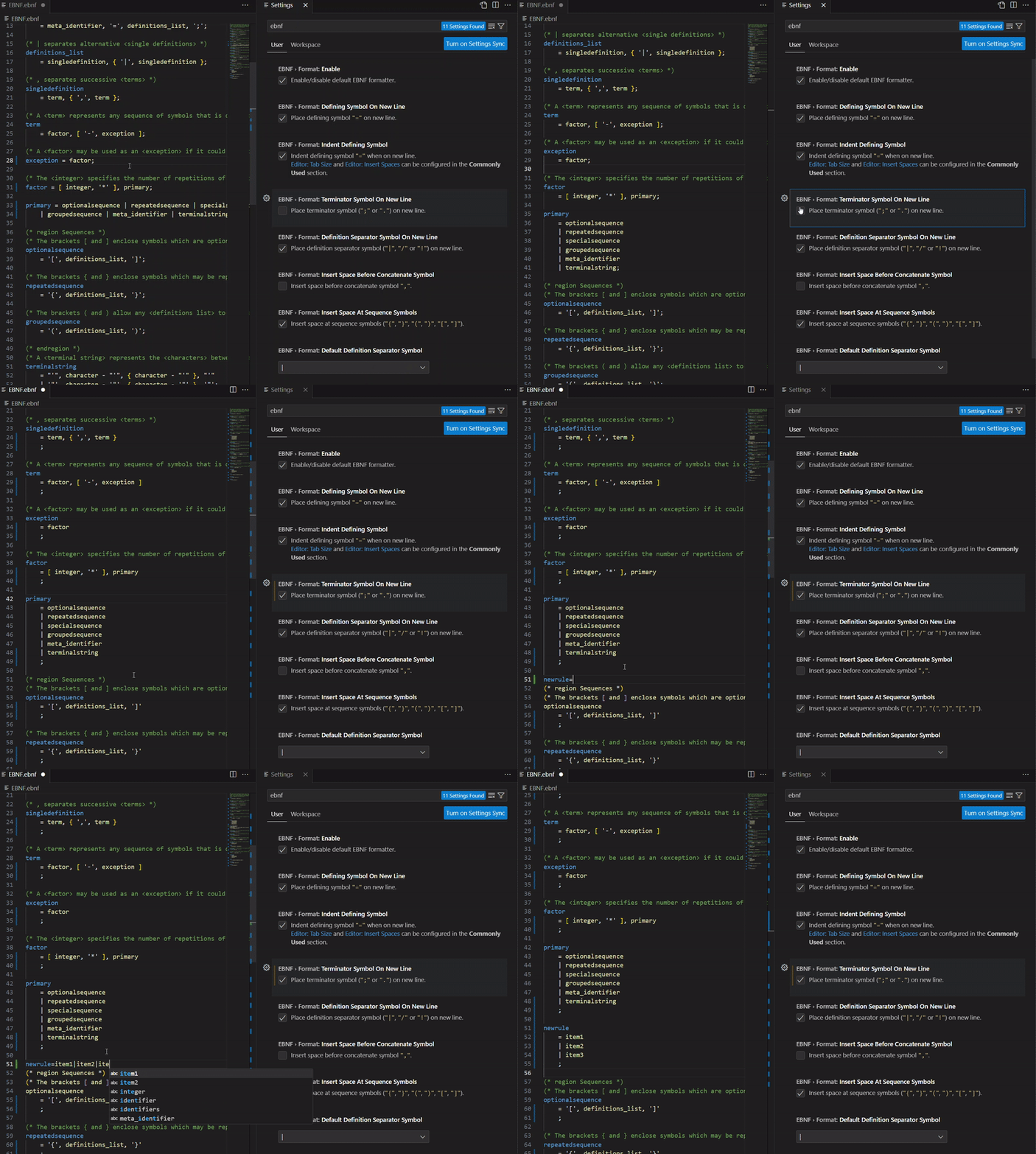
Formatting
Completion suggestions
Configure everything under Settings → Extensions → EBNF.
| Setting | Default | Description |
|---|---|---|
EBNF.format.enable |
true |
Enable the EBNF formatter. |
EBNF.identifierStyle |
modern |
modern allows _ (hyphens deprecated, since - is the except-symbol); standard flags both - and _ as non-standard per ISO/IEC 14977. |
EBNF.telemetry.enable |
true |
Anonymous, opt-in usage telemetry (see below). |
The formatting style is fully configurable via the EBNF.format.* options — defining-symbol placement and indentation, definition-separator / option / repeat / terminator symbols, and spacing around sequence symbols.
EBNF Tools collects anonymous usage telemetry (via the Aptabase EU server) to understand how EBNF is written in practice — specifically, how commonly identifiers use hyphens versus underscores. This directly informs future grammar/standards-conformance decisions.
What is collected — at most one event per day, recording only whether (true/false) you used hyphen, underscore, or space-separated identifiers that day, plus the extension version. That's it.
What is never collected — no device or machine ID, no grammar text, no identifier names, no file names, no paths, no file contents. Because no stable identifier is sent, individual users cannot be tracked across days.
How to opt out — telemetry is only sent when VS Code's global telemetry is enabled (telemetry.telemetryLevel). You can additionally disable it for this extension alone with the EBNF.telemetry.enable setting.
Contributions are welcome. Please read the contribution guidelines first. For grammar/colorization changes, see the syntaxes README.
Licensed under the terms of the MIT license.