| description | GF Flutter SearchBar represents a text field that can be used to search through a collection. |
|---|
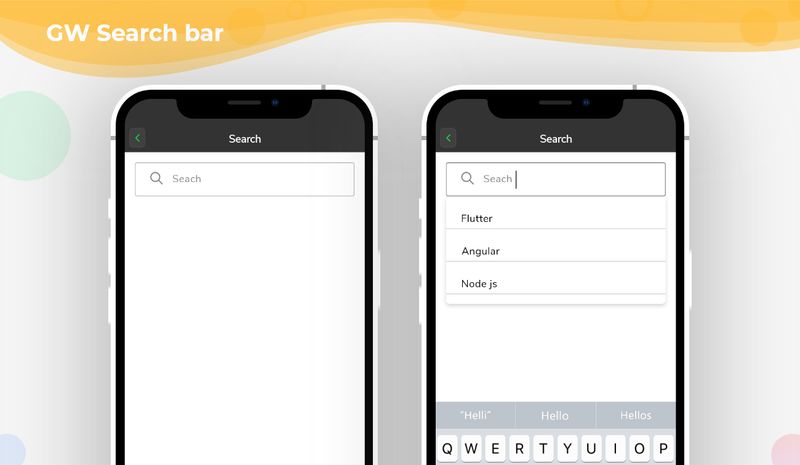
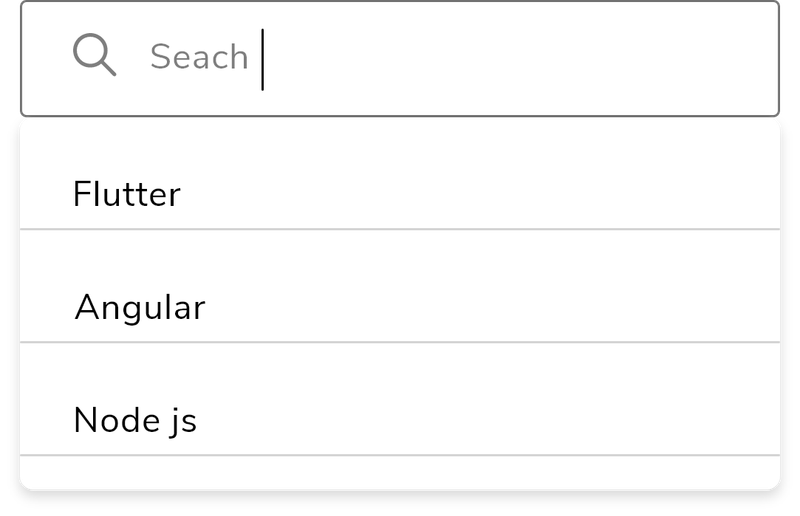
GFSearchBar is a search field wherein the user enters few letters in order to search the words from the list provided in the search section.
GFSearchBar contains textfield for user input and the overlay container to show the search list collections.
The simple code of a basic GF Flutter SearchBar is as shown below.
import 'package:getwidget/getwidget.dart';

List list = [
    "Flutter",
    "React",
    "Ionic",
    "Xamarin",
  ];

GFSearchBar(
  searchList: list,
  searchQueryBuilder: (query, list) {
    return list
        .where((item) =>
            item.toLowerCase().contains(query.toLowerCase()))
        .toList();
  },
  overlaySearchListItemBuilder: (item) {
    return Container(
      padding: const EdgeInsets.all(8),
      child: Text(
        item,
        style: const TextStyle(fontSize: 18),
      ),
    );
  },
  onItemSelected: (item) {
    setState(() {
      print('$item');
    });
  },
),The look and feel of the GFSearchBar can be customized using the GFSearchBar properties.
| Name | Description |
|---|---|
| searchList | List of [text] or [widget] reference for users |
| overlaySearchListItemBuilder | defines how the [searchList] items look like in overlayContainer |
| hideSearchBoxWhenItemSelected | if true, it will hide the [searchBox] |
| overlaySearchListHeight | defines the height of [searchList] overlay container |
| searchQueryBuilder | can search and filter the [searchList] |
| noItemsFoundWidget | displays the [widget] when the search item failed |
| onItemSelected | defines what to do with onSelect [SearchList] item |
| searchBoxInputDecoration | defines the input decoration of [searchBox] |