
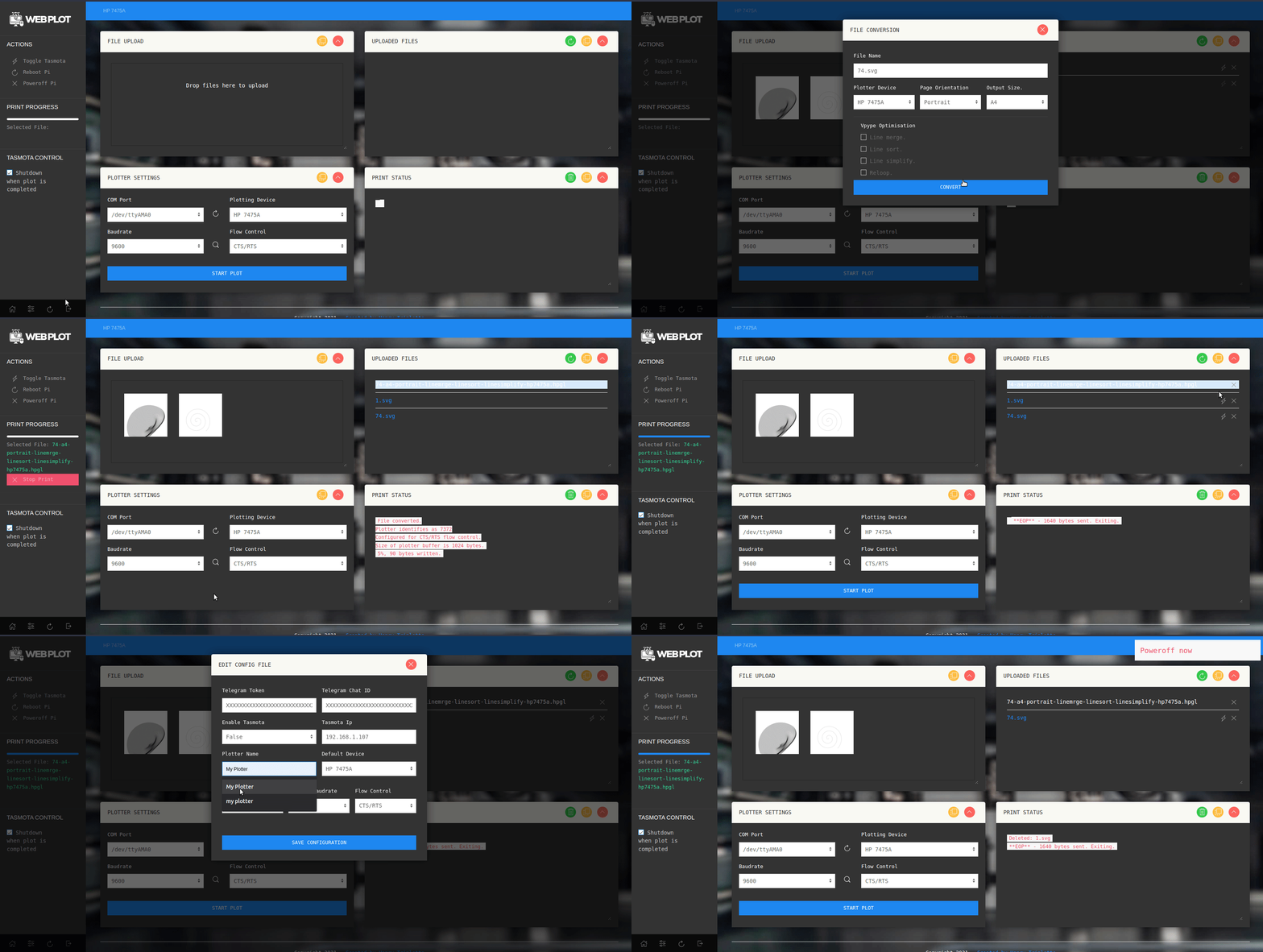
This branch has been modifed for use with the Pi Plot shiled
- Add folowing plotters : HP7440a, HP7550, Roland DXY 1xxx, Roland Sketchmate, Houston Instrument DMP-161, Calcomp Designmate, and Calcomp Artisan.
- Support for HP-IB through Plug n Plot.
- Plot optimization options through Vpype.
- Add Buffer space info graph when plotting (Not availible when using XON/XOFF nor HP-IB)
- Auto baud rate detection function.
- Simple resizing of input SVG when converting to HPGL
- Add fix for pyserial bug when using hardware flow control over CTS /RTS.
- Plot speed definition + support for other custom vpype commands
- Telegram notifications
- HPGL preview
Python webservice to simplify working with pen plotters:
- Supported plotters: Graphtec MP4200, HP7475a
- Created for Raspberry Pi.
- Upload *.SVG and *.HPGL files.
- Convert *.SVG into *.HPGL files using vpype
- Telegram notification on print end
- Power off your plotter on print end using a Tasmota-enabled Sonoff controller
This quick and easy easy install script is intended to be used with Raspibain OS. Currently, the following versions are supported:
Pi-OS Bullseye - 32 and 64 bit
Pi-OS Bookworm - 32 and 64 bit
Pi-OS Trixie - 64 bit
From the home directory, run:
curl -sSL https://raw.githubusercontent.com/ithinkido/penplotter-webserver/PiPlot/install.sh | bashThis will install the Pen Plotter Web Server and reboot the Raspberry Pi once installation is completed.
After the install, open a browser and got to:
http://{{your Raspberry-Pi IP address}}:5000Optional: Configure options in config.ini using the web interface to set:
- Tasmota device IP.
- Telegram Chat ID for notifications.
- Timelapse Settings
-
Fix Mobile UI
-
Add plotter name to toolbar
-
Add defaults to configuration file
-
Stop print via UI?
-
List current printing filename
-
More plotter options?
Pull requests are welcome. For major changes, please open an issue first to discuss what you would like to change.