-
Notifications
You must be signed in to change notification settings - Fork 2.3k
Expand file tree
/
Copy pathtable.md
More file actions
428 lines (288 loc) · 15.3 KB
/
table.md
File metadata and controls
428 lines (288 loc) · 15.3 KB
1
2
3
4
5
6
7
8
9
10
11
12
13
14
15
16
17
18
19
20
21
22
23
24
25
26
27
28
29
30
31
32
33
34
35
36
37
38
39
40
41
42
43
44
45
46
47
48
49
50
51
52
53
54
55
56
57
58
59
60
61
62
63
64
65
66
67
68
69
70
71
72
73
74
75
76
77
78
79
80
81
82
83
84
85
86
87
88
89
90
91
92
93
94
95
96
97
98
99
100
101
102
103
104
105
106
107
108
109
110
111
112
113
114
115
116
117
118
119
120
121
122
123
124
125
126
127
128
129
130
131
132
133
134
135
136
137
138
139
140
141
142
143
144
145
146
147
148
149
150
151
152
153
154
155
156
157
158
159
160
161
162
163
164
165
166
167
168
169
170
171
172
173
174
175
176
177
178
179
180
181
182
183
184
185
186
187
188
189
190
191
192
193
194
195
196
197
198
199
200
201
202
203
204
205
206
207
208
209
210
211
212
213
214
215
216
217
218
219
220
221
222
223
224
225
226
227
228
229
230
231
232
233
234
235
236
237
238
239
240
241
242
243
244
245
246
247
248
249
250
251
252
253
254
255
256
257
258
259
260
261
262
263
264
265
266
267
268
269
270
271
272
273
274
275
276
277
278
279
280
281
282
283
284
285
286
287
288
289
290
291
292
293
294
295
296
297
298
299
300
301
302
303
304
305
306
307
308
309
310
311
312
313
314
315
316
317
318
319
320
321
322
323
324
325
326
327
328
329
330
331
332
333
334
335
336
337
338
339
340
341
342
343
344
345
346
347
348
349
350
351
352
353
354
355
356
357
358
359
360
361
362
363
364
365
366
367
368
369
370
371
372
373
374
375
376
377
378
379
380
381
382
383
384
385
386
387
388
389
390
391
392
393
394
395
396
397
398
399
400
401
402
403
404
405
406
407
408
409
410
411
412
413
414
415
416
417
418
419
420
421
422
423
424
425
426
427
428
---
title: 掌握MySQL表的增删改查,一名真正的 CRUD boy 即将出炉
shortTitle: MySQL 表的增删改查
---
有了数据库以后,我们就可以在数据库中对表进行增删改查了,这也就意味着,一名真正的 CRUD Boy 即将到来(😁)。
## 查表
查看当前数据库中的所有表,可以使用 `show tables;` 命令。
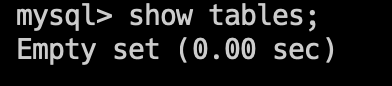
由于当前数据库中还没有表,所以输出 `Empty set`。
### 不指定数据库
[上一节](https://javabetter.cn/mysql/database.html),我们提到,在操作表之前,可以通过 `use 数据库名;` 命令,指定要操作的数据库。
那假如不指定数据库的话,我们可以通过 `show tables from database` 的方式,来指定要操作的表,例如:
```sql
show tables from itwanger;
```

>可以在建表后再尝试哈。
## 建表
既然没有表,那我们就创建一张表吧。创建表的语法如下:
```sql
create table 表名(
列名1 数据类型1,
列名2 数据类型2,
...
列名n 数据类型n
);
```
例如,我们创建一张文章表,表中包含文章的标题、内容、作者、发布时间、阅读量等信息,那么可以这样创建:
```sql
create table article(
id int primary key auto_increment,
title varchar(100) not null,
content text not null,
author varchar(20) not null,
create_time datetime not null,
read_count int default 0
);
```
- article 是表名;
- id 是主键,类型为 int,自增长;
- title 是标题,类型为 varchar,长度为 100,不允许为空;
- content 是内容,类型为 text,不允许为空;
- author 是作者,类型为 varchar,长度为 20,不允许为空;
- create_time 是发布时间,类型为 datetime,不允许为空;
- read_count 是阅读量,类型为 int,默认值为 0。
执行上述语句后,可以使用 `show tables;` 命令查看当前数据库中的所有表,可以看到,已经创建了一张 article 表。
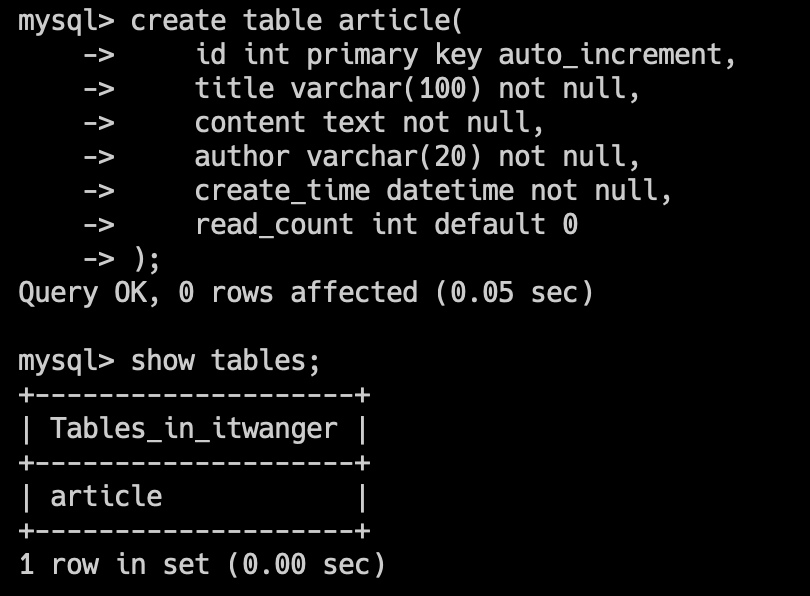
当然了,实际工作中,我们可能不会直接通过 SQL 语句来创建表,而是通过一些建表的工具,比如说 Navicat、DataGrip 等。

以及 PowerDesigner、chiner 这种建模工具,关于工具的使用,可以戳这篇帖子:
- [一款国人开源的数据库设计工具](https://javabetter.cn/gongju/chiner.html)
### 给表添加注释
在建表的时候,我们可以给表添加注释,语法如下:
```sql
create table 表名(
列名1 数据类型1 comment '注释1',
列名2 数据类型2 comment '注释2',
...
列名n 数据类型n comment '注释n'
) comment '表注释';
```
这样方便我们在后期维护的时候,能够更好的理解表的含义。
我们来一个简单的例子,在之前的基础上增加了一些字段的注释和表注释:
```sql
create table article(
id int primary key auto_increment comment '主键',
title varchar(100) not null comment '标题',
content text not null comment '内容',
author varchar(20) not null comment '作者',
create_time datetime not null comment '发布时间',
read_count int default 0 comment '阅读量'
) comment '文章表';
```
### 假如表已经存在
由于之前 article 表已经创建了,这时候再执行上述语句,就会报错 `Table 'article' already exists`:
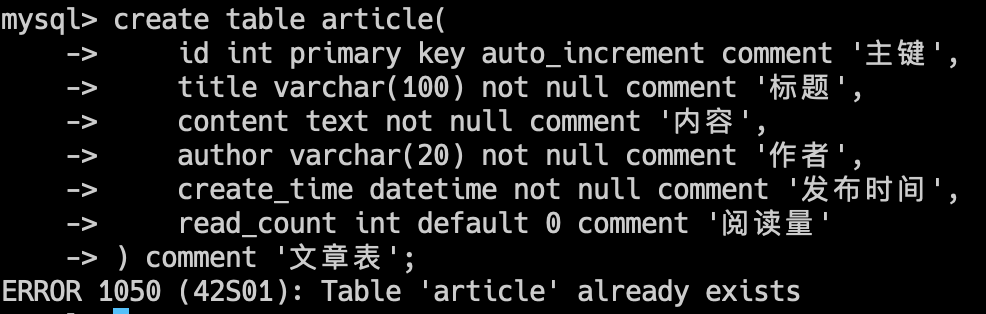
为了避免这种情况,我们可以在建表的时候,先判断表是否存在,如果不存在,再创建表,语法如下:
```sql
create table if not exists 表名(
列名1 数据类型1,
列名2 数据类型2,
...
列名n 数据类型n
);
```
实际的例子如下所示:
```sql
create table if not exists article(
id int primary key auto_increment comment '主键',
title varchar(100) not null comment '标题',
content text not null comment '内容',
author varchar(20) not null comment '作者',
create_time datetime not null comment '发布时间',
read_count int default 0 comment '阅读量'
) comment '文章表';
```
## 删表
删除表的语法如下:
```sql
drop table 表名;
```
同样的,在删表的时候尽量眨眨眼😂,看看自己是不是被坏人给控制了,否则又是“删库跑路”的悲剧。
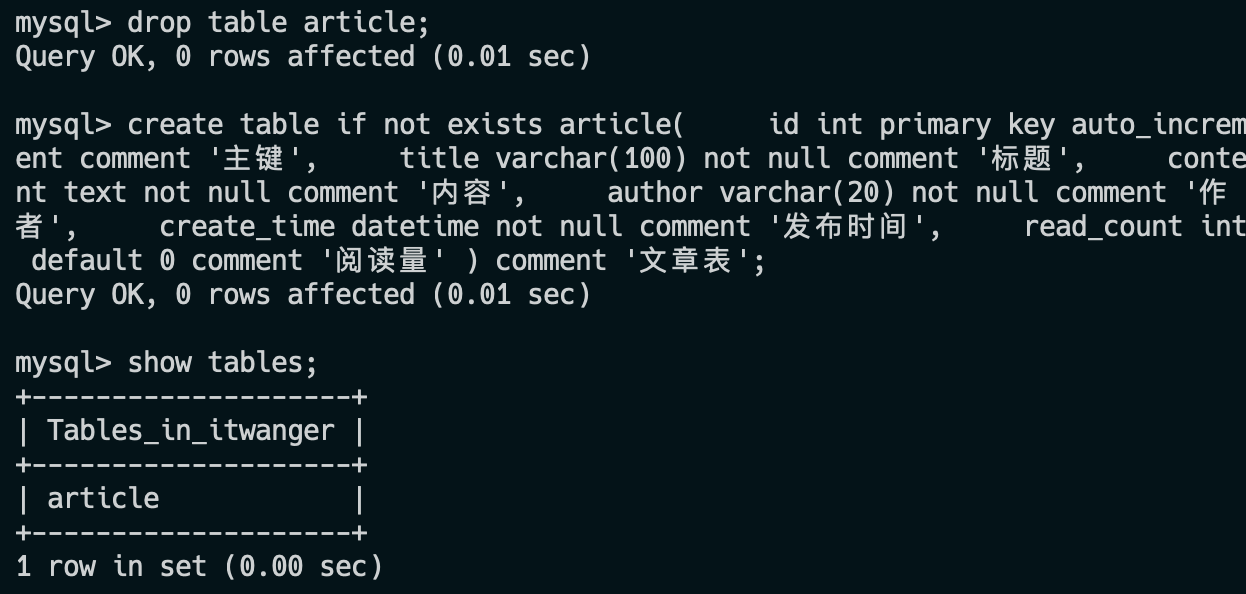
同样,在删除表的时候也可以加上 `if exists`,语法如下:
```sql
drop table if exists 表名;
```
这样可以防止表不存在的时候,报错。
## 查看表结构
有时候,我们想知道表的结构是什么样的,也就是 create table 的时候包含了哪些列、列有哪些属性,那这时候我们可以使用以下这些命令查看:
- `desc 表名;`
- `describe 表名;`
- `explain 表名;`
- `show columns from 表名;`
- `show fields from 表名;`
结果都是一样的,大家可以根据自己的喜好,记住其中的一个就行了。
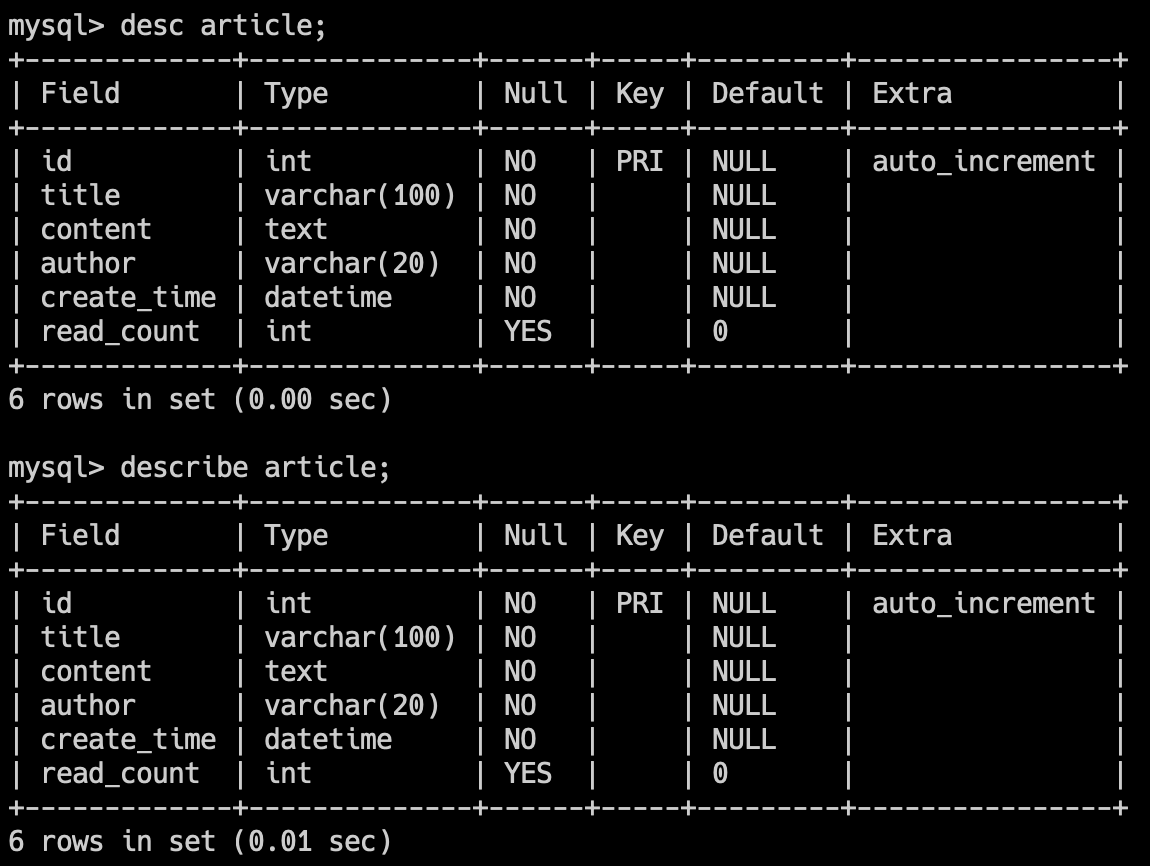
还有一个命令 `show create table 表名;`,可以查看建表语句。
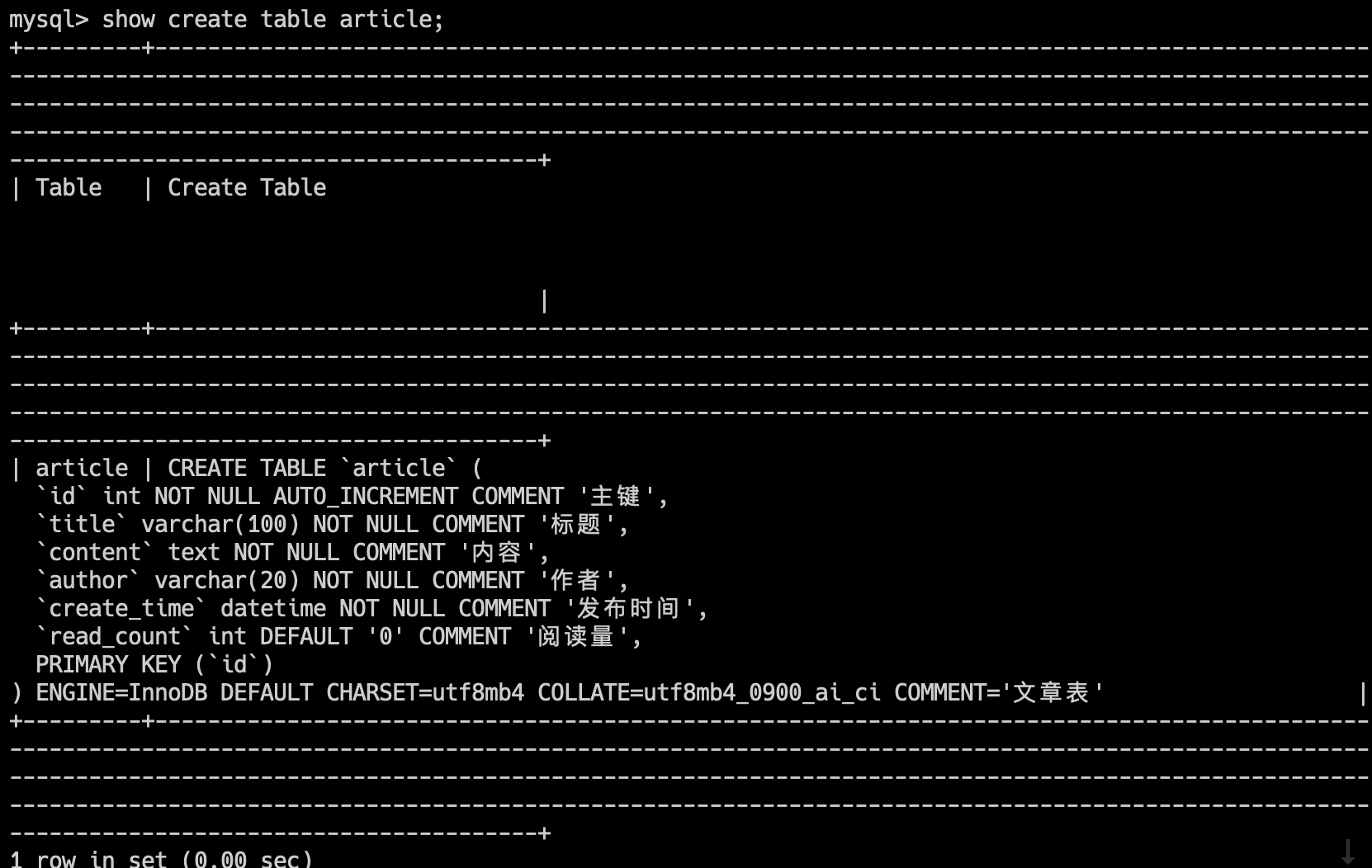
关于[表的数据类型](https://javabetter.cn/mysql/data-type.html),比如说 int、varchar、datetime 等,这些我们会留到后面的章节来讲。
那假如没有使用 `use 数据库名;` 命令指定要操作的数据库,那我们可以通过 `show columns from 数据库名.表名;` 的方式,来查看表的结构,例如:
```sql
show create table itwanger.article;
```
`;` 结尾查询到的信息格式比较乱,可以通过 ` \G` 来格式化输出,例如:
```sql
show create table itwanger.article \G;
```

## 改表
通常来说,创建表之前就要做好充分的设计,尽量增加一些冗余字段来应对未来的需求变更,这样整个程序的改动量是最小的,也不容易出现 bug。
因为改动表的结构,就意味着对应的 SQL 语句要改、程序的逻辑代码要改、测试用例要改,很容易出现遗漏,导致程序出现意料之外的 bug。
所以,该表操作一定要慎重。
但又不能过度设计表,因为过度设计会导致表结构过于复杂,增加了维护成本,而且也不利于后期的扩展。
所以,**改表操作也是一门学问,需要大家在实际工作中慢慢体会**。
### 增加字段
通常来说,增加字段是改表操作中最常见的操作,语法如下:
```sql
alter table 表名 add 列名 数据类型;
```
例如,我们要给 article 表增加一个 `update_time` 字段,类型为 datetime,那么可以这样写:
```sql
alter table article add update_time datetime;
```
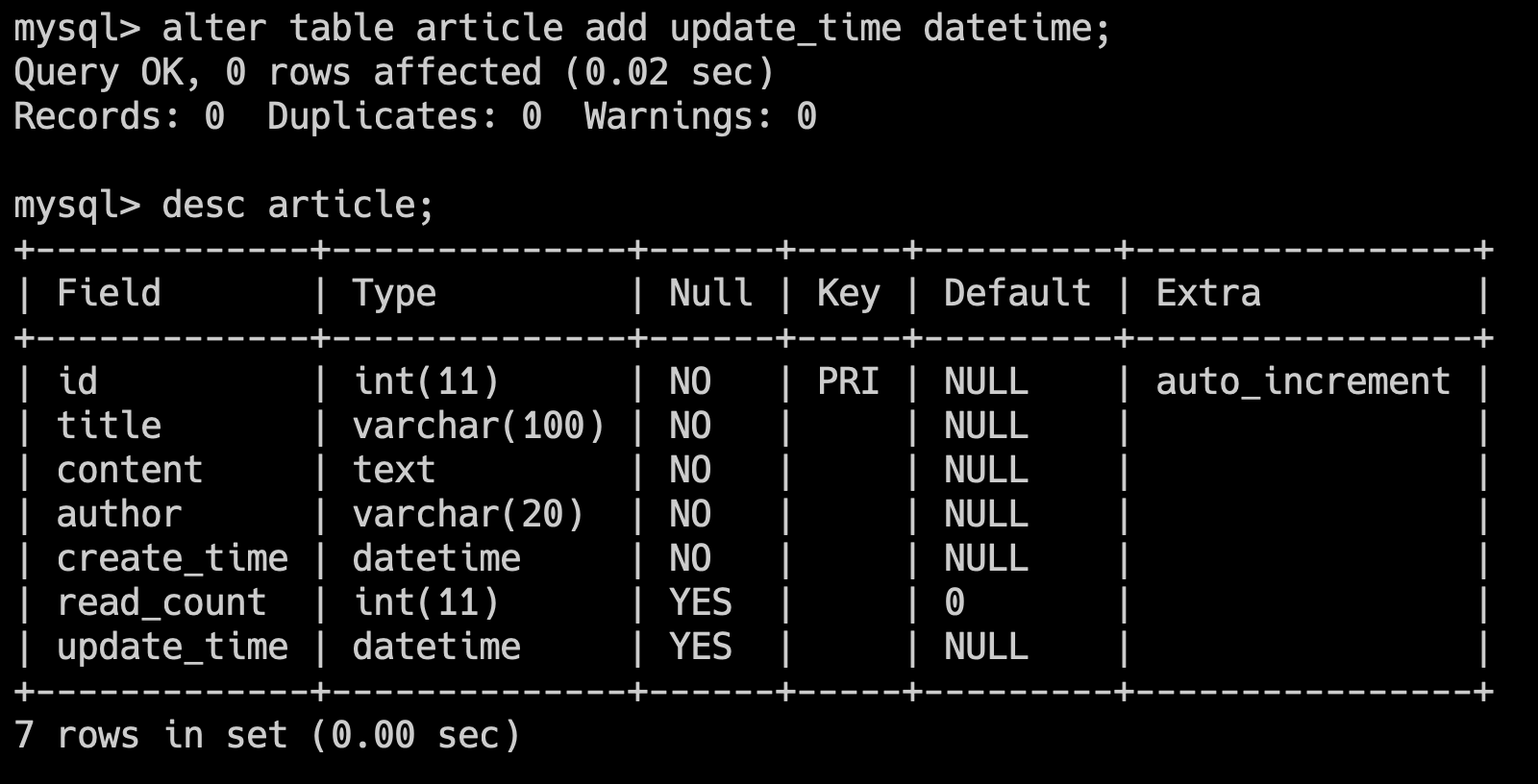
#### 增加字段的位置
在上面的例子中,我们给 article 表增加了一个 `update_time` 字段,但是这个字段是添加到了最后,如果我们想要添加到某个字段的前面,那么可以这样写:
```sql
alter table article add update_time datetime after create_time;
```
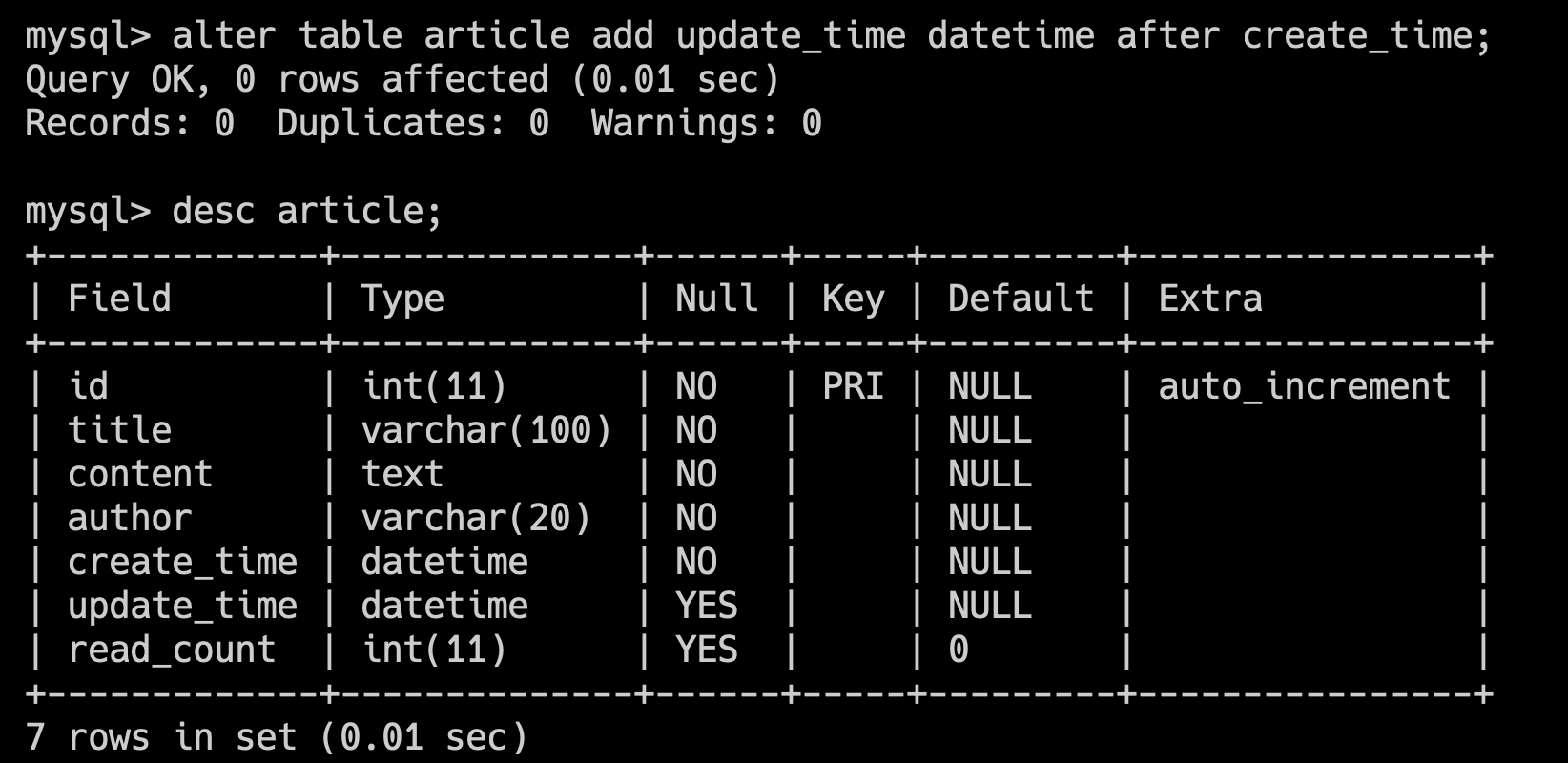
### 删除字段
删除字段的语法如下:
```sql
alter table 表名 drop 列名;
```
例如,我们要删除 article 表中的 `update_time` 字段,那么可以这样写:
```sql
alter table article drop update_time;
```
### 修改字段
修改字段发生的频率其实很低,毕竟设计的时候,都是经过深思熟虑的,但是有时候,也会因为一些原因,需要修改字段,比如说字段类型、字段长度等。
修改字段的语法如下:
```sql
alter table 表名 modify 列名 数据类型;
```
例如,我们要修改 article 表中的 `title` 字段,将类型从 varchar(100) 修改为 varchar(200),那么可以这样写:
```sql
alter table article modify title varchar(200);
```
需要注意的是,如果表中已经存在数据了,那么修改表的时候就要格外注意,比如说原来的 `title` 字段的长度是 100,现在修改为 10,那么就容纳不下原来的数据了,这时候就会报错。
我们留到[数据插入](https://javabetter.cn/mysql/install.html)的时候再来演示。
### 修改字段名
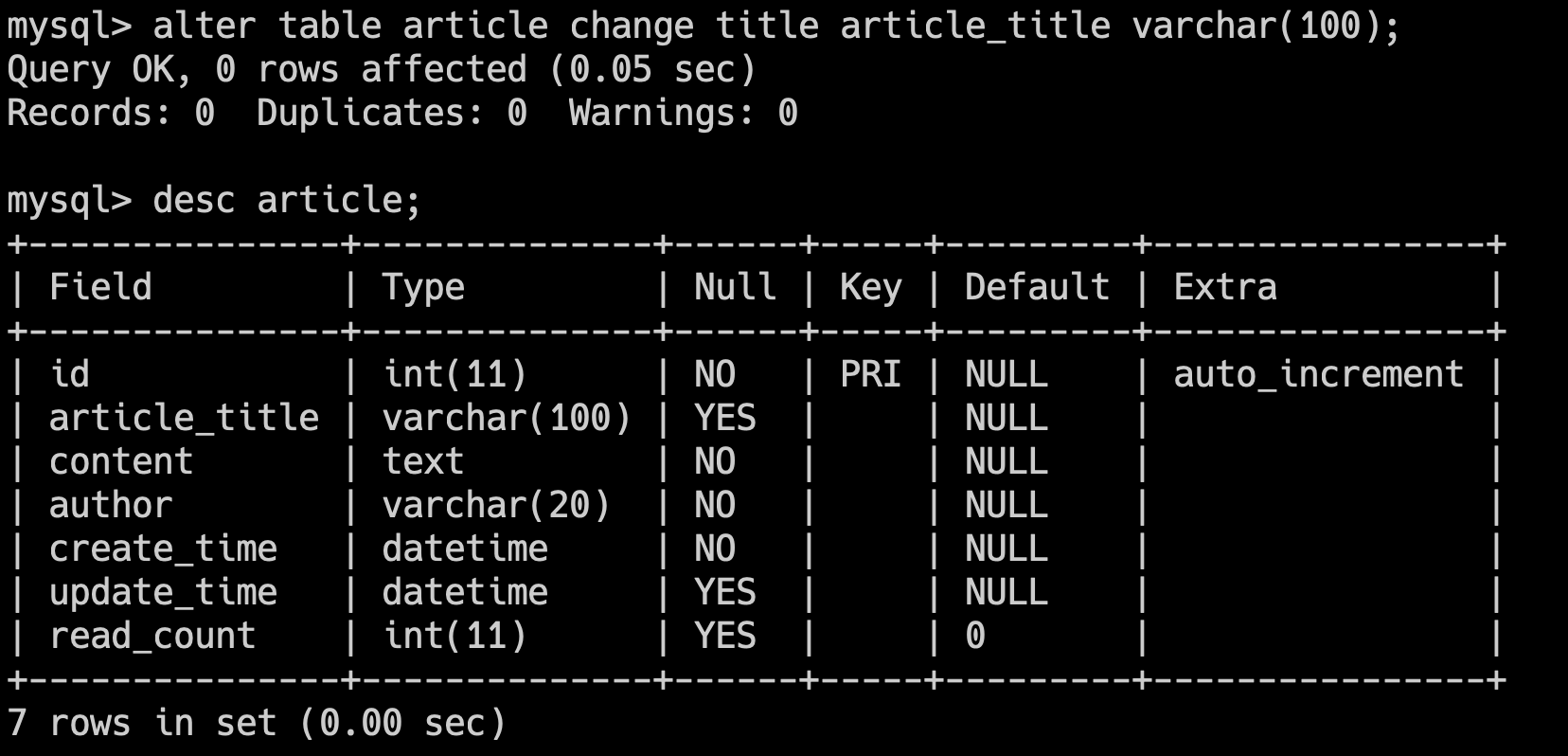
有时候,可能我们设计表字段的时候犯了蠢,字段名起的不太好,这时候就需要修改字段名了。修改字段名的语法如下:
```sql
alter table 表名 change 原列名 新列名 数据类型;
```
例如,我们要修改 article 表中的 `title` 字段名为 `article_title`,那么可以这样写:
```sql
alter table article change title article_title varchar(100);
```
### 修改表名
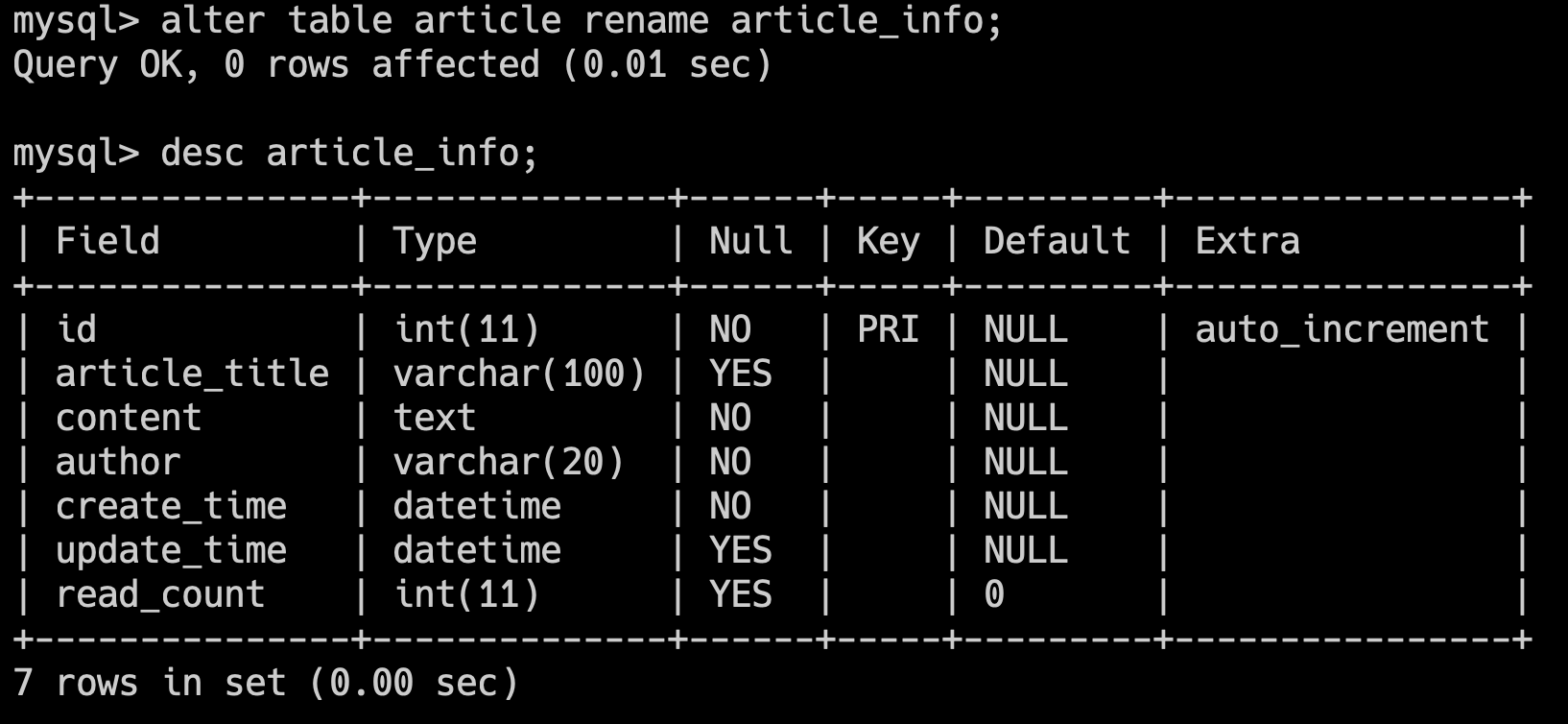
同样的,当我们需要修改表名时,可这么做:
```sql
alter table 原表名 rename 新表名;
```
例如,我们要将 article 表名修改为 article_info,那么可以这样写:
```sql
alter table article rename article_info;
```
## 技术派的表设计
[技术派](https://javabetter.cn/zhishixingqiu/paicoding.html)的库表设计,我们放在了技术派的教程里,大家可以通过这个链接获取技术派实战教程。
[二哥的原创实战项目技术派详细介绍](https://javabetter.cn/zhishixingqiu/paicoding.html)
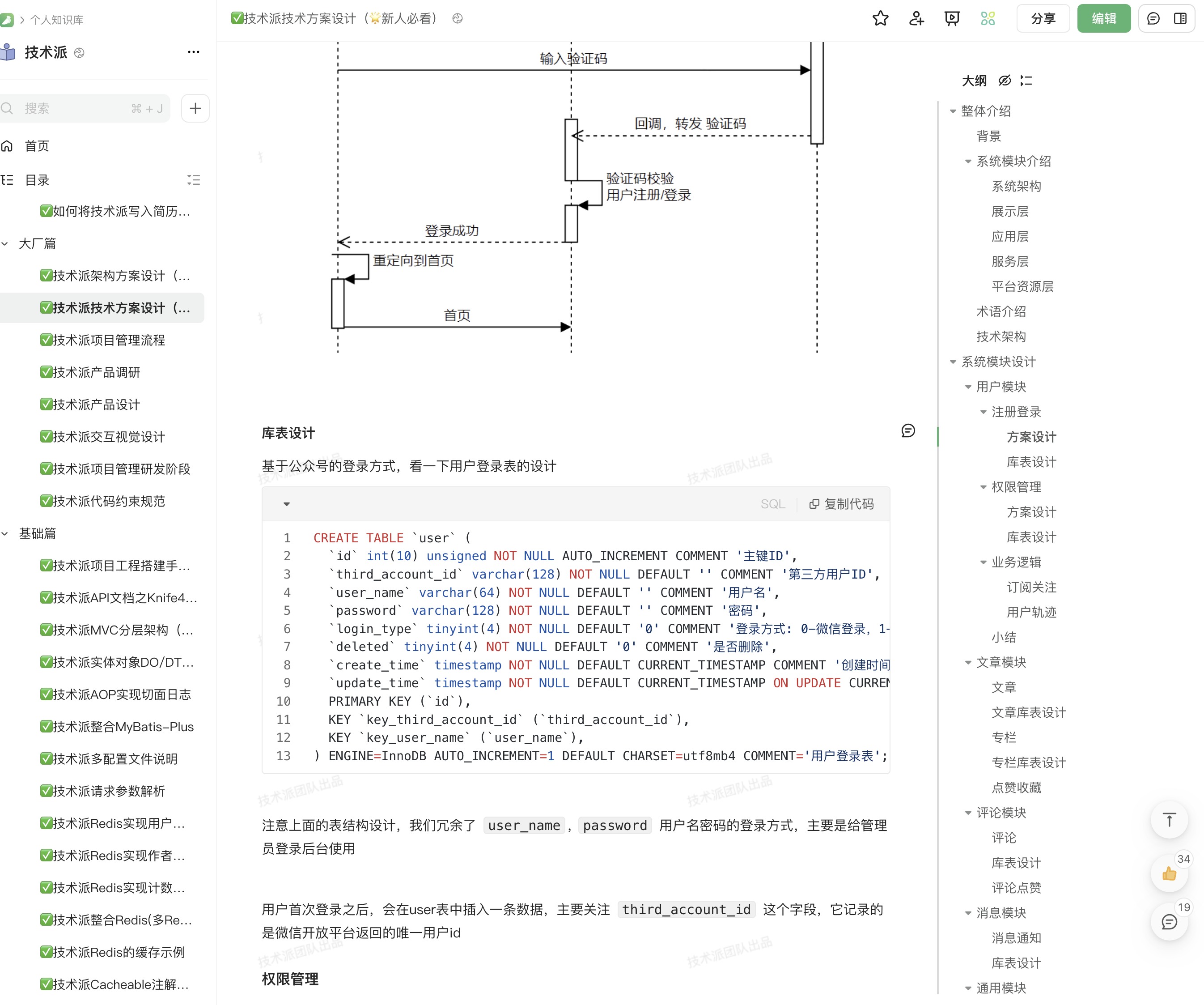
整个库表的设计,首先要先厘清楚业务和需求,然后再进行设计,这样才能做到合理、高效。
### 技术派是如何初始化表的?
技术派的表初始化是借助 Liquibase 来实现的,具体实现的方法我放在了技术派的教程里,大家可以通过这个链接获取技术派实战教程。
[二哥的原创实战项目技术派详细介绍](https://javabetter.cn/zhishixingqiu/paicoding.html)
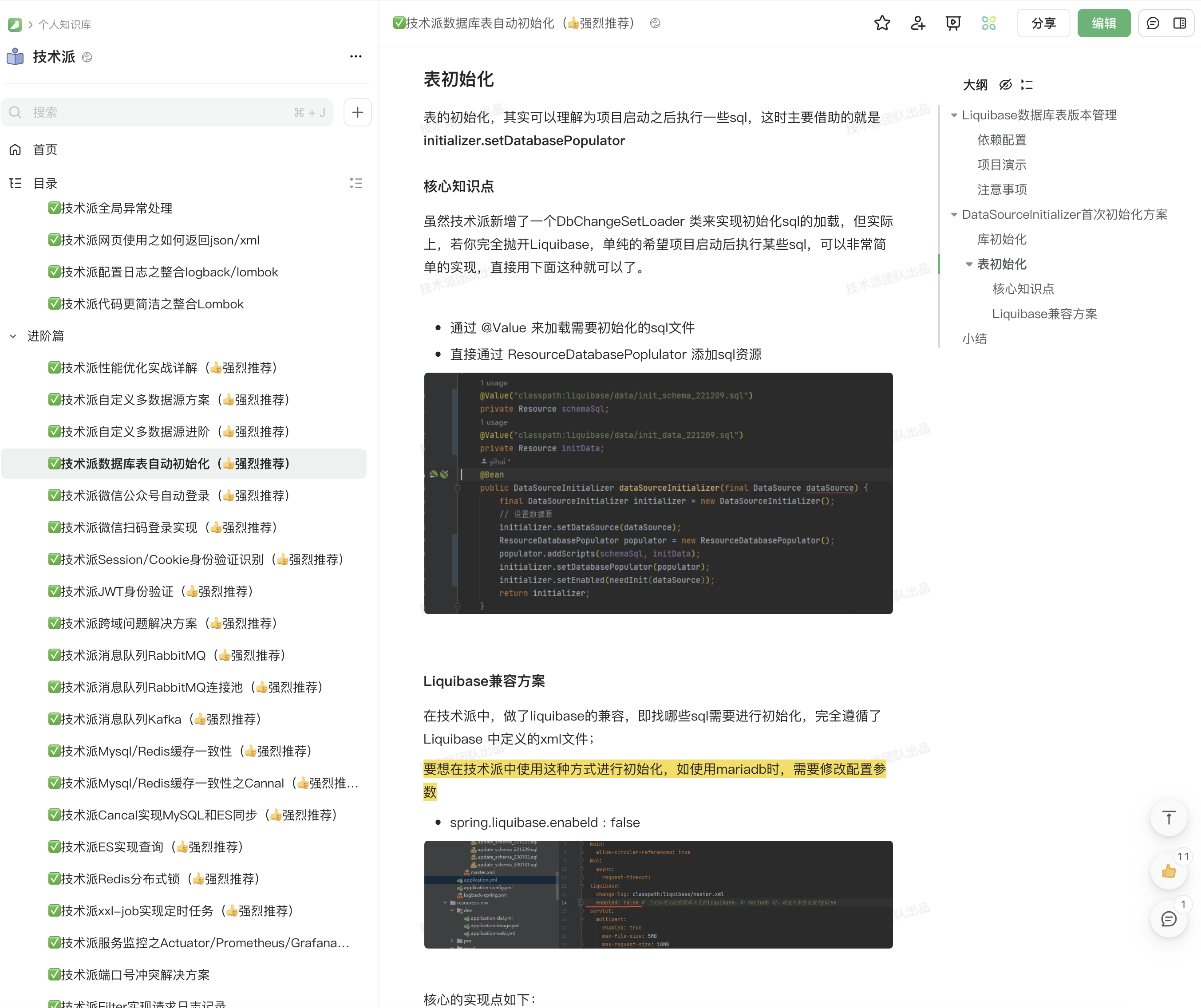
>[Liquibase](https://www.liquibase.org/) 提供了一种结构化和系统化的方法来管理数据库架构的更改。它通过变更日志和变更集来控制数据库的状态变化,确保了数据库架构变更的可追溯性、可重复性和一致性,同时也支持跨团队的协作。适用于持续集成和持续部署的环境。
这里我给大家留两个小的作业:
- 第一,在不使用 liquibase 的情况下,实现表的初始化。
- 第二,借助 liquibase,实现表的初始化。
我这里只介绍第一种方案,第二种方法大家可以移步到技术派的教程中查看。
```java
@Slf4j
public class ForumDataSourceInitializerTest extends BasicTest {
@Value("classpath:liquibase/data/init_schema_221209.sql")
private Resource schemaSql;
@Value("classpath:liquibase/data/init_data_221209.sql")
private Resource initData;
@Test
public void dataSourceInitializer() throws SQLException {
DataSource dataSource = createCustomDataSource();
log.info(dataSource.getConnection().getMetaData().getURL());
final DataSourceInitializer initializer = new DataSourceInitializer();
// 设置数据源
initializer.setDataSource(dataSource);
initializer.setEnabled(true);
final ResourceDatabasePopulator populator = new ResourceDatabasePopulator();
populator.addScript(schemaSql);
populator.addScript(initData);
initializer.setDatabasePopulator(populator);
initializer.afterPropertiesSet();
}
private DataSource createCustomDataSource() {
DriverManagerDataSource dataSource = new DriverManagerDataSource();
dataSource.setDriverClassName("com.mysql.jdbc.Driver");
dataSource.setUrl("jdbc:mysql://localhost:3306/itwanger");
dataSource.setUsername("root");
dataSource.setPassword("123456");
return dataSource;
}
}
```
这里简单解释一下大家可能比较陌生的代码:
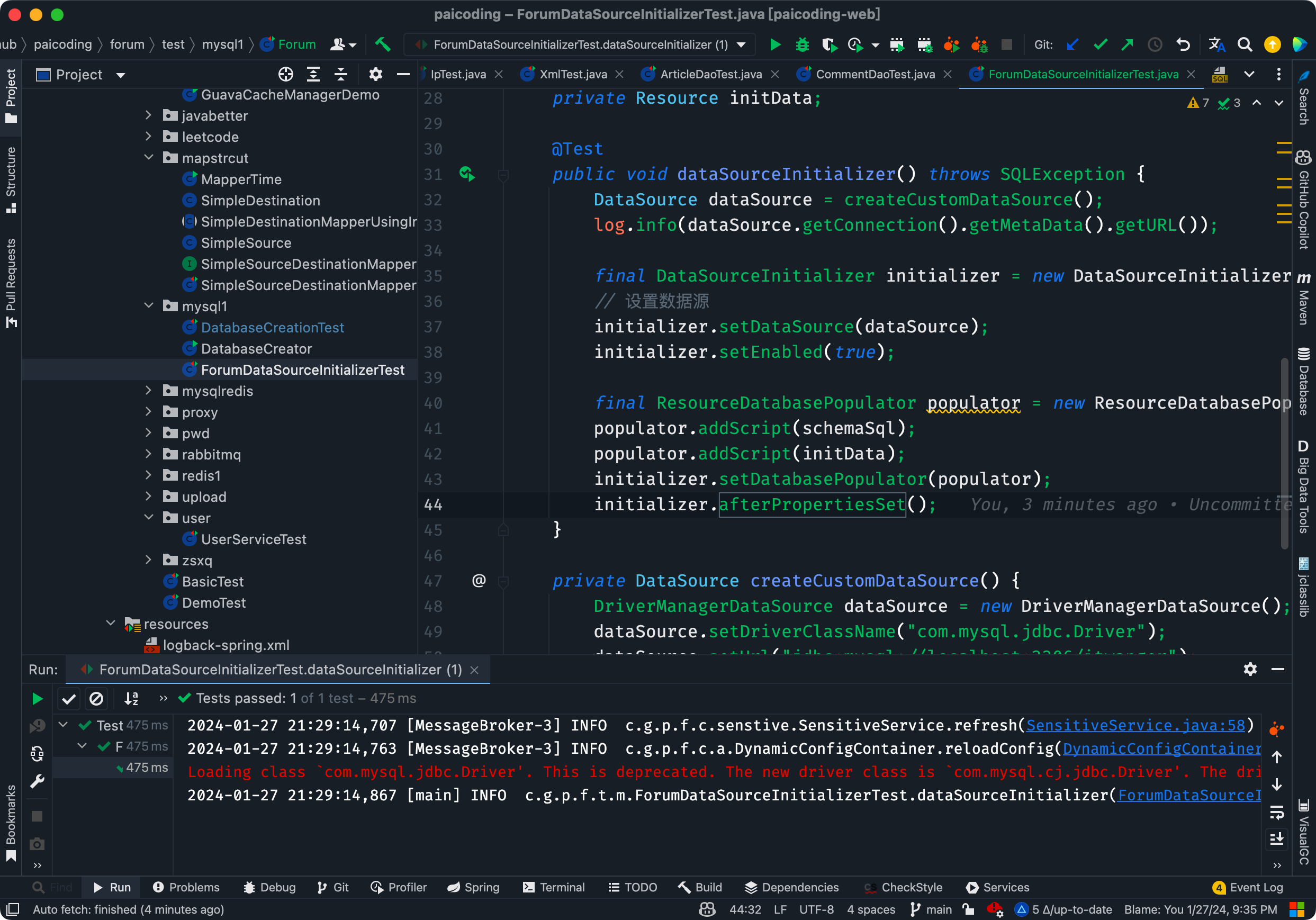
①、通过 `@Value` 注解,将 `init_schema_221209.sql` 和 `init_data_221209.sql` 文件加载到 Resource 对象中。
```java
@Value("classpath:liquibase/data/init_schema_221209.sql")
private Resource schemaSql;
@Value("classpath:liquibase/data/init_data_221209.sql")
private Resource initData;
```
schema.sql 为表结构文件,data.sql 为表数据文件。
②、createCustomDataSource 方法用于创建数据源,这里使用的是 Spring 提供的 DriverManagerDataSource,当然了,也可以使用 DruidDataSource、HikariDataSource 等。
```java
private DataSource createCustomDataSource() {
DriverManagerDataSource dataSource = new DriverManagerDataSource();
dataSource.setDriverClassName("com.mysql.jdbc.Driver");
dataSource.setUrl("jdbc:mysql://localhost:3306/itwanger");
dataSource.setUsername("root");
dataSource.setPassword("123456");
return dataSource;
}
```
③、ResourceDatabasePopulator 是用于填充数据库的工具类,实现了 DatabasePopulator 接口。主要用于执行 SQL 脚本文件,这些文件可以包含创建表、插入数据等 SQL 命令,也就是前面提到的 schema.sql 和 data.sql。
```java
final ResourceDatabasePopulator populator = new ResourceDatabasePopulator();
populator.addScript(schemaSql);
populator.addScript(initData);
```
④、DataSourceInitializer 用于在应用程序启动时自动初始化数据库。通过执行 SQL 脚本来完成这项工作。
```java
final DataSourceInitializer initializer = new DataSourceInitializer();
// 设置数据源
initializer.setDataSource(dataSource);
// 设置是否启用初始化
initializer.setEnabled(true);
// 设置填充数据库的工具类
initializer.setDatabasePopulator(populator);
// 执行初始化
initializer.afterPropertiesSet();
```
执行该测试类后,可以在控制台看到对应的日志信息。
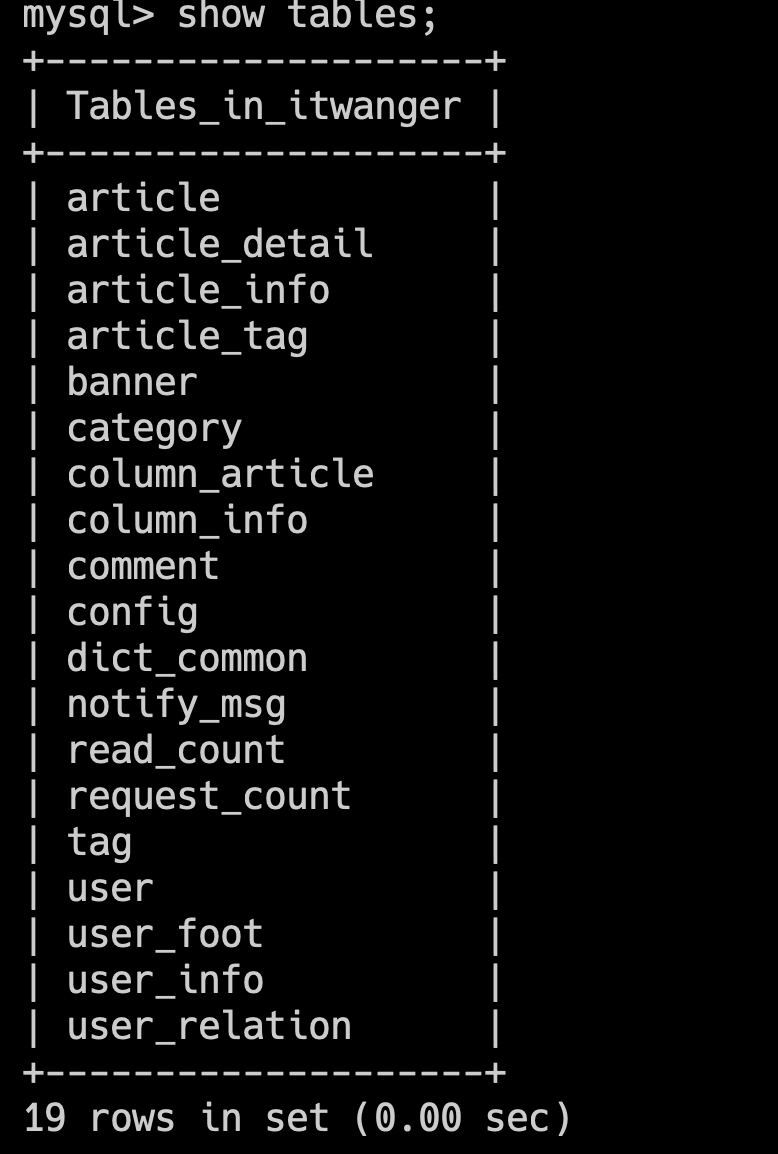
然后通过 `show tables;` 命令,可以看到数据库中已经创建了对应的表。
源码地址:[技术派的表初始化](https://github.com/itwanger/paicoding/blob/main/paicoding-web/src/test/java/com/github/paicoding/forum/test/mysql1/ForumDataSourceInitializerTest.java)
## 小结
本篇我们主要讲解了 MySQL 表的基本操作,包括查表、建表、删表、查看表结构、改表等。
并结合技术派实战项目,讲解了如何在 Spring Boot 中初始化数据表。
希望大家都能动手实现一样,这样才能掌握真正的表增删改查操作。
----
GitHub 上标星 10000+ 的开源知识库《[二哥的 Java 进阶之路](https://github.com/itwanger/toBeBetterJavaer)》第一版 PDF 终于来了!包括Java基础语法、数组&字符串、OOP、集合框架、Java IO、异常处理、Java 新特性、网络编程、NIO、并发编程、JVM等等,共计 32 万余字,500+张手绘图,可以说是通俗易懂、风趣幽默……详情戳:[太赞了,GitHub 上标星 10000+ 的 Java 教程](https://javabetter.cn/overview/)
微信搜 **沉默王二** 或扫描下方二维码关注二哥的原创公众号沉默王二,回复 **222** 即可免费领取。
