(Assumes that you use Ubuntu)
- Install git with
sudo apt updateandsudo apt install git - Download Visual Studio Code with
sudo snap install --classic code - Add the GitHub Pull Requests and Issues-Extension
- In VS Code, in the extension, sign in using your GitHub account
- Click on "Clone Repository" and paste the following link: https://github.com/DTenore/CD_HS21_Shared.git
- Choose local folder where you want to have your local copy
- Update local repo with
git pull origin main - Create a working branch with
git checkout -b MyNewBranch - Make changes on branch and stage & commit them in the Source Control
- Upload changes with
git push origin MyNewBranch
- After you commited locally, in the GitHub Pull Requests and Issues-Extension click on the Create Pull Request Icon
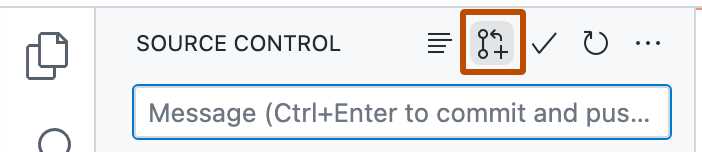
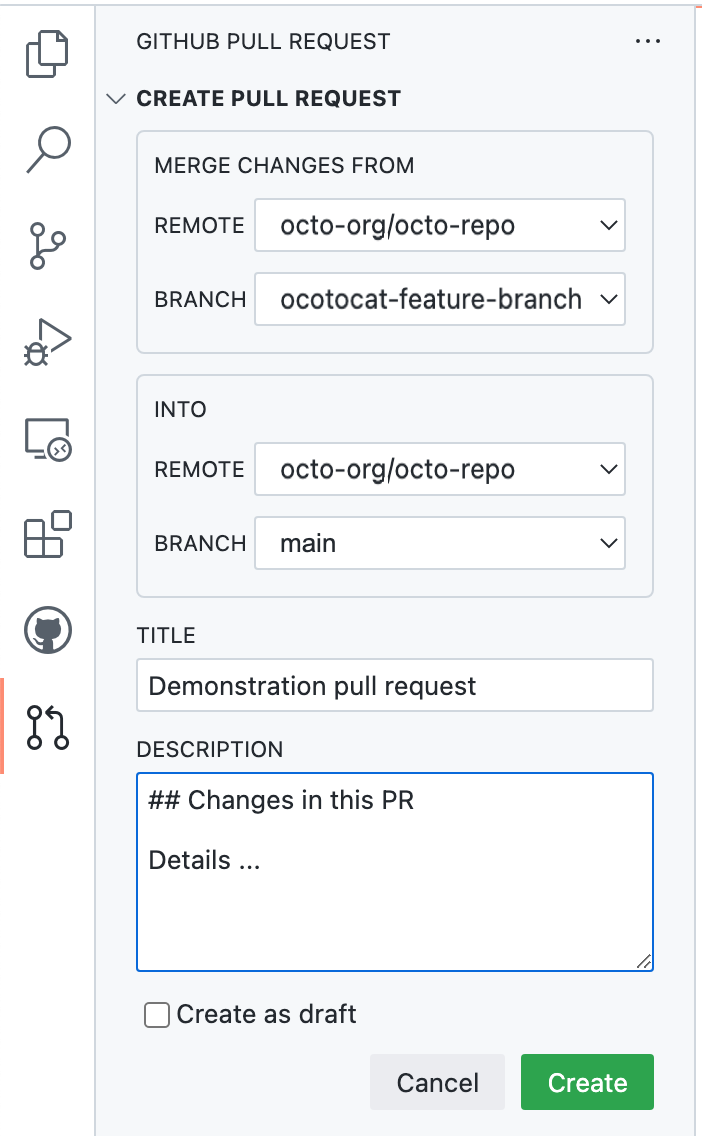
rm .git/<unresolved reference>git fetchgit pull origin <Branch>