Deep-dive answers for developers, power users, and anyone who wants to get the most out of the Google Maps Extractor. For the core "get customers" guide, see the main README.
If you are a developer and need to get results programmatically, we offer a dedicated Google Maps Extractor API. It's perfect for integrating Google Maps data directly into your applications or running automated jobs on virtual machines.
The API includes all the features of our pro desktop app, including Unlimited searches and Unlimited devices, plus additional benefits:
- REST API interface
- Detailed documentation for AWS VM installation
The API is available, and you can try it free at Google Maps Extractor API.
We used Botasaurus Desktop, which powers the Google Maps Extractor.
Botasaurus is a web scraping framework that makes life a lot easier for web scrapers.
It handled the hardest parts of our extractor, such as:
- Building a desktop app for Windows, Mac, and Linux.
- Creating a fantastic UI dashboard with task management features.
- Sorting, filtering, and exporting data as CSV, JSON, Excel, etc.
- Caching, parallel, and asynchronous scraping.
If you're a web scraper, I really recommend learning about Botasaurus Desktop here.
Learning Botasaurus Desktop takes about 25 minutes. If you do web scraping, it can save you thousands of hours over your career.

-
TripAdvisor Scraper: Tripadvisor is the best platform if your target is to find restaurants/hotels. It gives websites + email addresses of the businesses. Try it for free here.
-
Discover more tools: Visit omkar.cloud/tools to explore additional tools. All have free plans available.
There are 5 kinds of search strategies:
- Fast (Default)
- Fastest
- Detailed
- By Zoom Level (15, 16, 17, 18)
- By Geolocation
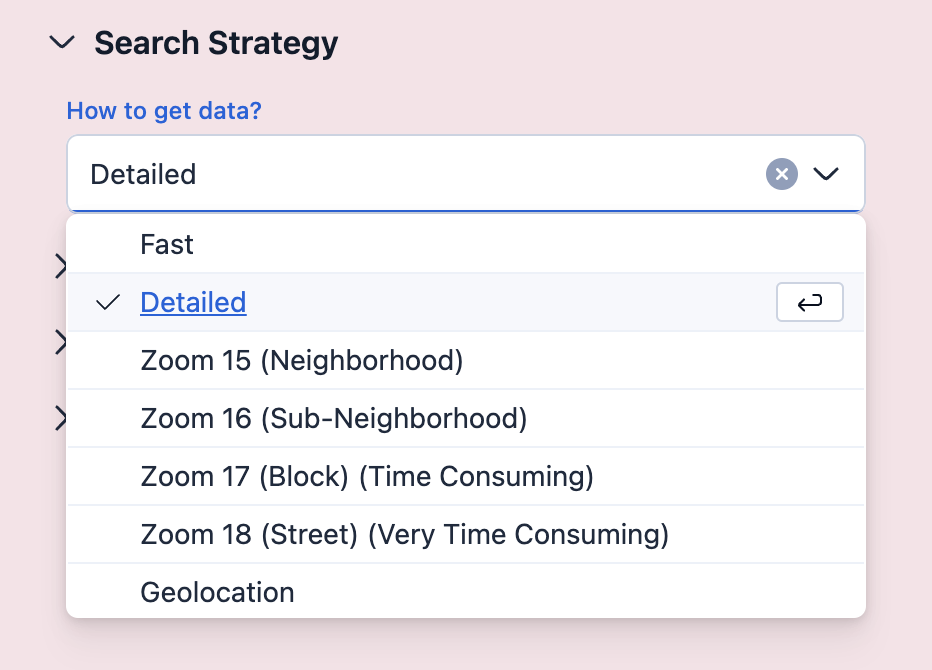
Let's see when to use which strategy:
Fast (Default):
- Returns 120–1600 results per city.
- Completes in 1–10 minutes per city.
- When to use:
- Best for country-level extraction (completes in 1–2 days).
Fastest:
- Slightly faster than Fast mode (~30 seconds per city), but returns ~30–40 fewer results.
- When to use:
- When speed is the top priority and a small reduction in results is acceptable.
Detailed:
- Returns more results than Fast mode, but takes significantly longer.
- When to use:
- Best for single-city or state level extraction where thoroughness matters.
- When not to use:
- Not recommended for country-level extraction due to high time requirements.
- Tip: Set "Max Results" to 1000 per city, otherwise large cities like New York can take 2+ hours.
By Zoom Level (15, 16, 17, 18):
- Various Zoom Level sizes are given below:
- Zoom 15: Neighborhood Level
- Zoom 16: Sub-Neighborhood Level
- Zoom 17: Block Level (Time consuming)
- Zoom 18: Street Level (Very time consuming)
- When to use:
- When you want the absolute highest results. Use Zoom 18. It can take 3-4 hours, but you will have thousands of results for big cities like New York City.
- When not to use:
- Not recommended for country level extraction. It can take 3-4 hours for a single city.
By Geolocation:
- Search a specific latitude/longitude or inside a polygon.
- When to use:
- Getting results that are only in a specific area, but not outside it.
The Geolocation search strategy lets you search for businesses in a specific area of a city. Good for businesses in a specific area, but not outside it.
Real-World Example: Web Developer Targeting Restaurants
Suppose you are a web developer, specializing in making websites for restaurants. Here's a strategy to get customers:
- Find restaurants in a specific neighborhood — e.g., Chinatown, San Francisco.
- Study top restaurants — Identify what successful Chinatown restaurants are doing that drives more customers to them.
- Personalize your pitch — When you contact owners, you can:
- Highlight specific tactics their nearby competitors are using on their website to attract more customers
- Suggest improvements based on what's working for their competitors
Why this works: Business owners are interested in what their local competitors are doing. This approach helps you come across as knowledgeable about their market.
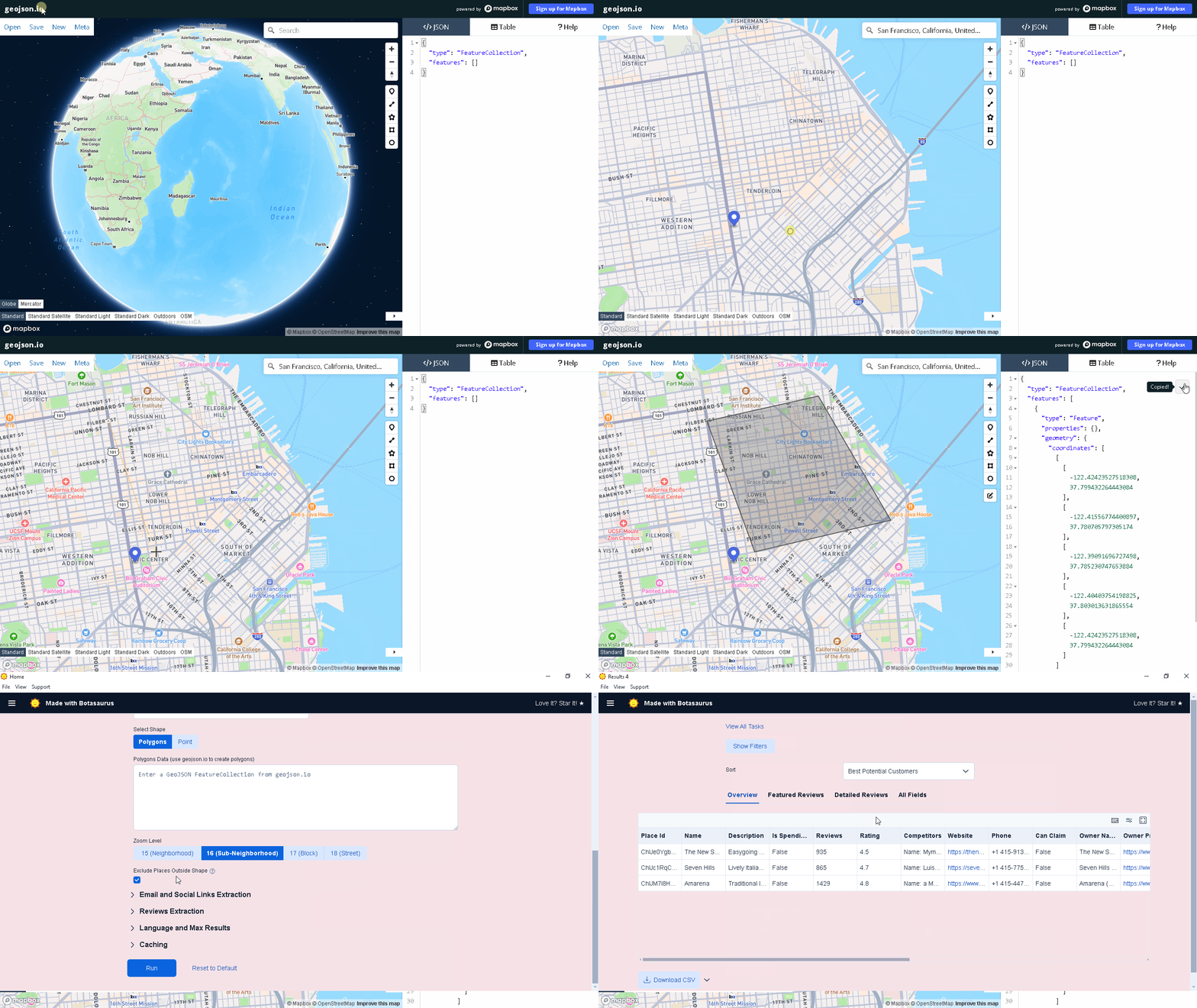
- Visit geojson.io
- Search for your desired city or neighborhood (e.g., "San Francisco")
- Draw the search area using the polygon/circle tool
Tips:
- Press Enter to save your drawing.
- Left Click on drawing to delete it.
- Draw as many shapes as needed to cover your area
- Copy and paste the GeoJSON from geojson.io into the text area of Polygons Data.
- Press Run to start the task.
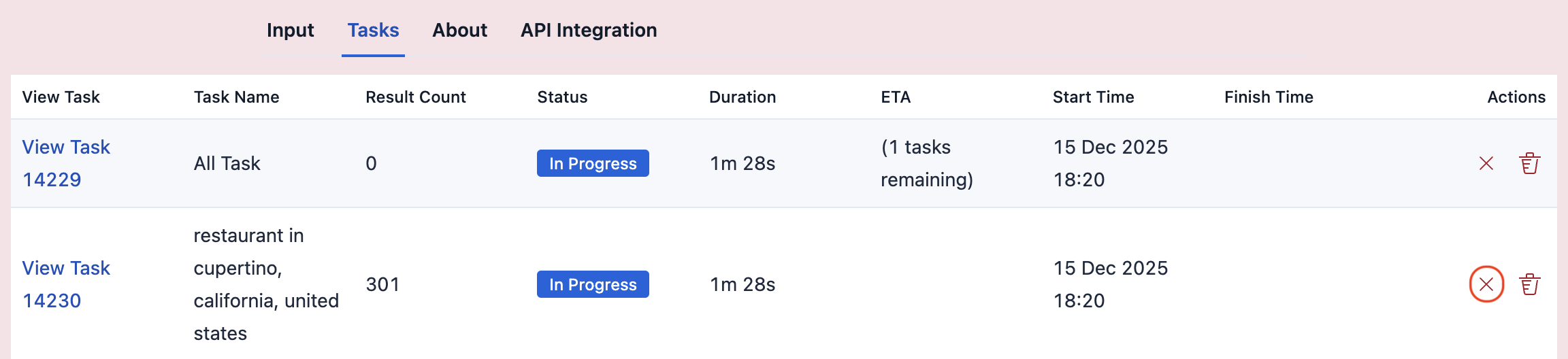
Click on the Abort Icon to abort the task.
Note:
- Aborting an All Task will abort its child tasks.
- If you close the application while a child task is in progress:
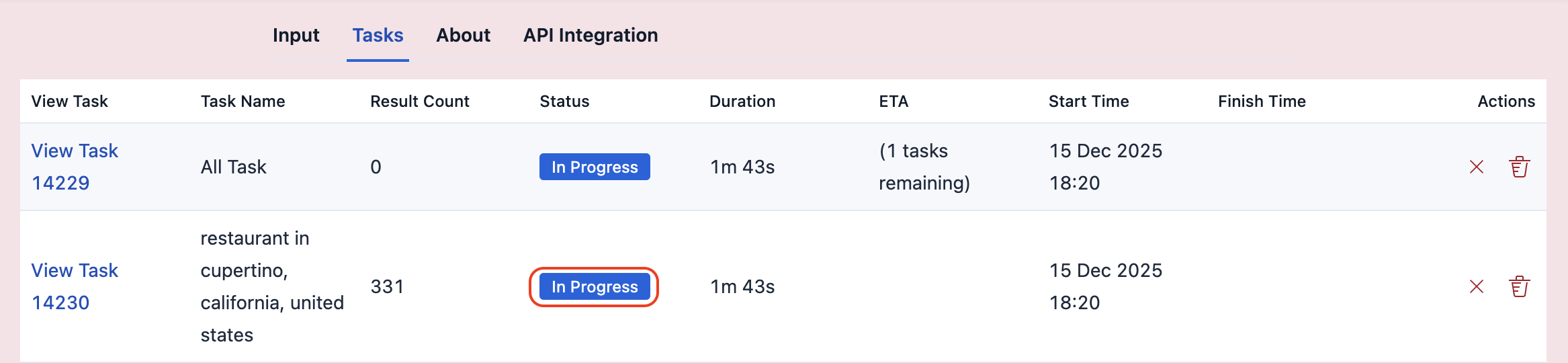
That in-progress task will lose all progress and start from 0 when you reopen the app.
Use the Country Level Data feature, with default Search Strategy "Fast".
It can take 2-3 days to complete for countries with tens of thousands of cities, like the US.
Important: Don't use Zoom 18 for country-level data—it would take 20-30 days.
The free version allows 200 searches per month. For unlimited searches, consider upgrading to the Pro Version:
-
Unlimited searches with a one-time purchase.
-
50+ data points extracted in real-time. Click to see all
- PLACE_ID
- KGMID (Knowledge Graph Machine ID) - unique id for each business on Google Maps. PLACE_ID can be null, but KGMID can never be null. Use this as the unique identifier.
- CID
- DATA_ID
- NAME
- DESCRIPTION
- LINK
- MAIN_CATEGORY
- CATEGORIES
- WEBSITE
- PHONE
- PHONE_INTERNATIONAL
- ADDRESS
- DETAILED_ADDRESS
- COORDINATES
- PLUS_CODE
- TIME_ZONE
- RATING
- REVIEWS
- REVIEWS_PER_RATING
- REVIEWS_LINK
- REVIEW_KEYWORDS
- FEATURED_REVIEWS
- YOUTUBE
- GITHUB
- SNAPCHAT
- TIKTOK
- OWNER
- OWNER_POSTS
- CAN_CLAIM
- IS_SPENDING_ON_ADS
- STATUS
- IS_TEMPORARILY_CLOSED
- IS_PERMANENTLY_CLOSED
- FEATURED_IMAGE
- FEATURED_IMAGES
- IMAGE_COUNT
- IMAGES
- WORKDAY_TIMING
- CLOSED_ON
- HOURS
- MOST_POPULAR_TIMES
- POPULAR_TIMES
- MENU
- RESERVATIONS
- ORDER_ONLINE_LINKS
- PRICE_RANGE
- ABOUT
- ON_SITE_PLACES
- GAS_PRICES
- CUSTOMER_UPDATES
- FEATURED_QUESTION
- COMPETITORS
- LOCATION_SUMMARY
- IS_RENTAL [Determines if the place is a rental or a normal business]
- PLACE_ID
- KGMID (Knowledge Graph Machine ID) - unique id for each business on Google Maps. PLACE_ID can be null, but KGMID can never be null. Use this as the unique identifier.- CID
- DATA_ID
- NAME
- DESCRIPTION
- LINK
- MAIN_CATEGORY
- CATEGORIES
- HOTEL_STARS
- PRICE
- WEBSITE
- PHONE
- PHONE_INTERNATIONAL
- ADDRESS
- DETAILED_ADDRESS
- COORDINATES
- PLUS_CODE
- TIME_ZONE
- RATING
- REVIEWS
- REVIEWS_PER_RATING
- REVIEWS_LINK
- REVIEW_KEYWORDS
- FEATURED_REVIEWS
- FEATURED_PARTNER_REVIEWS
- YOUTUBE
- GITHUB
- SNAPCHAT
- TIKTOK
- OWNER
- OWNER_POSTS
- CAN_CLAIM
- IS_SPENDING_ON_ADS
- STATUS
- IS_TEMPORARILY_CLOSED
- IS_PERMANENTLY_CLOSED
- FEATURED_IMAGE
- FEATURED_IMAGES
- IMAGE_COUNT
- IMAGES
- SLEEPS
- BEDROOMS
- BEDS
- BATHROOMS
- MIN_NIGHTS
- AMENITIES
- CHECKIN_DATE
- CHECKOUT_DATE
- CHECKIN_TIME
- CHECKOUT_TIME
- BOOKING_PLATFORMS
- ADDITIONAL_RESULTS_FROM_WEB
- ABOUT
- ON_SITE_PLACES
- CUSTOMER_UPDATES
- FEATURED_QUESTION
- COMPETITORS
- LOCATION_SUMMARY
- NEARBY_RENTALS
- NEARBY_HOTELS
-
One-time payment with lifetime updates and WhatsApp support.
-
Best of all? Zero risk, as we offer a generous 90-day, no-questions-asked refund guarantee.
Get the pro version, only when you exceed the free plan limit of 200 searches per month, because why pay when you don't need to, by following these steps:
-
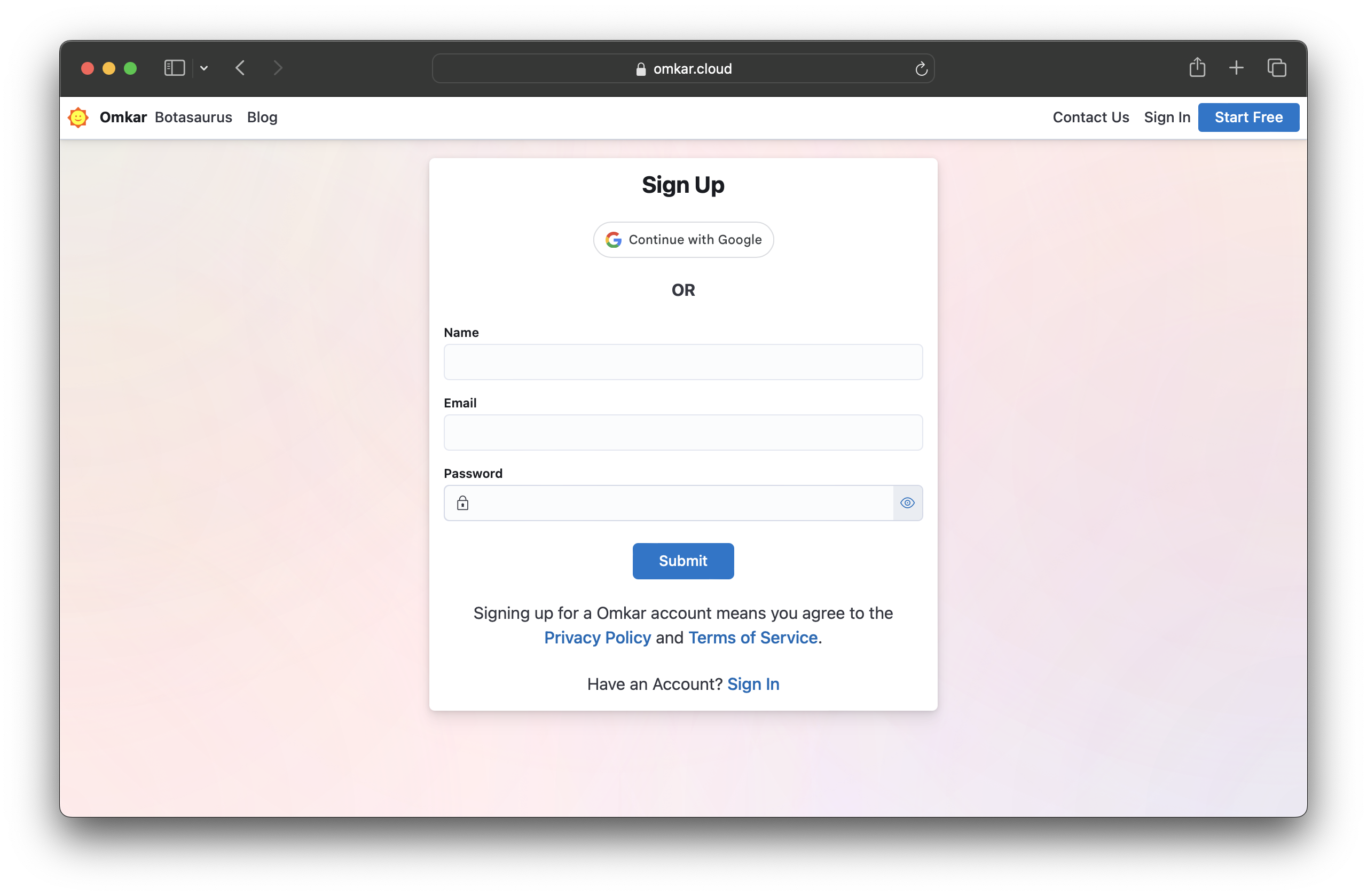
Create an account on Omkar Cloud by visiting this link.
-
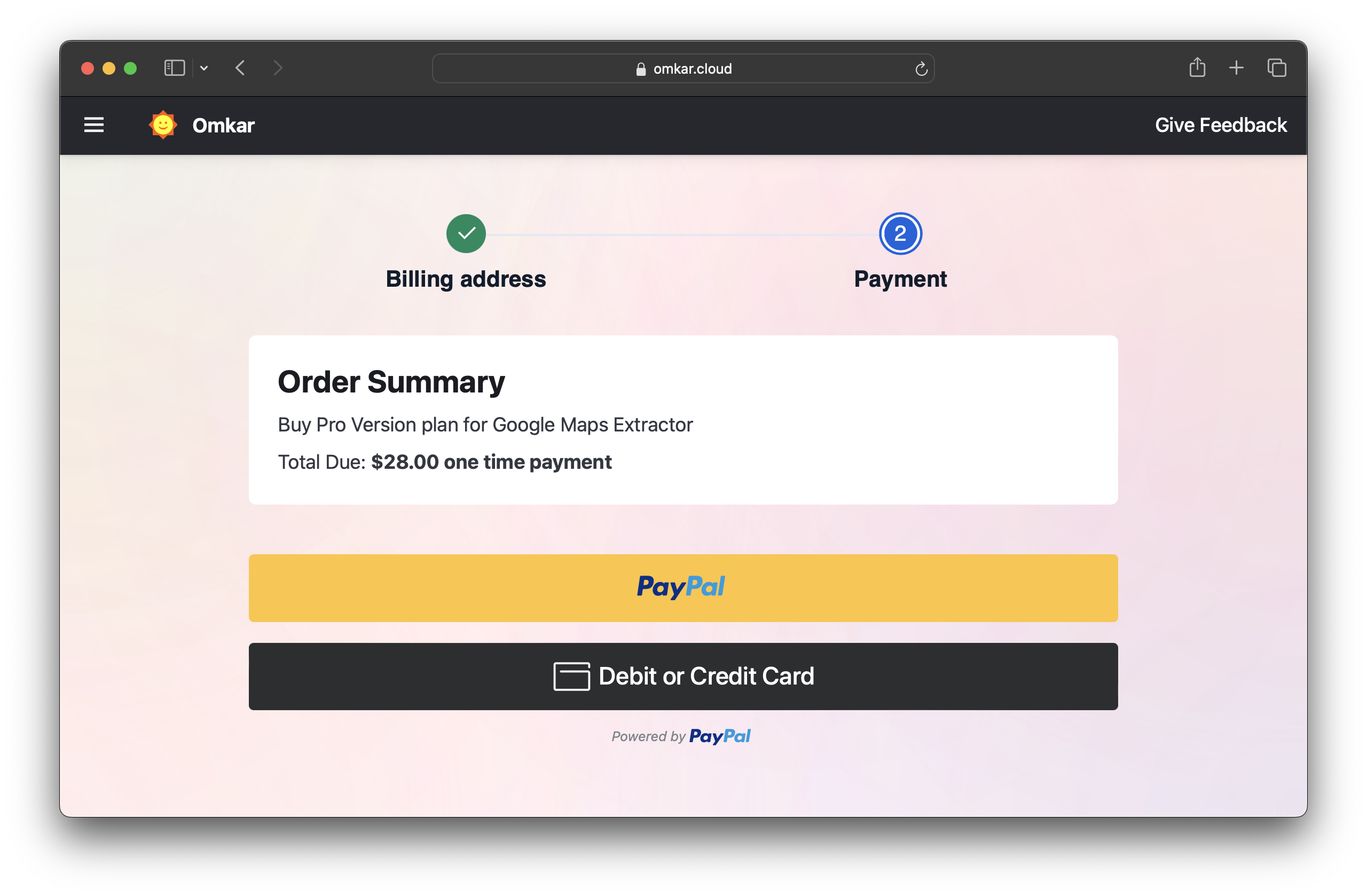
Go to the Google Maps Extractor Pricing Page and make a one-time payment using PayPal or a credit/debit card.
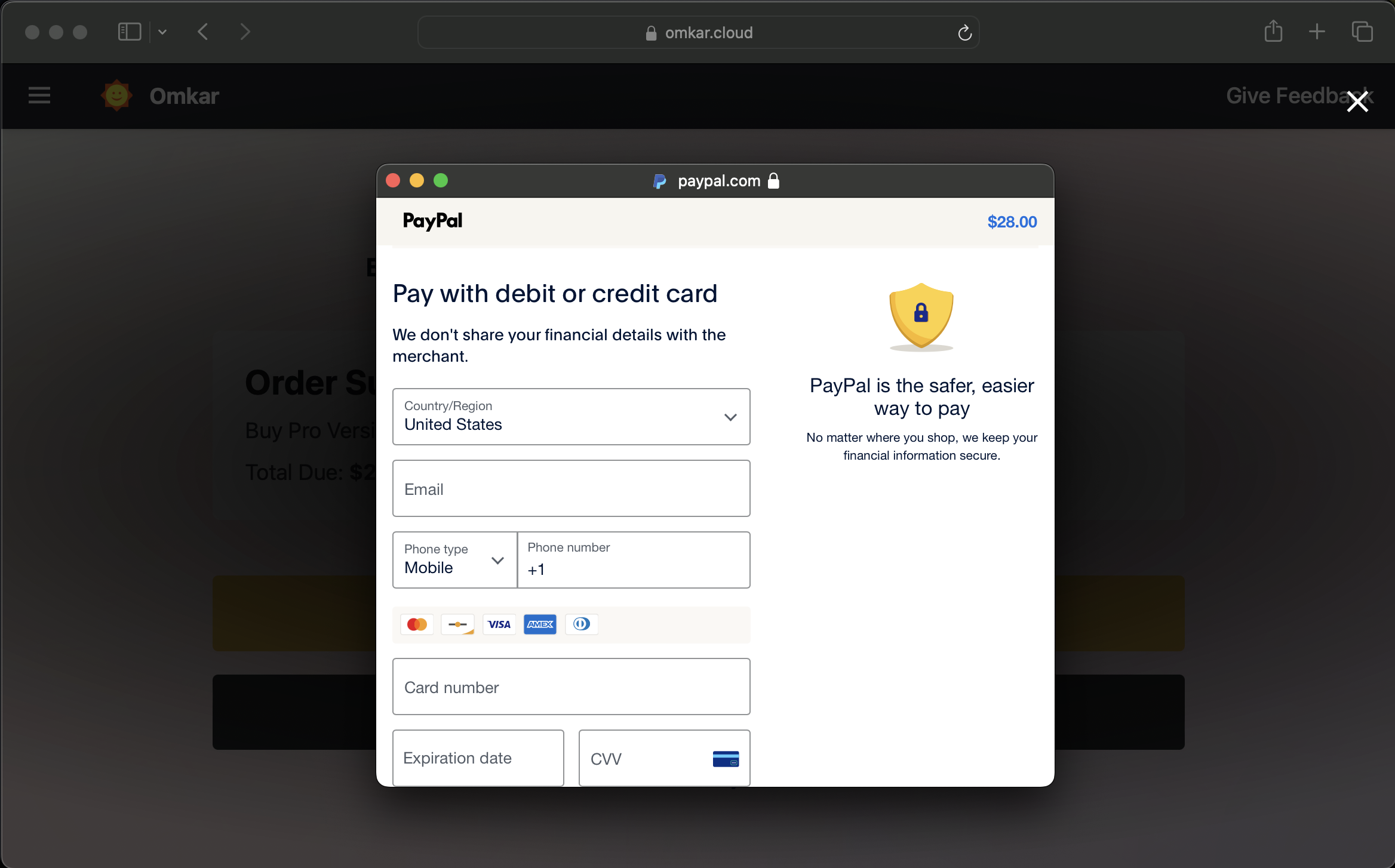
Note: Your payment details are handled exclusively by PayPal using industry-standard encryption. We have zero access to your card information — it's never shared with or stored on our systems.
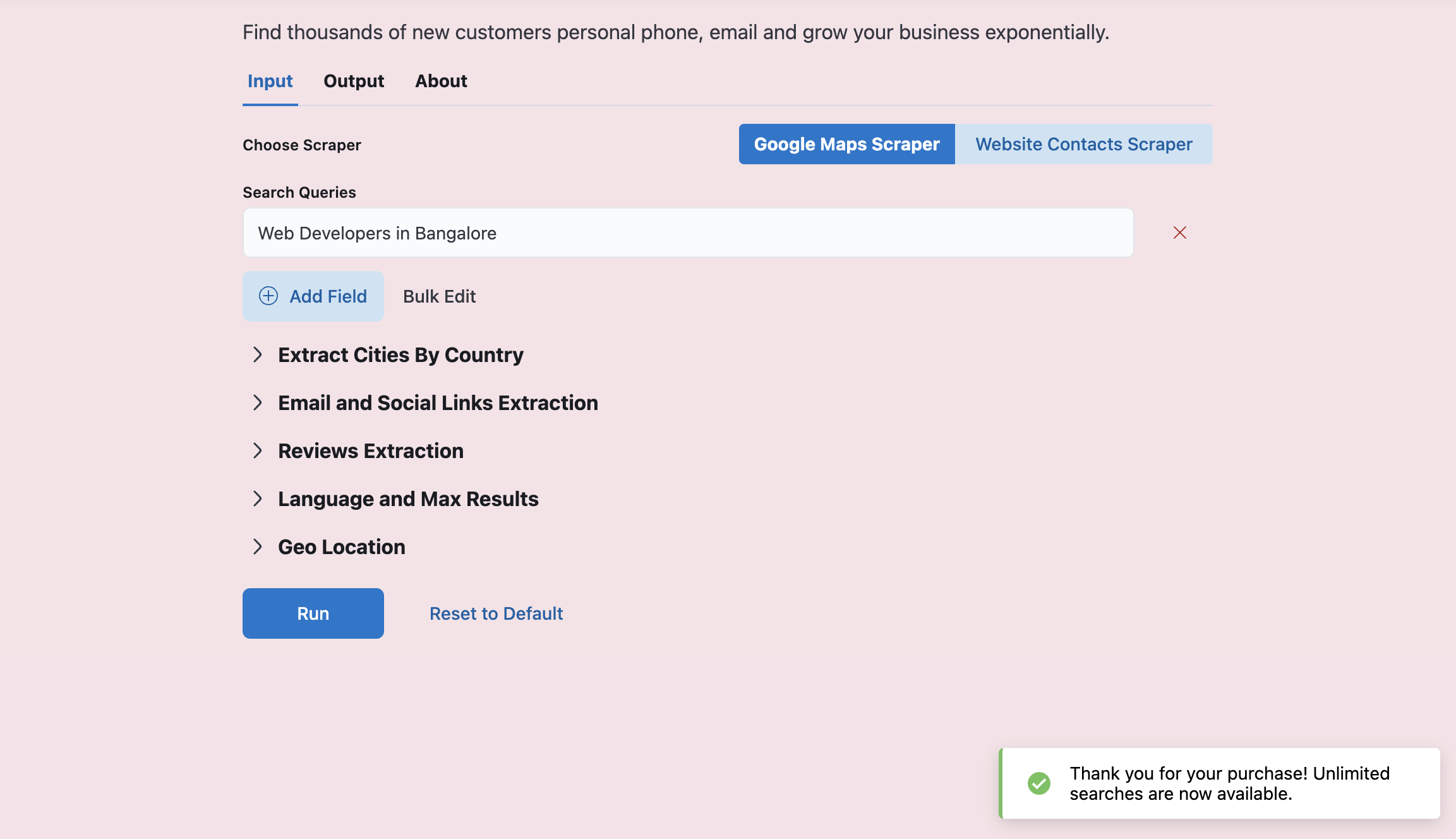
After payment, you'll see a link. Visiting the link will activate the Pro Version for a lifetime.
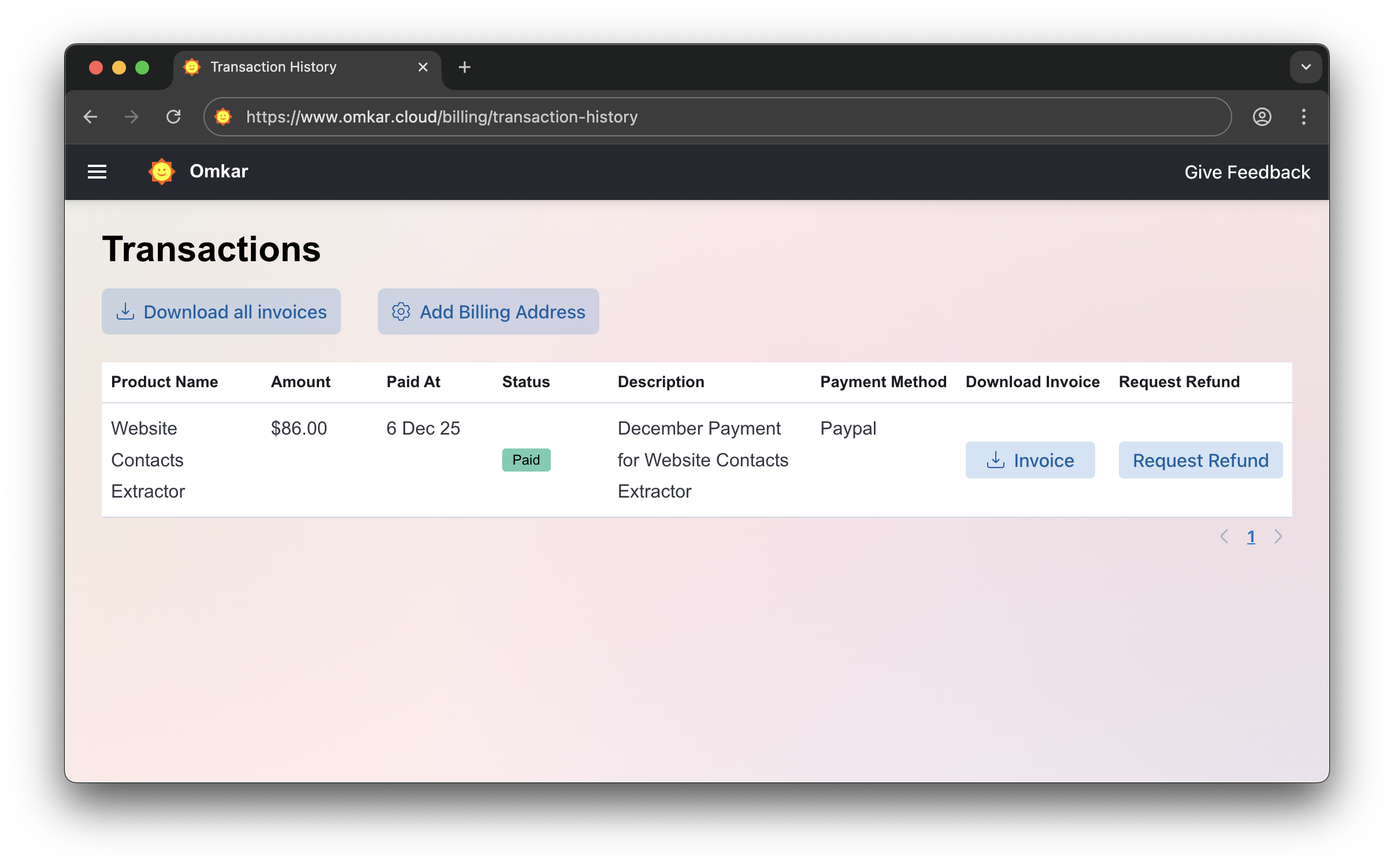
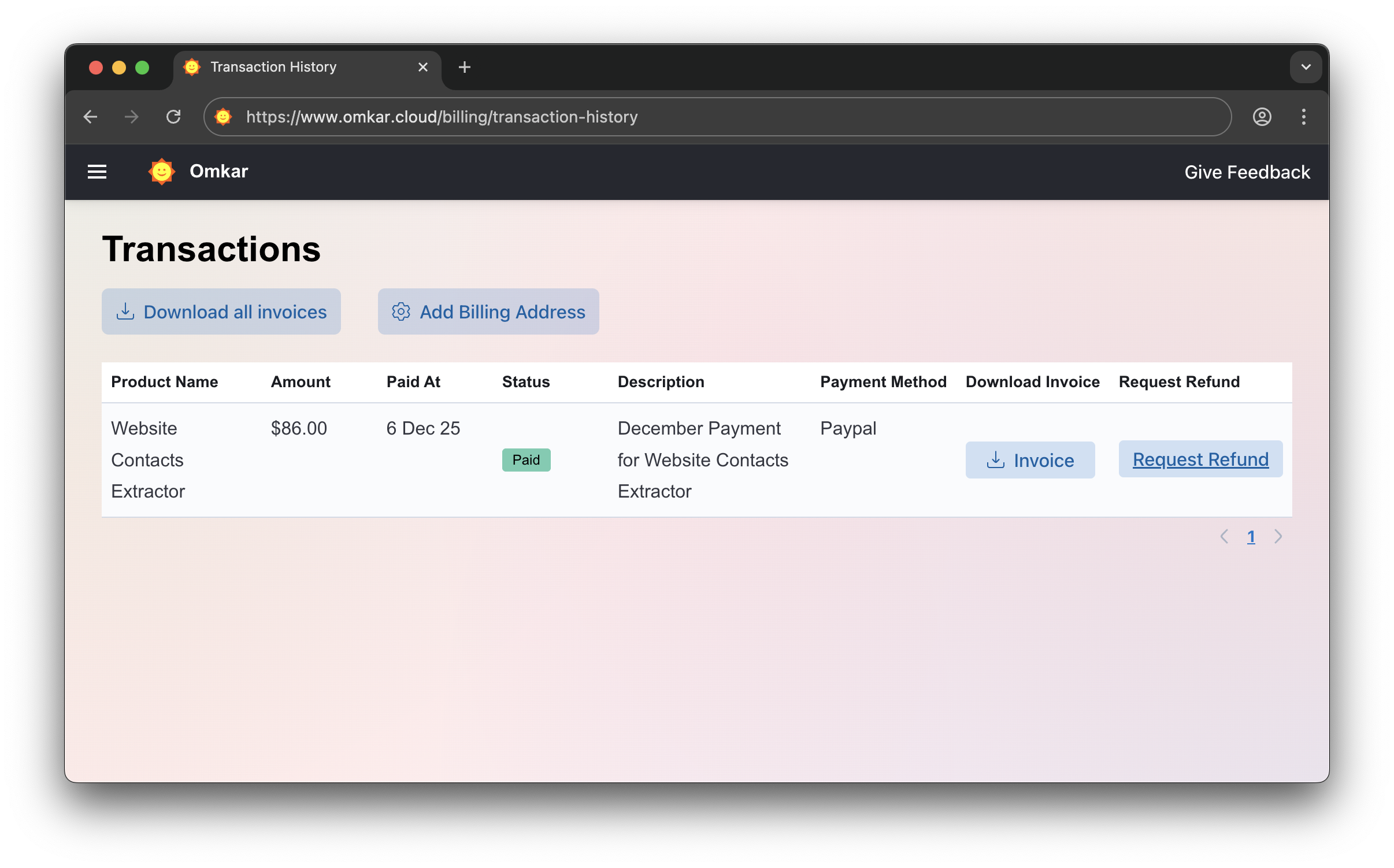
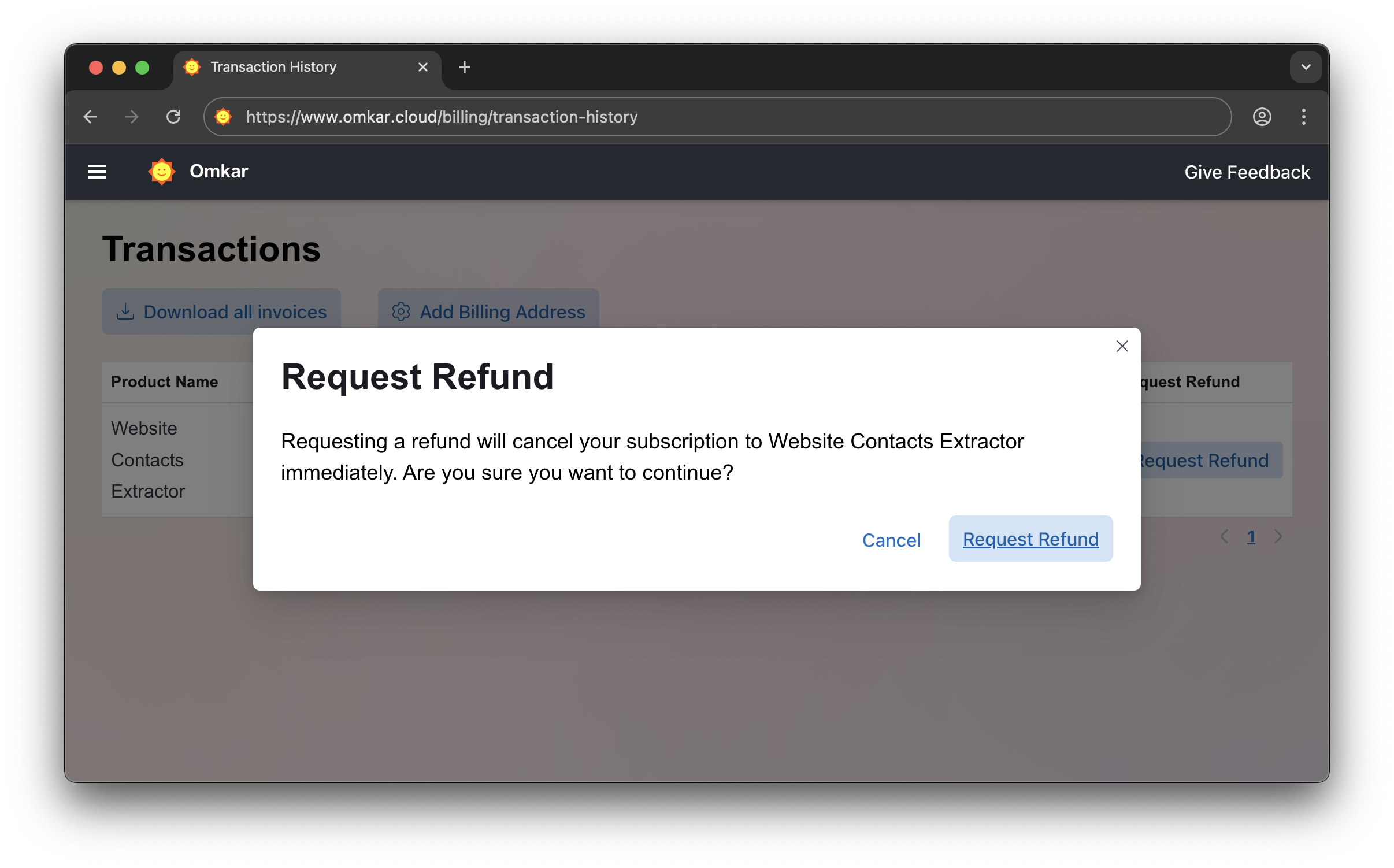
We offer a 90-day refund guarantee. If the product doesn't meet your needs within that time, you can request a refund through a simple 2-click process. Follow these steps:
-
Go to Transactions Page
-
Click "Request Refund"
-
Confirm by clicking Request Refund again. Amount will be refunded in 1-2 business days. We'll email you updates.
No emails. No explanations. Simple 2-click process.
Is there a catch? No catch. It is a simple 2-click process, exactly as described above.
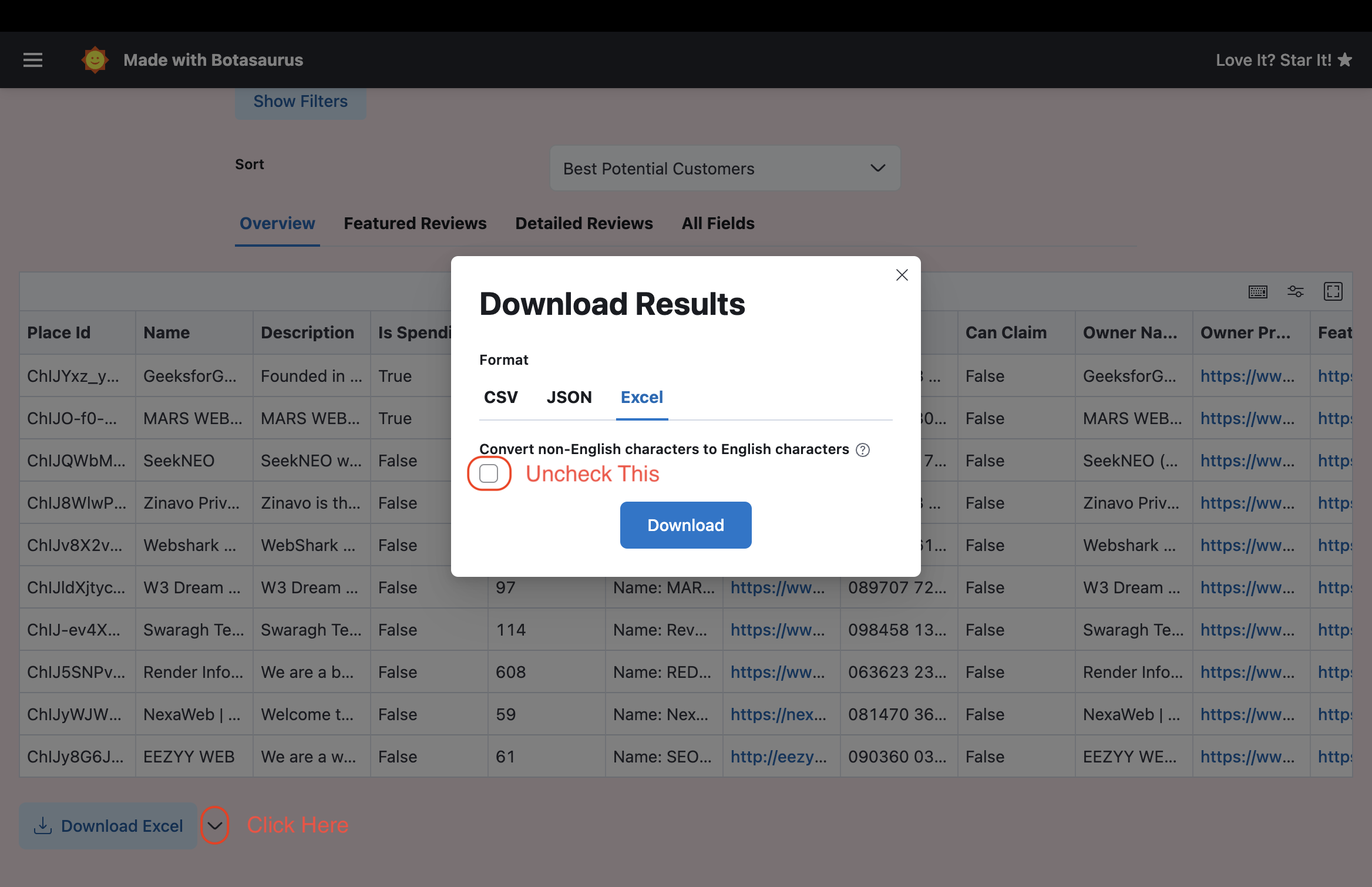
When exporting, any non-English characters are converted to English. For example, "しんちゃん" is converted to "Shinchan."
We do this because Excel can't render non-English characters properly.
If you want to retain the original characters and avoid converting them to English, simply uncheck the English conversion checkbox:
In case you are unable to view the non-English characters properly in Excel, then the easiest solution is to upload the file to Google Sheets, which renders the characters properly.
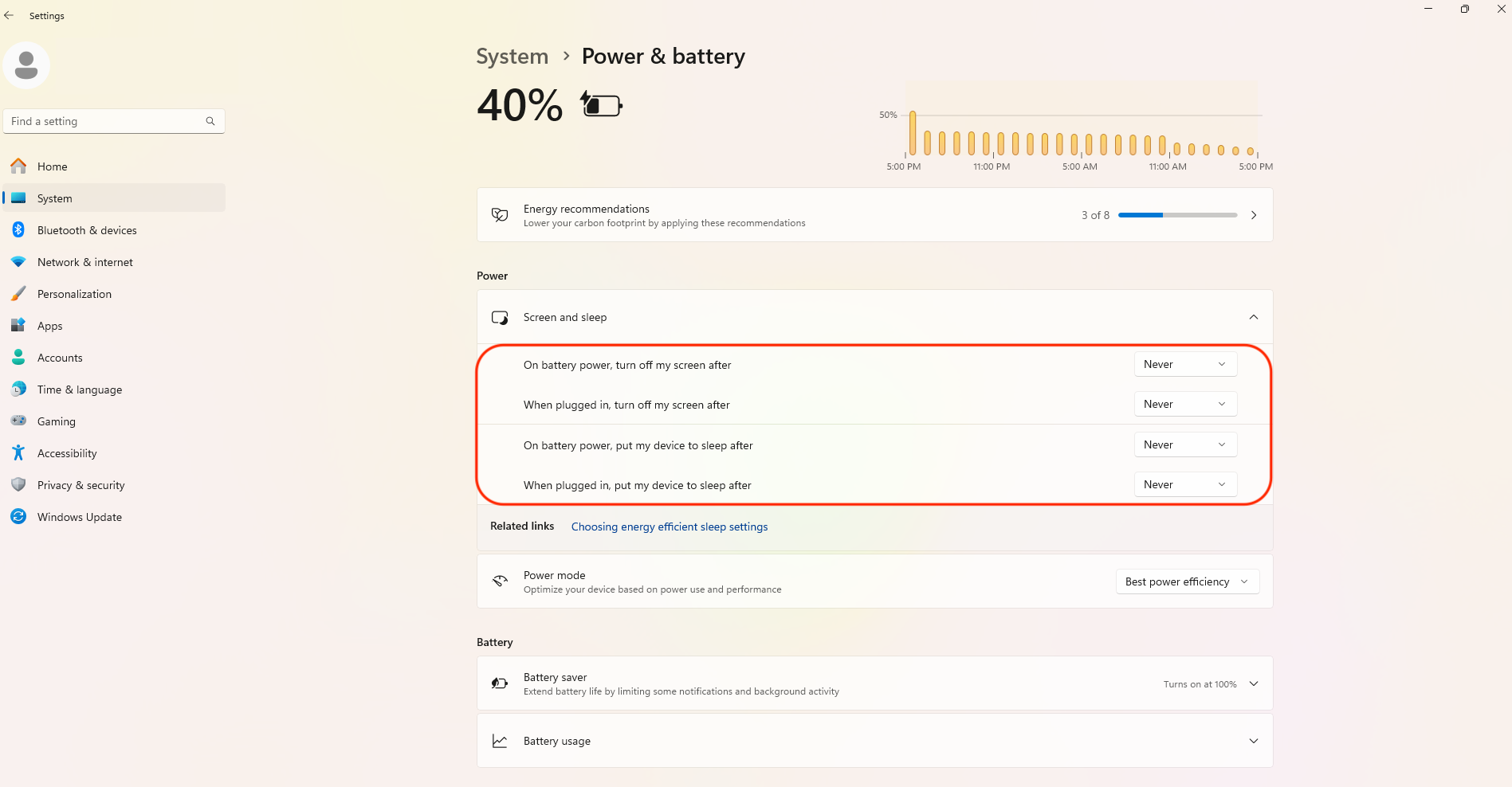
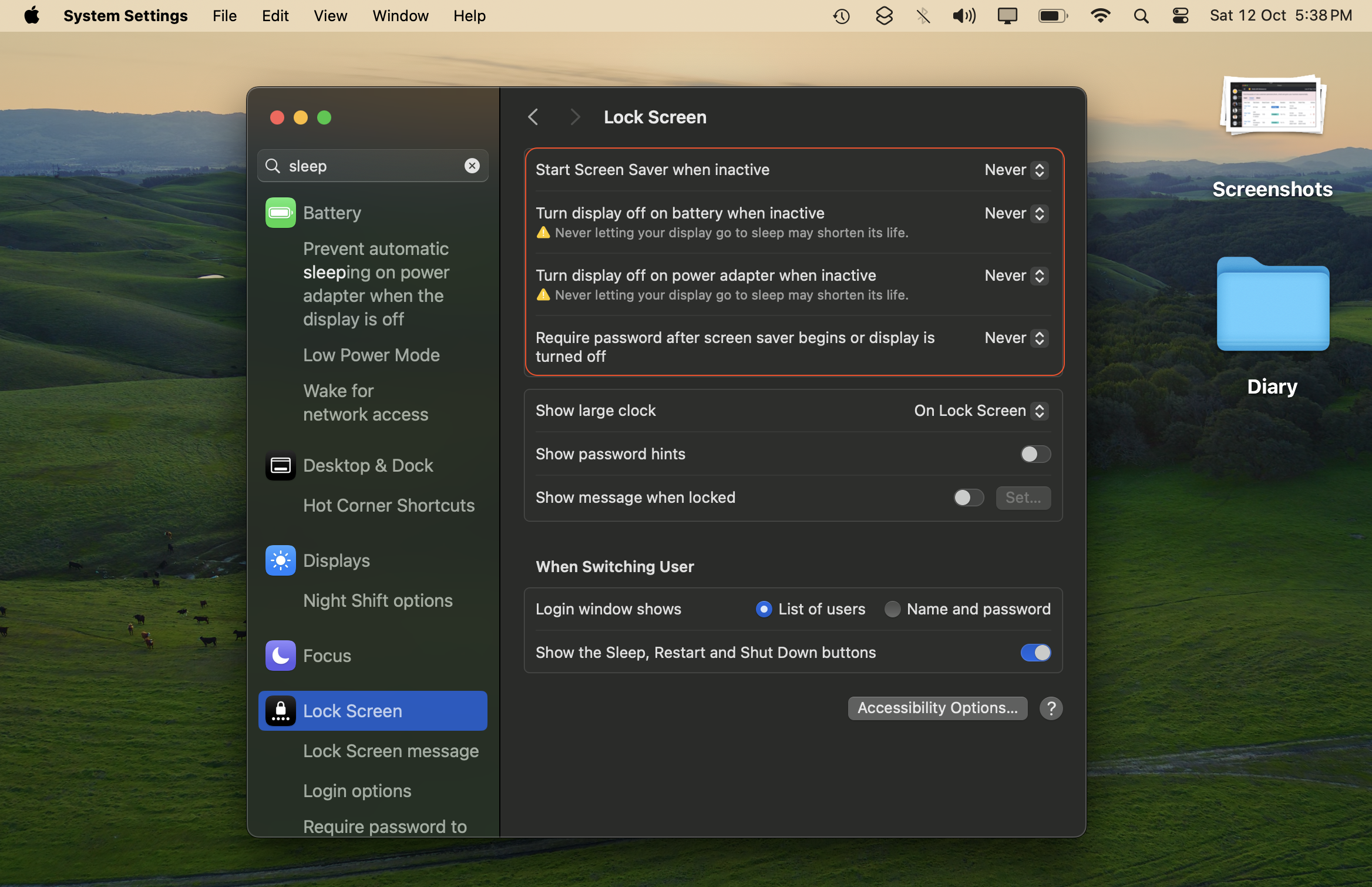
- Disable Auto Sleep Mode Auto sleep mode will prevent the tool from running and cause tasks to fail. Here's how to turn it off:
-
On Windows: Go to Start > Settings > System > Power & battery > System > Screen & Sleep. Set the following settings to "Never"
-
On Mac: Open Settings > Lock Screen, then set the following settings to "Never."
-
Ubuntu?: You're awesome at computers, so go ahead and figure it out! ;)
- Keep the System Awake and Running The tool only runs while your computer is awake, so keep the system on and do not close your laptop's lid, as doing so puts it to sleep and stops the tool.
If you'd like the tool to keep scraping at night (for example, after you leave the office) but your main account holds sensitive data that you don't want anyone to access, do the following:
- Create a separate user account on your Mac or Windows machine.
- Run the app in that second account.
- macOS and Windows both keep apps running in the background of a signed-in account even when you switch users. So during the day you can work in your main account while the second account keeps scraping, and when you head home you simply switch to the second account and leave the machine running overnight.
- Ensure you maintain a stable Internet connection, as switching connections will cause currently running tasks to fail.
This is a known issue specific to macOS. We expect it to be fixed by December 2026.
To resolve the problem:
- Close this app
- or restart your computer.
After that, Google Chrome will launch normally.
While a task is in progress, "All Task" may show around 80K results, but after completion it drops to 70K.
We remove duplicates at the end of all tasks, so expect the final count to be lower than what you see during progress.
Google lists the same places across multiple cities, so expect results to drop by 20% to 40% for country-level extraction.
If you need full country data—say all "Restaurants in US" (29.5K cities)—it can take 10–12 days on your system.
With our Done For You service, we refine your search queries for higher-converting customers and deliver in 1-2 days.
Pricing: $180/100K results.
Why use this service?
- Saves extraction time (10-12 days reduced to 1-2 days).
- We help refine queries to target relevant businesses.
- 90-day refund guarantee.
Email us and let us know what you sell and who you're looking for.
Yes, we do big data projects for businesses.
- We work with data daily and have built tools like this product.
- 90-day refund guarantee.
You can email us here to inquire about your project.
Let us know! We consider feature requests and can suggest alternatives if we can't implement them.
We're a data company with 20+ tools for OCR, data conversion, and developer APIs. Some things we are proud of:
- Built Botasaurus, an open-source automation framework with 3.7K+ GitHub stars
- Sponsored by 1000+ developers on GitHub
There are 10s of Google Maps Scrapers on the Internet, some by brands bigger than ours. For big brands, this is just one of many tools. For us, it is our core product. We've put in thousands of development hours perfecting it, and we're extremely proud of it.
Coming to Hard Facts:
- Tens of thousands of results per city with Zoom 18. Only 1-2 other brands can do this.
- Unlimited searches for a lifetime. Other websites charge $28 for just 50 searches. Our free plan gives 200 searches, 4x more than them.
- Faster performance with lower bandwidth usage.
- Easy to use — just open, enter query, start seeing results in a few seconds.
- 50+ data points extracted, most in the market.
- One-time payment, no subscriptions. Run on unlimited devices. Lifetime updates. You OWN the software.
- 90-day no-questions-asked 2-click refund guarantee. No other brand offers this.
A Solid Product doesn't need elaborate explanations, it speaks for itself. Try it, and see it for yourself.
-
Finding customers for your startup. Very common use case.
-
Hiring Top Talent
- Example: To hire a good salesperson, search for "Sales Training" in a specific country and contact the training centers for candidate recommendations.
- Benefits:
- Much higher quality candidates compared to online job portals
- Saves a lot of time that would otherwise be spent screening and interviewing a much larger pool of candidates
- We've done this ourselves as well.
-
Discovering the Best Service Providers
- Find top-rated service providers in your area for specific needs.
- Examples:
- Search for "Yoga Classes" in your city to find the highest-rated yoga classes for health and long life.
- Search for "Library" in your city to find the best place to focus on your work.
- Search for "Restaurant" in your city to find the tastiest food options.
- Search for "Computer Repair" in your city to find the most reputable and reliable computer repair shops.
- The list goes on...
This tool can help you save time in various aspects of your personal and professional life.