"This Project has been archived by the owner, who is no longer providing support. The project remains available to authorized users on a "read only" basis."
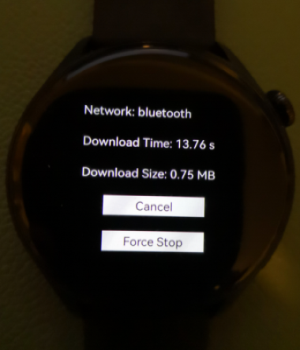
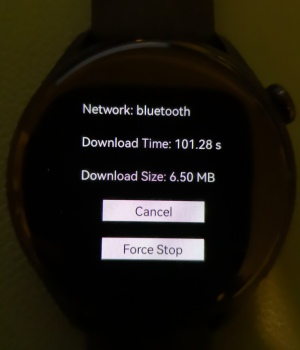
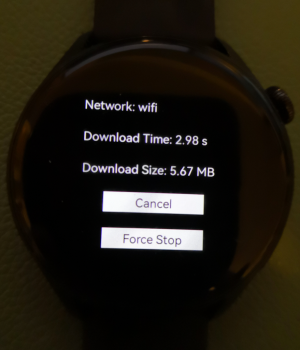
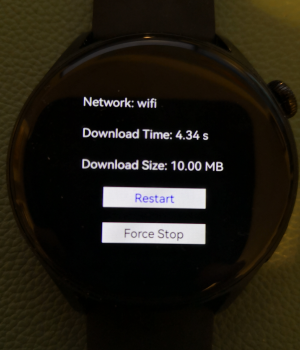
This demo provides the network speed test on Huawei HarmonyOS Watch 3. When the watch is connected to an Android or HarmonyOS phone that has Huawei Health App installed through Bluetooth, the demo app measures the download speed from a xxMB source file via the Bluetooth connection. On the other hand, when the watch is connected to WiFi, the demo app measures the download speed from the source file via the WiFi network.
Install Huawei DevEco Studio and set up the DevEco Studio development environment. The DevEco Studio development environment needs to depend on the network environment. It needs to be connected to the network to ensure the normal use of the tool.The development environment can be configured according to the following two situations: 1) If you can directly access the Internet, just download the HarmonyOS SDK; 2) If the network cannot access the Internet directly, it can be accessed through a proxy server • Generate secret key and apply for certificate
Download this Project and open DevEco Studio, click File> Open> Then select and open this Project • Click Build> Build App(s)/Hap(s)>Build Debug Hap(s) to compile the hap package. Then Click Run> Run 'entry' to run the hap package. Note that you can choose to run the hap package on the simulator or the Huawei watch 3. If you run it on the watch, you need to configure the signature and certificate information in the project's File> Project Structure> Modules> Signing Configs.
You need to add a download source file in the public static String downloadFile = " "; //TODO replace with a URL to download, in entry/src/main/.../slice/MainAbilitySlice.java
The demo code is licensed under the Apache License, version 2.0. All copyright belong to Lolay Inc.