DateTime
| # | Name | Required? | Type | Description |
|---|---|---|---|---|
1 |
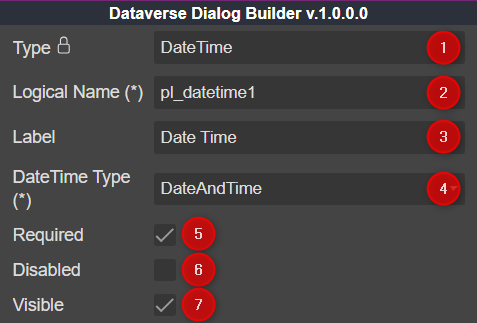
Type | DateTime |
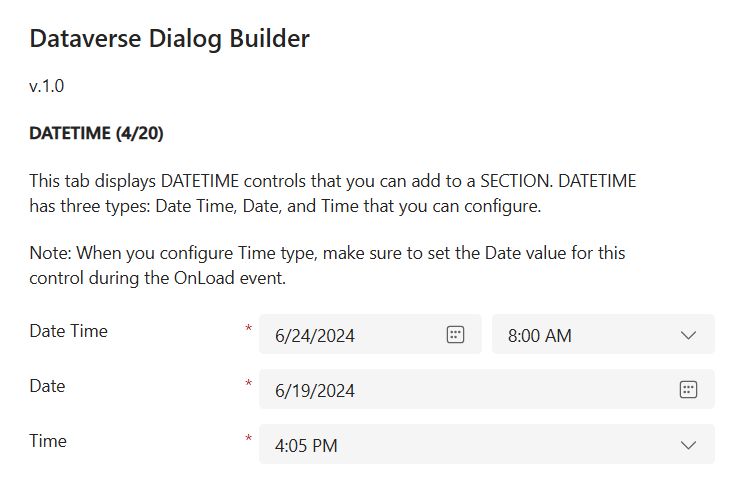
Dataverse Dialog Builder DateTime control |
|
2 |
Logical Name | x |
string |
The logical name of the control |
3 |
Label | string |
The text you want to display | |
4 |
DateTime Type | x |
string |
Supported 3 types
|
5 |
Required | boolean |
show or hide required field |
|
6 |
Disabled | boolean |
lock or unlock control |
|
7 |
Visible | boolean |
show or hide control |
- When using the
DateTime Typeequal toTime, ensure that you use thesetValuefunction fromformContextwith the defaultDatevalue for the control. If not, the control will render the correct value initially, but when the user selects a value, it will automatically clear.