| title | RAG 示例 |
|---|---|
| summary | 构建一个结合文档搜索与语言生成的 RAG 应用。 |
本示例演示如何使用 pytidb(TiDB 官方 Python SDK)构建一个最小化的 RAG 应用。
该应用使用 Ollama 进行本地嵌入生成,使用 Streamlit 构建 Web UI,并通过 pytidb 搭建 RAG 流水线。
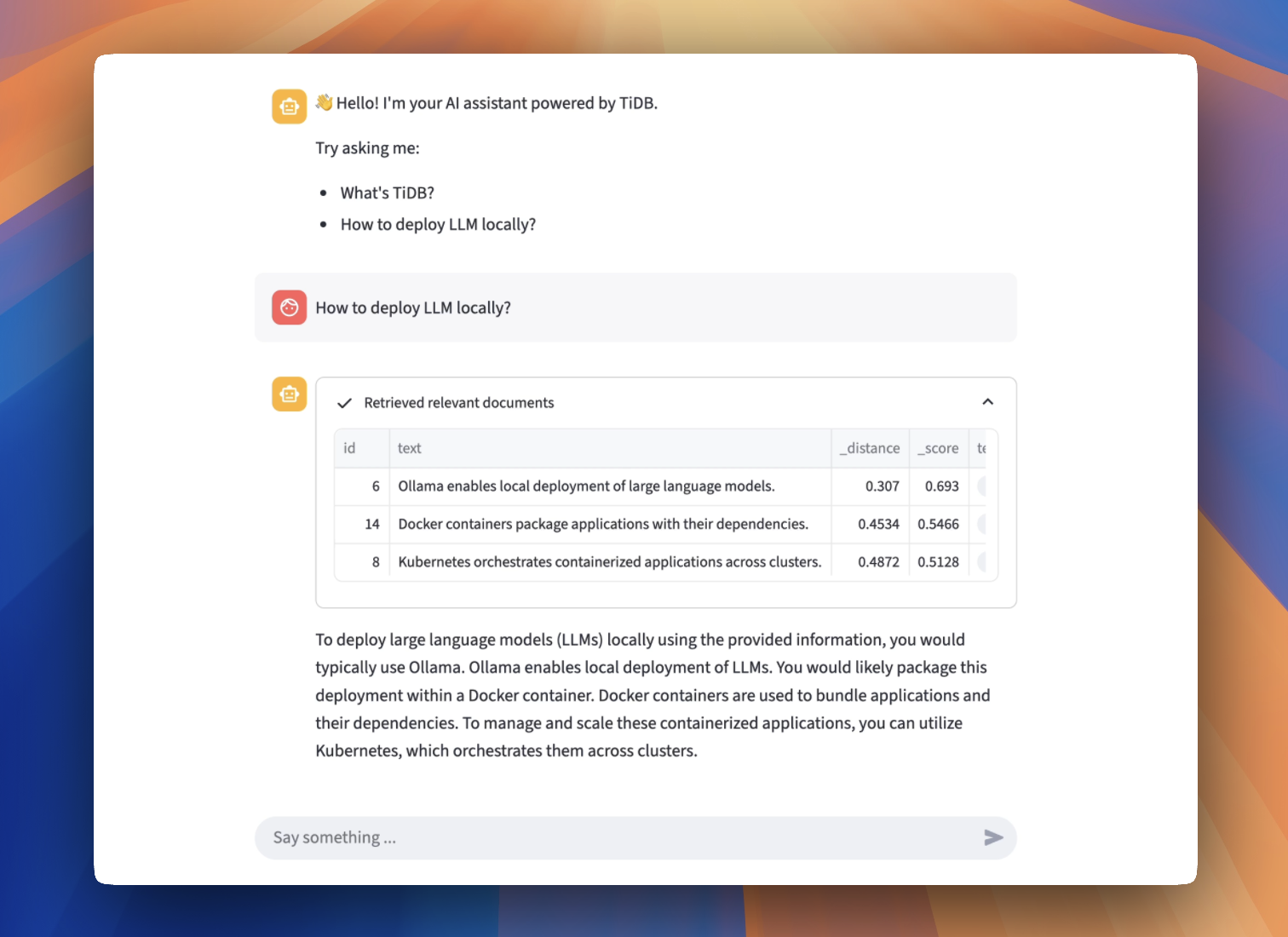
基于 PyTiDB 构建的 RAG 应用
在开始之前,请确保你已具备以下条件:
- Python (>=3.10):安装 Python 3.10 或以上版本。
- {{{ .starter }}} 实例:你可以在 TiDB Cloud 上创建一个免费的 {{{ .starter }}} 实例。
- Ollama:从 Ollama 安装。
使用 Ollama CLI 拉取 embedding 和 LLM 镜像:
ollama pull mxbai-embed-large
ollama pull gemma3:4b
ollama run gemma3:4b
验证 /embed 和 /generate 接口是否已启动:
curl http://localhost:11434/api/embed -d '{
  "model": "mxbai-embed-large",
  "input": "Llamas are members of the camelid family"
}'
curl http://localhost:11434/api/generate -d '{
"model": "gemma3:4b",
"prompt": "Hello, Who are you?"
}'git clone https://github.com/pingcap/pytidb.git
cd pytidb/examples/rag/python -m venv .venv
source .venv/bin/activate
pip install -r reqs.txt- 在 TiDB Cloud 控制台中,进入 My TiDB 页面,然后点击目标 {{{ .starter }}} 实例名称,进入其概览页面。
- 点击右上角的 Connect。此时会弹出连接对话框,显示连接参数。
- 根据连接参数设置环境变量,如下所示:
cat > .env <<EOF
TIDB_HOST={gateway-region}.prod.aws.tidbcloud.com
TIDB_PORT=4000
TIDB_USERNAME={prefix}.root
TIDB_PASSWORD={password}
TIDB_DATABASE=test
EOFstreamlit run main.py打开浏览器并访问 http://localhost:8501。
尝试关闭你的全局代理设置。
- 源代码:在 GitHub 上查看